 PluginStats
CodeSwing installs statistics
By Jonathan Carter (5 listings) · VS Code Marketplace · Other
Interactive coding playground for building web applications (aka swings).
CodeSwing has 227,713 recorded installs on VS Code Marketplace.
It ranks #1381 of 2,500 tracked VS Code Marketplace listings by installs.
It is rated 5.0 out of 5 from 7 ratings.
PluginStats has 3 daily observations since Oct 16, 2026; the latest is from Oct 18, 2026.
Rating: 5.00 / 5 from 7 ratings
About CodeSwing
CodeSwing 🎢
CodeSwing is an interactive coding playground for VS Code, that allows you to build/explore/learn rich web applications ("swings"). It's like having the magic of a traditional web playground (e.g. CodePen, JSFiddle), but available directly from your highly-personalized editor: themes, keybindings, and extensions...oh my! When you create swings, you can use your favorite web languages (HTML/Pug, CSS/SCSS/Less, JS/TS) and libraries (React, Vue, Angular, etc.) and have a live preview as you type, without needing to worry about compiling or bundling anything. It's like a visual REPL for managing runnable code snippets.
CodeSwing supports template galleries, which allows you to create re-usable swing templates. When you're happy with a swing, you can also export it to CodePen in order to share it with the world! Finally, since CodeSwing is a VS Code extension, it can integrate with other VS Code extensions, to enable compelling scenarios such as managing your swings as GitHub Gists, recording guided walkthroughs of your swings, and collaborating on a swing in real-time. If that doesn't sound fun, then I don't know what is!
_What's the meaning of the name "swing"? As the extension's logo implies, it's referring to a swing>) on playground, to elicit the idea of having fun. That said, if you interpret "swing" as the dance style, that's totally cool too! 💃_
Getting Started
• Creating Swings • Template Galleries • Swing Tutorials
Reference
• Swing Manifest • Contributed Commands • Configuration Settings • Extensibility • Known Limitations
Getting Started
1. Install the CodeSwing extension and then reload VS Code
1. Run the CodeSwing: New Swing... command, and select the desired template
1. Edit any of the opened files and see the CodeSwing preview update automatically as you type 🚀
1. _(Optional)_ If you'd like to save this sample to a permanent location, run the CodeSwing: Save Current Swing As... command and select a directory
From here, you can try additional languages, change the swing layout, view console output, and include external libraries. We want to make it easy to build/explore web ideas, and so if you have any feedback, please don't hesitate to reach out!
Furthermore, if you'd like to try out a fun sample, clone the Rock Paper Scissors repo, and open it up in VS Code. CodeSwing will detect that it's a swing and automatically layout your editor.
Creating Swings
After you install the CodeSwing extension, you can create new swings at any time, using the following commands:
• CodeSwing: New Swing... - Creates a temporary swing that allows you to quickly try something out (like a visual REPL!). These swings are stored in your system temp directory in a folder called codeswing, and are named based on the current date/time. • CodeSwing: New Swing from Last Template - Creates a swing using the last template that you used. This can be useful when you tend to use the same template over and over again. • CodeSwing: New Swing in Directory... - Creates a swing in a local directory, which allows you to re-open it later, and easily share it with others (e.g. store it in a GitHub repo).
After creating a swing, your editor layout will be automatically setup to accomodate the needs of the selected template. Furthermore, if you open a directory that represents a swing, or you run the CodeSwing: Open Swing... command, then the selected swing will be automatically launched.
Language Support
CodeSwing comes with support for all major web languages, and allows you to create new swings without worrying about building or bundling anything. When you create a swing, the templates list provides options for getting started quickly
| Asset Type | Supported Languages |
| Markup | HTML, Pug, Markdown | | Stylesheet | CSS, SCSS/Sass, Less | | Script | JavaScript, TypeScript |
Additionally, if your script file ends in .jsx or .tsx, you can use JSX syntax. CodeSwing also recognizes a script file that ends in .babel and treats it like TypeScript. Finally, if your script file ends in ".mjs", then it will be treated as a JavaScript module.
Components
In addition to the aforementioned languages, CodeSwing also allows you to create component-based swings, using either React, React Native, Vue (single-file components) or Svelte. A component-based swing is unique in that it's a single file that lets you focus on just your component, and have all initialization and rendering logic handled automatically.
React
When creating a React component swing, you can define either a function-based or class-based component. You can name the component whatever you'd like, but you need to export it as the default export (e.g. export default function Foo). The react and react-dom libraries will be automatically included, and your exported component will be rendered into the page. If you need to access the React API (e.g. to use a hook), you can access React from within your component code. Additionally, if you need to include any other libraries, you can simply import them.
Vue
Using a Vue component swing, you can define your template, script and styles within a single-file component. Furthermore, you can add the lang attribute to the template, script or style elements, in order to use any of the supported languages.
Note: VS Code doesn't ship with support for .vue files out of the box, so if you want to create Vue swings, it's recommended that you install the Vetur extension.
Svelte
When creating a Svelte component swing, you can define your template, script and styles within a single .svelte component. If you need to access APIs from Svelte itself, simply add an import statement from svelte and use the API you need (e.g. `import { tweened } from 'svelte/motion')
Note: VS Code doesn't ship with support for .svelte files out of the box, so if you want to create Svelte swings, it's recommended that you install the Svelte for VS Code extension.
Swing Layout…
Description from the VS Code Marketplace listing.
- json
- keybindings
- typescriptreact
- yaml
Where CodeSwing sits in the listing
Each band is one page of 20. Installs on a log scale. Placement is projected from installs, so it can differ from the marketplace's own sort order. Hover a dot to see the listing.


Charts
Images: 30d · 1y · all time · 1600×900 dark
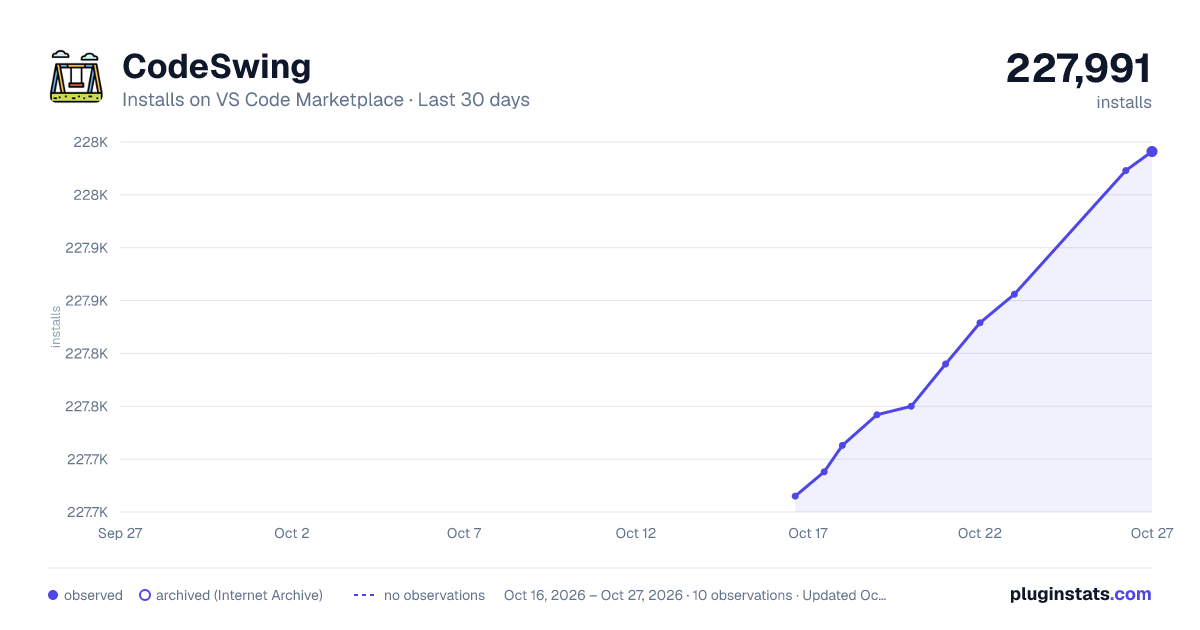
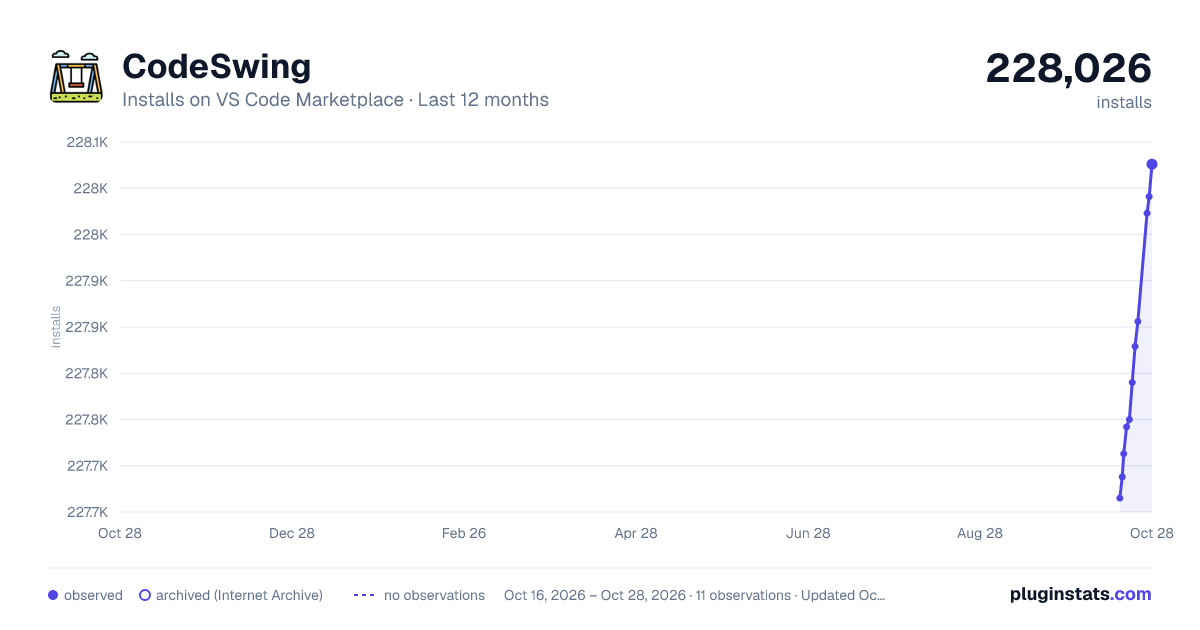
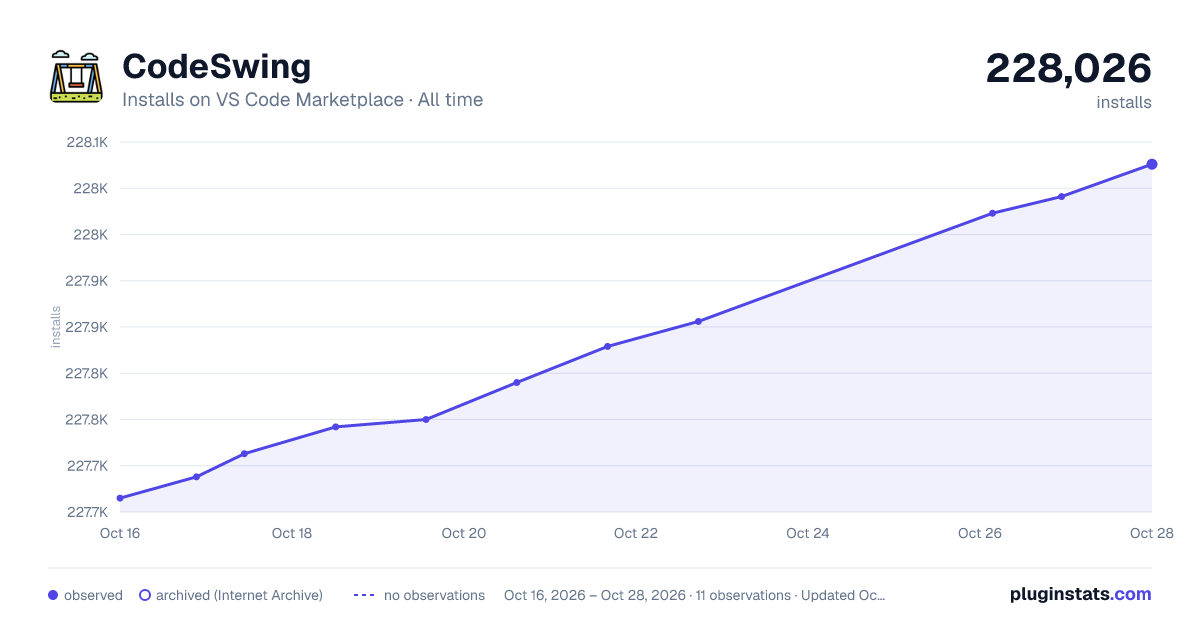

Adoption over time


7/30/90-day growth


Ranking history


Filled points are observed values; hollow points come from Internet Archive snapshots of the listing page. Dashed segments span periods with no observations — values between points are not interpolated.
Recent observations
Full history (3)Similar VS Code Marketplace Other plugins
Data source
Install counts, average rating, and rating counts come from the public Visual Studio Marketplace gallery API. Installs are cumulative and exclude updates.
Listing: https://marketplace.visualstudio.com/items?itemName=codespaces-Contrib.codeswing. First seen Oct 16, 2026; last successful collection Oct 18, 2026. See the methodology.