 PluginStats
AutoIt installs statistics
By Damien · VS Code Marketplace · Programming Languages
AutoIt language extension for Visual Studio Code
AutoIt has 93,555 recorded installs on VS Code Marketplace.
It ranks #2467 of 2,500 tracked VS Code Marketplace listings by installs.
It is rated 5.0 out of 5 from 17 ratings.
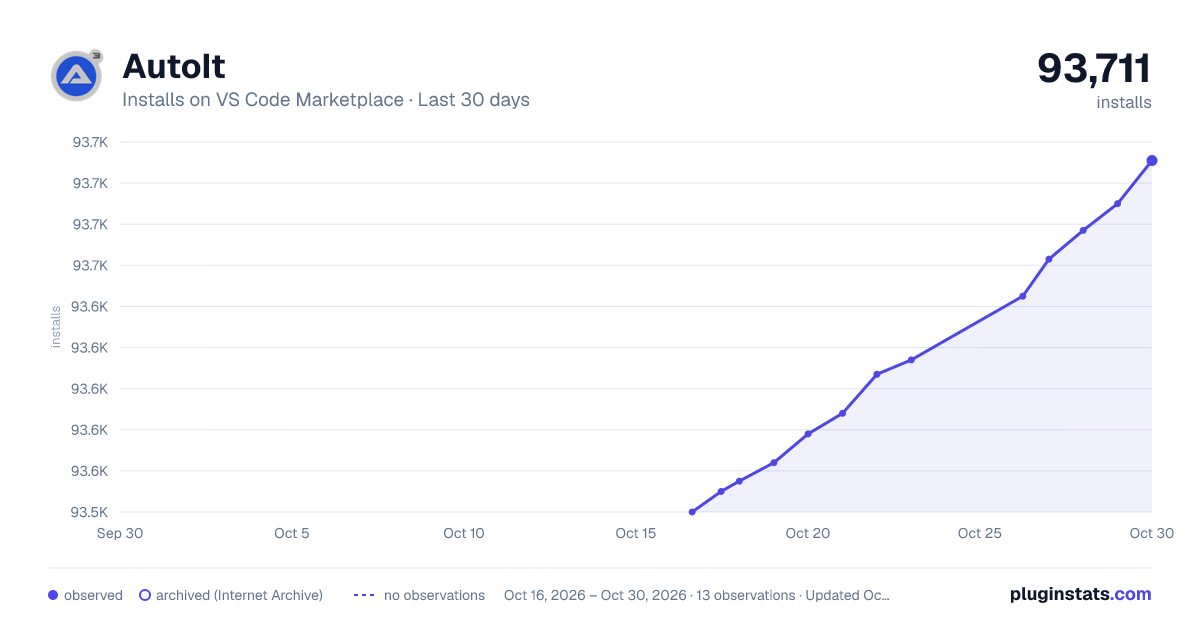
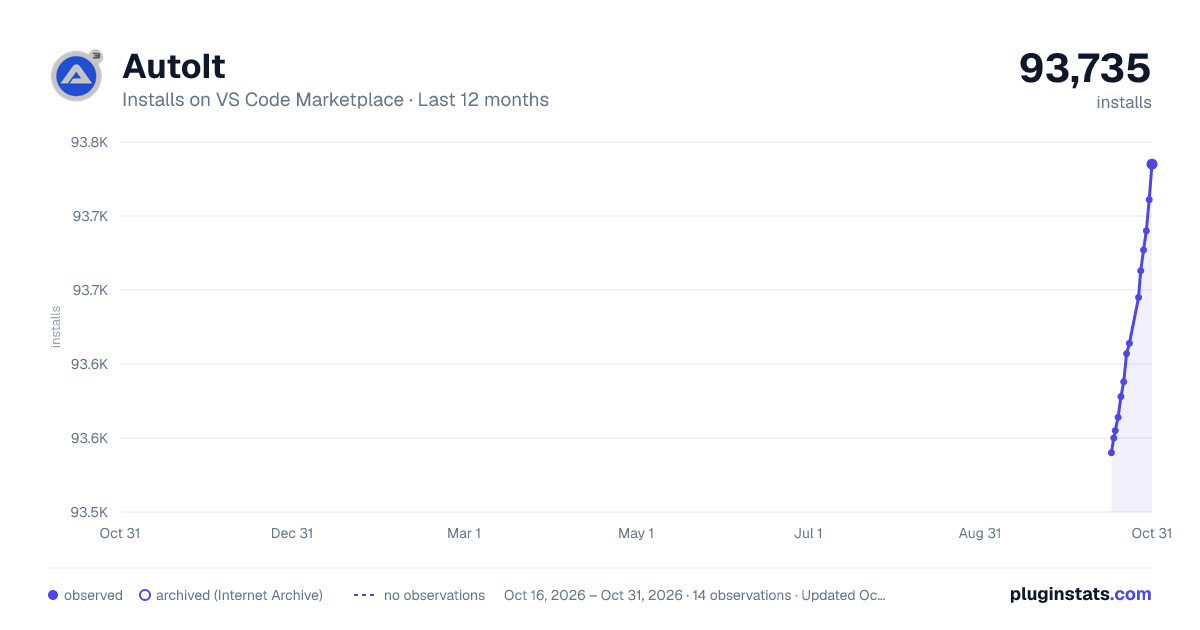
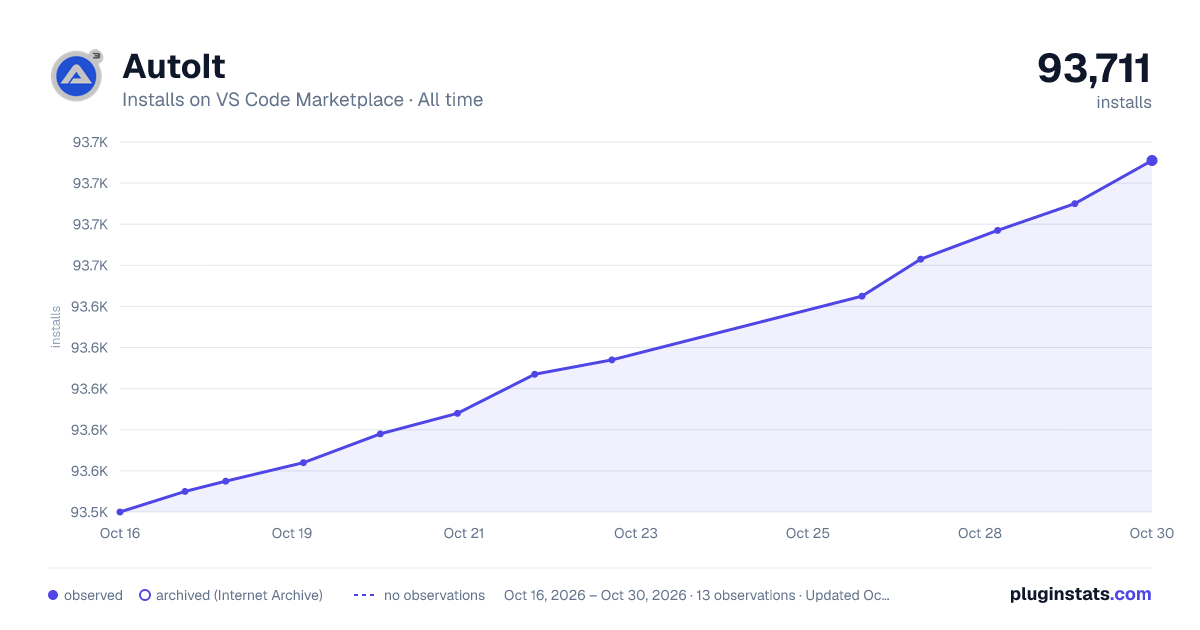
PluginStats has 3 daily observations since Oct 16, 2026; the latest is from Oct 18, 2026.
Rating: 5.00 / 5 from 17 ratings
About AutoIt
AutoIt for Visual Studio Code
A comprehensive AutoIt language extension for Visual Studio Code, providing syntax highlighting, IntelliSense, diagnostics, and integrated script execution.
This extension has been forked and developed from Damien122's original release.
Quick Links: Installation | Features | Quick Start | Configuration | Keyboard Shortcuts | Platform Support | Troubleshooting | Contributing | Contributors
Installation
1. Open Visual Studio Code 2. Press Ctrl+Shift+X to open Extensions view 3. Search for "AutoIt" 4. Click Install on the AutoIt extension by Damien 5. Reload VSCode when prompted
Prerequisites:
• AutoIt3 installed on your system • SciTE4AutoIt3 (full install) for compile/build features
Quick Start
1. Install AutoIt (if not already installed) 2. Open an AutoIt script (.au3 file) in VSCode 3. Press F5 to run your script 4. Press Ctrl+F1 with cursor on a function to open AutoIt Help
For non-default AutoIt installations, configure the path in settings:
• Open Command Palette (Ctrl+Shift+P) • Search for "Preferences: Open User Settings" • Search for "autoit.aiPath" • Set the full path to your AutoIt3.exe
Features
IntelliSense & Code Completion
Smart code completion for AutoIt functions, keywords, macros, constants, and variables.
Symbol Navigation
Quickly navigate to functions, variables, and regions within your script using Ctrl+Shift+O.
Diagnostics & Error Checking
Real-time syntax checking and error detection using Au3Check, displayed in the Problems tab.
Script Execution & Building
• Run scripts directly from VSCode (F5) • Compile scripts to executables (Ctrl+F7) • Build scripts with AutoIt3Wrapper (F7) • Check syntax with Au3Check (Ctrl+F5)
Integrated AutoIt Tools
Launch AutoIt tools directly from VSCode:
• AutoIt3 Help (Ctrl+F1) • Au3Info Window Info Tool (Ctrl+F6) • Koda Form Designer (Alt+M)
Go to Definition
Jump to variable and function declarations using F12, or peek definitions with Alt+F12.
Debug Helpers
• Insert debug MsgBox for selected variable (Ctrl+Shift+D) • Insert debug ConsoleWrite (Alt+D)
Code Formatting
Format AutoIt code using Tidy.exe (Windows only, requires SciTE4AutoIt3).
Include File Management
Open include files at cursor position with Alt+I, with support for custom include paths.
Multi-Output Panels
Run multiple scripts simultaneously with separate output panels for each.
Syntax Highlighting
Comprehensive syntax highlighting for AutoIt code, including:
• Keywords, functions, and macros • Variables, constants, and strings • Comments and documentation blocks • COM object properties and methods with distinct highlighting for dot notation (e.g., $oExcel.Workbooks.Add())
COM objects are highlighted with a special token scope (support.class.com.autoit), allowing themes to style them distinctly from regular functions.
Map Variable Intelligence
The extension provides intelligent IntelliSense for AutoIt Map variables:
• Smart key completion: Type $mUser. to see available keys • Scope-aware: Respects Local/Global scope and function boundaries • Cross-file tracking: Follows #include directives to merge Map definitions • Function parameter tracking: Detects keys added when Maps are passed to functions
Configure in settings:
• autoit.maps.enableIntelligence - Enable/disable Map completions (default: true) • autoit.maps.includeDepth - Max include depth for cross-file tracking (default: 3) • autoit.maps.showFunctionKeys - Show keys added by functions (default: true)
See Map Support Documentation for details.
Platform Support
This extension works on Windows, macOS, and Linux, with the following considerations:
| Feature | Windows | macOS/Linux |
| Syntax Highlighting | ✓ | ✓ | | IntelliSense | ✓ | ✓ | | Symbol Navigation | ✓ | ✓ | | Go to Definition | ✓ | ✓ | | Run Scripts | ✓ | Windows only | | Diagnostics (Au3Check) | ✓ | Windows only | | Code Formatting (Tidy) | ✓ | Windows only | | Compile/Build | ✓ | Windows only |
Note: AutoIt itself is a Windows automation language. While the extension provides language support on all platforms, script execution and AutoIt tools require a Windows environment.
Configuration
Essential Settings
Configure the extension via File → Preferences → Settings or Ctrl+,, then search for "AutoIt":
| Setting | Description | Default |
| autoit.aiPath | Path to AutoIt3.exe | C:\Program Files (x86)\AutoIt3\AutoIt3.exe | | autoit.includePaths | Additional include folder paths | [] | | autoit.enableDiagnostics | Enable Au3Check diagnostics | true | | autoit.multiOutput | Separate output panel per script | true |
All Configuration Options
Click to expand full configuration table
| Config | Description | Default |…
Description from the VS Code Marketplace listing.
- au3
- autoit
- AutoIt3
- keybindings
- scripting
- snippet
- vscode-autoit-output
Where AutoIt sits in the listing
Each band is one page of 20. Installs on a log scale. Placement is projected from installs, so it can differ from the marketplace's own sort order. Hover a dot to see the listing.


Charts
Images: 30d · 1y · all time · 1600×900 dark

Adoption over time


7/30/90-day growth


Filled points are observed values; hollow points come from Internet Archive snapshots of the listing page. Dashed segments span periods with no observations — values between points are not interpolated.
Recent observations
Full history (3)Similar VS Code Marketplace Programming Languages plugins
Data source
Install counts, average rating, and rating counts come from the public Visual Studio Marketplace gallery API. Installs are cumulative and exclude updates.
Listing: https://marketplace.visualstudio.com/items?itemName=Damien.autoit. First seen Oct 16, 2026; last successful collection Oct 18, 2026. See the methodology.