 PluginStats
Bracket Lens installs statistics
By wraith13 (2 listings) · VS Code Marketplace · Other
Show bracket header on closing bracket.
Bracket Lens has 107,547 recorded installs on VS Code Marketplace, ranking #2267 of 2,501 tracked listings.
Rating: 4.67 / 5 from 15 ratings
About Bracket Lens
Bracket Lens for VS Code


Show bracket header on closing bracket.
⚠ Significant performance issues have been identified in combination with VS Code v1.52.0. Set the default value of bracketLens.mode to on-save until this issue is resolved.
Features
Displays the text in the header part of the scope after the closing brace.
Screenshot


Tutorial
0. ⬇️ Install Bracket Lens
Show extension side bar within VS Code(Mac:Command+Shift+X, Windows and Linux: Ctrl+Shift+X), type Bracket Lens and press Enter and click Install.
1. 👉 Show bracket header on closing bracket
Open the source code file for a symbol bracket type language like TypeScript. Information is automatically displayed after the closing brace.
2. 🔧 Next step
Please see Notes. You can change settings. And you can edit keyboard shortcuts by keybindings.json.
Enjoy!
Commands
Bracket Lens: Toggle Mute: Mute Bracket Lens for the text editor in focus. Execute this command again to unmute.Bracket Lens: Toggle Mute All: Mute Bracket Lens for all text editors. Execute this command again to unmute.Bracket Lens: Update Brackets: You will often need to run this command in manual mode.Bracket Lens: Report Profile: Report a profile.
Extension Settings
This extension contributes the following settings by settings.json( Mac: Command+,, Windows / Linux: File -> Preferences -> User Settings ):
bracketLens.mode: Brackets Lens operating mode.bracketLens.debug: Debug mode.bracketLens.color: The color of the bracket header that appears after the closing bracket.bracketLens.prefix: Bracket header prefix.bracketLens.unmatchBracketsPrefix: Bracket header prefix when unmatch brackets.bracketLens.line: Include line number in bracket header prefix.bracketLens.maxBracketHeaderLength: Bracket header length than this value are displayed with the tail omitted. ( not include prefix )bracketLens.minBracketScopeLines: The bracket header is displayed only when the number of lines in the bracket scope is greater than or equal to this value. ( include bracket lines )bracketLens.languageConfiguration: Language parsing settings.
Notes
For users with language syntax like TypeScript
Fortunately, this extension will probably work generally comfortably in the symbol bracktes type language without any special configuration.
Even for this type of language, details may require the setting of bracketLens.languageConfiguration. I would like to accept it as the default setting if you can tell me the setting information in the issue or pull request for other users in your language.
For users with language syntax like Ruby
I apologize for the inconvenience, but for word bracket type languages, all word brackets must be set to bracketLens.languageConfiguration.
I would like to accept it as the default setting if you can tell me the setting information in the issue or pull request for other users in your language.
For users with language syntax like Python
Unfortunately, this extension is not useful for indented scope type languages.
If your language is this type of language, I would like to have this extension disabled in that language by default if you let us know in an issue or pull request.
Keyboard shortcut Settings
You can edit keyboard shortcuts by keybindings.json
( Mac: Code -> Preferences -> Keyboard Shortcuts, Windows / Linux: File -> Preferences -> Keyboard Shortcuts).
Command name on keybindings.json is diffarent from on Command Pallete. See below table.
| on Command Pallete | on keybindings.json | default Keyboard shortcut |
|---|---|---|
Bracket Lens: Toggle Mute | bracketLens.toggleMute | |
Bracket Lens: Toggle Mute All | bracketLens.toggleMuteAll | |
Bracket Lens: Update Brackets | bracketLens.updateBrackets | |
Bracket Lens: Report Profile | bracketLens.reportProfile |
Release Notes
see ChangLog on marketplace or github
Support
License
Download VSIX file ( for VS Code compatible softwares )
Releases · wraith13/bracket-lens-vscode
Other extensions of wraith13's work…
Description from the VS Code Marketplace listing.
- bracket
- code
- lens
README badge
Show your rank in a README or on your website. The badge updates automatically.
Charts
Images: 30d · 1y · all time · 1600×900 dark
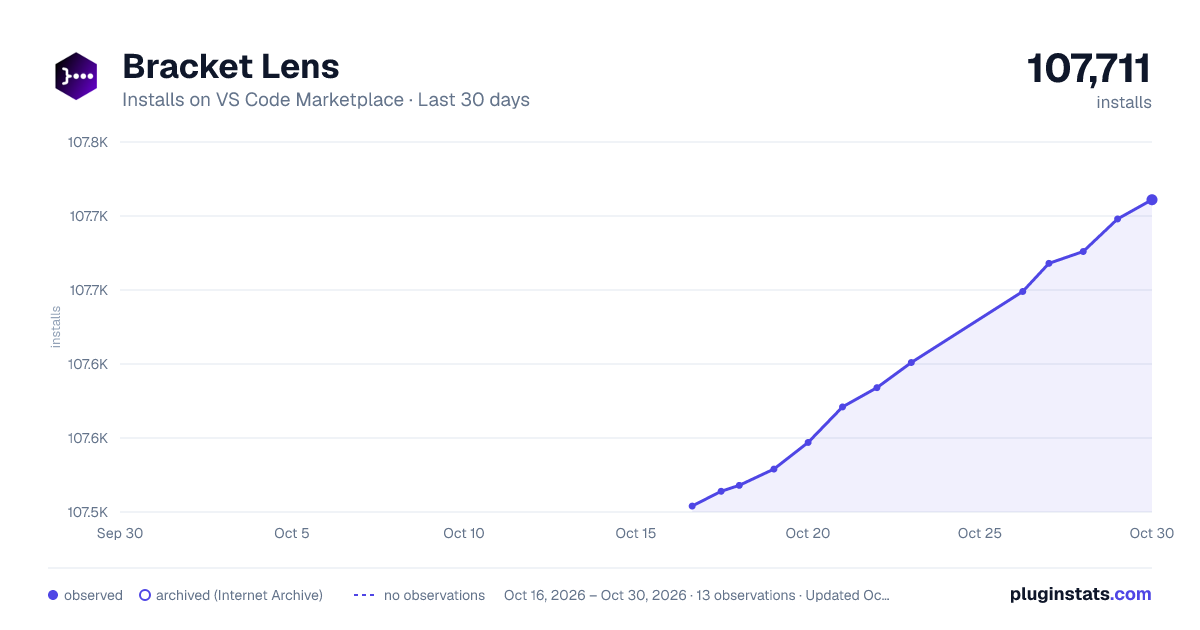
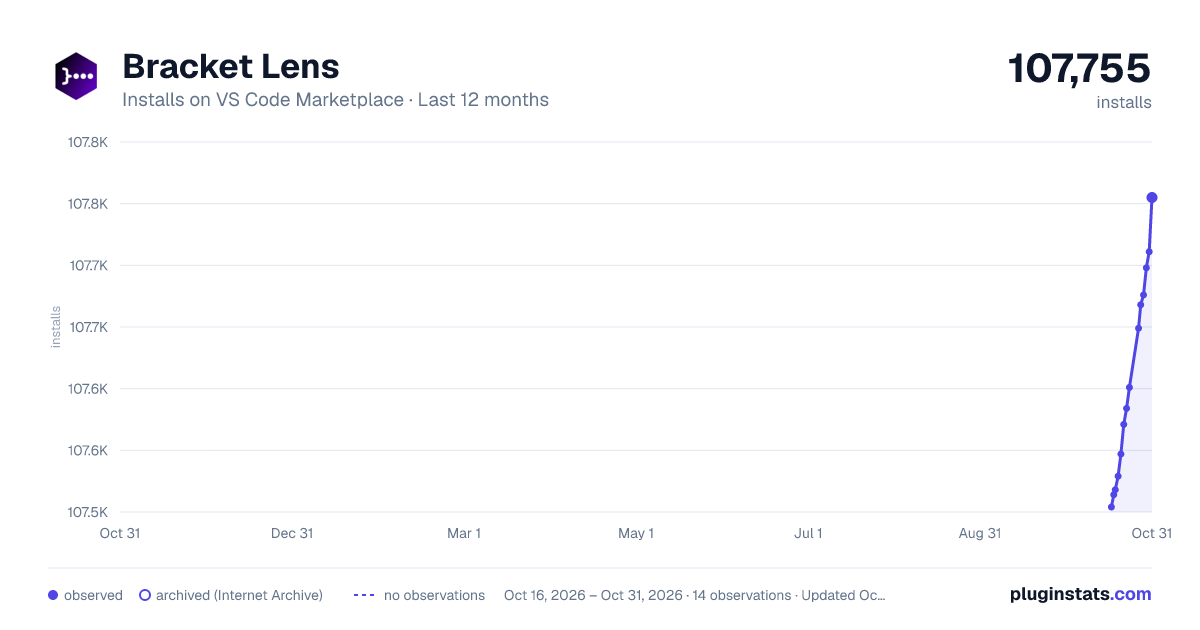


Adoption over time
7/30/90-day growth
Ranking history
Ratings over time
Listing placement
Listing placement
Filled points are observed values; hollow points come from Internet Archive snapshots of the listing page. Dashed segments span periods with no observations — values between points are not interpolated.
Each band is one page of 20. Installs on a linear scale. Placement is projected from installs, so it can differ from the marketplace's own sort order. Hover a dot to see the listing.
Recent observations
Full history (5)Similar VS Code Marketplace Other plugins
All 20 Bracket Lens alternativesData source
Install counts, average rating, and rating counts come from the public Visual Studio Marketplace gallery API. Installs are cumulative and exclude updates.
Listing: https://marketplace.visualstudio.com/items?itemName=wraith13.bracket-lens. First seen Oct 16, 2026; last successful collection Oct 20, 2026. See the methodology.