 PluginStats
CMake Integration installs statistics
By Christoph Seitz · VS Code Marketplace · Other
Supercharged CMake integration for Visual Studio Code — With support for multi-root workspaces, advanced build workflows and more.
CMake Integration has 210,164 recorded installs on VS Code Marketplace, ranking #1453 of 2,501 tracked listings.
Rating: 5.00 / 5 from 3 ratings
About CMake Integration
CMake Integration for Visual Studio Code
The CMake Integration extension provides a first-class integration of the CMake configure and build workflow into Visual Studio Code. It lets you mange multiple CMake-based projects in one workspace supported by advanced features like fine control over projects, targets and configurations, project dependencies, workspace targets and more. Setup your build environment to through the settings editor and launch your configure and build process from keyboard or the VSCode command palette.
For more information:
Features
The CMake Integration for Visual Studio Code supports:
- Multiple folders with CMake projects in one workspace (multi-root)
- Commands for configuration, build and clean (target-, project- and workspace-based)
- Project, target and configuration selection in the status bar
- Custom configuration support for selecting toolchain, output directory and more
- Additional dependency management
- Custom workspace build targets
- Diagnostics generated by the compilier
- Provides Include information to C/C++ Extension for Source and Header Files
Requirements
CMake version 3.7 or higher must be installed.
Warning: This extension is incompatible with other CMake extensions like CMake Tools.
Quick Start
- Configure your default Generator in your User Settings (Default is Ninja).
- Add your CMake project(s) to the workspace.
- Select your project, target and configuration from the status bar.
- Hit F7 for building the currently selected target or Shift+F7 for the currently selected project (build all).
Pitfalls
- Changing the generator of an already generated project requires the CMake
Client to be restarted and the build directory to be deleted. Simply use the
command
Restart CMake Client (Clean)and select your project. - The extension relies on the project name reported by CMake for some advancde operations. Multiple projects with the same name are not supported for those.
Extension Settings
Most settings are documented well through VSCode settings dialog. The most important settings are:
cmake.default.generator: The generator to generate the build system. Set this to an apropriate user default. (See Pitfalls)
Options cmake.build.workspaceTargets and cmake.build.targetDependencies
can be used to configure an andvanced build workflow.
cmake.build.workspaceTargets: A list of targets, that are executed on theBuild workspacecommand.cmake.build.targetDependencies: A list of dependencies between projects and/or targets, that will be resolved before building. (e.g. Dependency between a library project and an application project using it)
In both cases targets are specified by either a project name (all targets in the project) or by a project name and a target name.
# Project
{ "project": "test" }
# Project and target
{ "project": "test", "target": "app" }
Additionally cmake.build.targetDependencies object take a dependencies array for
specifying dependencies for a project or a target.
{
    "project": "test",
    "target": "app",
    "dependencies": [
        { "project": "liba" },
        { "project": "libb", "target": "special"}
    ]
}
Both options have a JSON schema in place to guide you through the configuration.
Known Issues
None.
Contributing
As this extension is in a preview state, it is neither bug-free nor feature-complete. Your help is highly appreciated and feel free to contribute to this extension by opening a bug report or feature request or contribute directly via pull requests.
Roadmap
- CTest support
- Debug support (provide path to targets)
Release Notes
See the Changelog
Description from the VS Code Marketplace listing.
- build
- c
- c++
- cmake
- json
- keybindings
- multi-root
README badge
Show your rank in a README or on your website. The badge updates automatically.
Charts
Images: 30d · 1y · all time · 1600×900 dark
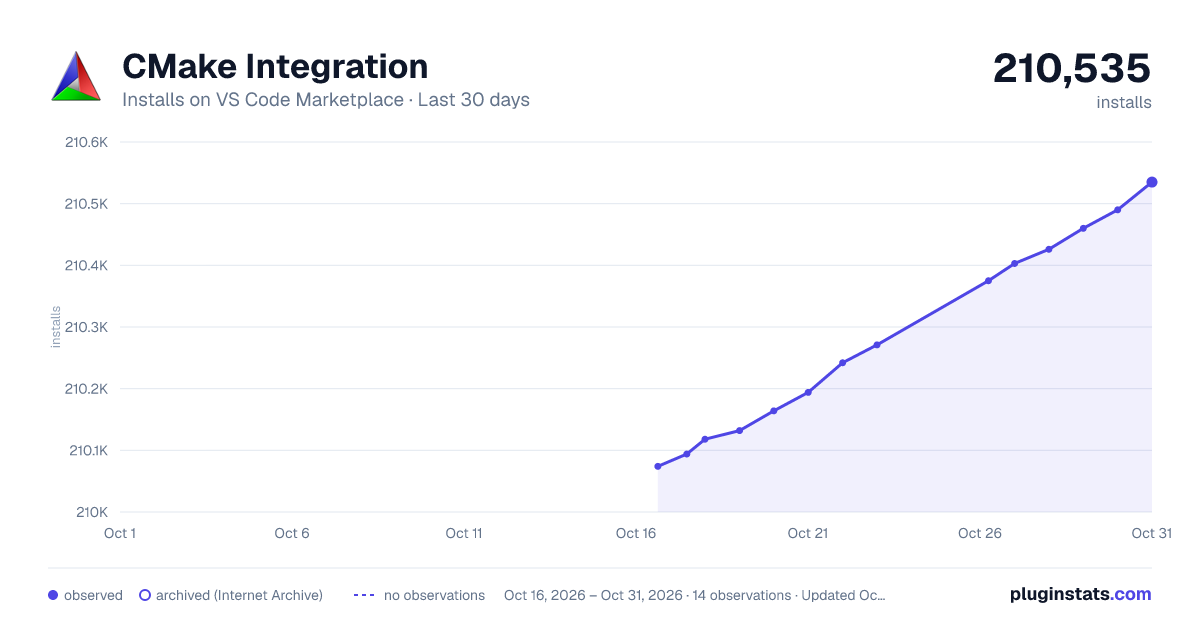
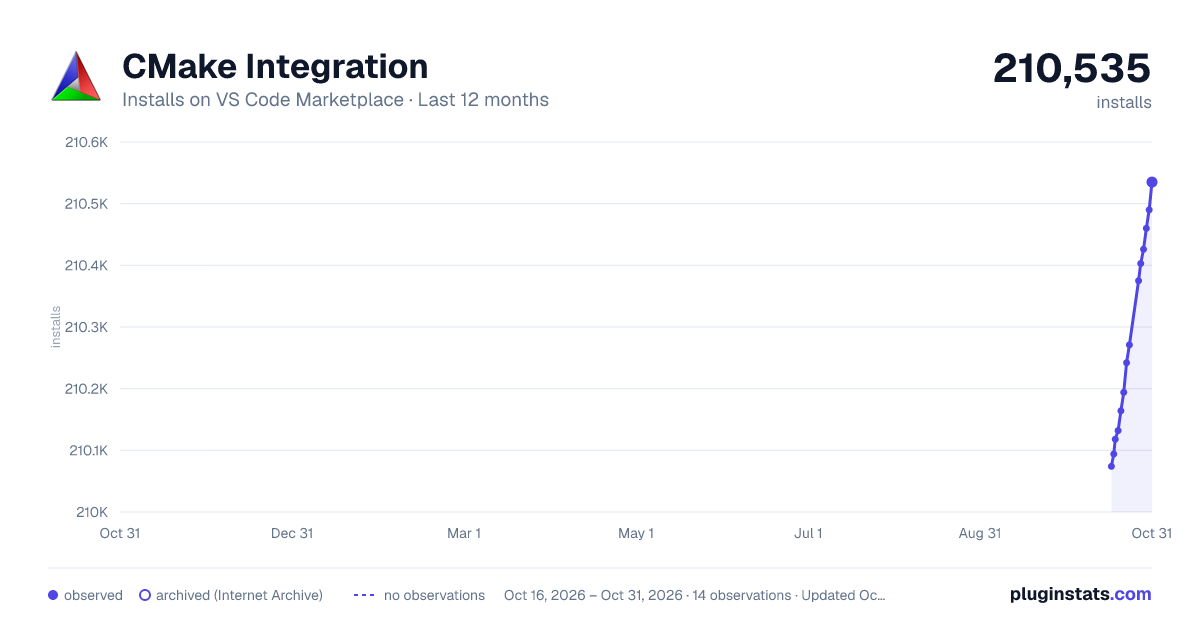
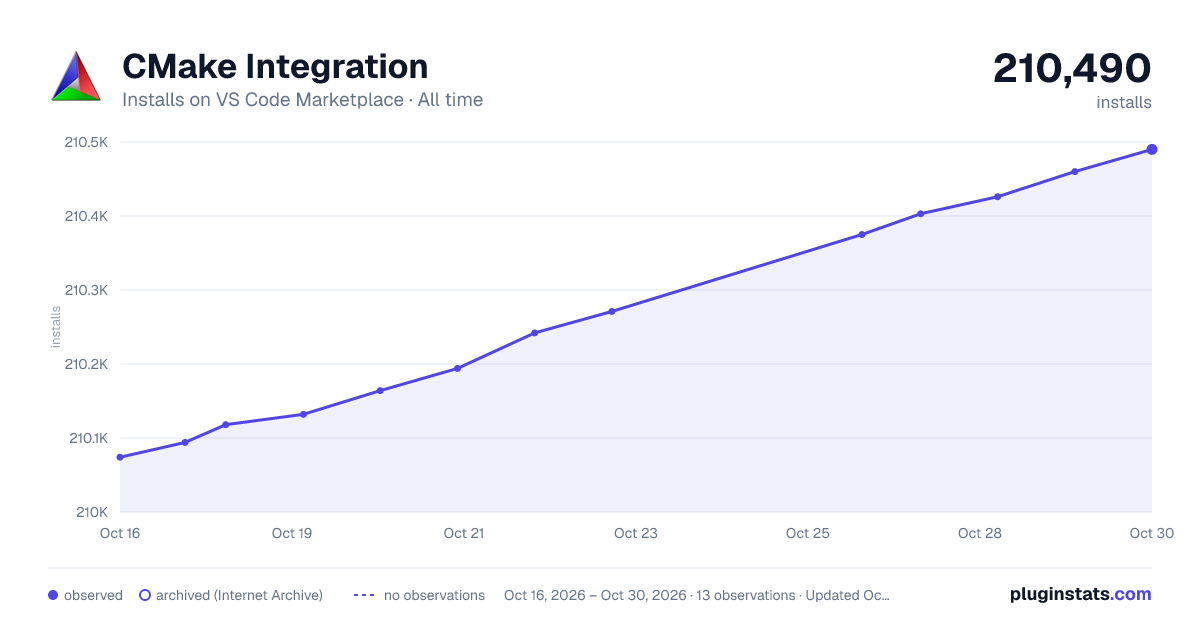

Adoption over time
7/30/90-day growth
Ranking history
Ratings over time
Listing placement
Listing placement
Filled points are observed values; hollow points come from Internet Archive snapshots of the listing page. Dashed segments span periods with no observations — values between points are not interpolated.
Each band is one page of 20. Installs on a linear scale. Placement is projected from installs, so it can differ from the marketplace's own sort order. Hover a dot to see the listing.
Recent observations
Full history (5)Similar VS Code Marketplace Other plugins
All 20 CMake Integration alternativesData source
Install counts, average rating, and rating counts come from the public Visual Studio Marketplace gallery API. Installs are cumulative and exclude updates.
Listing: https://marketplace.visualstudio.com/items?itemName=go2sh.cmake-integration-vscode. First seen Oct 16, 2026; last successful collection Oct 20, 2026. See the methodology.