 PluginStats
SAP Fiori Tools - Extension Pack installs statistics
By SAP SE (17 listings) · VS Code Marketplace · Extension Packs
An extension pack that bundles SAP Fiori tools extensions.
SAP Fiori Tools - Extension Pack has 204,816 recorded installs on VS Code Marketplace.
It ranks #1483 of 2,500 tracked VS Code Marketplace listings by installs.
It is rated 5.0 out of 5 from 4 ratings.
PluginStats has 3 daily observations since Oct 16, 2026; the latest is from Oct 18, 2026.
Rating: 5.00 / 5 from 4 ratings
About SAP Fiori Tools - Extension Pack
SAP Fiori Tools - Extension Pack
SAP Fiori Tools simplifies the development of SAP Fiori elements applications.
Included Extensions
SAP Fiori Tools - Application Modeler
Allows you to access a visualization of the application's pages, navigation, and service entities. You can add new navigation targets and pages, delete pages, and navigate to the corresponding editing tools.
When installed on VS Code, the extension additionally provides the MCP server for SAP Fiori, which can be used directly by the GitHub Copilot AI assistant. When using SAP Business Application Studio with a Full-Stack or SAP Fiori dev space, the MCP server is available automatically.
SAP Fiori Tools - Guided Development
Allows you to access how-to guides that explain how to implement features in an SAP Fiori elements application. You can read through the steps required to implement a feature and then use the guided development approach to make the required changes in your project.
SAP Fiori Tools - Service Modeler
Allows you to see a schematic view of the annotations applied to service metadata elements and helps you to copy the annotations from lower layers to the local annotation file for overriding.
SAP Fiori Tools - XML Annotation Language Server
Allows you to access resources that help to define annotations in the code editor which improves the application development by reducing effort and code consistency. The following is a subset of features that are part of this extension: code completion, micro-snippets, diagnostics, and internationalization support.
UI5 Language Assistant
This VS Code extension provides SAPUI5 language editor support.
XML Toolkit
Allows you to validate the syntax of XML files and detect multiple error types in a single file.
Connection Manager for SAP Systems
Allows you to store connection information for remote SAP systems.
Application Wizard
Allows you to use a wizard-style approach to generate the provided SAP Fiori elements floorplans.
Service Catalog
Explore OData V2 and V4 services, preview live data, and use these services as data sources for your applications.
Guided Answers
Allows you to use interactive documentation designed to help troubleshoot issues, navigate processes, and guide you through tasks using a series of questions.
Support
Join the SAP Fiori Tools Community. Ask questions, read the latest blogs, and explore the content. Please assign tag: *SAP Fiori tools*
To log an issue with SAP Fiori Tools, please see Contact SAP Support.
License
SAP DEVELOPER LICENSE AGREEMENT Please scroll down and read the following Developer License Agreement carefully ("Developer Agreement"). By clicking "I Accept" or by attempting to download, or install, or use the SAP software and other materials that accompany this Developer Agreement ("SAP Materials"), You agree that this Developer Agreement forms a legally binding agreement between You ("You" or "Your") and SAP SE, for and on behalf of itself and its subsidiaries and affiliates (as defined in Section 15 of the German Stock Corporation Act) and You agree to be bound by all of the terms and conditions stated in this Developer Agreement. If You are trying to access or download the SAP Materials on behalf of Your employer or as a consultant or agent of a third party (either "Your Company"), You represent and warrant that You have the authority to act on behalf of and bind Your Company to the terms of this Developer Agreement and everywhere in this Developer Agreement that refers to 'You' or 'Your' shall also include Your Company. If You do not agree to these terms, do not click "I Accept", and do not attempt to access or use the SAP Materials. 1. LICENSE: SAP grants You a non-exclusive, non-transferable, non-sublicensable, revocable, limited use license to copy, reproduce and distribute the application programming interfaces ("API"), documentation, plug-ins, templates, scripts and sample code ("Tools") on a desktop, laptop, tablet, smart phone, or other appropriate computer device that You own or control (any, a "Computer") to create new applications ("Customer Applications"). You agree that the Customer Applications will not: (a) unreasonably impair, degrade or reduce the performance or security of any SAP software applications, services or related technology ("Software"); (b) enable the bypassing or circumventing of SAP's license restrictions and/or provide users with access to the Software to which such users are not licensed; (c) render or provide, without prior written consent from SAP, any information concerning SAP software license terms, Software, or any other information related to SAP products; or (d) permit mass data extraction from an SAP product to a non-SAP product, including use, modification, saving or other processing of such data in the non-SAP product. In exchange for the right to develop Customer Applications under this Agreement, You covenant not to assert any Intellectual Property Rights in Customer Applications created by You against any SAP product, service, or future SAP development. 1. INTELLECTUAL PROPERTY: (a) SAP or its licensors retain all ownership and intellectual property rights in the APIs, Tools and Software. You may not: a) remove or modify any marks or proprietary notices of SAP, b) provide or make the APIs, Tools or Software available to any third party, c) assign this Developer Agreement or give or transfer the APIs, Tools or Software or an interest in them to another individual or entity, d) decompile, disassemble or reverse engineer (except to the extent permitted by applicable law) the APIs Tools or Software, (e) create derivative works of or based on the APIs, Tools or Software, (f) use any SAP name, trademark or logo, or (g) use the APIs or Tools to modify existing Software or other SAP product functionality or to access the Software or other SAP products' source code or metadata. (b) Subject to SAP's underlying rights in any part of the APIs, Tools or Software, You…
Description from the VS Code Marketplace listing.
- CDS
- OData
- SAP
- SAP Fiori elements
Where SAP Fiori Tools - Extension Pack sits in the listing
Each band is one page of 20. Installs on a log scale. Placement is projected from installs, so it can differ from the marketplace's own sort order. Hover a dot to see the listing.


Charts
Images: 30d · 1y · all time · 1600×900 dark
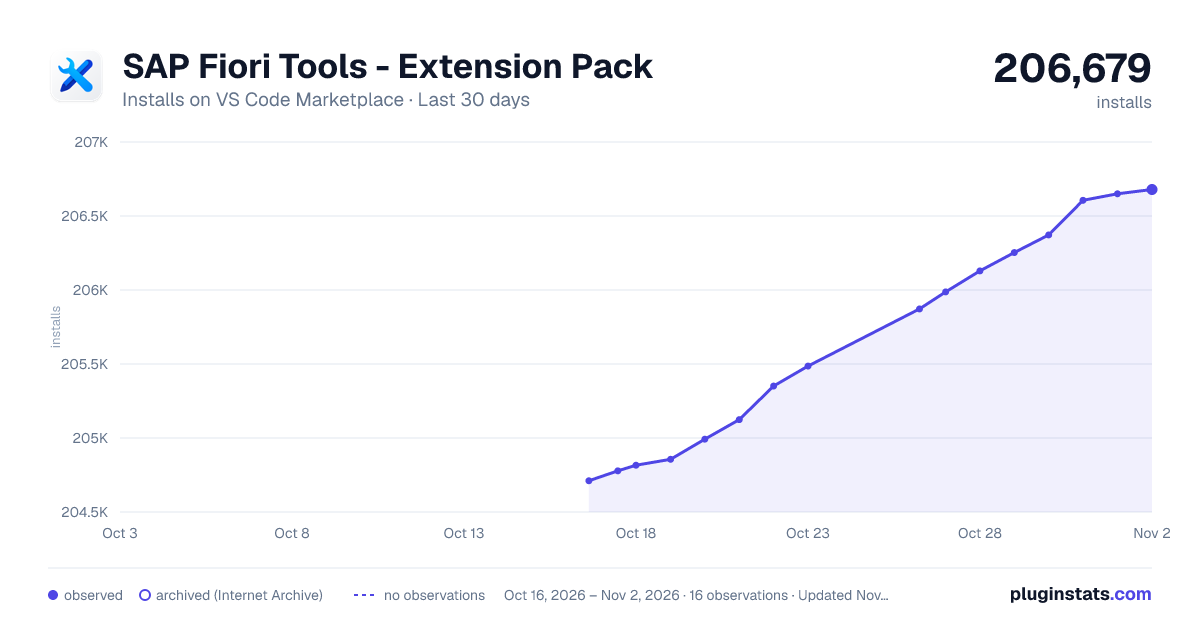
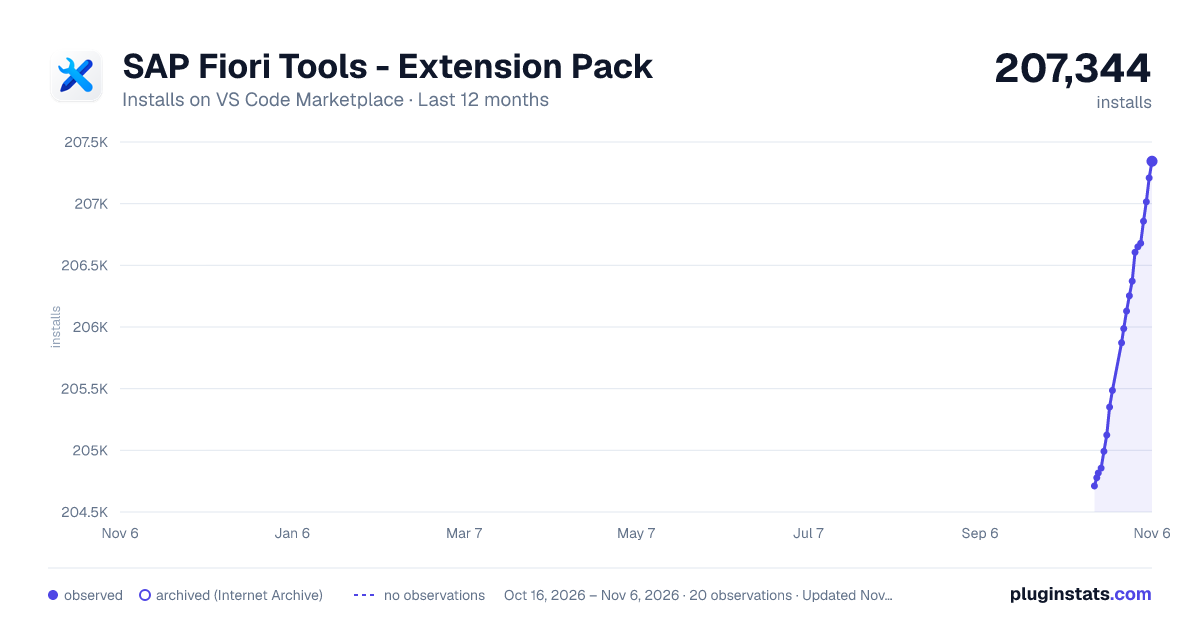
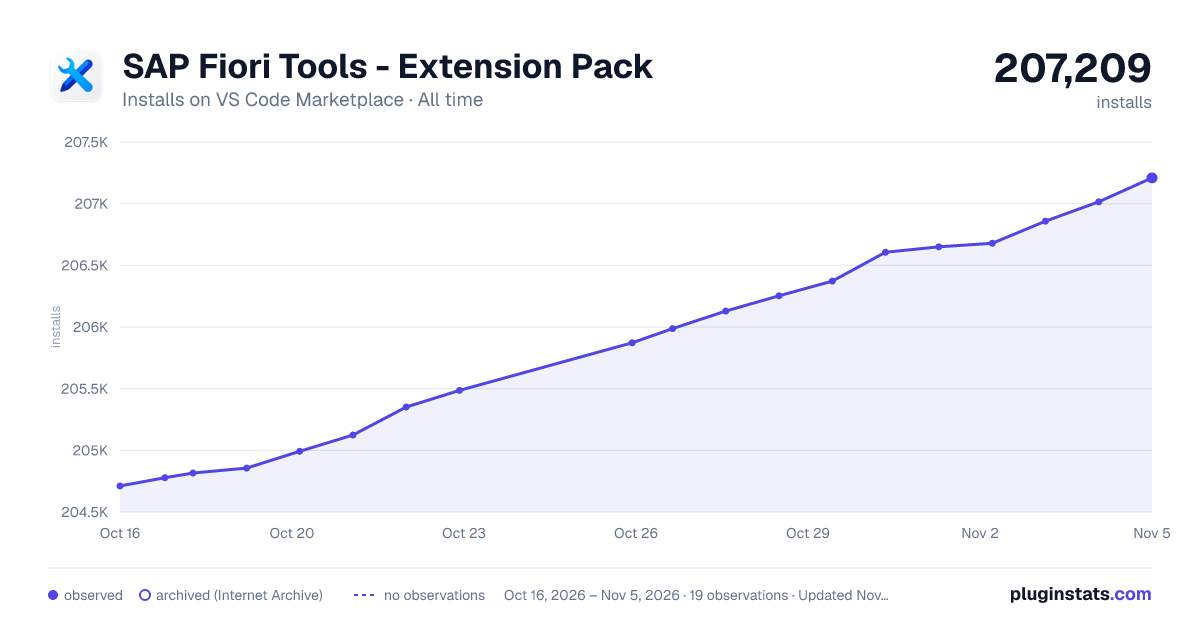

Adoption over time


7/30/90-day growth


Ranking history


Filled points are observed values; hollow points come from Internet Archive snapshots of the listing page. Dashed segments span periods with no observations — values between points are not interpolated.
Recent observations
Full history (3)Similar VS Code Marketplace Extension Packs plugins
Data source
Install counts, average rating, and rating counts come from the public Visual Studio Marketplace gallery API. Installs are cumulative and exclude updates.
Listing: https://marketplace.visualstudio.com/items?itemName=SAPSE.sap-ux-fiori-tools-extension-pack. First seen Oct 16, 2026; last successful collection Oct 18, 2026. See the methodology.