 PluginStats
Monkey Patch installs statistics
By iocave (2 listings) · VS Code Marketplace · Other
Inject custom javascript into vscode
Monkey Patch has 261,674 recorded installs on VS Code Marketplace, ranking #1267 of 2,501 tracked listings.
Rating: 2.82 / 5 from 11 ratings
About Monkey Patch
Monkey Patch README
What does it do
Monkey Patch is an extension allowing execution of arbitrary javascript in VSCode browser and main process
It can be either used directly using configuration options, or by other extensions using API.
Monkey Patch aims to make the entire process reliable (as far as monkey-patching goes...) and user friendly, by automatically checking the patching state after update, and prompting the user to repatch. It can also request elevated privileges if necessary.
Enabling and Disabling
Monkey Patch contributes two VSCode commands:
- Enable Monkey Patch
- Disable Monkey Patch
Using Monkey Patch through configuration options
While not the primary purpose, it is possible to use the Monkey Patch extension through options. For example:
"monkeyPatch.folderMap": {
    "my-custom-modules" : "~/custom-modules",
},
"monkeyPatch.browserModules": [
    // Will load "~/custom-modules/browser1.js" in browser process
    "my-custom-modules/browser1"
],
"monkeyPatch.mainProcessModules" : [
    // Will load "~/custom-modules/mainProcess.js" in main process
    "my-custom-modules/mainProcess1"
]
Using Monkey Patch through the API
let monkeyPatch = vscode.extensions.getExtension("iocave.monkey-patch");

if (monkeyPatch !== undefined) {
    monkeyPatch.exports.contribute("<publisher>.<extension_name>",
        {
            folderMap: {
                "my-custom-modules": path.join(this.context.extensionPath, "custom-modules"),
            },
            browserModules: [
                "my-custom-modules/browser1"
            ],
            mainProcessModules: [
                "my-custom-modules/mainProcess1",
            ]
        }
    );
} else {
    vscode.window.showWarningMessage("Monkey Patch extension is not installed. This extension will not work.");
}
For a full project that uses this, see https://github.com/iocave/customize-ui.
If something goes wrong
Monkey Patching can get fragile at times. If VSCode is running, you can unpach VSCode by invoking the "Disable Monkey Patch" command. If VSCode does launch, you can always redownload VSCode and replace the patched instance.
Description from the VS Code Marketplace listing.
- javascript
README badge
Show your rank in a README or on your website. The badge updates automatically.
Charts
Images: 30d · 1y · all time · 1600×900 dark
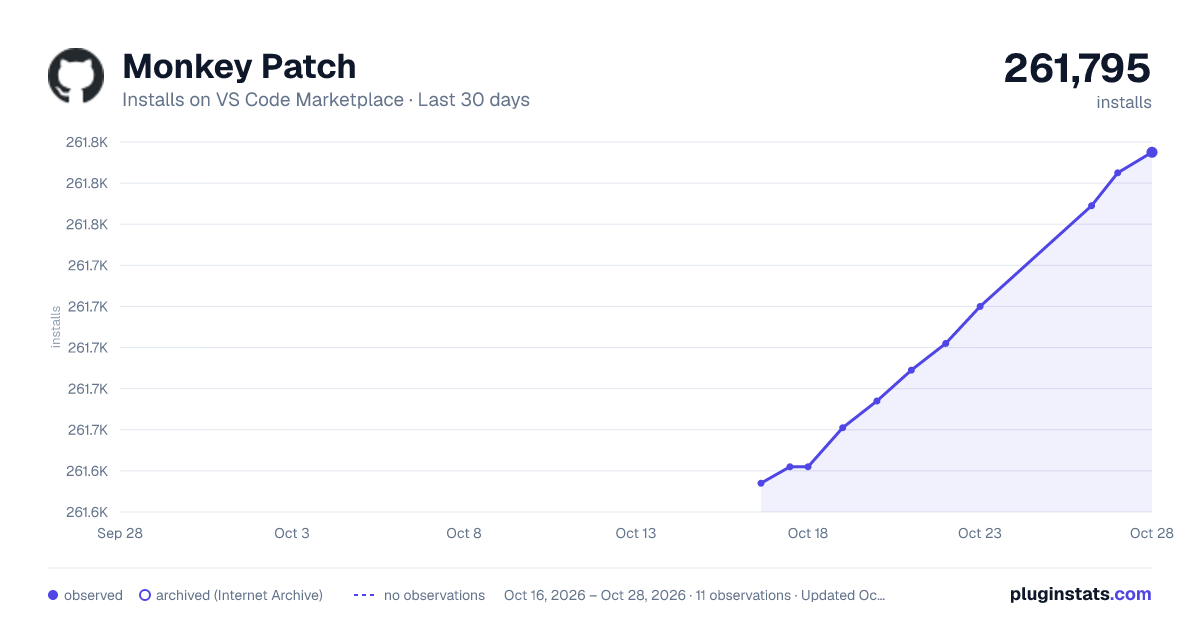
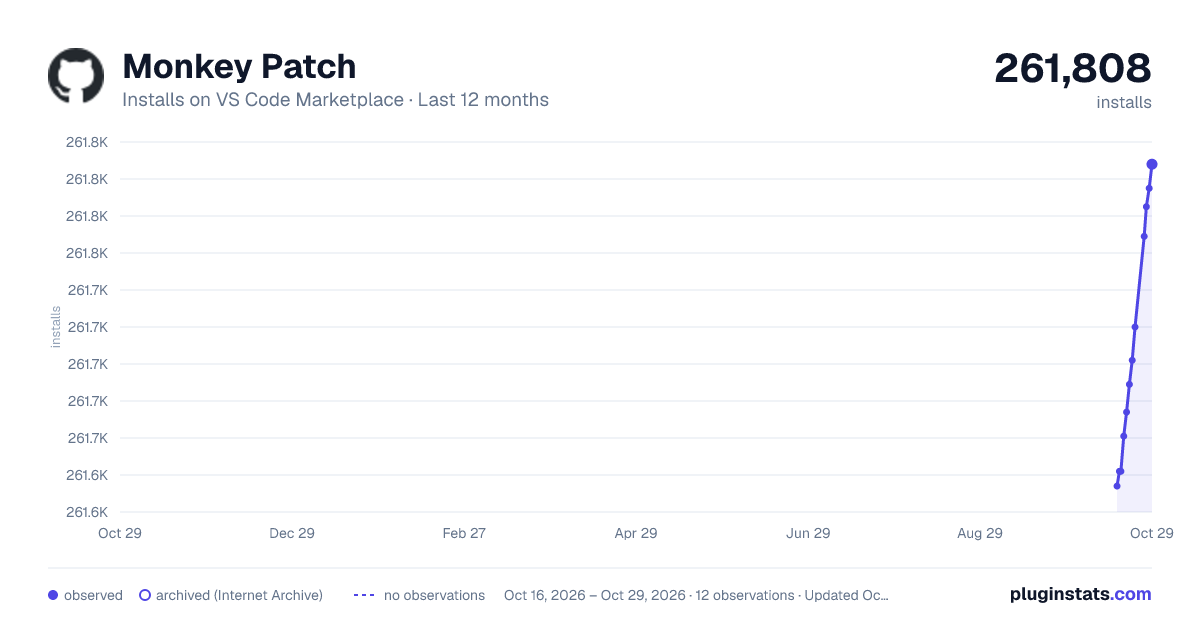
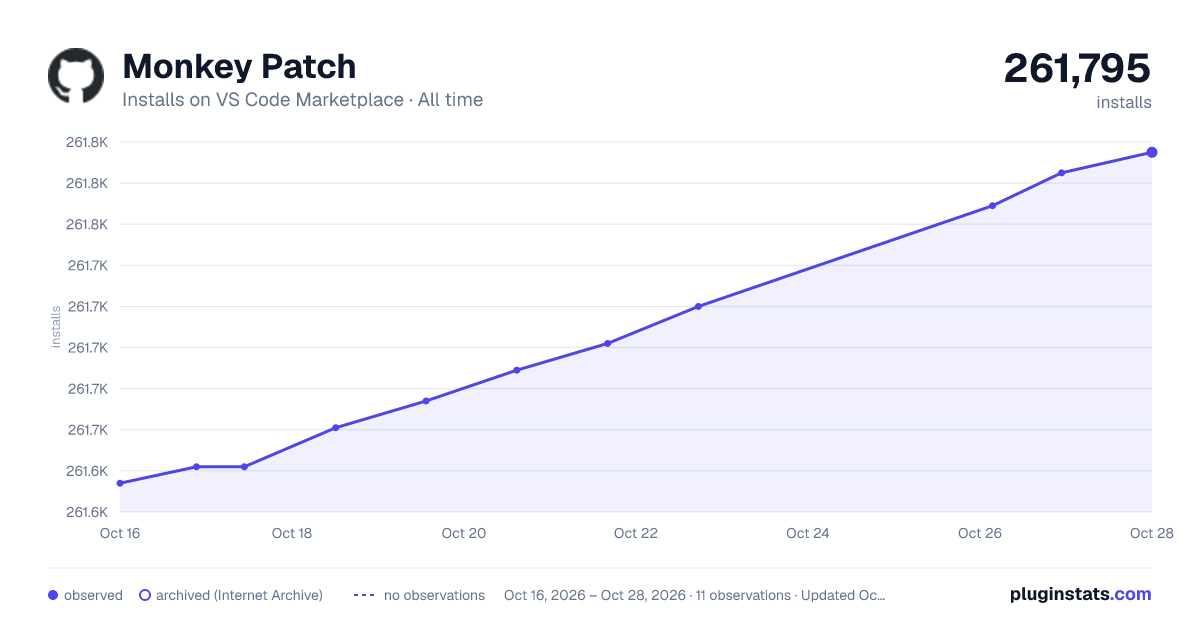

Adoption over time
7/30/90-day growth
Ranking history
Ratings over time
Listing placement
Listing placement
Filled points are observed values; hollow points come from Internet Archive snapshots of the listing page. Dashed segments span periods with no observations — values between points are not interpolated.
Each band is one page of 20. Installs on a linear scale. Placement is projected from installs, so it can differ from the marketplace's own sort order. Hover a dot to see the listing.
Recent observations
Full history (5)Similar VS Code Marketplace Other plugins
All 20 Monkey Patch alternativesData source
Install counts, average rating, and rating counts come from the public Visual Studio Marketplace gallery API. Installs are cumulative and exclude updates.
Listing: https://marketplace.visualstudio.com/items?itemName=iocave.monkey-patch. First seen Oct 16, 2026; last successful collection Oct 20, 2026. See the methodology.