 PluginStats
Quick and Simple Text Selection installs statistics
By David Bankier (2 listings) · VS Code Marketplace · Other
Jump to select between quote, brackets, tags, etc
Quick and Simple Text Selection has 186,872 recorded installs on VS Code Marketplace, ranking #1599 of 2,501 tracked listings.
Rating: 4.67 / 5 from 51 ratings
About Quick and Simple Text Selection
vscode-quick-select
Yes I know about the ⌃⇧⌘← and ⌃⇧⌘→ expand/shrink selection. Having come from VIM I think these are still missing.
It now supports multilines automatic selection, matching correctly.
NEW: you can also now toggle single/double quotes
See the examples below.
Installation
Press <kbd>F1</kbd> and narrow down the list commands by typing extension. Pick Extensions: Install Extension.
Select the Quick and Simple Text Selection extension from the list
Manual Install
Mac & Linux
cd $HOME/.vscode/extensions
Windows
cd %USERPROFILE%\.vscode\extensions
All Platforms
git clone https://github.com/dbankier/vscode-quick-select.git
cd vscode-quick-select
npm install
Usage
Here some examples - and it supports multiple selections.
In the examples below use <kbd>CTRL</kbd> instead of <kbd>⌘</kbd> for Windows.
<kbd>⌘</kbd><kbd>k</kbd> <kbd>"</kbd>

<kbd>⌘</kbd><kbd>k</kbd> <kbd>'</kbd>

NEW: You can also use this following shortcut to select either single, double quotes or backticks
<kbd>⌘</kbd><kbd>k</kbd> <kbd>;</kbd>
NEW: You can also use this following shortcut to toggle quotes, e.g. "word" to 'word'
<kbd>⌘</kbd><kbd>k</kbd> <kbd>:</kbd>
NOTE: the extensions can be configured to exclude backticks from selection or switching
<kbd>⌘</kbd><kbd>k</kbd> <kbd>`</kbd>

<kbd>⌘</kbd><kbd>k</kbd> <kbd>(</kbd> and <kbd>⌘</kbd><kbd>k</kbd> <kbd>[</kbd> and <kbd>⌘</kbd><kbd>k</kbd> <kbd>{</kbd>
Using the following performs and outer selection:
<kbd>⌘</kbd><kbd>k</kbd> <kbd>)</kbd> and <kbd>⌘</kbd><kbd>k</kbd> <kbd>]</kbd> and <kbd>⌘</kbd><kbd>k</kbd> <kbd>}</kbd>
Or if you have already made in inner selection, use the same key combination again to expand to an outer selection.

<kbd>⌘</kbd><kbd>k</kbd> <kbd><</kbd>
This also selects the matching tag.
<kbd>⌘</kbd><kbd>k</kbd> <kbd>></kbd>
This matches the tag value.

Customisation
extension.selectSingleQuote
extension.selectDoubleQuote
extension.selectEitherQuote
extension.switchQuotes
extension.selectParenthesis
extension.selectBackTick
extension.selectSquareBrackets
extension.selectCurlyBrackets
extension.selectParenthesisOuter
extension.selectSquareBracketsOuter
extension.selectCurlyBracketsOuter
extension.selectAngleBrackets
extension.selectInTag
License
MIT © David Bankier @dbankier
<!-- [@davidbankier](https://twitter.com/davidbankier) -->Description from the VS Code Marketplace listing.
- keybindings
README badge
Show your rank in a README or on your website. The badge updates automatically.
Charts
Images: 30d · 1y · all time · 1600×900 dark
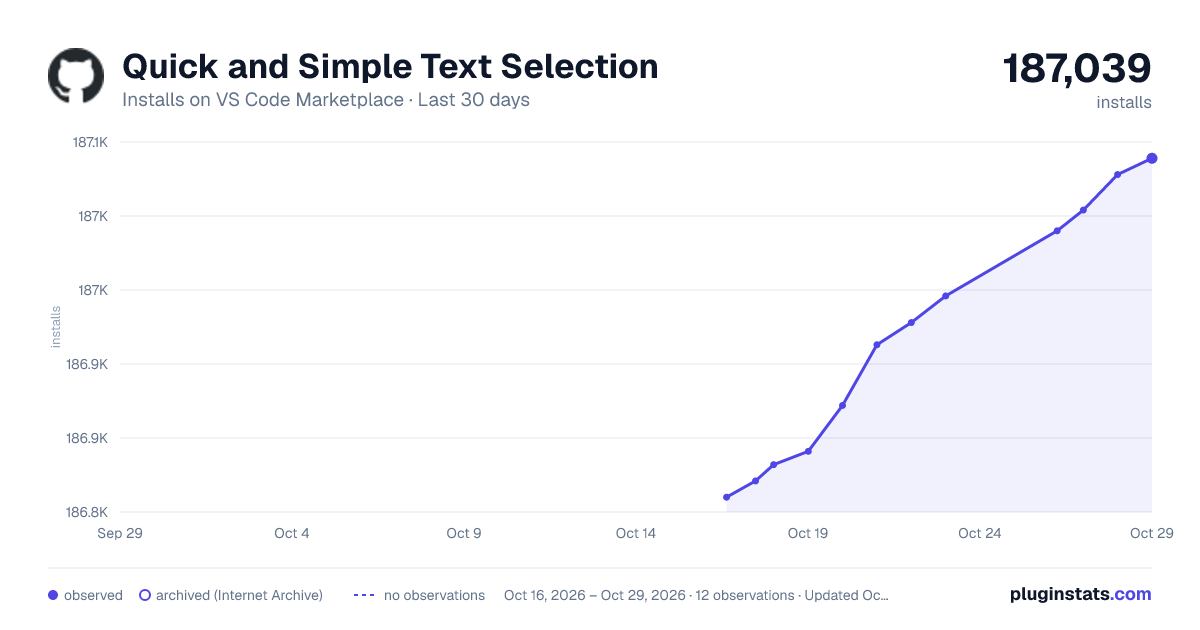
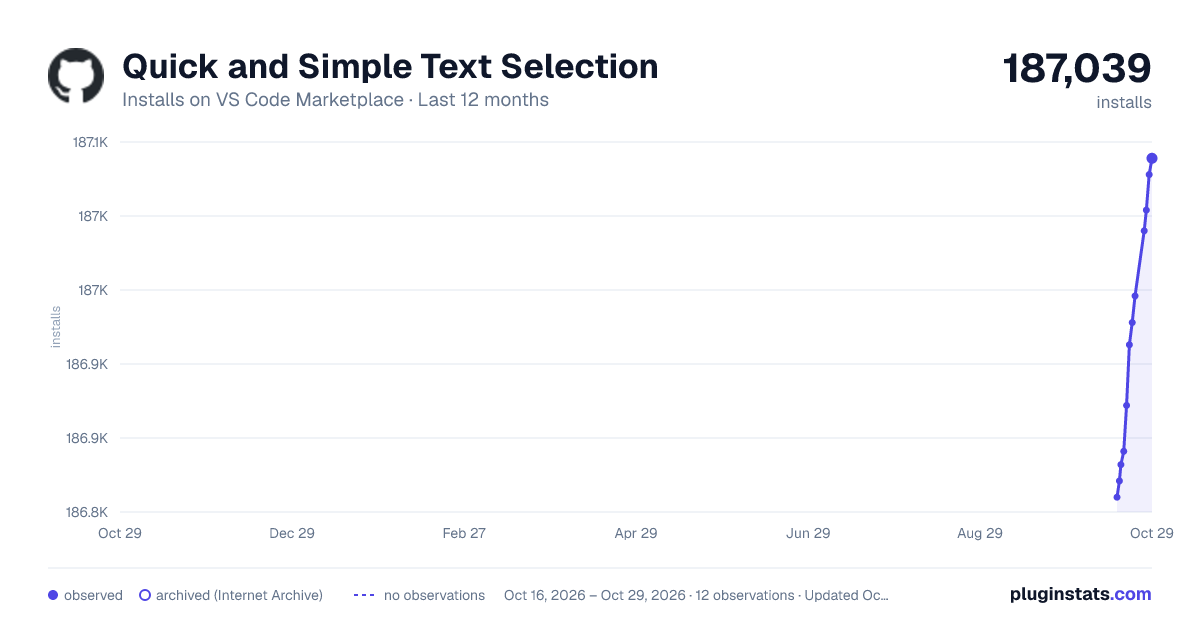
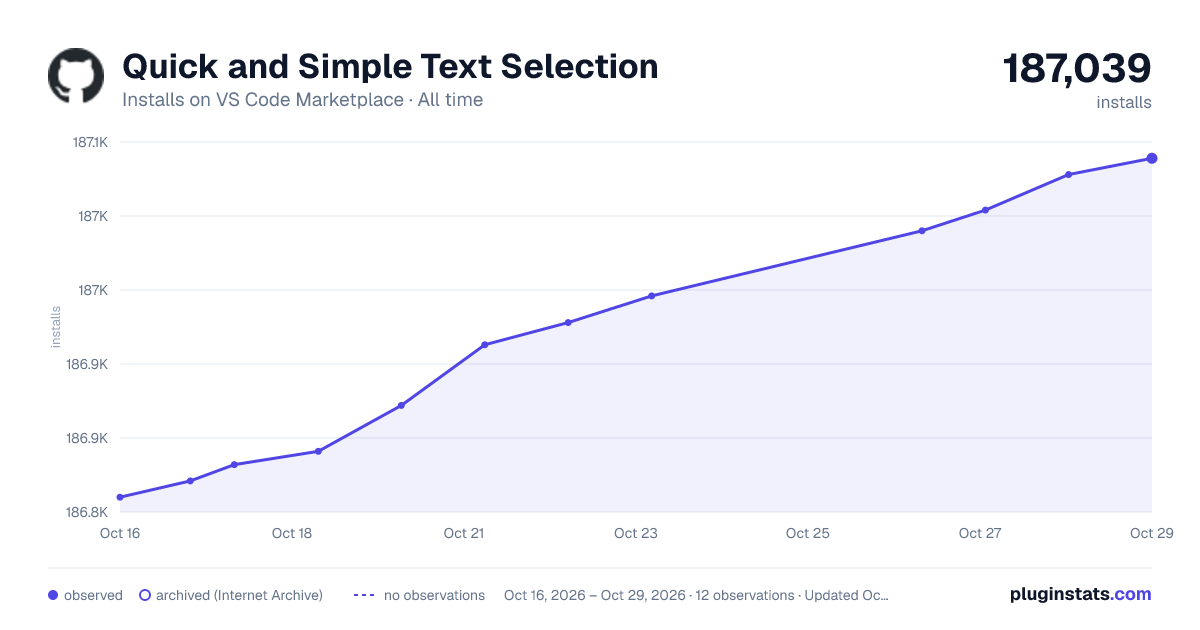

Adoption over time
7/30/90-day growth
Ranking history
Ratings over time
Listing placement
Listing placement
Filled points are observed values; hollow points come from Internet Archive snapshots of the listing page. Dashed segments span periods with no observations — values between points are not interpolated.
Each band is one page of 20. Installs on a linear scale. Placement is projected from installs, so it can differ from the marketplace's own sort order. Hover a dot to see the listing.
Recent observations
Full history (5)Similar VS Code Marketplace Other plugins
All 20 Quick and Simple Text Selection alternativesData source
Install counts, average rating, and rating counts come from the public Visual Studio Marketplace gallery API. Installs are cumulative and exclude updates.
Listing: https://marketplace.visualstudio.com/items?itemName=dbankier.vscode-quick-select. First seen Oct 16, 2026; last successful collection Oct 20, 2026. See the methodology.