 PluginStats
CodeMetrics installs statistics
By Kiss Tamás (2 listings) · VS Code Marketplace · Other
Computes complexity in TypeScript / JavaScript files.
CodeMetrics has 1,185,210 recorded installs on VS Code Marketplace.
It ranks #491 of 2,500 tracked VS Code Marketplace listings by installs.
It is rated 4.4 out of 5 from 50 ratings.
PluginStats has 3 daily observations since Oct 16, 2026; the latest is from Oct 18, 2026.
Rating: 4.42 / 5 from 50 ratings
About CodeMetrics
Code Metrics - Visual Studio Code Extension
Computes complexity in TypeScript / JavaScript / Lua files.
Complexity calculation
The steps of the calculation:
• create an AST from the input source file • walk through each and every node of it • depending on the type of the node and the configuration associated with it create a new entry about the node. This entry contains everything necessary for further use (e.g. a textual representation for the node, complexity increment, child nodes etc.) • show the sum of complexity of child nodes for methods and the maximum of child nodes for classes
Please note that it is not a standard metric, but it is a close approximation of Cyclomatic complexity.
Please also note that it is possible to balance the complexity calculation for the project / team / personal taste by adjusting the relevant configuration entries (content assist is provided for all of them for easier configuration).
For example if one prefers guard clauses, and is ok with all the branches in switch statements then the following could be applied:
If You want to know the causes You can click on the code lens to list all the entries for a given method or class. (This also allows You to quickly navigate to the corresponding code)
It looks like this
Install
How to install Visual Studio Code extensions
Direct link to Visual Studio Code Marketplace
Customization
In the workspace settings one can override the defaults. For a complete list please check the configuration section in the package.json. For the most commonly used ones, one should do a search for codemetrics.basics in the settings ui.
Commands
• Toggle code lenses for arrow functions • Toggle code metrics
They can be bound in the keybindings.json (File -> Preferences -> Keyboard Shortcuts)
Change Log
• 1.26.1 • Update tsmetrics-core to 1.4.1 (fixes default for IfWithElseStatement ) • 1.26.0 • Update tsmetrics-core to 1.4.0 (comes with a new config IgnoredFunctionNames) • 1.25.2 • Update tsmetrics-core to 1.3.1 • 1.25.1 • Update tsmetrics-core to 1.3.0 • 1.25.0 • Update dependencies • Make it work for vue setup scripts • 1.24.0 • Jump to selection from the quick pick menu • 1.23.1 • Update dependencies • 1.23.0 • Use QuickPickItems instead of plain strings • Update tsmetrics-core to 1.2.1 • 1.22.1 • Update change log • 1.22.0 • Update the activationEvents property (contribution from @igorskyflyer ) • Add "onLanguage:vue" to the list of activation events • 1.21.0 • Show all items in the quick pick menu • 1.20.0 • Migrate to webpack • Adjust section about configuration options • Update tsmetrics-core • 1.19.1 • Update dependencies • 1.19.0 • Add support for ts based vue components • 1.18.1 • Update dependencies • Fix rounding issues • 1.18.0 • Add DecorationTemplate configuration (contribution from @luchsamapparat ) • 1.17.4 • Update dependencies • 1.17.3 • Update dependencies • 1.17.2 • Fix invalid default color definition • 1.17.1 • Add file and untitled scheme explicitly • 1.17.0 • Adjust codebase to new API standards of VSCode • Adjust filter boundaries which are used for color decorators • 1.16.0 • Update dev dependency for vscode to avoid vulnerability warning • Add description about complexity calculation and configuration • 1.15.0 • Update tsmetrics-core to v1.0.0 • 1.14.0 • Make decoration colors configurable • The following properties were introduced: • codemetrics.basics.ComplexityColorLow • codemetrics.basics.ComplexityColorNormal • codemetrics.basics.ComplexityColorHigh • codemetrics.basics.ComplexityColorExtreme • 1.13.0 • Update vscode version to 1.1.10 • Avoid indentation distortion by moving decorations to the end of the line • Debounce EditorDecoration update requests properly • 1.12.0 • Add support for Visual Studio Live Share • 1.11.2 • Improve decorator lifecycle management • 1.11.1 • Only create new decorations if the settings has changed • 1.11.0 • Add new mode OverviewRuler • Update tsmetrics-core and typescript dependencies • 1.10.0 • Add support for embedded scripts in vue and html files • 1.9.6 • Disable diagnostic report for code metrics • 1.9.5 • Add .vscode-test to .vscodeignore • 1.9.4 • Replace new line characters in quick pick menu with spaces • 1.9.3 • Update readme • 1.9.2 • Fix behavior of command 'codemetrics.toggleCodeMetricsForArrowFunctions' • 1.9.1 • Set default of ObjectLiteralExpression to 0 • 1.9.0 • Implement file exclusion by glob pattern • 1.8.0 • Upgrade to tsmetrics-core@0.4.0 • Use new collector types from tsmetrics-core (show complexity maximum on class level) • 1.7.2 • Make it possible to enable / disable diagnostics • 1.7.1 • Always use activeTextEditor in change callbacks • 1.7.0 • Add experimental diagnostics support • Add experimental support for Lua • 1.6.1 • Fix spelling error of 'threshold' in configuration • 1.6.0 • Execute code metrics computation in language server • 1.5.0 • Upgrade vsdcode and typescript dependency • Remove unused typings • Extract code metrics related util class • Move CodeMetricsCodeLensProvider to codelensprovider folder • Add text decoration based on code metrics • Appearance can be configured with the following properties: • "codemetrics.basics.DecorationModeEnabled" • "codemetrics.basics.CodeLensEnabled" • 1.4.1 • Update changelog • 1.4.0 • Expose code lens location related configuration properties • "codemetrics.basics.MetricsForClassDeclarationsToggled" • "codemetrics.basics.MetricsForConstructorsToggled" • "codemetrics.basics.MetricsForEnumDeclarationsToggled" • "codemetrics.basics.MetricsForFunctionDeclarationsToggled" • "codemetrics.basics.MetricsForFunctionExpressionsToggled" • "codemetrics.basics.MetricsForMethodDeclarationsToggled" • "codemetrics.basics.MetricsForArrowFunctionsToggled" • 1.3.0 • Add new properties to selectively disable codemetrics for different languages • "codemetrics.basics.EnabledForTSX" • "codemetrics.basics.EnabledForJSX" • "codemetrics.basics.EnabledForTS" • "codemetrics.basics.EnabledForJS" •…
Description from the VS Code Marketplace listing.
- code
- html
- javascript
- javascriptreact
- lua
- metrics
- typescript
- typescriptreact
- vscode
- vue
Where CodeMetrics sits in the listing
Each band is one page of 20. Installs on a log scale. Placement is projected from installs, so it can differ from the marketplace's own sort order. Hover a dot to see the listing.


Charts
Images: 30d · 1y · all time · 1600×900 dark
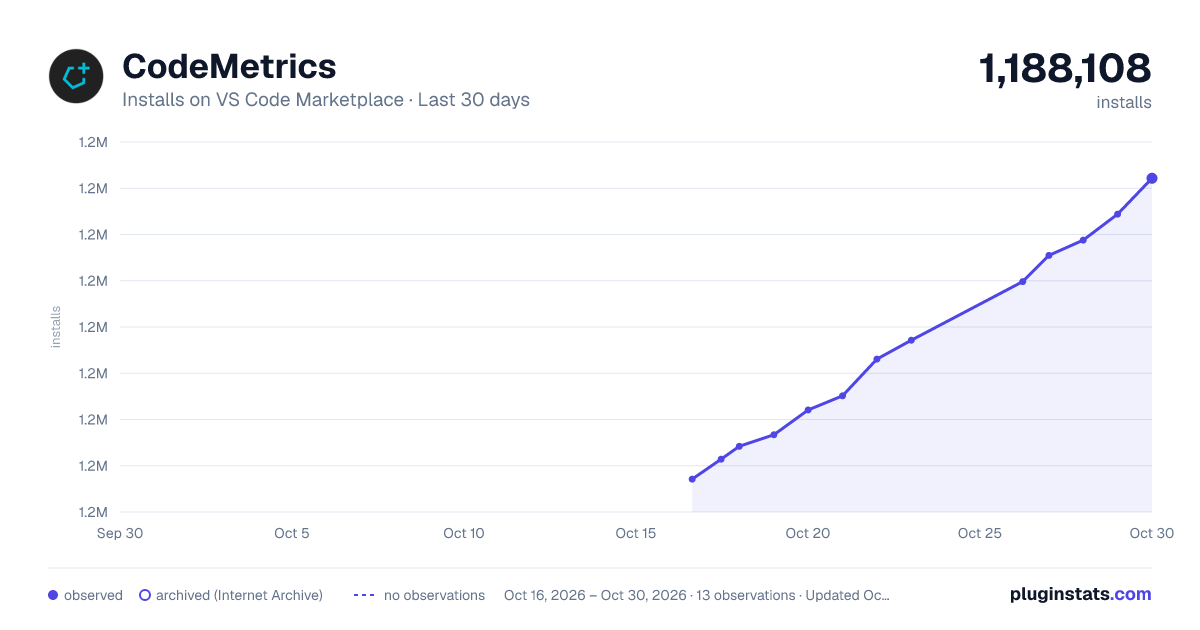
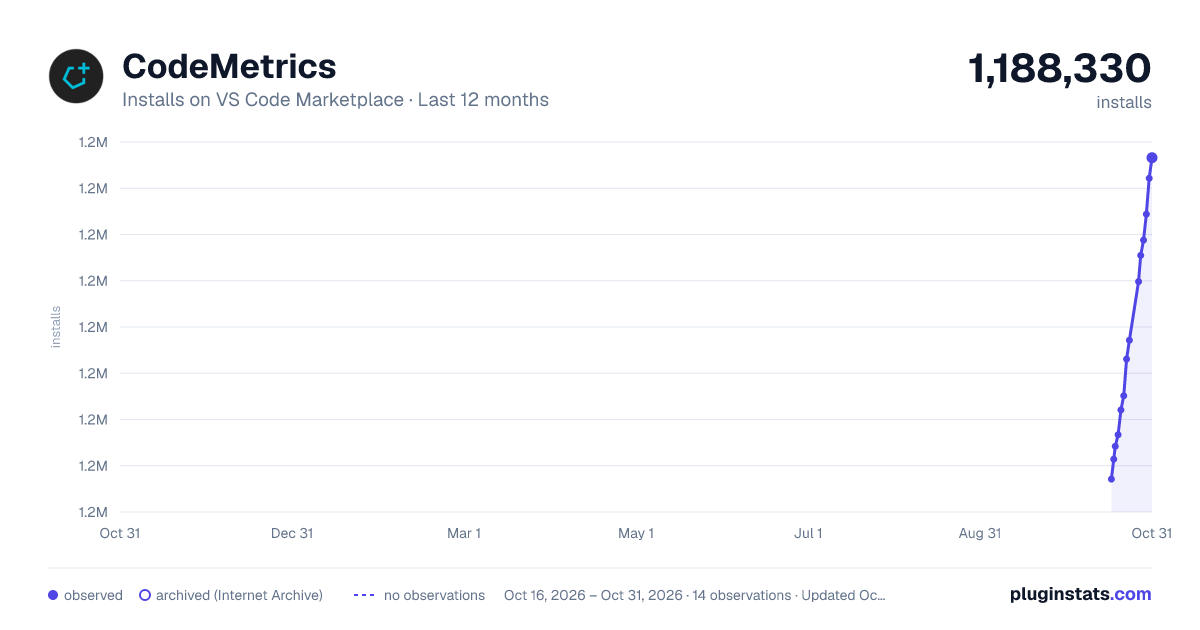
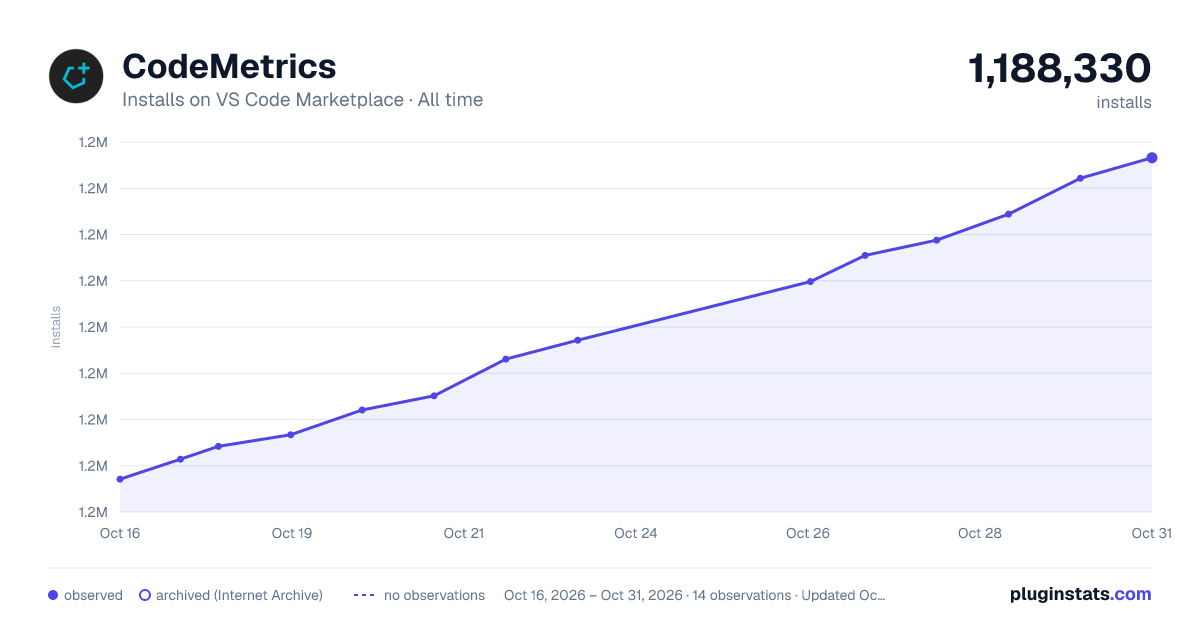

Adoption over time


7/30/90-day growth


Ranking history


Filled points are observed values; hollow points come from Internet Archive snapshots of the listing page. Dashed segments span periods with no observations — values between points are not interpolated.
Recent observations
Full history (3)Similar VS Code Marketplace Other plugins
Data source
Install counts, average rating, and rating counts come from the public Visual Studio Marketplace gallery API. Installs are cumulative and exclude updates.
Listing: https://marketplace.visualstudio.com/items?itemName=kisstkondoros.vscode-codemetrics. First seen Oct 16, 2026; last successful collection Oct 18, 2026. See the methodology.