 PluginStats
Better YAML Formatter installs statistics
By kennylong · VS Code Marketplace · Formatters
A better YAML formatter
Better YAML Formatter has 227,702 recorded installs on VS Code Marketplace.
It ranks #1382 of 2,500 tracked VS Code Marketplace listings by installs.
It is rated 5.0 out of 5 from 4 ratings.
PluginStats has 3 daily observations since Oct 16, 2026; the latest is from Oct 18, 2026.
Rating: 5.00 / 5 from 4 ratings
About Better YAML Formatter
Better YAML Formatter for Visual Studio Code
A Visual Studio Code extension that provides format support for YAML language.
Frustrated of the builtin formatter with its own option philosophy?
Or you guys comes from devops world where dealing with a lot of yaml everyday like kubernetes, ansible or helm template.
And you have your own prefer style of YAML, e.g., do not indent sequence elements or other customization settings.
This extension is made for you :)
Features
Format correct, consistent and customized yaml text with Better YAML Formatter.
🔥 Watch the demo video 👇
https://github.com/user-attachments/assets/dfdec44b-221f-436d-9d90-413f0c0effe6
Take the k8s yaml for example:
As you see, the sequence style(containers and ports) in the k8s style yaml has no indent. Each time you play with kubectl, there is no indent. Not to mention some tool like kustomize requires you do that.
Unluckily, the builtin yaml format has its own option philosophy. It always does indent and resists to accept such a customization setting.
It's useless. I have to keep the style manually every time editing yaml files, or you will end up with a non-idiomatic one.
It's tedious. So I create this extension to make life easier.
Extension Settings
This extension contributes the following settings:
• better-yaml.directives: Whether block sequences should be indented. • better-yaml.directives: Include directives in the output. If true, at least the document-start marker --- is always included. If false, no directives or marker is ever included. If null, directives and marker may be included if required. • better-yaml.commentString: Change the comment prefix string. By default, empty comment lines are left empty, lines consisting of a single space are replaced by #, and all other lines are prefixed with a #. • better-yaml.lineWidth: Maximum line width (set to 0 to disable folding). This is a soft limit, as only double-quoted semantics allow for inserting a line break in the middle of a word. • better-yaml.flowCollectionPadding: When true, a single space of padding will be added inside the delimiters of non-empty single-line flow collections. • better-yaml.documentOptions.version: The YAML version used by documents without a %YAML directive. Must be '1.1' or '1.2'. Default to '1.2'.
Thanks
Thanks lupengpeng for the icon design. It's great!
Many thanks the following projects:
• eemeli/yaml
Without them there wouldn't be this extension.
Throughout the process I learnt a lot and also made some contributions back to them.
Definitely welcome your patches and contributions!
Description from the VS Code Marketplace listing.
- Ansible
- CI/CD
- DevOps
- Formatter
- Helm
- Kubernetes
- YAML
Where Better YAML Formatter sits in the listing
Each band is one page of 20. Installs on a log scale. Placement is projected from installs, so it can differ from the marketplace's own sort order. Hover a dot to see the listing.


Charts
Images: 30d · 1y · all time · 1600×900 dark
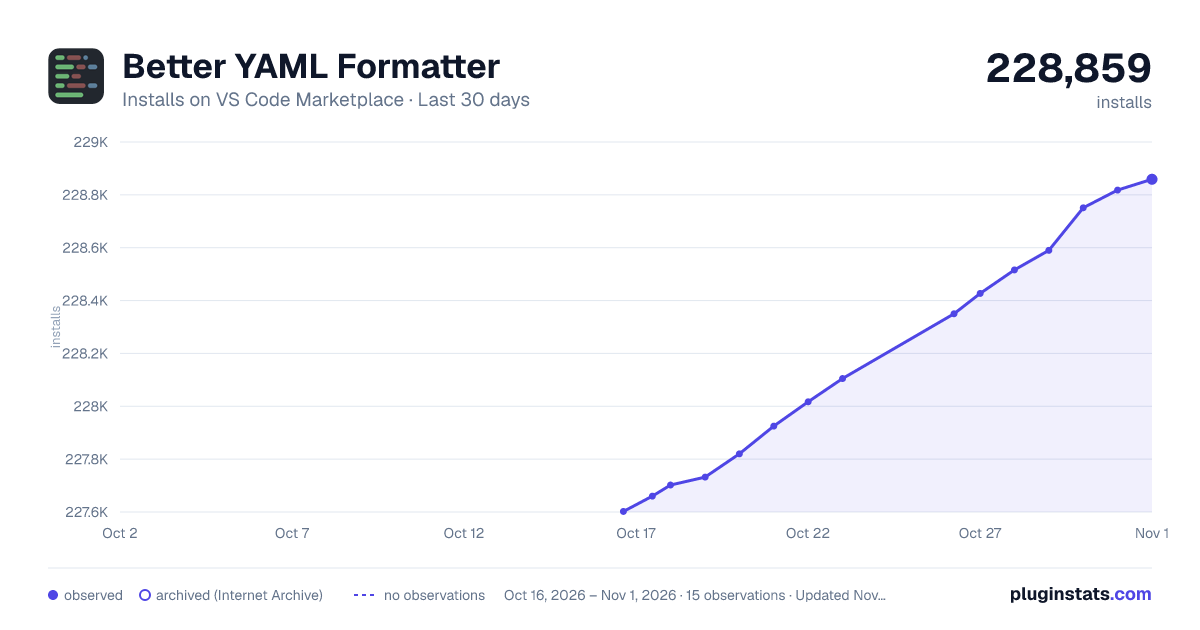
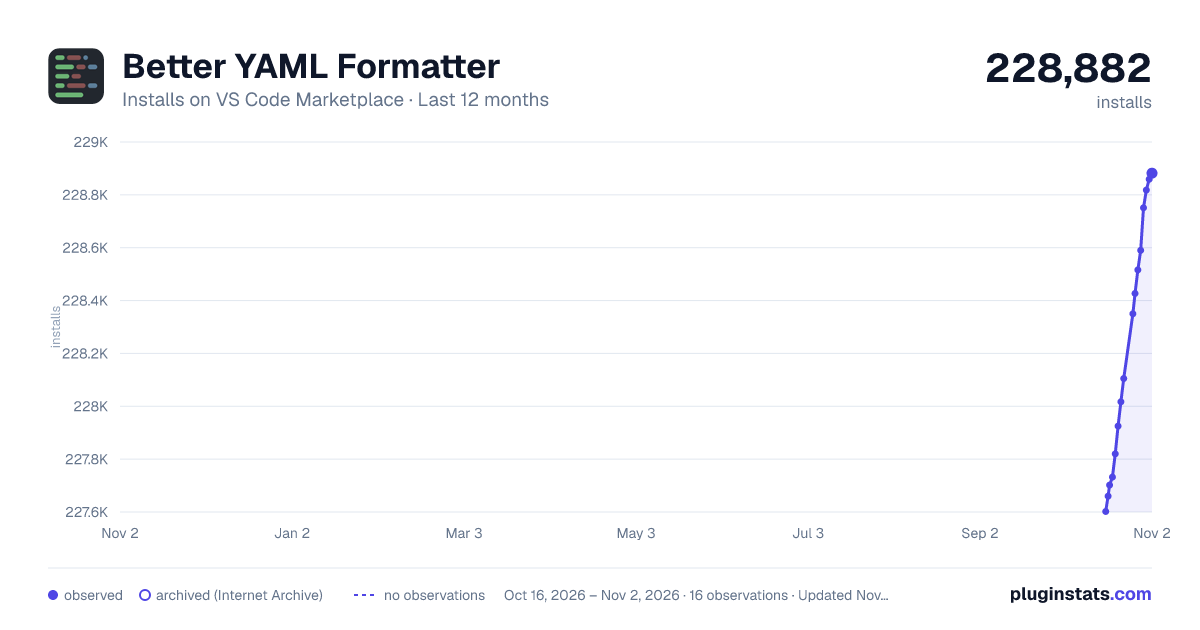
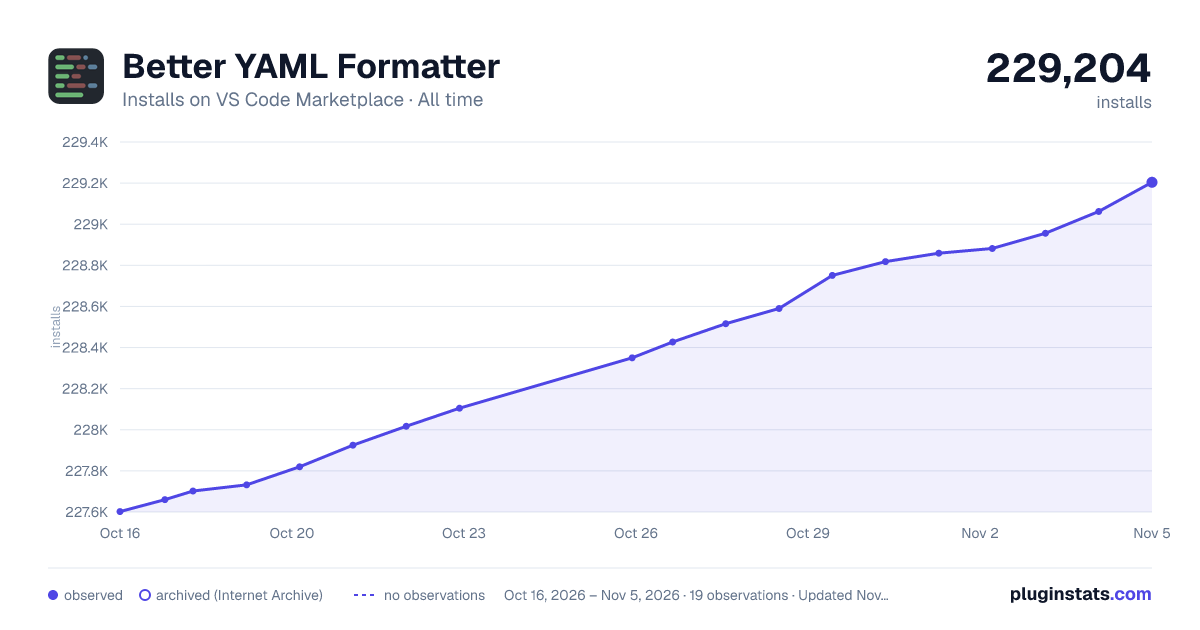

Adoption over time


7/30/90-day growth


Ranking history


Filled points are observed values; hollow points come from Internet Archive snapshots of the listing page. Dashed segments span periods with no observations — values between points are not interpolated.
Recent observations
Full history (3)Similar VS Code Marketplace Formatters plugins
Data source
Install counts, average rating, and rating counts come from the public Visual Studio Marketplace gallery API. Installs are cumulative and exclude updates.
Listing: https://marketplace.visualstudio.com/items?itemName=kennylong.kubernetes-yaml-formatter. First seen Oct 16, 2026; last successful collection Oct 18, 2026. See the methodology.