 PluginStats
テキスト校正くん installs statistics
By ICS · VS Code Marketplace · Linters
VS CodeでテキストファイルやMarkdownファイルの日本語の文章をチェックする拡張機能
テキスト校正くん has 97,040 recorded installs on VS Code Marketplace.
It ranks #2410 of 2,500 tracked VS Code Marketplace listings by installs.
It is rated 5.0 out of 5 from 4 ratings.
PluginStats has 3 daily observations since Oct 16, 2026; the latest is from Oct 18, 2026.
Rating: 5.00 / 5 from 4 ratings
About テキスト校正くん
テキスト校正くん
VS Code上でテキストファイル・Markdownファイル・Re:VIEWファイルの日本語の文章をチェックする拡張機能です。該当のファイルを開いた時、更新した時に自動で校正のチェックを行い、文章内の問題のある箇所をマーキングし問題パネルにエラー内容を表示します。
メールの文章を作成する際やブログ記事の文章を作成する際などに、ご使用いただくと便利です。
ウェブ業界の専門用語を含め、一般的な文章のルールに沿って主に以下のようなチェックを行います。
• 「ですます」調と「である」調の混在 • 誤検出の回避のため「である調」の判定は明らかに常体な「〜である」のみとなっています。 • ら抜き言葉 • 二重否定 • 同じ助詞の連続使用(※初期設定では無効) • 同じ接続詞の連続使用 • 逆接の接続助詞「が」の連続使用 • 全角と半角アルファベットの混在 • 弱い日本語表現の利用(〜かもしれない) • 読点の数(1文に4つまで) • ウェブの用語や名称の表記統一(Javascript→JavaScript、Github→GitHub等) • 漢字の閉じ方、開き方(下さい→ください、出来る→できる等)
使い方
拡張機能のインストール後、テキストファイルを開くと自動で文章のチェックが行われ、問題パネルに指摘内容が表示されます。問題パネルが表示されていない場合は、ステータスバーの左下にあるアイコンをクリックし、問題パネルを表示してください。
対応しているテキストファイルは以下の形式です。
• テキストファイル(.txt) • Markdownファイル(.md) • HTMLファイル(.html) • Latexファイル(.tex) • Re:VIEWファイル(.re)
問題パネルには、指摘内容と該当箇所(何行目の何文字目で発生しているか)の情報が表示されます。指摘内容をダブルクリックすることで該当箇所へカーソルを移動できるため、そのまま修正が可能です。リアルタイムでチェックを行っているため、該当箇所の修正を行うと、エラーが消えます。
指摘される例文を次のリンクにまとめています。コピーして校正ルールの確認にご利用ください。
• GitHub - project-japanese-proofreading/EXAMPLES.md
校正ルールの変更方法
設定画面より有効にする校正ルールを選択できます。Ctrl+,(⌘+,)で設定画面を開き、左側のサイドバーから「拡張機能」>「テキスト校正くん」を選択し、有効にする校正ルールを選択してください。
Description from the VS Code Marketplace listing.
- html
- latex
- markdown
- plaintext
- review
Where テキスト校正くん sits in the listing
Each band is one page of 20. Installs on a log scale. Placement is projected from installs, so it can differ from the marketplace's own sort order. Hover a dot to see the listing.


Charts
Images: 30d · 1y · all time · 1600×900 dark
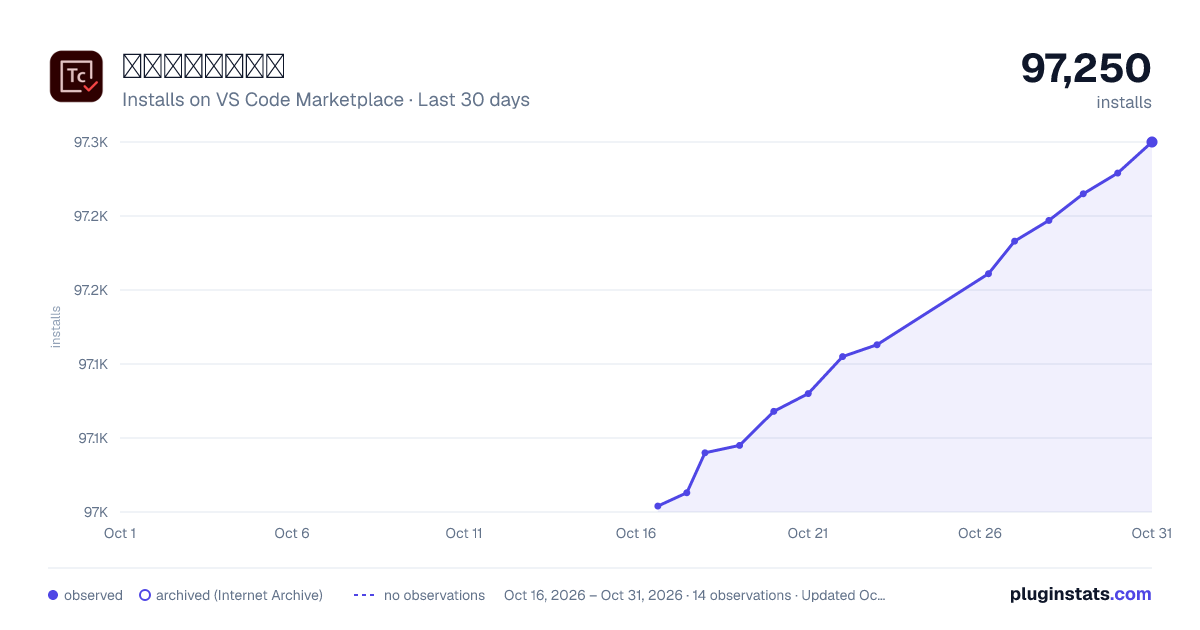
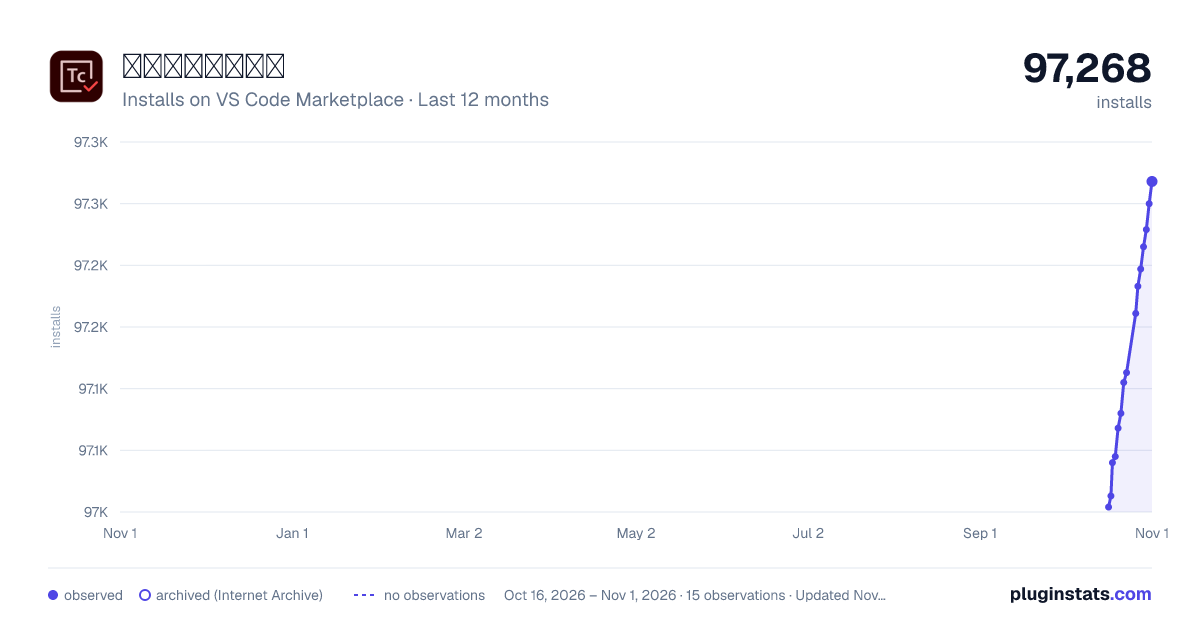
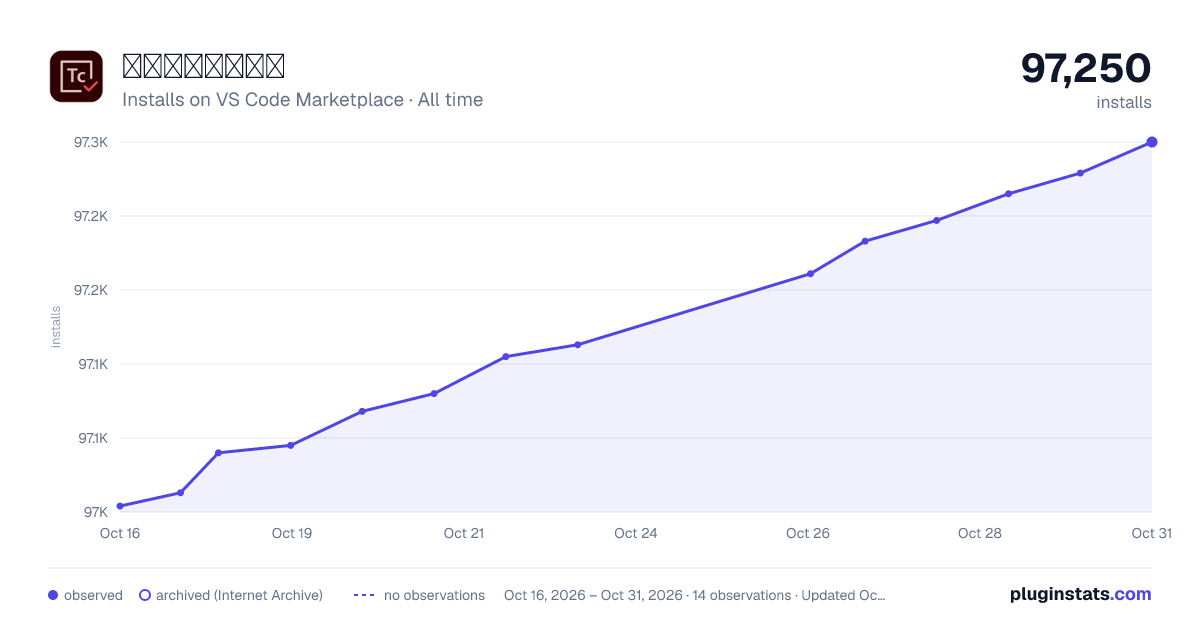

Adoption over time


7/30/90-day growth


Filled points are observed values; hollow points come from Internet Archive snapshots of the listing page. Dashed segments span periods with no observations — values between points are not interpolated.
Recent observations
Full history (3)Similar VS Code Marketplace Linters plugins
Data source
Install counts, average rating, and rating counts come from the public Visual Studio Marketplace gallery API. Installs are cumulative and exclude updates.
Listing: https://marketplace.visualstudio.com/items?itemName=ICS.japanese-proofreading. First seen Oct 16, 2026; last successful collection Oct 18, 2026. See the methodology.