 PluginStats
Mojo 🔥 installs statistics
By Modular · VS Code Marketplace · Programming Languages
Mojo language support
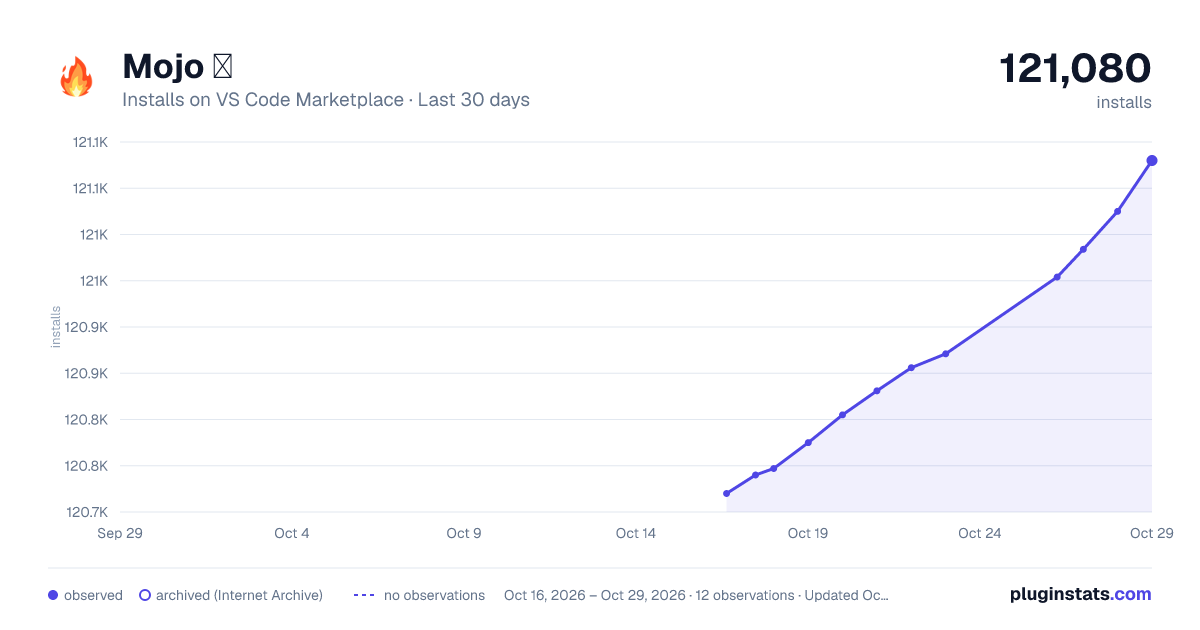
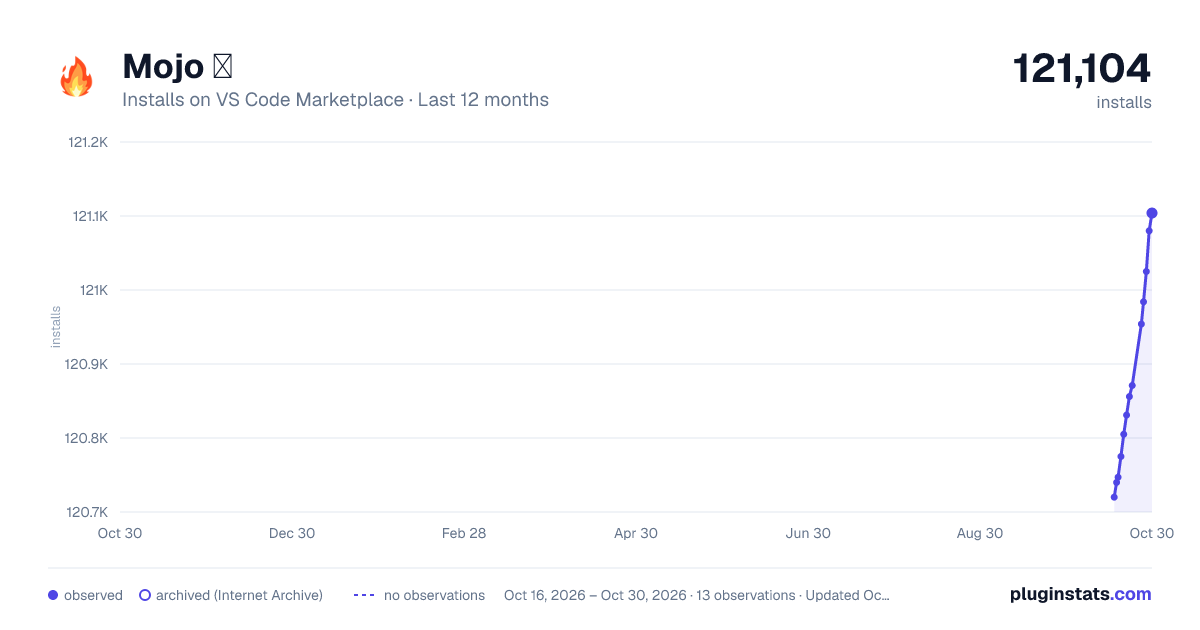
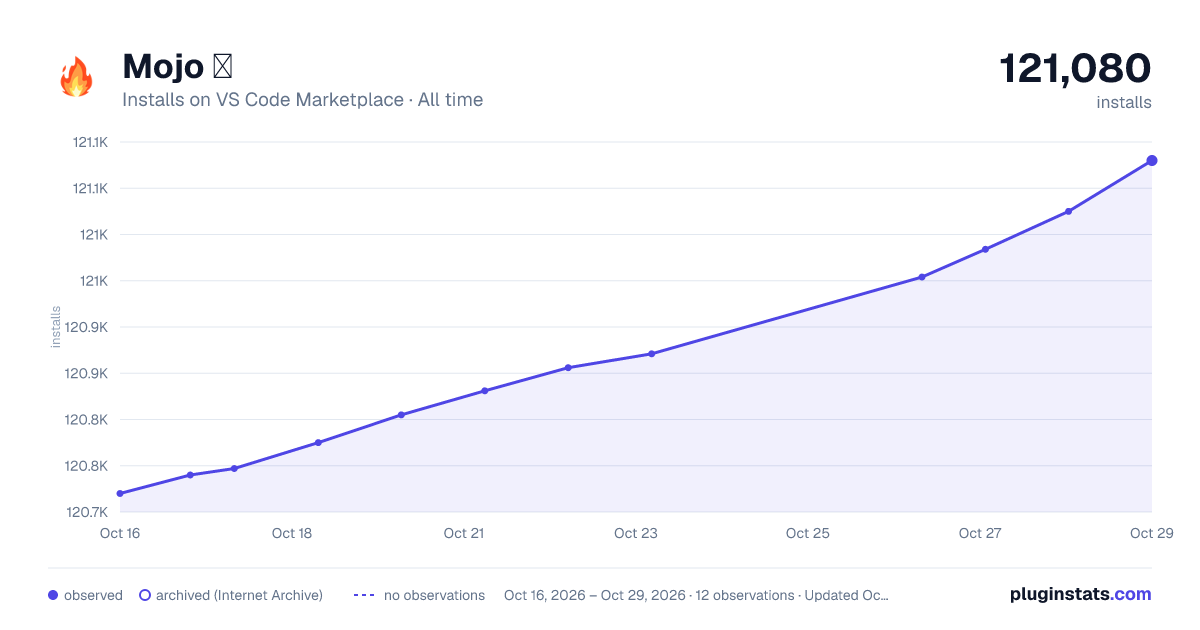
Mojo 🔥 has 120,775 recorded installs on VS Code Marketplace.
It ranks #2132 of 2,501 tracked VS Code Marketplace listings by installs.
It is rated 5.0 out of 5 from 13 ratings.
PluginStats has 4 daily observations since Oct 16, 2026; the latest is from Oct 19, 2026.
Rating: 5.00 / 5 from 13 ratings
About Mojo 🔥
Mojo🔥 extension for Visual Studio Code
This VS Code extension from the Modular team adds support for the Mojo programming language.
Features
• Syntax highlighting for .mojo files • Code completion • Code diagnostics and quick fixes • Full LSP experience for doc string code blocks • Go to symbol • API docs on hover • Code formatting • Run Mojo file
Get started
1. Install Mojo. 2. Install the Mojo VS Code extension. 3. Open any .mojo file and start coding.
Mojo SDK resolution
When the extension detects a Mojo project (a workspace containing .mojo files, or with a .mojo file open), the SDK status appears in the bottom-left status bar, showing details of the detected SDK or a clickable notice if no SDK was detected.
The extension resolves the active SDK in this priority order:
1. mojo.sdk.path setting — if set, the extension uses this path as an explicit override and does not fall back to auto-detection. See below. 2. Monorepo SDK — a .derived/ directory in the open workspace folder. 3. Python environment — discovered via the Python extension for VS Code, used to locate SDKs installed in pixi or wheel-based environments.
If the Python extension is not installed, the status bar will prompt you to install it; clicking the prompt opens it in the marketplace.
mojo.sdk.path override
For environments where the Python extension is unavailable or auto-detection picks the wrong environment, you can set mojo.sdk.path to point at a Mojo SDK directly. The setting is available in both the Settings UI and settings.json, and can be set at either user or workspace scope — workspace scope is usually the right choice, since different projects typically use different SDKs.
The value must be an absolute path to an environment root:
• For pixi or conda installs, point to the environment root that contains share/max/modular.cfg — for example, /path/to/workspace/.pixi/envs/default. • For wheel installs, point to the environment root that contains bin/mojo and lib/python*/site-packages/modular/ — for example, /path/to/.venv.
When set, this override beats every other detection source. If the path is invalid, the extension will surface an error in the status bar rather than silently falling back to auto-detection.
Troubleshooting
If the Mojo extension cannot find your SDK installation, try invoking the Python: Select Interpreter command and selecting the environment that contains your Mojo SDK. In some cases, the Python extension defaults to your globally-installed environment even when a workspace-local one exists. If that doesn't help, set mojo.sdk.path directly.
Debugger
A fully featured LLDB debugger is included with Mojo. You can press the down arrow next to the ▶️ button in the top right of a Mojo file, and select Debug Mojo File:
The default key is F5, and you can rebind the related hotkeys in Preferences: Open Keyboard Shortcuts > Debug: Start Debugging.
For details, see the Mojo debugging guide.
Code completion
To trigger a completion press ctrl + space, pressing ctrl + space again will bring up doc hints:
Rebind the hotkey in Preferences: Open Keyboard Shortcuts > Trigger Suggest
Hover and doc hints
Hover over a symbol with your cursor for doc hints. The default hotkey to trigger it in macOS is ⌘ + k, ⌘ + i or ctrl + k, ctrl + i in Linux and Windows:
Rebind the hotkey in Preferences: Open Keyboard Shortcuts > Show or Focus Hover
Signature help
Mojo provides function overloading, so you need a way to scroll through the multiple signatures available. You can bring this up with the hotkey ⌘ + shift + space in macOS or ctrl + shift + space in Linux or Windows.
Rebind related hotkeys in Preferences: Open Keyboard Shortcuts > Trigger Parameter Hints
Code diagnostics
Code diagnostics are indicated with an underline on the code and details appear when you hover. You can also see them in the PROBLEMS tab and use Go to Next Problem in Files to quickly cycle through them:
Rebind related hotkeys in Preferences: Open Keyboard Shortcuts > Go to Next Problem...
Tip: Also try the Error Lens extension (not associated with Modular), which will display the first line of the diagnostic inline, making it easier to quickly fix problems.
Doc string code blocks
Unique to Mojo, you get a full LSP experience for code blocks inside doc strings, with all the features mentioned here including completions and diagnostics:
Go to symbol
You can quickly jump to a symbol in the file with ⌘ + shift + o in macOS or ctrl + shift + o in Linux and Windows.
This also enables the outline view in the explorer window.
Rebind the hotkey in Preferences: Open Keyboard Shortcuts > Go to Symbol in Editor
Quick fix
If there is an available quick fix with the code diagnostic, click the lightbulb icon or use the default hotkey ctrl + . for a list of options:
Rebind the hotkey in Preferences: Open Keyboard Shortcuts > Quick Fix...
Run Mojo file
The extension provides a set of actions on the top-right of a Mojo file to run the active file, which by default are under a small ▶️ button up the top-right of the editor:
These actions are also available in the command palette and under the Mojo submenu in the File Explorer when right-clicking on Mojo files:
You may bind hotkeys to any of the actions listed here. For example, to bind a hotkey for the "Run Mojo File" action, open preferences, then select Keyboard Shortcuts > Mojo: Run Mojo File.
Run Mojo File
This executes the current Mojo file in a terminal that is reused by other invocations of this same action, even if they run a different file.
Run Mojo File in Dedicated Terminal
This executes the current Mojo file in a dedicated terminal that is reused only by subsequent runs of this very same file.
Code formatting
From the command palette run Format Document or tick the setting Format on Save:…
Description from the VS Code Marketplace listing.
- 🔥
- debuggers
- mojo
- mojo-injection
Charts
Images: 30d · 1y · all time · 1600×900 dark

Adoption over time


7/30/90-day growth


Ratings over time


Listing placement


Listing placement


Listing placement


Filled points are observed values; hollow points come from Internet Archive snapshots of the listing page. Dashed segments span periods with no observations — values between points are not interpolated.
Each band is one page of 20. Installs on a log scale. Placement is projected from installs, so it can differ from the marketplace's own sort order. Hover a dot to see the listing.
Recent observations
Full history (4)Similar VS Code Marketplace Programming Languages plugins
All 20 Mojo 🔥 alternativesData source
Install counts, average rating, and rating counts come from the public Visual Studio Marketplace gallery API. Installs are cumulative and exclude updates.
Listing: https://marketplace.visualstudio.com/items?itemName=modular-mojotools.vscode-mojo. First seen Oct 16, 2026; last successful collection Oct 19, 2026. See the methodology.