 PluginStats
PHP Awesome Snippets installs statistics
By HakCorp · VS Code Marketplace · Programming Languages
A fullset of snippets for PHP devs to boost coding productivity.
PHP Awesome Snippets has 296,207 recorded installs on VS Code Marketplace.
It ranks #1169 of 2,501 tracked VS Code Marketplace listings by installs.
It is rated 5.0 out of 5 from 20 ratings.
PluginStats has 4 daily observations since Oct 16, 2026; the latest is from Oct 19, 2026.
Rating: 4.95 / 5 from 20 ratings
About PHP Awesome Snippets
PHP Awesome Snippets - VScode extension
This VScode extension provide a fullset of snippets for PHP devs. It's pretty simple !
You can use it to avoid wasting time typing Class blocks, function signatures or other common PHP statements.
The code generated is as compliant as possible with PSR-1, PSR-2 and PSR-12 (*Review* stage) coding standards provided by PHP-FIG.
Snippets are PHP7 oriented (type hinting and return type) but PHP5 compatibility is also provided (see Functions and Methods sections).
This work is inspired by PHPstorm (*PHP Live Templates*) and other works available on VScode marketplace like PHP Snippets VS Code or PHP Snippet Pack.
Usage
Type a snippet (or part of it), press Enter or Tab (if editor.tabCompletion set to true in your settings) and the snippet will expand just right there.
*Tip :* Snippets provided in this extension support tab to next/previous placeholder.
These snippets are meant to work in PHP context (VScode file). However there are also available in Plain Text context for convenience and PHP tags are available in HTML one.
Features
These snippets try to be as intuitive as possible and to avoid conflicts with previous or built-in snippets.
Placeholders are quite *'easy to use'* though some need optimizations. *Tip :* If you want to use snippets and completion in placeholders look at the Extension settings section.
PHP tags
| Snippet | Output |
| php | | | po | | | peco | |
Superglobals
| Snippet | Output |
| gget | $_GET["..."] | | gpost | $_POST["..."] | | gss | $_SESSION["..."] | | gfile | $_FILES['...']['...'] | | gcook | $_COOKIE["..."] | | gser | $_SERVER["..."] | | greq | $_REQUEST["..."] | | genv | $_ENV["..."] | | gglob | $GLOBALS["..."] |
Arrays
| Snippet | Output |
| arr | [value, value, ...]; | | ark | ['key' => value, 'key' => value,...] | | kv | 'key' => value, [1] | | va | value, [1] |
• [1] Addon snippet : use with arr or ark snippet to add value or key => value if needed.
Statements and common functions calls
| Snippet | Output |
| eco | echo "..."; | | inc | include DIR.'...'; | | inco | include_once DIR.'...'; | | rqr | require DIR.'...'; | | rqro | require_once DIR.'...'; | | df | define("...", "..."); | | pr | print_r(...); | | vd | var_dump(...); | | vx | var_export(...); |
Functions
| Snippet | Output |
| fn | function func_name(Type $args): void {...} | | fna | function (Type $args): void {...} | | fnu | function (Type $args) use ($vars): void {...} |
*Tip :* You can call functions snippets above without type hinting and return type (PHP5 compatibility) by using - as prefix. * -fna for function ($args) {...} *(anonymous function block)*
Control structures
| Snippet | Output |
| ifb | if (condition) {...} | | ifel | if (condition) {...} else {...} | | ifelif | if (condition) {...} elseif (condition) {...} else {...} | | sw | switch ($variable) { case 'label': ... break; ... default: ... break; } | | cs | case 'label': ... break; [1] | | tern | condition ? if_true : if_false; |
• [1] Addon snippet : use with sw snippet to add case if needed.
*Tip :* Other if ... else form is also available if needed: | Snippet | Output | | --- | --- | | ifen | if (condition): ... endif; | | ifelen | if (condition): ... else: ... endif; | | ifelifen | if (condition): ... elseif (condition): ... else: ... endif; |
Loops structures
| Snippet | Output |
| fore | foreach ($iterable as $item) {...} | | forek | foreach ($iterable as $key => $item) {...} | | forl | for ($i = 0; $i $item): {...} endforeach; | | forlen | for ($i = 0; $i Methods
Constructor
| Snippet | Output |
| pubc | public function __construct(Type $args) {...} | | proc | protected function __construct(Type $args) {...} | | pric | private function __construct(Type $args) {...} |
Method
| Snippet | Output |
|| Public methods | | pubf | public function methodName(Type $args): void {...} | | pubsf | public static function methodName(Type $args): void {...} | || Protected methods | | prof | protected function methodName(Type $args): void {...} | | prosf | protected static function methodName(Type $args): void {...} | || Private methods | | prif | private function methodName(Type $args): void {...} | | prisf | private static function methodName(Type $args): void {...} |
*Tip :* You can call methods snippets above with abstract or final form by using a or f as prefix. * aprof for abstract protected function methodName(Type $args): void {...} * fpubsf for final public static function methodName(Type $args): void {...}
*Tip :* You can call methods snippets above without type hinting and return type (PHP5 compatibility) by using - as prefix. * -apubf for abstract public function methodName(parameters) {...}
Errors
| Snippet | Output |
| tryc | try {...} catch (\Throwable $e) {...} | | tryf | try {...} catch (\Throwable $e) {...} finally {...} | | cat | catch (\Throwable $e) {...} [1] | | fy | finally {...} [2] | | thr | throw new SomeException("Error statement"); |
• [1] Addon snippet : use with tryc or tryf snippet to add catch if needed. • [2] Addon snippet : use with tryc snippet to add finally if needed.
Requirements
All you need is VScode installed on your machine.
• Install the extension from Extensions menu. • You can also press F1 then type:
ext install hakcorp.php-awesome-snippets
Extension Settings
The VScode default behavior deactivate IntelliSense suggestions when you're filling placeholders. However if you want to use completion and snippets inside placeholders :
• Open your settings.json file ( { } icon at the top right corner of the settings tab). • Add this line anywhere you want: "editor.suggest.snippetsPreventQuickSuggestions": false
Now you can call snippets and any suggestion in placeholders without typing Ctrl+space.
Known Issues
If suggestions menu does not open, press Ctrl+space to open it manually.…
Description from the VS Code Marketplace listing.
- coding
- php
- php7
- Productivity
- psr
- snippet
- Snippets
Where PHP Awesome Snippets sits in the listing
Each band is one page of 20. Installs on a log scale. Placement is projected from installs, so it can differ from the marketplace's own sort order. Hover a dot to see the listing.


Charts
Images: 30d · 1y · all time · 1600×900 dark
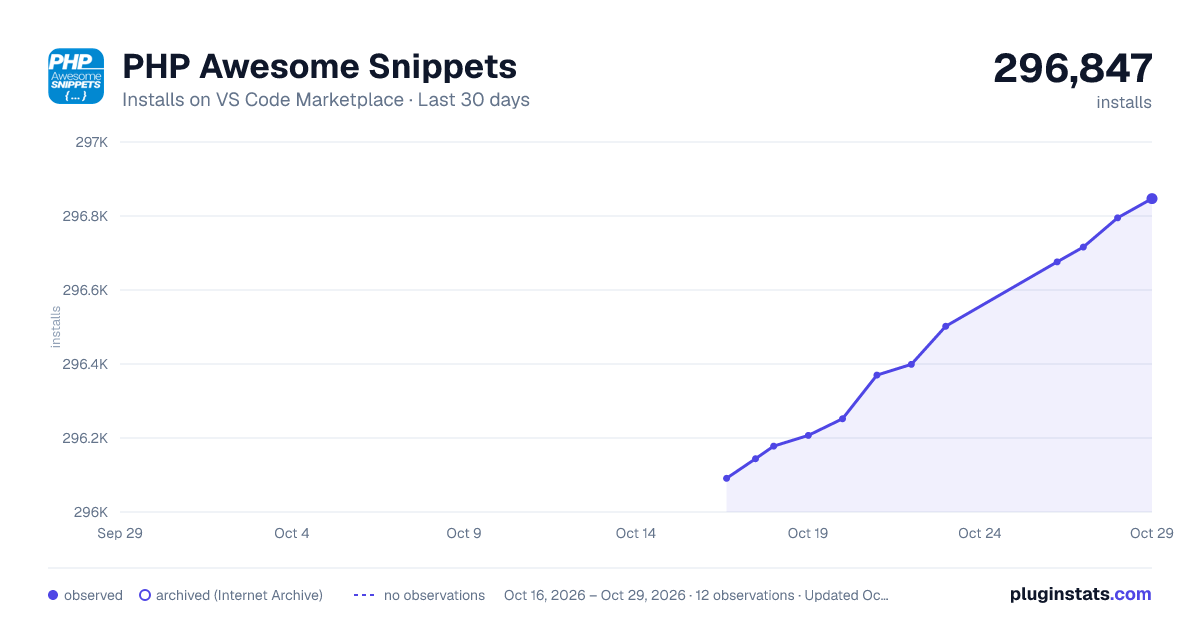
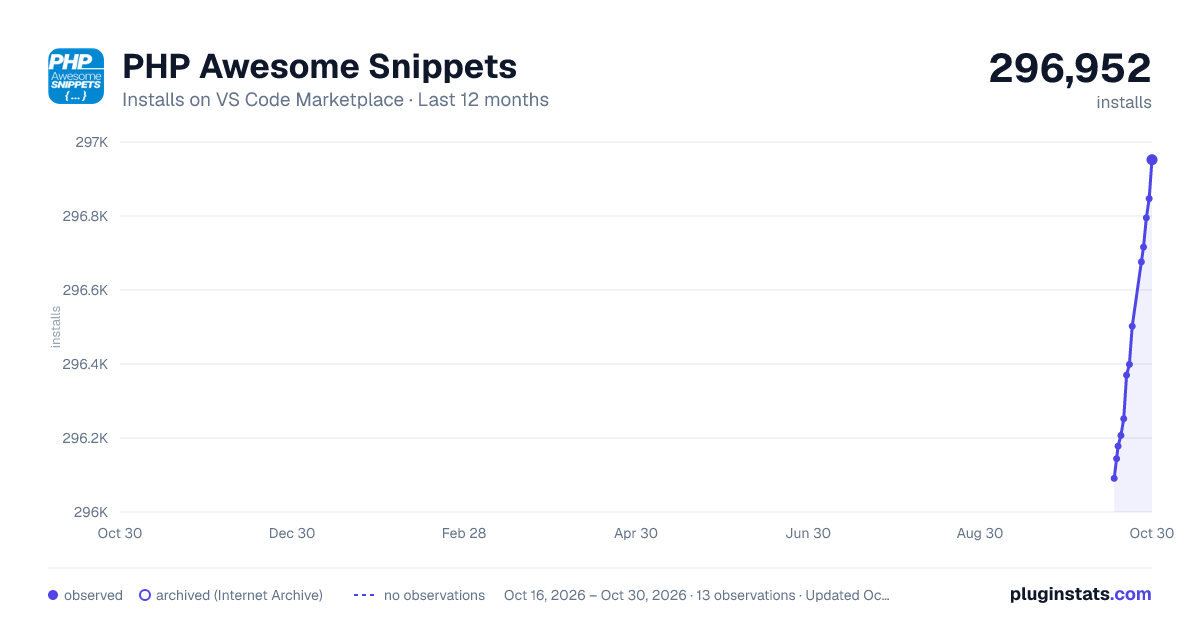
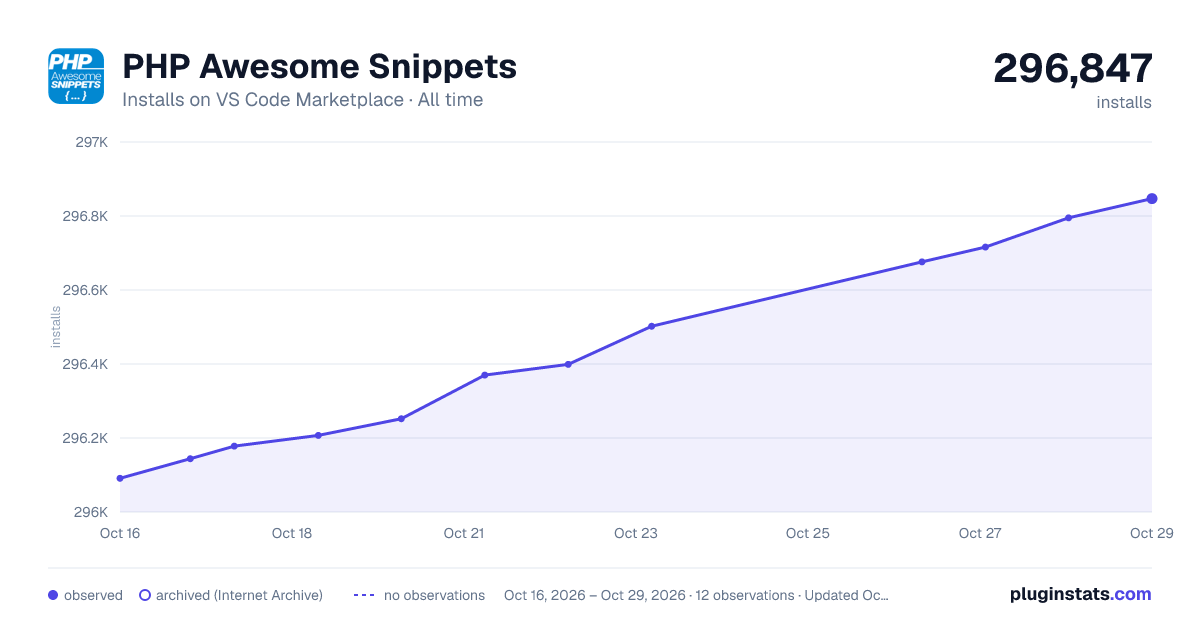

Adoption over time


7/30/90-day growth


Ranking history


Filled points are observed values; hollow points come from Internet Archive snapshots of the listing page. Dashed segments span periods with no observations — values between points are not interpolated.
Recent observations
Full history (4)Similar VS Code Marketplace Programming Languages plugins
Data source
Install counts, average rating, and rating counts come from the public Visual Studio Marketplace gallery API. Installs are cumulative and exclude updates.
Listing: https://marketplace.visualstudio.com/items?itemName=hakcorp.php-awesome-snippets. First seen Oct 16, 2026; last successful collection Oct 19, 2026. See the methodology.