 PluginStats
Bracket Highlighter installs statistics
By Durzn · VS Code Marketplace · Other
Decorates text inbetween symbols.
Bracket Highlighter has 134,442 recorded installs on VS Code Marketplace, ranking #1984 of 2,502 tracked listings.
Rating: 5.00 / 5 from 8 ratings
About Bracket Highlighter
About this Visual Studio Code extension
This extension is for people that want a more "in the face" approach on highlighting content between symbols.
Symbols can be custom defined, the extension is not limited to only brackets. Sadly the extension name cannot be changed retroactively.
It provides a very configurable CSS style markup for the whole text between opening and closing symbols or only the symbols themselves.
There are preset options for all kinds of brackets.
Features
- Highlights pairs of symbols that are at the cursor or if the cursor is in the scope of the pair
- Symbols can be configured and support regular expressions
- Multiple cursors support
- Hotkey actions to jump to the highlight pairs
- Hotkey action to select all text between a highlight pair
Support
If you find this extension helpful, please consider supporting its development with a donation.
Your contributions help me maintain and improve the extension over time. Every bit is appreciated and keeps this project going.
<a href='https://ko-fi.com/H2H4Q3C6N' target='_blank'><img height='36' style='border:0px;height:36px;' src='https://storage.ko-fi.com/cdn/kofi2.png?v=3' border='0' alt='Buy Me a Coffee at ko-fi.com' /></a>
Upgrade to version 3.0.0
- Please refer to the chapter quick setup if you want to quickly get started with basic symbol support
- Please refer to the chapter custom symbols for more information how the new syntax for highlight symbols looks like
- The extension will try to use symbols with the old syntax, but be aware that it is deprecated and might not work as you expect it to
- Some settings were removed, which means there are no more symbols available via checkboxes => All symbols must now be configured within custom symbols. You can find a minimal example in the minimal example chapter.
Decoration examples
| Example | Description |
|---|---|
 | Change background color |
 | Blur everything not in scope |
 | Highlight symbols and content differently |
 | Highlight symbols and content the same |
 | Highlight only the symbols |
 | Multiple cursor support |
 | Change the way the text looks |
- ... Lots of additional possibilities. Just configure it the way you like it.
Hotkey actions:
- Jump to/out of highlighted opening and closing symbols
- Jump to the corresponding symbol pair
- Select the text between highlighted symbols
Extension Settings
This extension contributes the following settings:
| Setting | Description |
|---|---|
BracketHighlighter.enableExtension | Enables the extension when set. |
BracketHighlighter.maxLineSearchCount | The maximum amount of lines to search for a matching symbol. If nothing is found by this number, nothing will be highlighted. |
BracketHighlighter.highlightScopeFromText | Allows highlighting when clicking inside of a scope. It will search for the scope of all enabled symbols. |
BracketHighlighter.allowedLanguageIds | IDs which this extension will work on. Leaving this blank will enable it globally. Identifiers have to be separated by a comma. E.g. c,cpp,java. |
BracketHighlighter.fontWeight | FontWeight in CSS style. E.g. 'bold'. If separate highlighting for symbols and content is used, this parameter is used for the content. |
BracketHighlighter.fontStyle | FontStyle in CSS style. E.g. 'oblique'. If separate highlighting for symbols and content is used, this parameter is used for the content. |
BracketHighlighter.letterSpacing | LetterSpacing in CSS style. E.g. '1px'. If separate highlighting for symbols and content is used, this parameter is used for the content. |
BracketHighlighter.outline | Outline in CSS style. E.g. '2px dashed blue'. If separate highlighting for symbols and content is used, this parameter is used for the content. |
BracketHighlighter.border | Border in CSS style. E.g. '4px dotted blue'. If separate highlighting for symbols and content is used, this parameter is used for the content. |
BracketHighlighter.backgroundColor | BackgroundColor in CSS style. E.g. 'coral'. If separate highlighting for symbols and content is used, this parameter is used for the content. |
BracketHighlighter.textColor | Sets the color of the highlighted text.… |
Description from the VS Code Marketplace listing.
- blur
- brackets
- customization
- decoration
- highlight
- keybindings
- regex
- utility
README badge
Show your rank in a README or on your website. The badge updates automatically.
Charts
Images: 30d · 1y · all time · 1600×900 dark
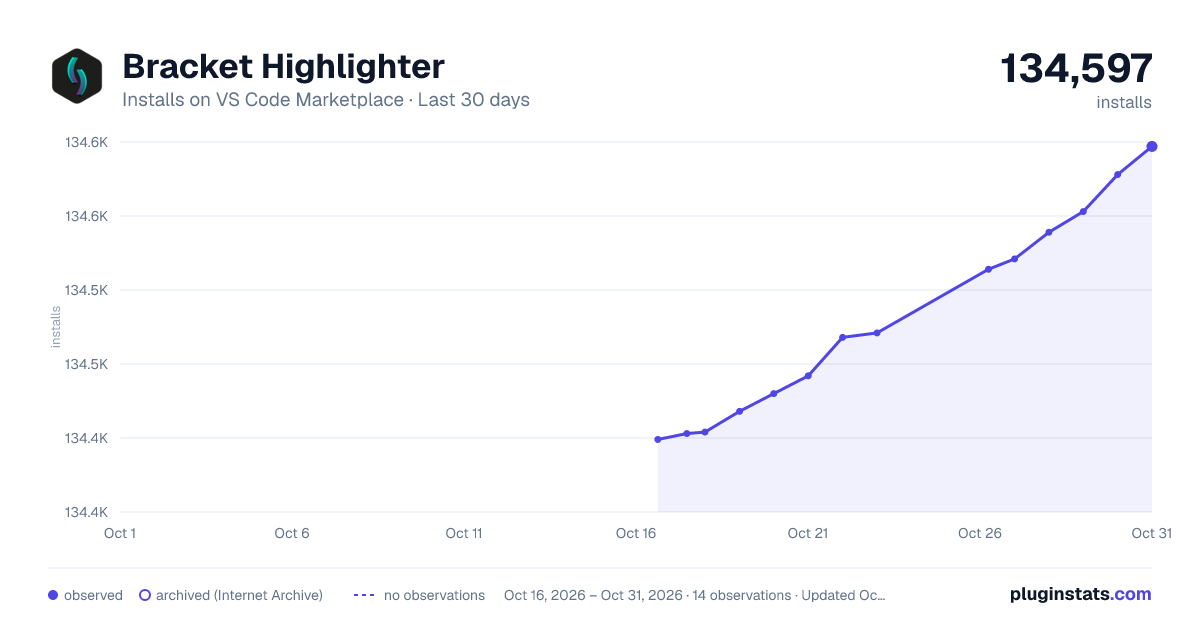
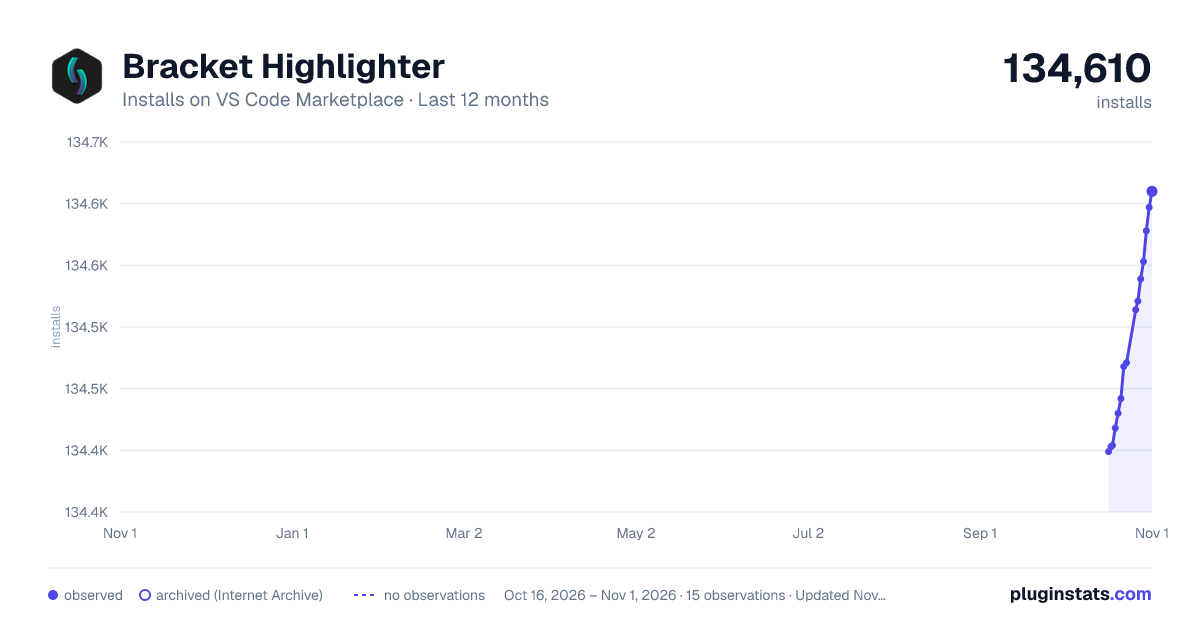
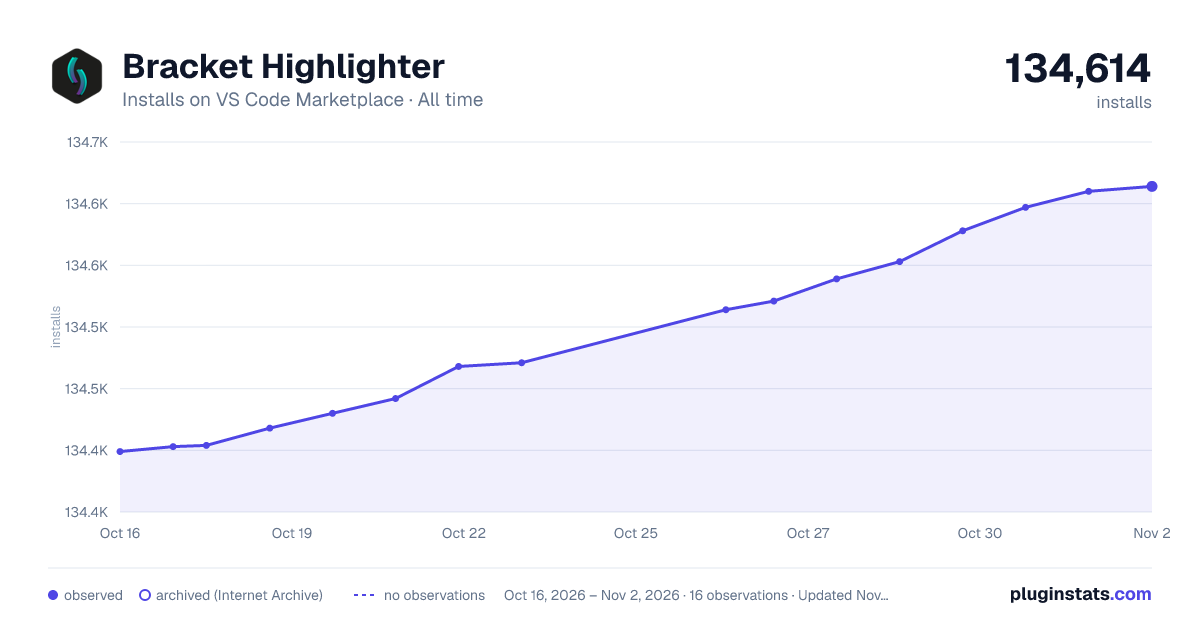

Adoption over time
7/30/90-day growth
Ranking history
Ratings over time
Listing placement
Listing placement
Filled points are observed values; hollow points come from Internet Archive snapshots of the listing page. Dashed segments span periods with no observations — values between points are not interpolated.
Each band is one page of 20. Installs on a linear scale. Placement is projected from installs, so it can differ from the marketplace's own sort order. Hover a dot to see the listing.
Recent observations
Full history (6)Similar VS Code Marketplace Other plugins
All 20 Bracket Highlighter alternativesData source
Install counts, average rating, and rating counts come from the public Visual Studio Marketplace gallery API. Installs are cumulative and exclude updates.
Listing: https://marketplace.visualstudio.com/items?itemName=Durzn.brackethighlighter. First seen Oct 16, 2026; last successful collection Oct 21, 2026. See the methodology.