 PluginStats
vscode-pydata-viewer installs statistics
By Percy (3 listings) · VS Code Marketplace · Other
Display PyData files (.npz .npy .pkl .pth) in VSCode.
vscode-pydata-viewer has 126,101 recorded installs on VS Code Marketplace, ranking #2070 of 2,502 tracked listings.
Rating: 5.00 / 5 from 3 ratings
About vscode-pydata-viewer
PyData Viewer



Display Python data files in VSCode.

Supported File Types
- Numpy Files:
.npz.npy - Pickle Files:
.pkl.pck.pickle.pkl.gz - PyTorch Files:
.pth.pt.ckpt
Quick Start
- Install the extension from VS Code marketplace
- Open any supported data file in VS Code
- The file will automatically display with formatted content
Requirements
:pushpin: Python interpreter is required. Add Python to your system PATH or configure a custom Python path in the extension settings.
Configuration
Extension Settings
vscode-pydata-viewer.pythonPath: Path to Python interpreter (default:"default")vscode-pydata-viewer.scriptPath: Path to custom processing script (default:"default")
Python Path Setup
- Open VS Code Settings (
Cmd+,orCtrl+,) - Search for "pydata viewer"
- Set Python Path:
- System Python: Leave as
"default" - Virtual Environment:
/path/to/venv/bin/python - Conda Environment:
/path/to/conda/envs/myenv/bin/python
- System Python: Leave as
Handling Local Imports
If your pickle files contain custom classes from your project, you have these options:
Option 1: Custom Processing Script
Create a custom script that imports your modules:
import sys
import pickle
from pathlib import Path

# Add your project to Python path
project_root = Path(__file__).parent.parent
sys.path.insert(0, str(project_root))

# Import your custom classes
from my_project.models import MyCustomClass

def process_pickle_file(file_path):
    with open(file_path, 'rb') as f:
        data = pickle.load(f)
    print(f"<b>Data:</b> {data}")

if __name__ == "__main__":
    file_type = int(sys.argv[1])
    file_path = sys.argv[2]

    if file_type == 1:  # Pickle file
        process_pickle_file(file_path)
Then set the script path in VS Code settings:
{
  "vscode-pydata-viewer.scriptPath": "/path/to/your/custom_script.py"
}
Option 2: Project Environment
Configure the extension to use your project's Python environment:
{
  "vscode-pydata-viewer.pythonPath": "/path/to/your/project/venv/bin/python"
}
Option 3: Workspace Settings
For project-specific configuration, create .vscode/settings.json:
{
  "vscode-pydata-viewer.pythonPath": "${workspaceFolder}/venv/bin/python",
  "vscode-pydata-viewer.scriptPath": "${workspaceFolder}/scripts/custom_reader.py"
}
Common Issues
"No module named 'your_module'" Error
- Use a custom script with proper imports
- Set Python path to your project environment
- Ensure your virtual environment contains required dependencies
"Python not found" Error
- Check Python installation
- Set full path to Python executable in settings
- Restart VS Code after changing settings
Examples
Basic Usage
Simply open any .npy, .pkl, or .pth file in VS Code.
Custom Objects
import pickle

class MyClass:
    def __init__(self, value):
        self.value = value

data = MyClass(42)
with open('data.pkl', 'wb') as f:
    pickle.dump(data, f)
Change Log
Please refer to CHANGELOG.md.
Related Extensions
If you don't have Python available but need to view numpy files, try vscode-numpy-viewer.
Description from the VS Code Marketplace listing.
README badge
Show your rank in a README or on your website. The badge updates automatically.
Charts
Images: 30d · 1y · all time · 1600×900 dark
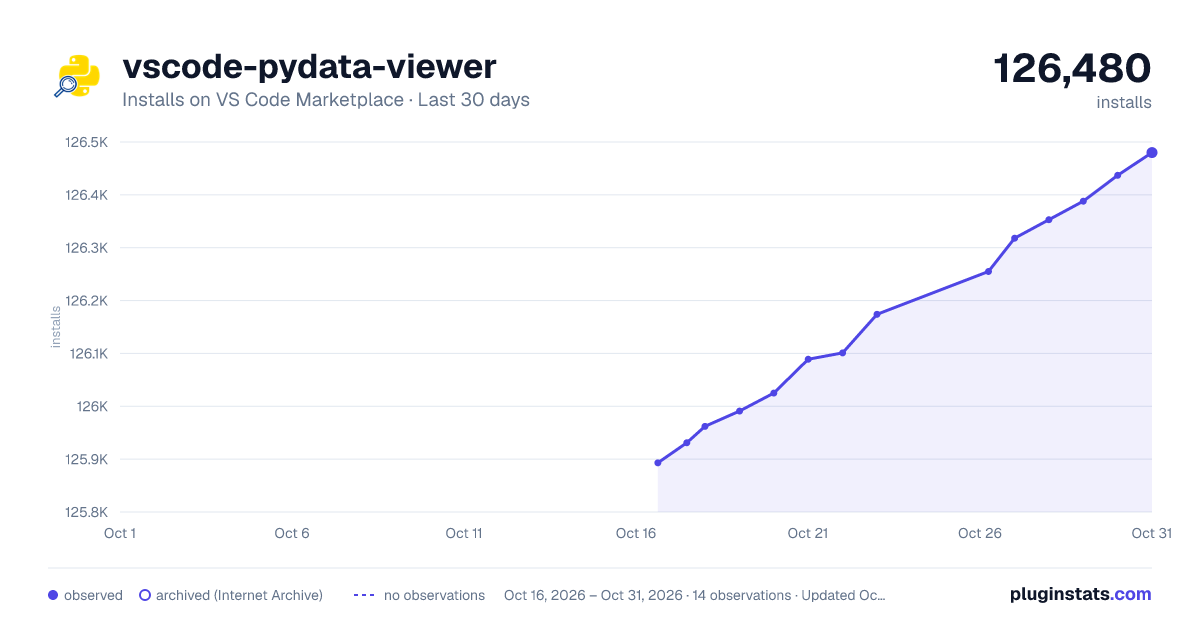
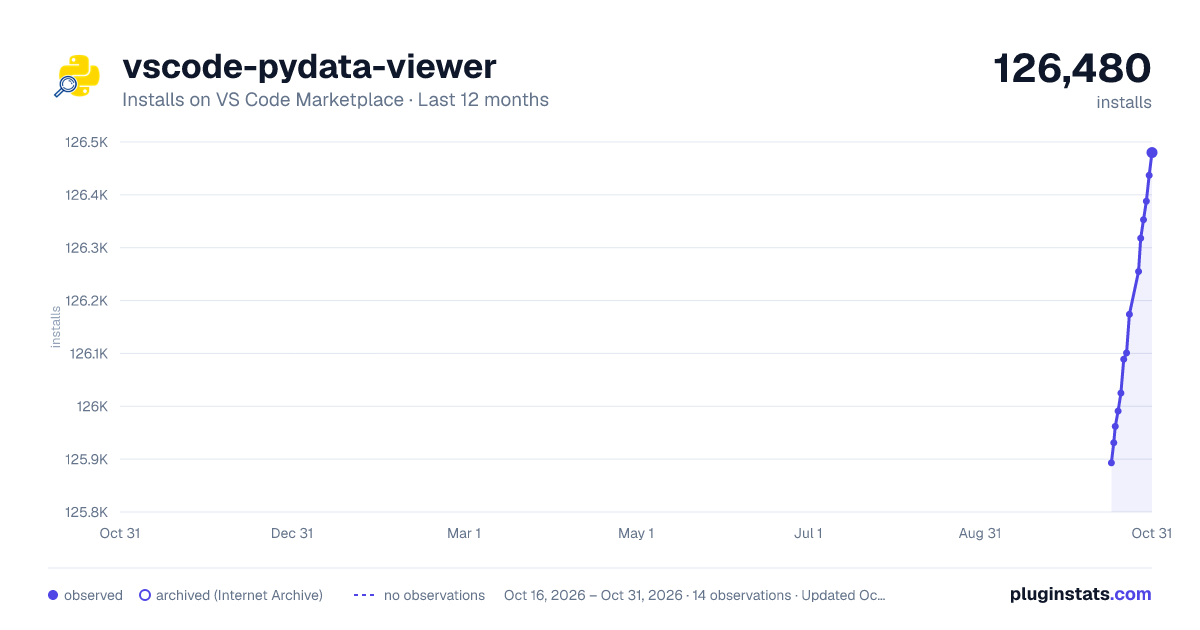
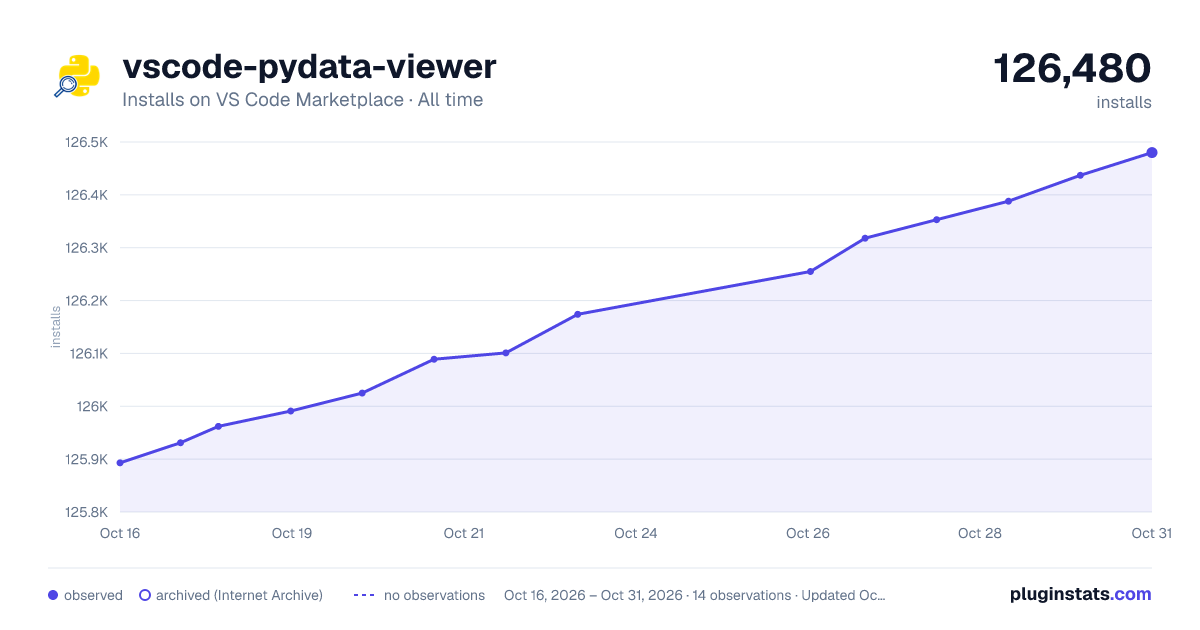

Adoption over time
7/30/90-day growth
Ranking history
Ratings over time
Listing placement
Listing placement
Filled points are observed values; hollow points come from Internet Archive snapshots of the listing page. Dashed segments span periods with no observations — values between points are not interpolated.
Each band is one page of 20. Installs on a linear scale. Placement is projected from installs, so it can differ from the marketplace's own sort order. Hover a dot to see the listing.
Recent observations
Full history (7)Similar VS Code Marketplace Other plugins
All 20 vscode-pydata-viewer alternativesData source
Install counts, average rating, and rating counts come from the public Visual Studio Marketplace gallery API. Installs are cumulative and exclude updates.
Listing: https://marketplace.visualstudio.com/items?itemName=Percy.vscode-pydata-viewer. First seen Oct 16, 2026; last successful collection Oct 22, 2026. See the methodology.