 PluginStats
CloudFormation installs statistics
By aws-scripting-guy · VS Code Marketplace · Snippets
VS Code Plugin for CloudFormation
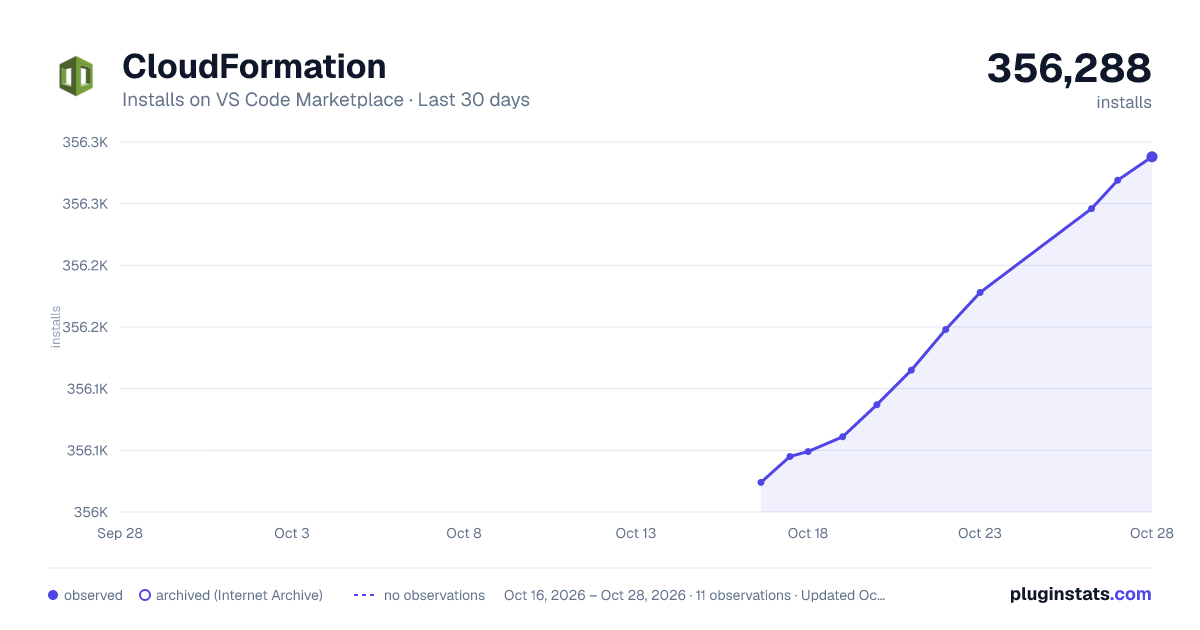
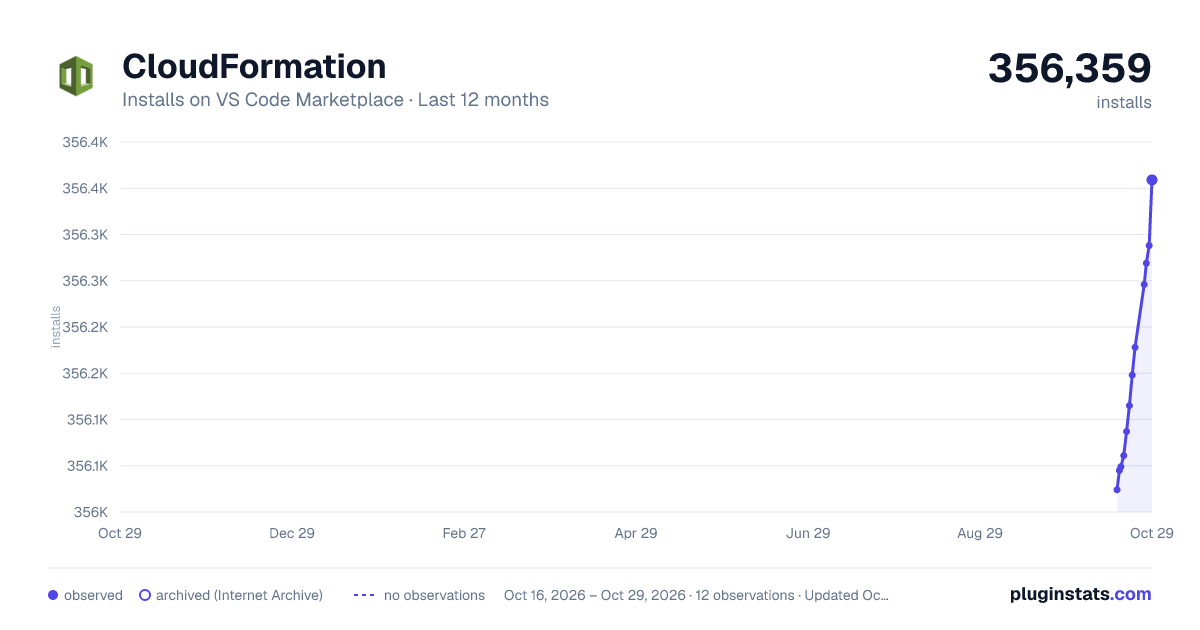
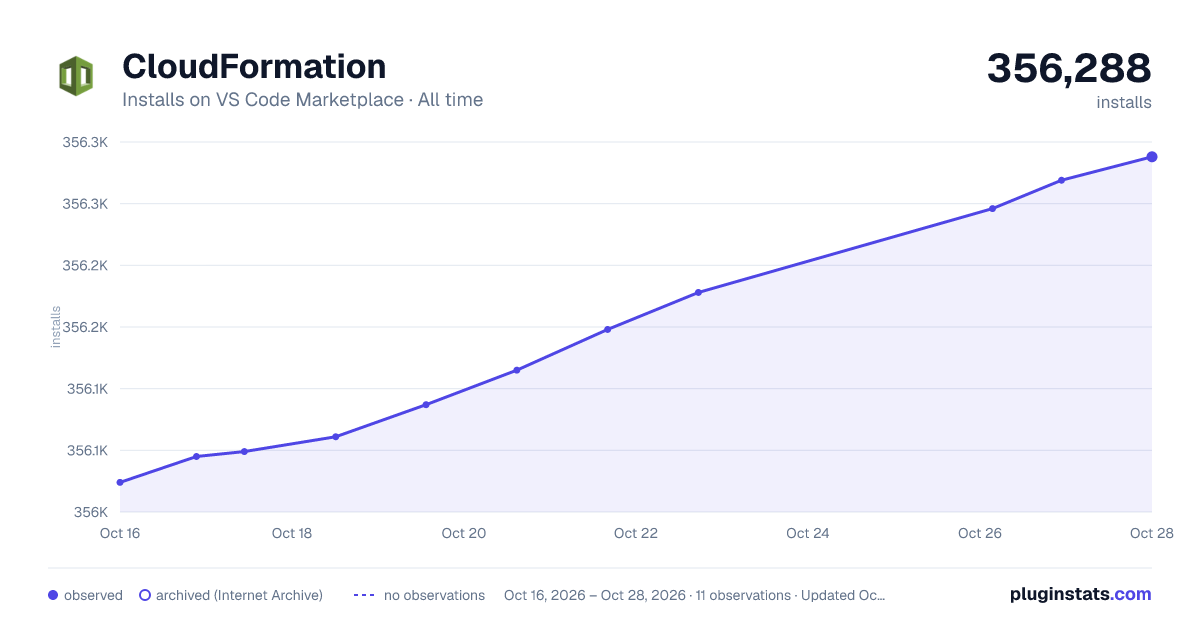
CloudFormation has 356,061 recorded installs on VS Code Marketplace.
It ranks #1037 of 2,501 tracked VS Code Marketplace listings by installs.
It is rated 4.4 out of 5 from 14 ratings.
PluginStats has 4 daily observations since Oct 16, 2026; the latest is from Oct 19, 2026.
Rating: 4.43 / 5 from 14 ratings
About CloudFormation
CloudFormation support for Visual Studio Code ===================
This is a fork of ST3 CloudFormation plugin.
News
Introducing two release channels: 1. Stable for scheduled update cycle 2. Nightly for fast updates based on community commits
You can find both under section Releases on Github:
https://github.com/aws-scripting-guy/cform-VSCode/releases
Only Stable channel is being published to VS Code marketplace. Nightly build needs to be installed manually from .vsix file.
Usage
1. Install the extension 2. Create new file 3. Set syntax to JSON or YAML 4. Type start and press key to populate basic template skeleton 5. Start typing desired resource name and hit key
Note: CloudFormation support works with YAML/JSON syntax selected or .json, .cform, .template file extensions. These are commonly used CloudFormation template extensions.
YAML templates
Extension fully supports YAML templates. YAML template creation follows the same syntax rules:
1. Create new YAML document 2. Type start to populate new template 3. Start typing desired resource name and hit key
Note: YAML support is dependent on YAML Language Server. By default, YAML Language Server (Red Hat YAML recommended) will be installed automatically as prerequisite.
Note: If you do not want to install YAML Language Server, install version cform-noyaml.vsix from GitHub.
YAML setup
After installation, open your User Settings and paste preferences below into your settings file.
Note: This will whitelist CloudFormation intrinsic functions tags. Otherwise you will end up with *Unknown Tag* showing up in your YAML document.
Troubleshooting
• Users behing proxy: Download latest version of .vsix file under Releases from GitHub repo for manual install https://github.com/aws-scripting-guy/cform-VSCode/releases
Known issues
When working with YAML documents, your current YAML language interpreter might not support syntax of AWS intrinsic functions, thus marking them as *unknown tag*. This however has no effect on validity of the YAML document.
Note: You can solve this issue by whitelisting specific tags following instructions under section YAML Setup.
Note: Tested only with Red Hat YAML Language Server
Contributions
Contributions:
1. Fork 2. Create your feature branch (git checkout -b my-new-feature) 3. Commit your changes (git commit -am 'Add some feature') 4. Push to the branch (git push origin my-new-feature) 5. Create new Pull Request
Your feedback is welcome on GitHub.
Donations
Paypal
Description from the VS Code Marketplace listing.
- json
- snippet
- yaml
Charts
Images: 30d · 1y · all time · 1600×900 dark

Adoption over time


7/30/90-day growth


Ranking history


Ratings over time


Listing placement


Filled points are observed values; hollow points come from Internet Archive snapshots of the listing page. Dashed segments span periods with no observations — values between points are not interpolated.
Each band is one page of 20. Installs on a log scale. Placement is projected from installs, so it can differ from the marketplace's own sort order. Hover a dot to see the listing.
Recent observations
Full history (4)Similar VS Code Marketplace Snippets plugins
All 20 CloudFormation alternativesData source
Install counts, average rating, and rating counts come from the public Visual Studio Marketplace gallery API. Installs are cumulative and exclude updates.
Listing: https://marketplace.visualstudio.com/items?itemName=aws-scripting-guy.cform. First seen Oct 16, 2026; last successful collection Oct 19, 2026. See the methodology.