 PluginStats
Haskell (legacy) installs statistics
By Alan Zimmerman · VS Code Marketplace · Programming Languages
Haskell language support powered by the Haskell Language Server, ghcide or HIE
Haskell (legacy) has 92,916 recorded installs on VS Code Marketplace, ranking #2476 of 2,501 tracked listings.
Rating: 4.36 / 5 from 11 ratings
About Haskell (legacy)
Legacy notice
This is the old home for the Haskell VS Code extension. It now lives under the Haskell organisation publisher here. Please use this newer extension as this one (alanz.vscode-hie-server) will no longer receive updates.
Haskell for Visual Studio Code
This extension adds language support for Haskell, powered by the Haskell Langauge Server.
Features
- Warning and error diagnostics from GHC
- Type information and documentation on hover
- Jump to definition
- Document symbols
- Highlight references in document
- Code completion
- Formatting via Brittany, Floskell, Ormolu or Stylish Haskell
- Multi-root workspace support
Requirements
- For standalone
.hs/.lhsfiles, ghc must be installed and on the PATH. The easiest way to install it is with ghcup or Chocolatey on Windows. - For Cabal based projects, both ghc and cabal-install must be installed and on the PATH. It can also be installed with ghcup or Chocolatey on Windows.
- For Stack based projects, stack must be installed and on the PATH.
Language Servers
Whilst this extension is powered by the Haskell Language Server by default, it also supports several others which can be manually installed:
- Haskell Language Server: This is the default language server which will automatically be downloaded, so it does not need manual installation. It builds upon ghcide by providing extra plugins and features.
- ghcide: A fast and reliable LSP server with support for basic features.
- Haskell IDE Engine: A stable and mature language server, but note that development has moved from this to the Haskell Language Server.
You can choose which language server to use from the "Haskell > Language Server Variant" configuration option.
Configuration options
Enable/disable server
You can enable or disable the chosen haskell language server via configuration. This is sometimes useful at workspace level, because multi-root workspaces do not yet allow you to manage extensions at the folder level, which can be necessary.
"haskell.enable": true
Path to server executable executable
If your server is manually installed and not on your path, you can also manually set the path to the executable.
"haskell.serverExecutablePath": "~/.local/bin/hie"
There are a few placeholders which will be expanded:
~,${HOME}and${home}will be expanded into your users' home folder.${workspaceFolder}and${workspaceRoot}will expand into your current project root.
Local documentation
Haskell Language Server can display Haddock documentation on hover and in code completion for your code if you have built your project with haddock enabled.
For Stack projects, in your project directory run
$ stack haddock --keep-going
For Cabal projects, run
$ cabal build --haddock
Or alternatively add the following to your ~/.cabal/config or cabal.config[.local]
documentation: True
Haskell Language Server specifics
Downloaded binaries
This extension will download haskell-language-server binaries to a specific location depending on your system. If you find yourself running out of disk space, you can try deleting old versions of language servers in this directory. The extension will redownload them, no strings attached.
| Platform | Path |
|---|---|
| macOS | ~/Library/Application\ Support/Code/User/globalStorage/alanz.vscode-hie-server/ |
| Windows | %APPDATA%\Code\User\globalStorage\alanz.vscode-hie-server |
| Linux | $HOME/.config/Code/User/globalStorage/alanz.vscode-hie-server |
Note that if haskell-language-server-wrapper/haskell-language-server is already on the PATH, then the extension will launch it directly instead of downloading binaries.
Supported GHC versions
These are the versions of GHC that there are binaries of haskell-language-server for. Building from source may support more versions!
| GHC | Linux | macOS | Windows |
|---|---|---|---|
| 8.10.1 | ✓ | ✓ | ✓ |
| 8.8.3 | ✓ | ✓ | |
| 8.8.2 | ✓ | ✓ | |
| 8.6.5 | ✓ | ✓ | ✓ |
| 8.6.4 | ✓ | ✓ | ✓ |
Haskell IDE Engine specifics
If you are using Haskell IDE Engine as your language server, there are a number of additional configuration options.
Liquid Haskell
If Liquid Haskell is installed, haskell-ide-engine can be configured to run the liquidhaskell executable on save and display diagnostics:
"haskell.liquidOn": true,
Hoogle
HIE pulls in documentation via Hoogle. After installing Hoogle via cabal install hoogle or stack install hoogle, generate the database with:
$ hoogle generate
Using multi-root workspaces
First, check out what multi-root workspaces are. The idea of using multi-root workspaces, is to be able to work on several different Haskell projects, where the GHC version or stackage LTS could differ, and have it work smoothly.
The language server is now started for each workspace folder you have in your multi-root workspace, and several configurations are on a resource (i.e. folder) scope, instead of window (i.e. global) scope.…
Description from the VS Code Marketplace listing.
- cabal
- haskell
- language
- literate haskell
- lsp
- multi-root ready
- stack
README badge
Show your rank in a README or on your website. The badge updates automatically.
Charts
Images: 30d · 1y · all time · 1600×900 dark
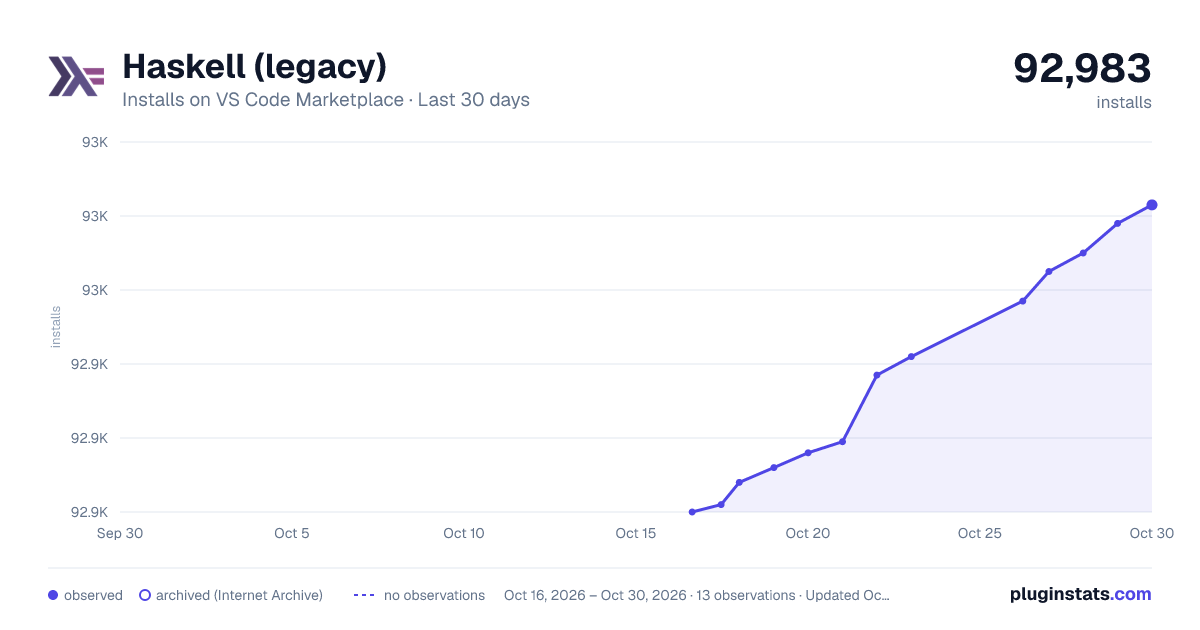
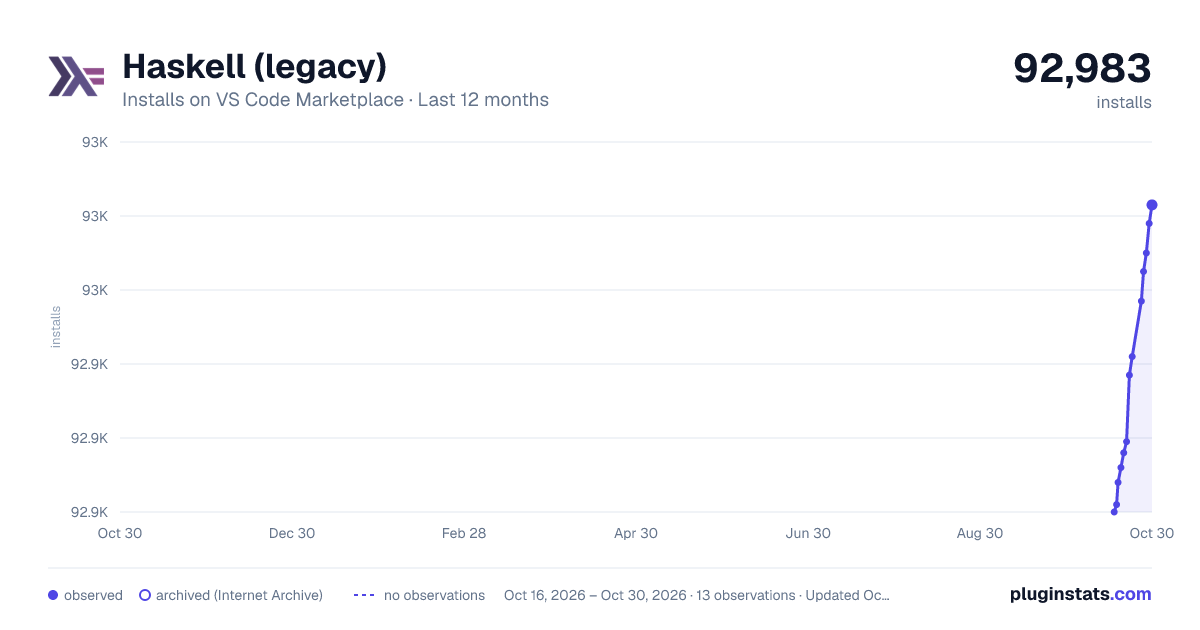
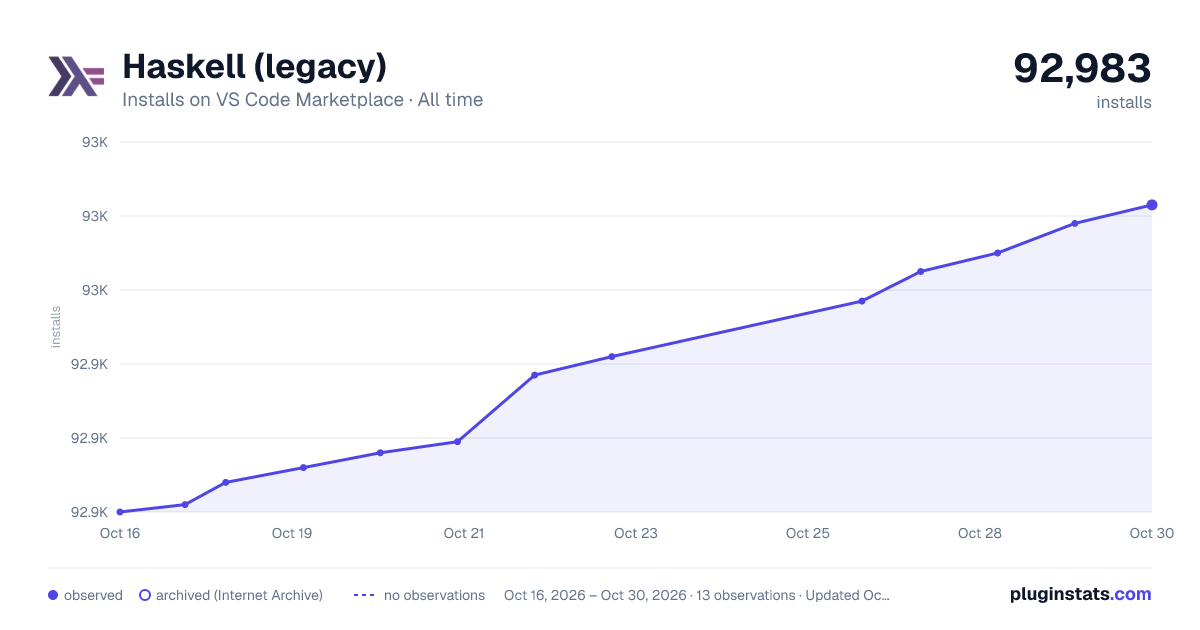

Adoption over time
7/30/90-day growth
Ranking history
Ratings over time
Listing placement
Listing placement
Listing placement
Listing placement
Filled points are observed values; hollow points come from Internet Archive snapshots of the listing page. Dashed segments span periods with no observations — values between points are not interpolated.
Each band is one page of 20. Installs on a linear scale. Placement is projected from installs, so it can differ from the marketplace's own sort order. Hover a dot to see the listing.
Recent observations
Full history (5)Similar VS Code Marketplace Programming Languages plugins
All 20 Haskell (legacy) alternativesData source
Install counts, average rating, and rating counts come from the public Visual Studio Marketplace gallery API. Installs are cumulative and exclude updates.
Listing: https://marketplace.visualstudio.com/items?itemName=alanz.vscode-hie-server. First seen Oct 16, 2026; last successful collection Oct 20, 2026. See the methodology.