 PluginStats
SASVA™ - Generative and Deterministic AI Platform by Persistent Systems installs statistics
By Persistent · VS Code Marketplace · Snippets
SASVA™ - Generative and Deterministic AI Platform by Persistent Systems
SASVA™ - Generative and Deterministic AI Platform by Persistent Systems has 304,702 recorded installs on VS Code Marketplace.
It ranks #1145 of 2,500 tracked VS Code Marketplace listings by installs.
It is rated 5.0 out of 5 from 344 ratings.
PluginStats has 3 daily observations since Oct 16, 2026; the latest is from Oct 18, 2026.
Rating: 5.00 / 5 from 344 ratings
About SASVA™ - Generative and Deterministic AI Platform by Persistent Systems
SASVA™ - A Persistent GenAI Platform
SASVA™ is a fully integrated, end-to-end AI platform that offers solutions from ideation to post-deployment operations, empowering businesses across industries to drive innovation and enhance customer experiences.
SASVA™ delivers interactive workflows and interfaces that create meaningful, scalable outcomes for product managers, program managers, developers, customer support teams, and professional services. It redefines software development for these key personas throughout the lifecycle, from ideation to post-release support.
Key Features
Maximizing productivity and efficiency throughout every stage of the software development lifecycle and beyond:
Assessment and Actionable Insights
SASVA™ provides a comprehensive project assessment, offering insights into technology, maturity, efficiency, security, and costs. It identifies opportunities for productivity and cost savings while enhancing performance and maintainability. Seamlessly integrating with tools, SASVA™ delivers actionable insights and uses advanced analytics to evaluate past releases, uncovering trends and guiding future success strategies.
Backlog and Roadmap Management
In a dynamic marketplace, SASVA™ empowers product managers and leadership with strategic insights for informed decisions. It aligns product development with market trends, streamlines release planning, and integrates customer feedback. With interactive workflows, backlog grooming, and accurate timeline estimation, SASVA™ simplifies prioritization, optimizes resources, and accelerates time-to-market, driving sustainable growth.
Dynamic Release Planning
SASVA™ transforms release planning by ensuring predictability and removing guesswork. It converts ideas into structured project plans with clear timelines, resources, and outcomes, enhancing collaboration and minimizing overruns. Its conversational interface streamlines ideation, allows dynamic updates, and provides exportable plans, ensuring flexibility and alignment for successful product releases.
Release Execution
AI-driven autonomous and assisted release execution streamlines coding, bug fixing, and security enhancements. It ensures seamless workflows by integrating with external tools, enhancing efficiency and precision throughout the release process. This approach reduces manual effort, accelerates delivery, and strengthens software quality.
AI Driven Support and Services
Real-time, context-aware insights combined with a dynamic knowledge base enhance customer support and professional services, enabling quicker and more efficient outcomes. This approach empowers teams to access relevant information instantly, improving response times, decision-making, and overall service quality.
VSCode Extension Features
AI-Powered Chat Interface
Intelligent chat assistance tailored to your specific codebase, leveraging Large Language Models (LLMs) for context-aware responses. Press Ctrl+L (or Cmd+L) to add selected code to chat and start a conversation.
Tab Autocomplete
Real-time, context-aware code suggestions as you type. The AI understands your codebase and provides intelligent completions for function parameters, variable names, and code patterns.
Edit Mode
Quick, targeted code modifications using natural language instructions. Select code and press Ctrl+I (or Cmd+I) to describe changes in plain English.
Code Quality Tools
Right-click on selected code for instant AI-powered actions: • Write Comments - Add meaningful comments to your code • Write Docstring - Generate comprehensive documentation • Fix Code - Identify and fix potential issues • Optimize Code - Improve performance and readability • Fix Grammar/Spelling - Correct text in markdown files
Terminal Debugging
AI-assisted terminal error resolution. Press Ctrl+Shift+R (or Cmd+Shift+R) when you encounter terminal errors to get intelligent solutions and explanations.
Codebase Indexing
Intelligent indexing of your codebase for better context awareness. The extension automatically builds an understanding of your project structure and code relationships.
Session Management
Organize your AI interactions with session management: • Create new chat sessions • Save and restore conversation history • Export sessions for sharing or documentation
Advanced Features
• Detach Window - Open SASVA in a separate window for better workflow • File Context Selection - Add entire files to chat context • Console Logging - Debug model inputs and outputs (optional) • Configurable Settings - Customize behavior and AI endpoints
SASVA™ is at the forefront of transforming software engineering through its innovative integration of generative and deterministic AI across the product development lifecycle. By enhancing productivity throughout the entire SDLC and extending its capabilities to professional services and customer support, SASVA™ delivers a holistic end-to-end solution for businesses across industries. This innovation fosters enhanced customer experiences and facilitates continuous improvement through intelligent, interactive workflows that lead to impactful and scalable outcomes. Ultimately, SASVA™ redefines software development by acting as an AI-driven digital twin for key stakeholders, enabling them to navigate the complexities of the product lifecycle with agility and precision in a rapidly evolving technological landscape.
Getting Started
1. Install the Extension • Open Visual Studio Code • Go to Extensions (Ctrl+Shift+X or Cmd+Shift+X) • Search for "SASVA" • Click Install and reload the window
2. Configure Your Environment • Open SASVA settings • Add your API keys or configure your AI endpoints • Customize your preferences
3. Start Using SASVA™ • Use the Command Palette (Ctrl+L or Cmd+L) and search for "SASVA" • Try the inline code completion • Experiment with the chat interface
Support…
Description from the VS Code Marketplace listing.
- ai
- enterprise
- json
- jsonc
- keybindings
- Private
- Prompt Language
- promptLanguage
Where SASVA™ - Generative and Deterministic AI Platform by Persistent Systems sits in the listing
Each band is one page of 20. Installs on a log scale. Placement is projected from installs, so it can differ from the marketplace's own sort order. Hover a dot to see the listing.


Charts
Images: 30d · 1y · all time · 1600×900 dark
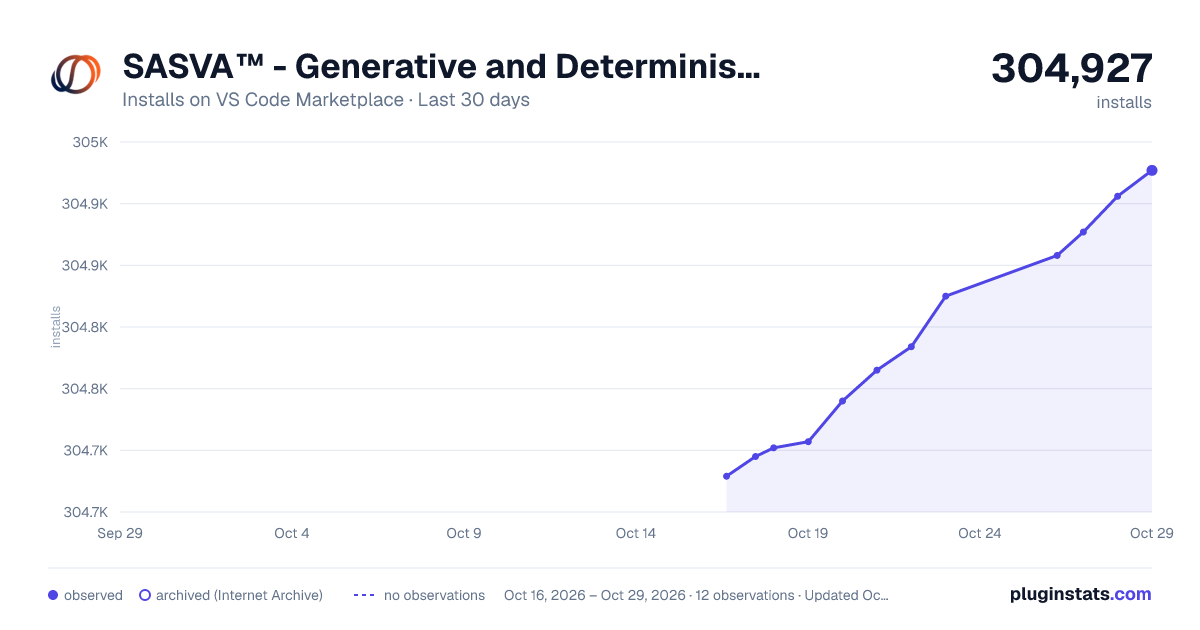
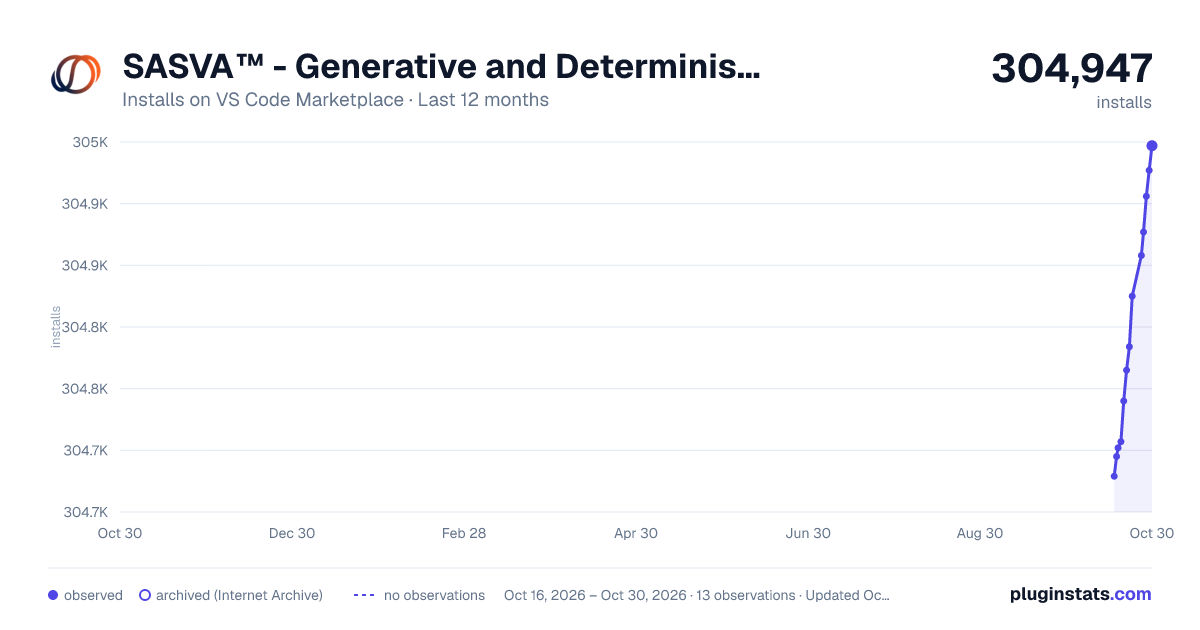
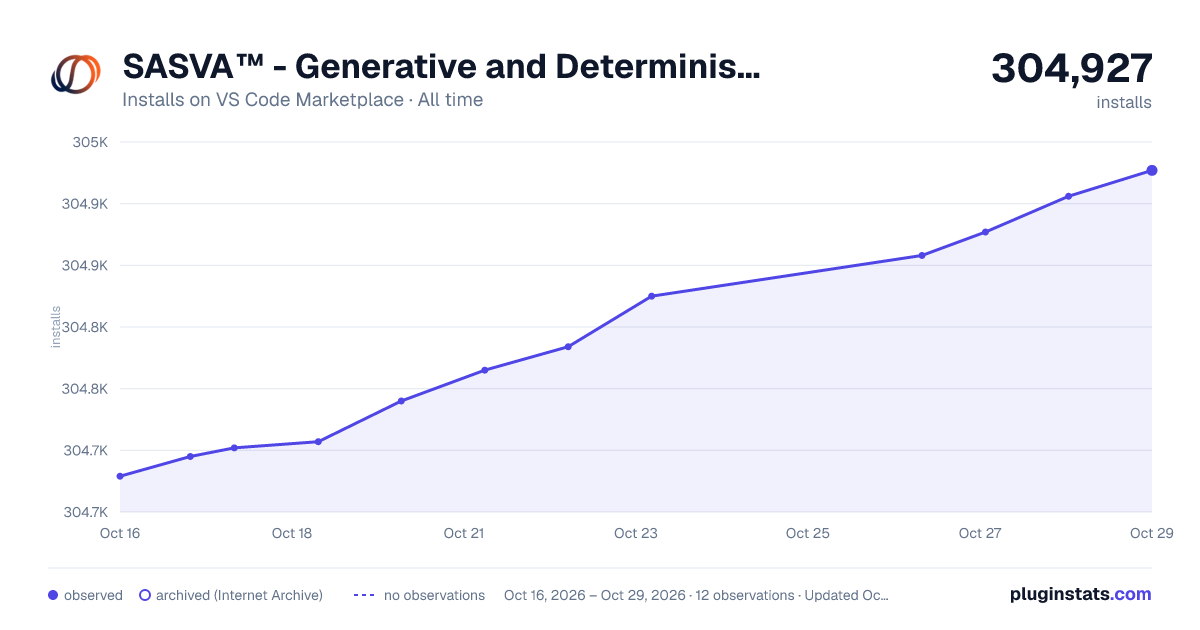

Adoption over time


7/30/90-day growth


Ranking history


Filled points are observed values; hollow points come from Internet Archive snapshots of the listing page. Dashed segments span periods with no observations — values between points are not interpolated.
Recent observations
Full history (3)Similar VS Code Marketplace Snippets plugins
Data source
Install counts, average rating, and rating counts come from the public Visual Studio Marketplace gallery API. Installs are cumulative and exclude updates.
Listing: https://marketplace.visualstudio.com/items?itemName=Persistent.sasva. First seen Oct 16, 2026; last successful collection Oct 18, 2026. See the methodology.