 PluginStats
Flutter Intl installs statistics
By Localizely (2 listings) · VS Code Marketplace · Other
Flutter localization binding from .arb files with official Intl library
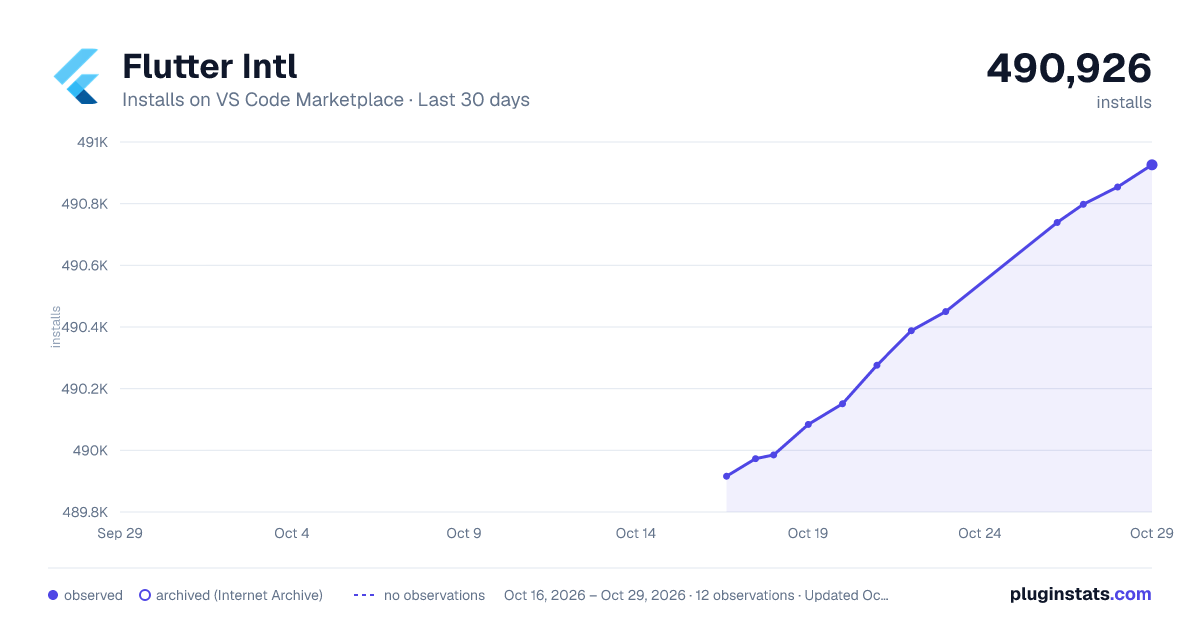
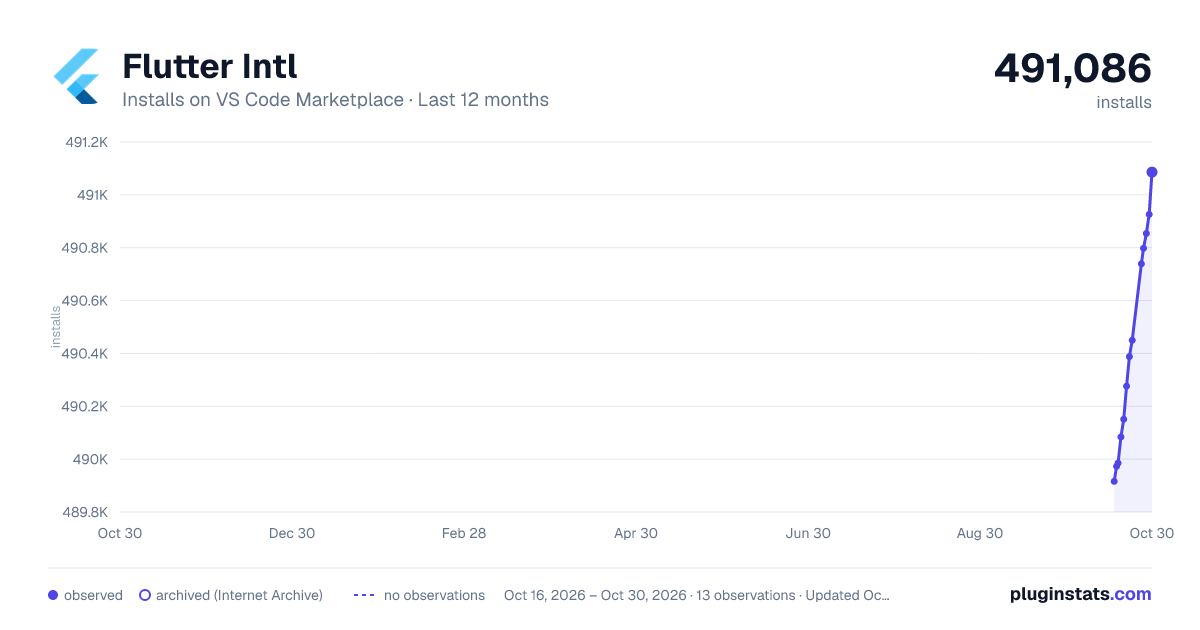
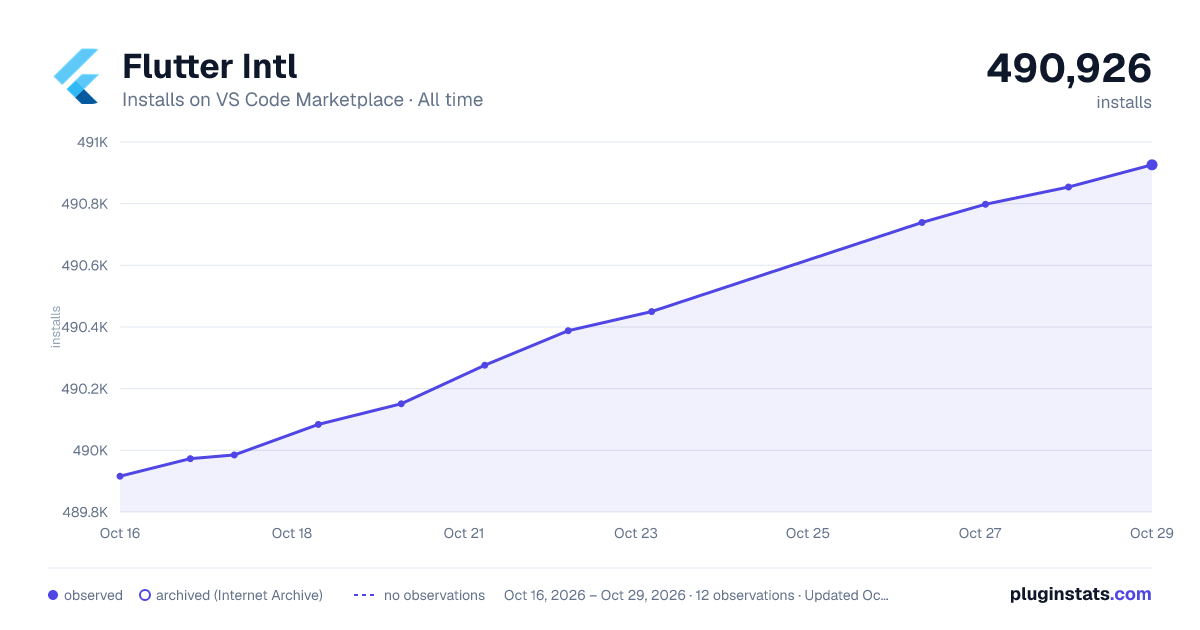
Flutter Intl has 490,084 recorded installs on VS Code Marketplace.
It ranks #853 of 2,501 tracked VS Code Marketplace listings by installs.
It is rated 5.0 out of 5 from 8 ratings.
PluginStats has 4 daily observations since Oct 16, 2026; the latest is from Oct 19, 2026.
Rating: 5.00 / 5 from 8 ratings
About Flutter Intl
Flutter Intl
VS Code extension to create a binding between your translations from .arb files and your Flutter app. It generates boilerplate code for official Dart Intl library and adds auto-complete for keys in Dart code.
This plugin is also available for IntelliJ / Android Studio.
CLI tool intl_utils can be used for manual invocation or in CI/CD systems.
Star us on GitHub, and follow us on Twitter
Getting started
1. Install the VS Code extension
Install from the Visual Studio Code Marketplace or by searching within VS Code.
2. Initialize extension for your project
Open your project, open the command palette and find the Flutter Intl: Initialize command.
By default en locale is added by auto-creating a file lib/l10n/intl_en.arb.
*NOTE*: By default the extension generates and maintains files inside lib/generated/ folder which you should not edit manually. But you should keep these files in your project repository.
3. Setup your app
Add dependency needed for localization:
dependencies: // Other dependencies... flutter_localizations: sdk: flutter
*NOTE:* The extension under the hood uses a globally activated intl_utils package for generating localization files. As of version 1.19.0, the extension checks whether the project uses the intl_utils package as a dependency (or dev dependency), and if it does, it uses an identical version during generation. If not, the plugin will either use the globally activated version (if it matches the project configuration) or activate the correct version that aligns with your project's setup.
Setup your localizationsDelegates and your supportedLocales which will allow to access the strings.
import 'package:flutter_localizations/flutter_localizations.dart'; import 'generated/l10n.dart';
class MyApp extends StatelessWidget { @override Widget build(BuildContext context) { return new MaterialApp( localizationsDelegates: [ S.delegate, GlobalMaterialLocalizations.delegate, GlobalWidgetsLocalizations.delegate, GlobalCupertinoLocalizations.delegate, ], supportedLocales: S.delegate.supportedLocales, title: 'Flutter Demo', home: new MyHomePage(title: 'Flutter Demo Home Page'), ); } }
Additional set up for iOS apps:
To enable localization for iOS apps, extend ios/Runner/Info.plist file with supported locales configuration. This list should be consistent with the locales listed in the lib/l10n folder.
CFBundleLocalizations en de_DE ...
Current locale can be changed programmatically using S.load method and passing the locale:
S.load(Locale('de', 'DE'));
Access to the current locale:
Intl.getCurrentLocale()
4. Add other locales
You probably want to localize you Flutter app into more than one locale.
You can add more locales with command Flutter Intl: Add locale.
5. Add keys to main ARB file
ARB files extension stands for Application Resource Bundle and is used by the Dart Intl package. It's supported by Google and is official localization library for Dart.
File content example:
{ "pageHomeConfirm": "Confirm", "pageHomeWelcome": "Welcome {name}", "pageHomeWelcomeGender": "{gender, select, male {Hi man!} female {Hi woman!} other {Hi there!}}", "pageHomeWelcomeRole": "{role, select, admin {Hi admin!} manager {Hi manager!} other {Hi visitor!}}", "pageNotificationsCount": "{howMany, plural, one{1 message} other{{howMany} messages}}" }
In the example above we have 5 keys:
• pageHomeConfirm - A very simple key • pageHomeWelcome - A key which translation contains a placeholder name • pageHomeWelcomeGender - A gender key whose translation depends on a placeholder gender. Genders are formatted in ICU format. • pageHomeWelcomeRole - A select key whose translation depends on a placeholder role. Selects are formatted in ICU format. • pageNotificationsCount - A plural key whose translation depends on a placeholder howMany. Plurals are formatted in ICU format.
Your main ARB file by default is lib/l10n/intl_en.arb. When you add new key-value pairs in it and save the file, those keys will be automatically available for auto-complete in your Dart code.
6. Reference the keys in Dart code
The ARB file's keys now correspond to methods from the S class. For example:
Widget build(BuildContext context) { return Column(children: [ Text( S.of(context).pageHomeConfirm, ), Text( S.current.pageHomeConfirm,// If you don't have context to pass ), ]); }
In case keys have defined placeholders, or their translation is in Plural, Gender or Select ICU format, you can reference them in your code in a following way:
S.of(context).pageHomeWelcome("John") S.of(context).pageHomeWelcomeGender("male") S.of(context).pageHomeWelcomeRole("admin") S.of(context).pageNotificationsCount(5)
By default the extension recognizes placeholders order by how they are defined in the main ARB file for that key. If you want to redefine the order of placeholders for usage from Dart code, you can do that by adding meta info for the key:
"pageHomeWelcomeFullName": "Welcome {lastName} {firstName}", "@pageHomeWelcomeFullName": { "placeholders": { "firstName": {}, "lastName": {} } }
In this case you will use given key in your Dart code by passing first name as the first parameter, and then last name as a second parameter:
S.of(context).pageHomeWelcomeFullName("John", "Doe")
To format a number or date & time, you need to add necessary meta info to the key:
"commonTotalAmount": "Total: {total}", "@commonTotalAmount": { "placeholders": { "total": { "type": "double", "format": "currency", "optionalParameters": { "symbol": "€", "decimalDigits": 2 } } } }, "commonCurrentDateTime": "Date: {date} Time: {time}", "@commonCurrentDateTime": { "placeholders": { "date": { "type": "DateTime", "format": "yMd" }, "time": { "type": "DateTime", "format": "Hm" } } }, "commonCustomDateFormat": "Custom date format: {date}", "@commonCustomDateFormat": { "placeholders": { "date": { "type": "DateTime", "format": "EEE, M/d/y", "isCustomDateFormat": "true" } } }…
Description from the VS Code Marketplace listing.
- dart
- flutter
- i18n
- intl
- json
- l10n
Where Flutter Intl sits in the listing
Each band is one page of 20. Installs on a log scale. Placement is projected from installs, so it can differ from the marketplace's own sort order. Hover a dot to see the listing.


Charts
Images: 30d · 1y · all time · 1600×900 dark

Adoption over time


7/30/90-day growth


Ranking history


Filled points are observed values; hollow points come from Internet Archive snapshots of the listing page. Dashed segments span periods with no observations — values between points are not interpolated.
Recent observations
Full history (4)Similar VS Code Marketplace Other plugins
Data source
Install counts, average rating, and rating counts come from the public Visual Studio Marketplace gallery API. Installs are cumulative and exclude updates.
Listing: https://marketplace.visualstudio.com/items?itemName=localizely.flutter-intl. First seen Oct 16, 2026; last successful collection Oct 19, 2026. See the methodology.