 PluginStats
Qt tools has 347,412 recorded installs on VS Code Marketplace.
It ranks #1051 of 2,500 tracked VS Code Marketplace listings by installs.
It is rated 2.8 out of 5 from 6 ratings.
PluginStats has 3 daily observations since Oct 16, 2026; the latest is from Oct 18, 2026.
Rating: 2.83 / 5 from 6 ratings
About Qt tools
Qt Visual Studio Code Tools
This extension is work in progress, so some command/settings can change over time.
This is NOT an official tool by The Qt Company!!
This is a Qt extension for VSCode. It is designed to be a similar tool to the Qt Visual Studio Tools from The Qt Company, but it tries to cooperate with other extensions for some functionality like e.g. debugging.
The extension supports Qt file location extractions via • CMake • PATH environment variable
Choosing a different Qt version from disk via this extension is not supported!
Features
• [x] Support for Qt 5 and Qt 6 • [x] Launch Qt Designer • [x] Edit .ui file in Qt Designer • [x] Launch Qt Assistant • [x] Launch Qt online documentation • [x] Launch Visual Studio (Windows only) • [x] Launch Qt Creator .ui and .qrc files can be opened in Qt Creator. You can also open the whole workspace in Qt Creator too. This extension try to detect the Qt Creator installation automatically (on Windows and MacOS). You can set the executable path via qttools.creator settings if the extension can't find Qt Creator (for whatever reason) • [x] Extract the Qt file locations from the cmake cache • [x] Extract the Qt file locations via PATH environment variable • [x] Debugger extensions (via natvis files) The Qt natvis file from this extension will automatically get injected into your existing launch.json file (per default). If you don't like that feature you can turn it of via qttools.injectNatvisFile setting. You can also set your custom created/downloaded qt natvis file instead of the bundled one (which implement a few Qt types) by setting qttools.visualizerFile to a filepath or url (f.e. you can set qttools.visualizerFile to the natvis file from the offical Qt Visual Studio Tools https://code.qt.io/cgit/qt-labs/vstools.git/plain/src/qtvstools/qt5.natvis.xml). When you set an url, the extension will only download it ones and cache it and will use the cached local version NOTE: I cannot bundle the Qt Visual Studio Tools natvis file into the extension itself because of it's license restrictions (MIT vs GPL)! • ...
Requirements
• You need to have the CMake Tools installed if you have activated the cmake mode, because this extension extracts some data from it! • C/C++ extension is highly recommended
Qt search mode
The search mode defines how this extension search the Qt binaries like qmake, Qt designer and so on.
CMake (default mode)
"qttools.searchMode": "cmake"
Extract the Qt file locations from the cmake cache (CMakeCache.txt). The cmake build directory is extracted from the VSCode extension CMake Tools setting cmake.buildDirectory. You need to configure your project for the first time and afterwards every Qt tool is found automatically (when it is installed on your disk ;-) ) otherwise the launch of commands like Launch Qt Designer will fail.
The benefit of this mode is that VSCode see the same Qt version as cmake is using, so it is automatically configured for you.
PATH
"qttools.searchMode": "path"
Search Qt in the PATH environment variable like it is done in the terminal. This mode helpful when you have a system wide Qt installation like on Linux based operating systems.
You don't need to configure anything to be able to use the commands of this extension.
Limitations
• There are some situation where the automatic detection mechanism of Qt is not working. If that is the case you can always trigger the Scan for Qt kits command in the command palette. • The debugger extension use normal natvis xml files (used via the launch.json setting visualizerFile from the C/C++ extension ). They work really well on windows, but on mac and linux there are some problems, because it is not based on the same implementation. If you have any problems with them create an issue on their issue tracker.
Variable substitution
The cmake.buildDirectory from cmake tools support variable substitution which looks like ${myvariable} (example ${generator}).
This extension supports every variable substitution from cmake tools when the cmake tools extension is installed and active.
If cmake tools is not active the extension will fallback to the content of the cmake.buildDirectory. In this mode only ${buildType}, ${buildKit} and ${workspaceFolder} are supported variable substitutions!
Online help
The Qt online help can be used with this extension. Right now only the latest Qt 5 version will be searched.
You have 2 commands:
• Qt: Online help This will open the Qt documentation. When you are in a .cpp or .h file and your cursor is inside a text block then the command will search that word as a class in the documentation. • Qt: Search online help This command will create a textbox inside vscode where you can enter your search term. This search term will be send to the search of the Qt Documentation.
By default the qt website will be opened inside VSCode itself.
The integrate webview has some limitations:
• Open the find menu via CTRL + F does not work in many scenarios, see #96307 Most of the time it works when you can click on the document tab (Qt online help) and then press CTRL + F • The normal mouse-click on a link which would open a new tab also don't work You can click the middle mouse button on that link and it will open in your external browser. • No navigation buttons
You can also turn of the embedded webview for the online help and use your external browser by setting the qttools.useExternalBrowser to true. Be aware that you will get a popup from VSCode which informs you about opening an external website. To avoid getting this popup every time just press on Configure Trusted Domains and choose trust qt.io and all its subdomains.
Troubleshooting…
Description from the VS Code Marketplace listing.
- c++
- css
- native
- qt
- tools
- xml
Where Qt tools sits in the listing
Each band is one page of 20. Installs on a log scale. Placement is projected from installs, so it can differ from the marketplace's own sort order. Hover a dot to see the listing.


Charts
Images: 30d · 1y · all time · 1600×900 dark
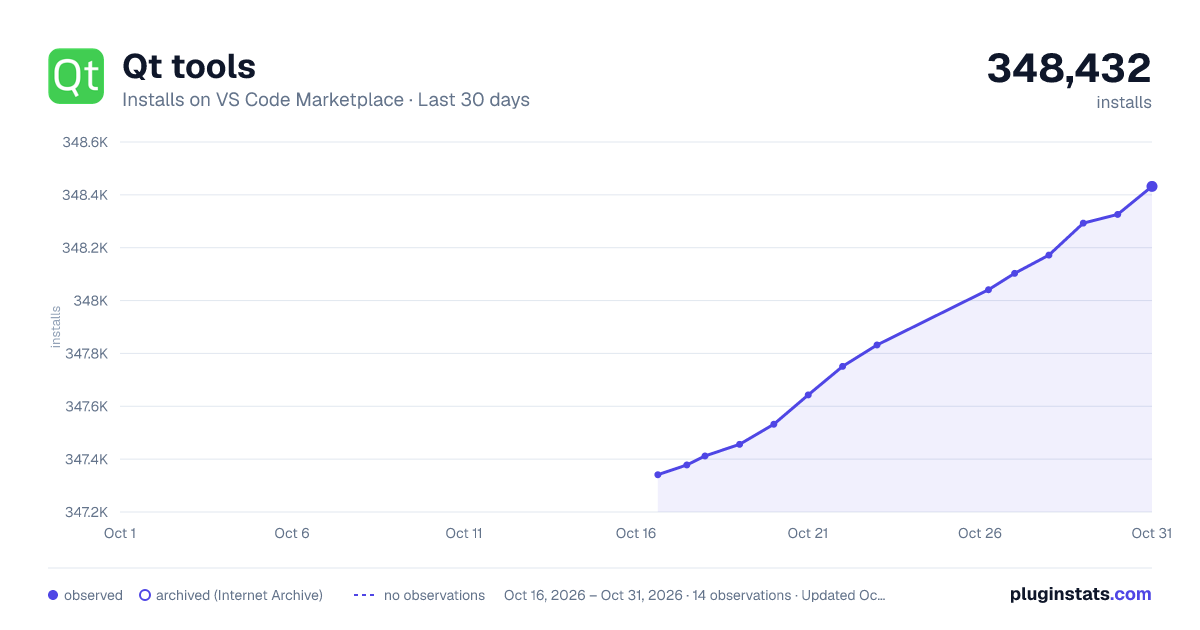
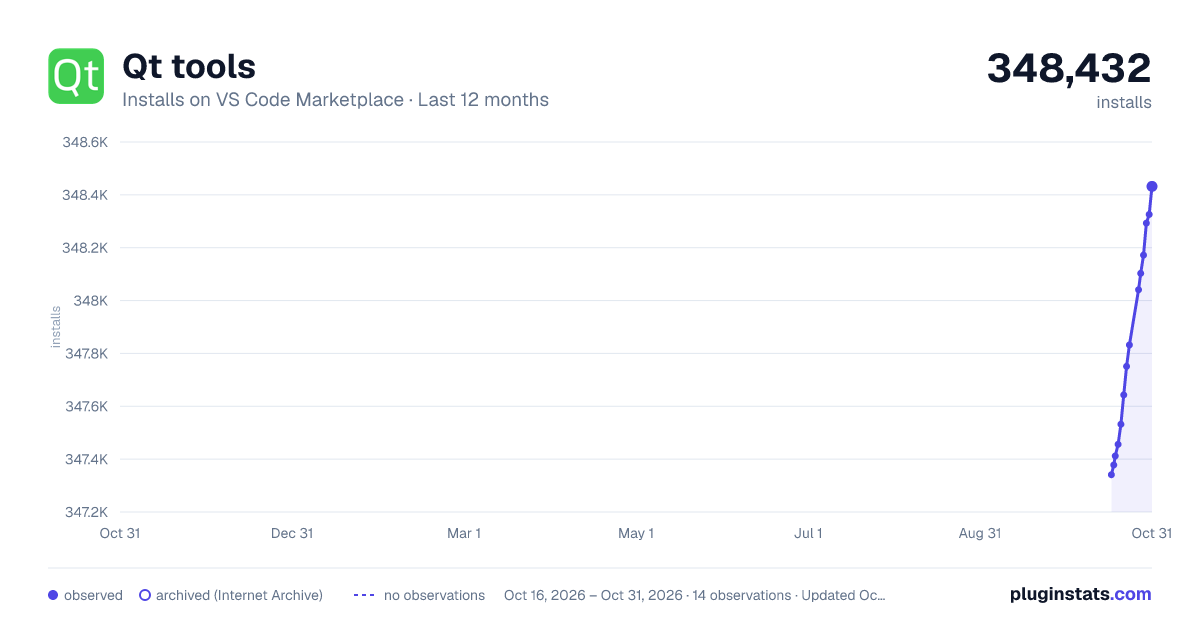
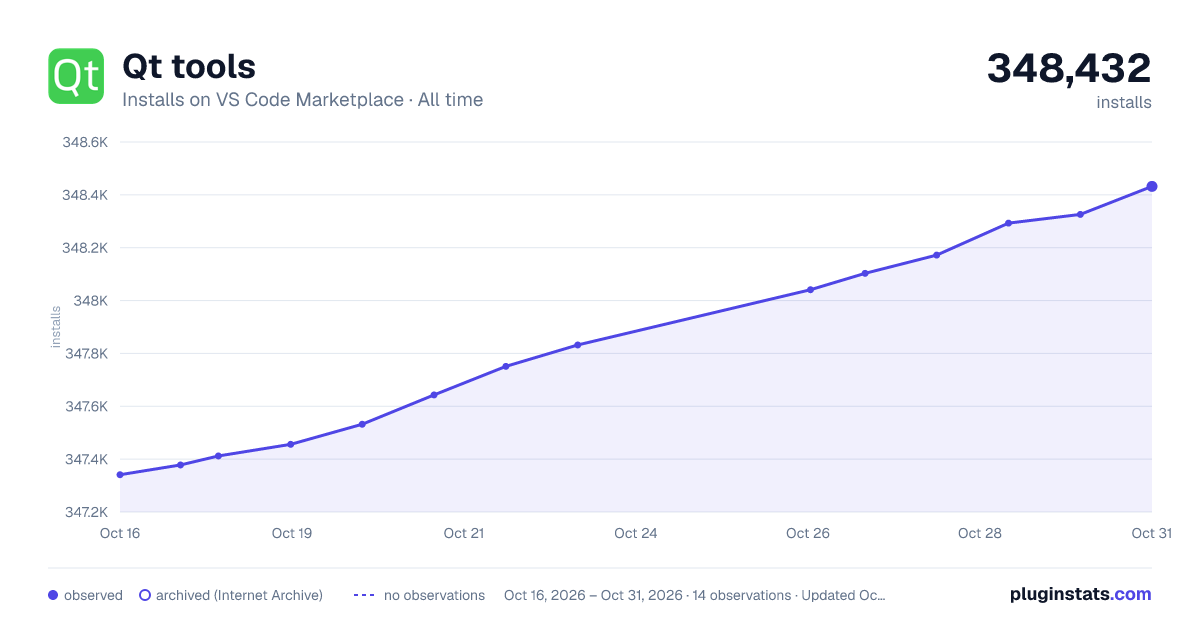

Adoption over time


7/30/90-day growth


Filled points are observed values; hollow points come from Internet Archive snapshots of the listing page. Dashed segments span periods with no observations — values between points are not interpolated.
Recent observations
Full history (3)Similar VS Code Marketplace Other plugins
Data source
Install counts, average rating, and rating counts come from the public Visual Studio Marketplace gallery API. Installs are cumulative and exclude updates.
Listing: https://marketplace.visualstudio.com/items?itemName=tonka3000.qtvsctools. First seen Oct 16, 2026; last successful collection Oct 18, 2026. See the methodology.