 PluginStats
Go installs statistics
By Go Team at Google (2 listings) · VS Code Marketplace · Programming Languages
Rich Go language support for Visual Studio Code
Go has 19,961,926 recorded installs on VS Code Marketplace.
It ranks #54 of 2,501 tracked VS Code Marketplace listings by installs.
It is rated 4.3 out of 5 from 268 ratings.
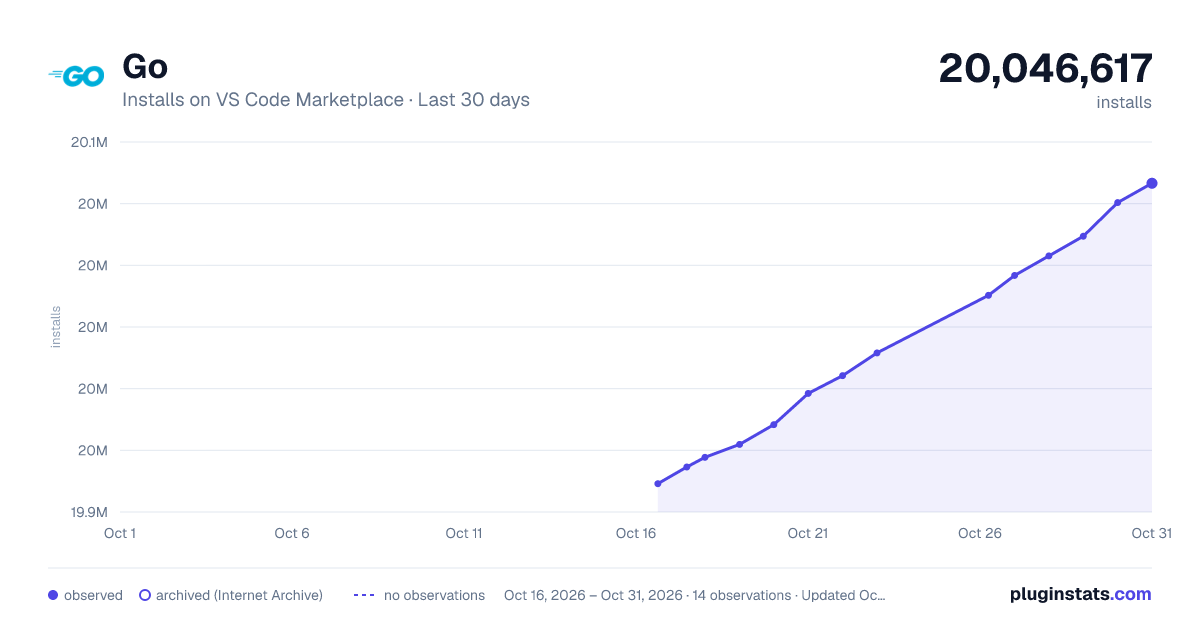
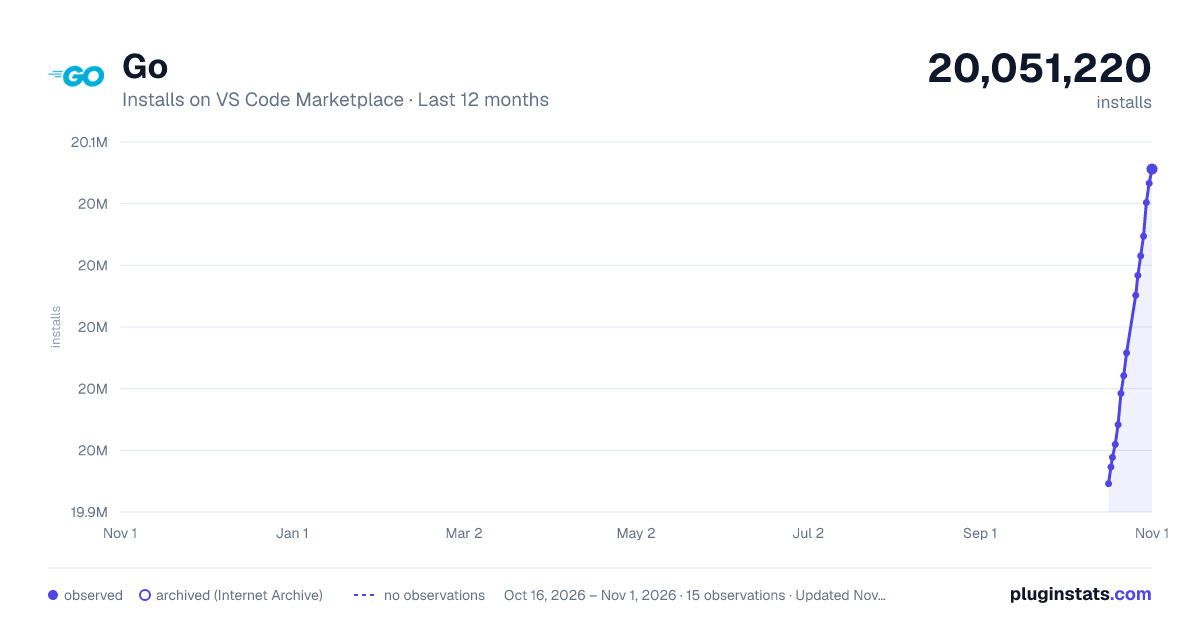
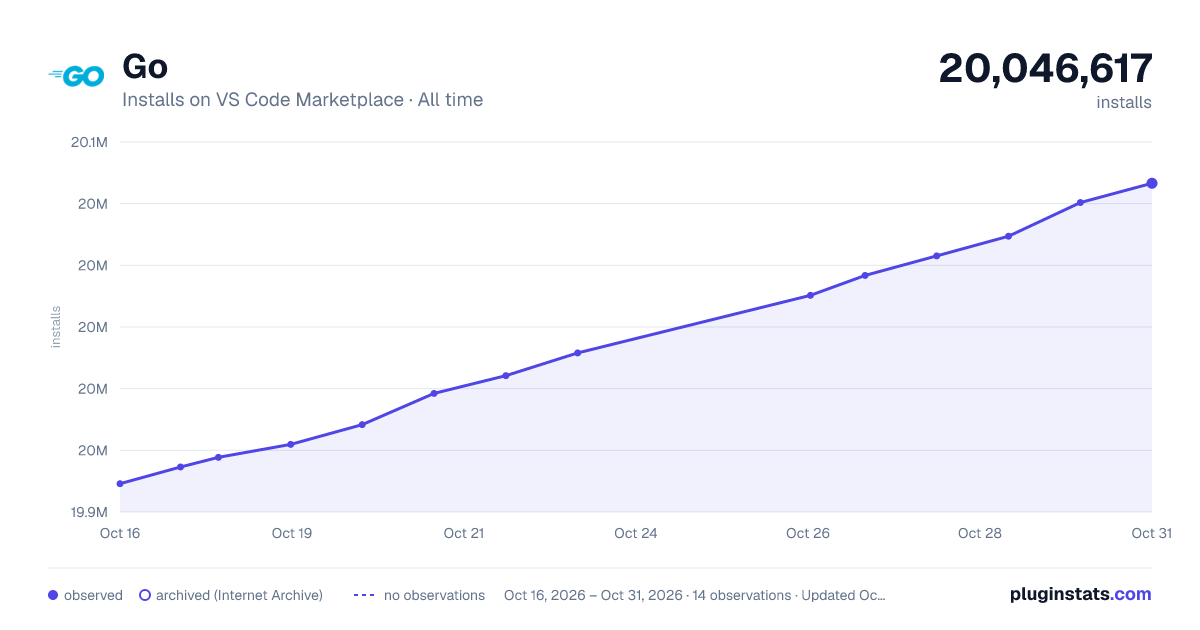
PluginStats has 4 daily observations since Oct 16, 2026; the latest is from Oct 19, 2026.
Rating: 4.28 / 5 from 268 ratings
About Go
Go for Visual Studio Code
The VS Code Go extension provides rich language support for the Go programming language.
Requirements
• Visual Studio Code 1.90 or newer (or editors compatible with VS Code 1.90+ APIs) • Go 1.21 or newer.
Quick Start
Welcome! 👋🏻 Whether you are new to Go or an experienced Go developer, we hope this extension fits your needs and enhances your development experience.
1. Install Go 1.21 or newer if you haven't already.
1. Install the [VS Code Go extension].
1. Open any Go file or go.mod file to automatically activate the extension. The Go status bar appears in the bottom right corner of the window and displays your Go version.
1. The extension depends on go, gopls (the Go language server), and optional tools depending on your settings. If gopls is missing, the extension will try to install it. The :zap: sign next to the Go version indicates the language server is running, and you are ready to go.
(Install Missing Tools)
You are ready to Go :-) 🎉🎉🎉
What's next
• Explore more [features][full feature breakdown] of the VS Code Go extension. • View the settings documentation and advanced topics to customize the extension. • View the tools documentation for a complete list of tools the VS Code Go extension depends on. You can install additional tools and update them by using "Go: Install/Update Tools". • Solve issues with the general troubleshooting and debugging troubleshooting guides. • file an issue for problems with the extension. • Start a GitHub discussion or get help on [Stack Overflow]. • Explore Go language resources on go.dev/learn and golang.org/help.
If you are new to Go, this article provides the overview on Go code organization and basic go commands. Watch ["Getting started with VS Code Go"] for an explanation of how to build your first Go application using VS Code Go.
Feature highlights
• [IntelliSense] - Results appear for symbols as you type. • [Code navigation] - Jump to or peek at a symbol's declaration. • [Code editing] - Support for saved snippets, formatting and code organization, and automatic organization of imports. • [Diagnostics] - Build, vet, and lint errors shown as you type or on save. • Enhanced support for [testing] and [debugging]
See the [full feature breakdown] for more details.
(Code completion and Signature Help)
In addition to integrated editing features, the extension provides several commands for working with Go files. You can access any of these by opening the Command Palette (Ctrl+Shift+P on Linux/Windows and Cmd+Shift+P on Mac), and then typing in the command name. See the full list of commands provided by this extension.
(Toggle Test File)
⚠️ Note: the default syntax highlighting for Go files is provided by a TextMate rule embedded in VS Code, not by this extension.
For better syntax highlighting, we recommend enabling semantic highlighting by turning on Gopls' ui.semanticTokens setting.
Setting up your workspace
The VS Code Go extension supports both GOPATH and Go modules modes.
Go modules are used to manage dependencies in recent versions of Go. Modules replace the GOPATH-based approach to specifying which source files are used in a given build, and they are the default build mode in go1.16+. We highly recommend Go development in module mode. If you are working on existing projects, please consider migrating to modules.
Unlike the traditional GOPATH mode, module mode does not require the workspace to be located under GOPATH nor to use a specific structure. A module is defined by a directory tree of Go source files with a go.mod file in the tree's root directory.
Your project may involve one or more modules. If you are working with multiple modules or uncommon project layouts, you will need to configure your workspace by using [Workspace Folders]. See the [Supported workspace layouts documentation] for more information.
Pre-release version
If you'd like to get early access to new features and bug fixes, you can use the pre-release extension. Following the vscode's convention, we use the minor version of the extension version number to distinguish stable and pre-release versions (0.ODD_NUMBER.patch for pre-release, 0.EVEN_NUMBER.patch for stable release).
To install the pre-release version, use the drop-down list to select "Install Pre-Release Version", or if already installed the Go extension, use the "Switch to Pre-Release Version" option in the Visual Studio Code extension management page. For more details about this mechanism, see the Visual Studio Code's documentation.
Telemetry
VS Code Go extension relies on the Go Telemetry to learn insights about the performance and stability of the extension and the language server (gopls). Go Telemetry data uploading is disabled by default and can be enabled with the following command:
After telemetry is enabled, the language server will upload metrics and stack traces to telemetry.go.dev. You can inspect what data is collected and can be uploaded by running:
If we get enough adoption, this data can significantly advance the pace of the Go extension development, and help us meet a higher standard of reliability. For example:
• Even with semi-automated crash reports in VS Code, we've seen several crashers go unreported for weeks or months. • Even with a suite of benchmarks, some performance regressions don't show up in our benchmark environment (such as the completion bug mentioned below!). • Even with lots of great ideas for how to improve gopls, we have limited resources. Telemetry can help us identify which new features are most important, and which existing features aren't being used or aren't working well.
These are just a few ways that telemetry can improve gopls. The telemetry blog post series contains many more.
Go telemetry is designed to be transparent and privacy-preserving. Learn more at https://go.dev/doc/telemetry.
Support Policy…
Description from the VS Code Marketplace listing.
- debuggers
- go
- Go Assembly
- Go Checksum File
- Go Module File
- Go Template File
- Go Work File
- go.asm
- go.mod
- go.sum
- go.work
- golang
- gopls
- gotmpl
- multi-root ready
- snippet
Where Go sits in the listing
Each band is one page of 20. Installs on a log scale. Placement is projected from installs, so it can differ from the marketplace's own sort order. Hover a dot to see the listing.


Charts
Images: 30d · 1y · all time · 1600×900 dark

Adoption over time


7/30/90-day growth


Filled points are observed values; hollow points come from Internet Archive snapshots of the listing page. Dashed segments span periods with no observations — values between points are not interpolated.
Recent observations
Full history (4)Similar VS Code Marketplace Programming Languages plugins
Data source
Install counts, average rating, and rating counts come from the public Visual Studio Marketplace gallery API. Installs are cumulative and exclude updates.
Listing: https://marketplace.visualstudio.com/items?itemName=golang.Go. First seen Oct 16, 2026; last successful collection Oct 19, 2026. See the methodology.