 PluginStats
ty installs statistics
By Astral · VS Code Marketplace · Programming Languages
A Visual Studio Code extension with support for the ty type checker and language server.
ty has 181,085 recorded installs on VS Code Marketplace.
It ranks #1639 of 2,501 tracked VS Code Marketplace listings by installs.
It is rated 5.0 out of 5 from 16 ratings.
PluginStats has 4 daily observations since Oct 16, 2026; the latest is from Oct 19, 2026.
Rating: 5.00 / 5 from 16 ratings
About ty
ty extension for Visual Studio Code
A Visual Studio Code extension for ty, an extremely fast Python type checker and language server, written in Rust.
The extension ships with ty==0.0.89.
Installation
Install this extension from the Visual Studio Marketplace.
Features
Currently, the extension supports the following features:
• File and workspace level diagnostics • Hover type information for symbols • Go to definition • Go to declaration • Go to type definition • Go to symbol • Open symbol by name • Find references • Inlay hints • Completions • Signature help • Highlight references of symbols • Semantic highlighting • Symbol renaming
Usage
Once installed in Visual Studio Code, ty will automatically execute when you open or edit a Python or Jupyter Notebook file.
The extension automatically disables the language server from the Python extension to avoid running two Python language servers. This is done by setting python.languageServer to "None" as a default configuration.
If you prefer to use ty only for type checking and want to use another language server for capabilities like hover, auto-completions, etc., you can override this by explicitly setting python.languageServer and ty.disableLanguageServices in your settings.json:
If you don't want to use ty for a specific workspace, disable this extension in VS code.
Untrusted Workspace
The extension supports untrusted workspace. For untrusted workspaces, the extension always uses the bundled ty executable and disables uv integration, ignoring the following settings:
• ty.experimental.useUv • ty.importStrategy • ty.interpreter • ty.path
Settings
See the ty editor settings reference for an enumeration of all supported settings.
Commands
| Command | Description |
| ty: Restart server | Restart the ty language server | | ty: Show client logs | Open the "ty" output channel | | ty: Show server logs | Open the "ty Language Server" output channel | | ty: Open debug information | Opens a window with debug information |
Requirements
The ty extension works without additional extensions. For Python environment detection, we recommend one of the following:
• Python Environments • Python
When either extension is available, ty can find an executable installed in the active Python environment. You can also set ty.interpreter to a Python executable or environment directory without either extension. When no interpreter is configured or selected, ty looks for an executable in the Python environment configured by environment.python or a local .venv. If no executable is found, the extension checks PATH before using its bundled ty executable.
Reload VS Code after installing or enabling either extension.
Finding a ty executable through a Python interpreter requires Python 3.8 or later. ty itself can analyze Python 3.8 to 3.14.
Getting help
See the troubleshooting guide to get more information on how to debug issues with the extension or the language server.
Publisher
This extension is published under the astral-sh account, which differs from our Ruff extension that uses the "charliermarsh" publisher. Both extensions are official products from Astral.
License
The ty extension is licensed under the MIT license (LICENSE).
Description from the VS Code Marketplace listing.
- language server
- python
- ty
- type checker
Charts
Images: 30d · 1y · all time · 1600×900 dark
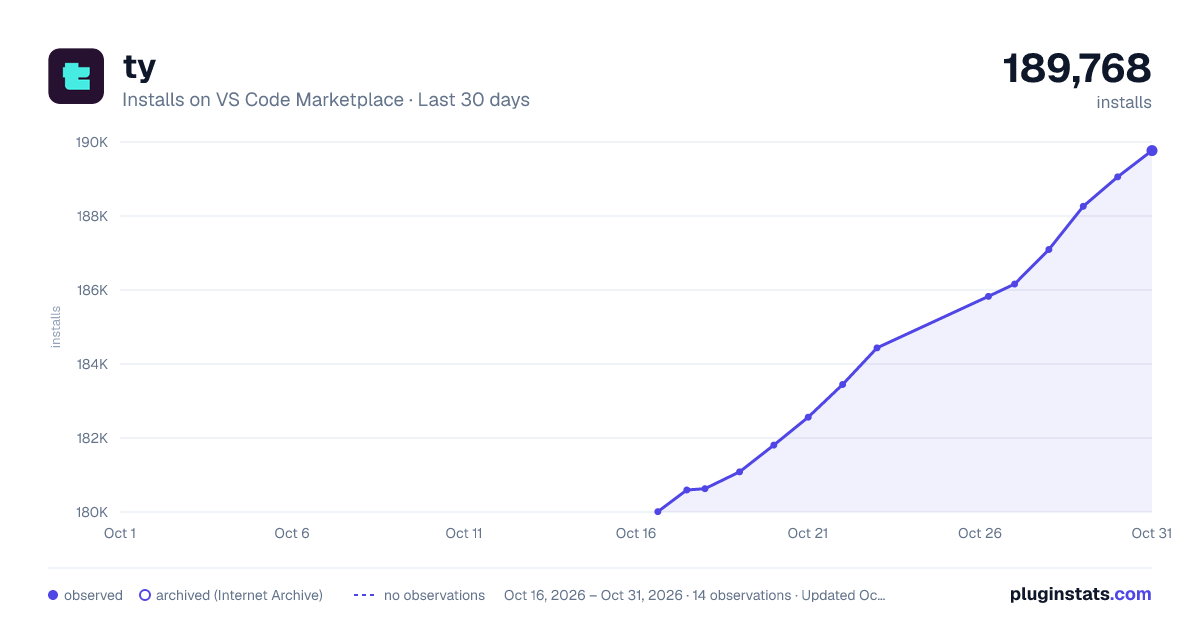
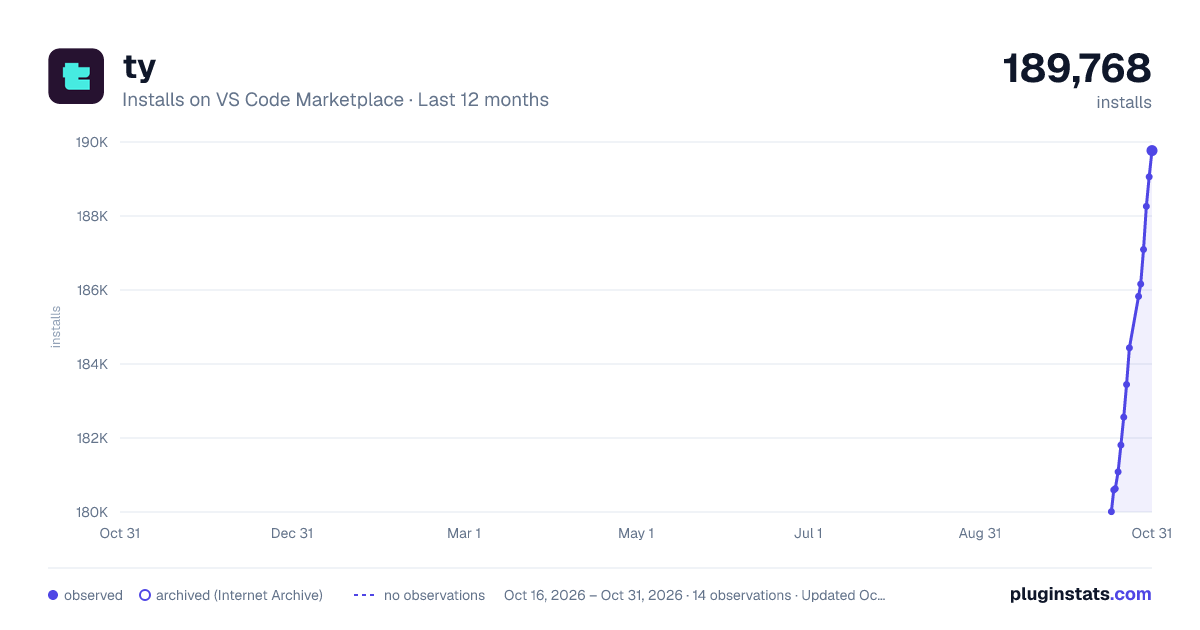
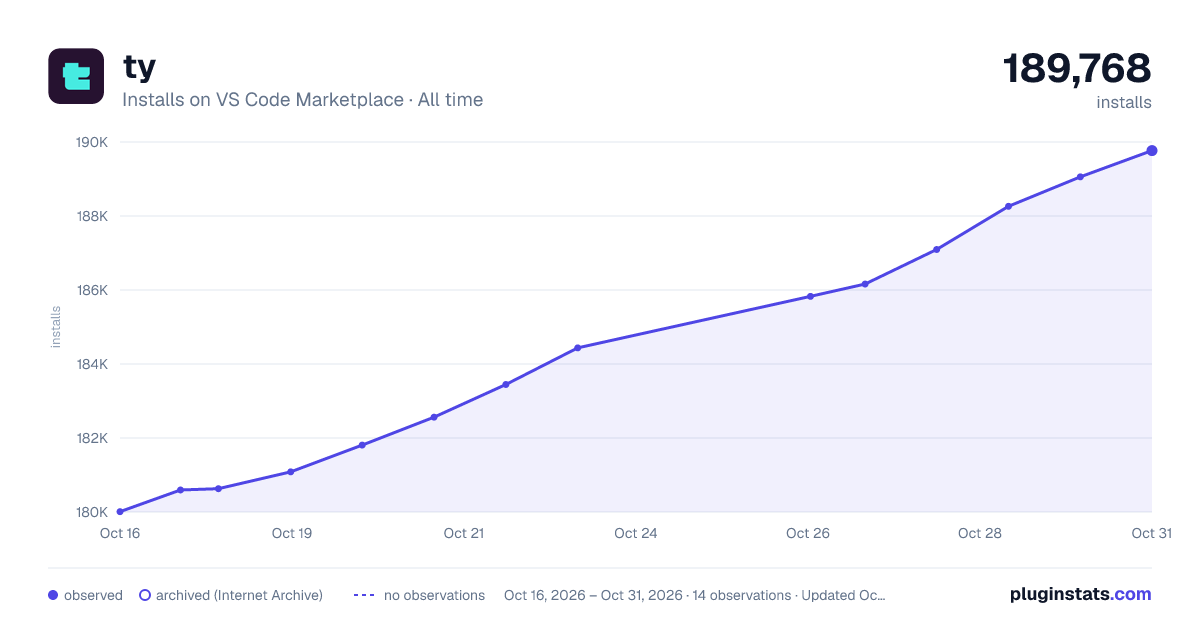

Adoption over time


7/30/90-day growth


Ratings over time


Listing placement


Filled points are observed values; hollow points come from Internet Archive snapshots of the listing page. Dashed segments span periods with no observations — values between points are not interpolated.
Each band is one page of 20. Installs on a log scale. Placement is projected from installs, so it can differ from the marketplace's own sort order. Hover a dot to see the listing.
Recent observations
Full history (4)Similar VS Code Marketplace Programming Languages plugins
All 20 ty alternativesData source
Install counts, average rating, and rating counts come from the public Visual Studio Marketplace gallery API. Installs are cumulative and exclude updates.
Listing: https://marketplace.visualstudio.com/items?itemName=astral-sh.ty. First seen Oct 16, 2026; last successful collection Oct 19, 2026. See the methodology.