 PluginStats
PHP Debug installs statistics
By Robert Lu · VS Code Marketplace · Debuggers
Debug support for PHP with Xdebug
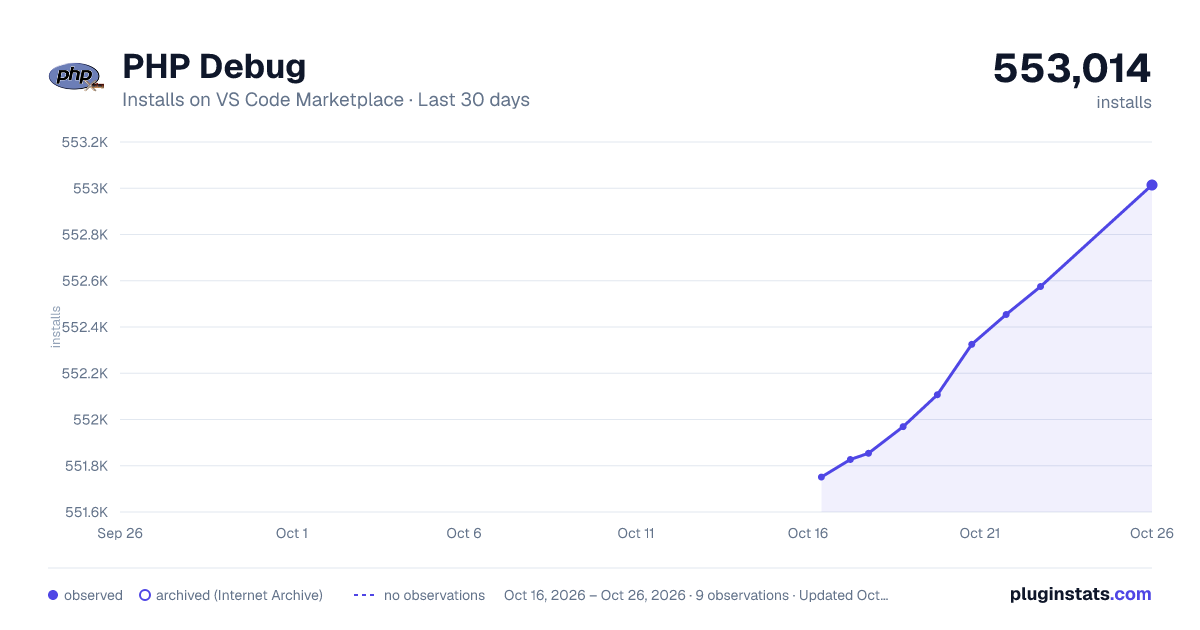
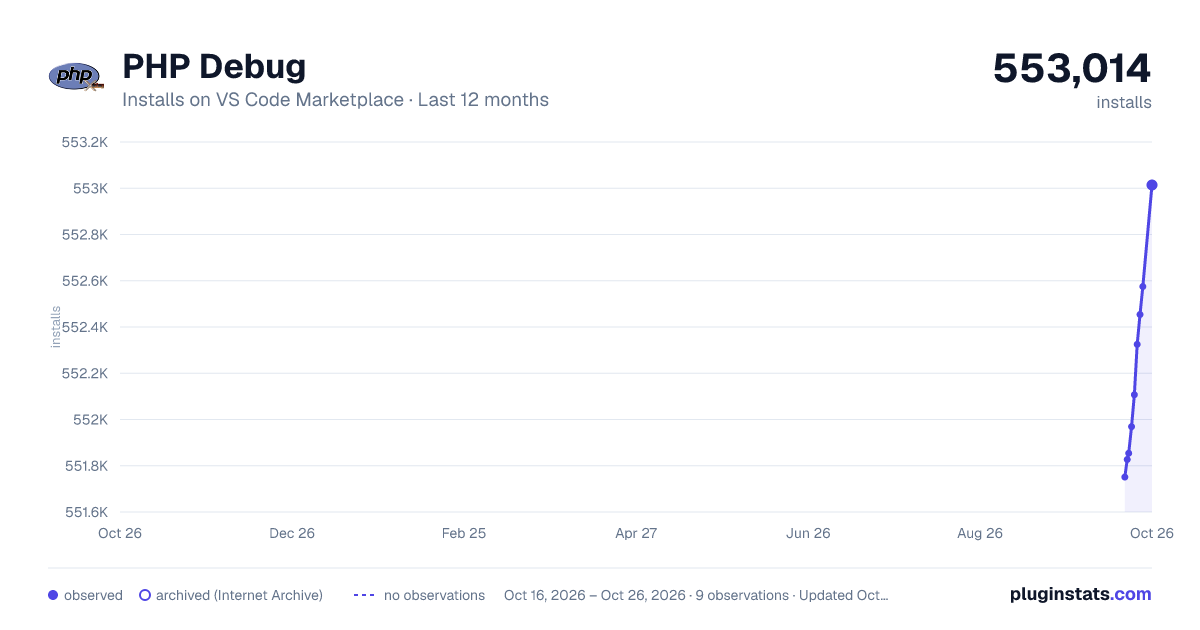
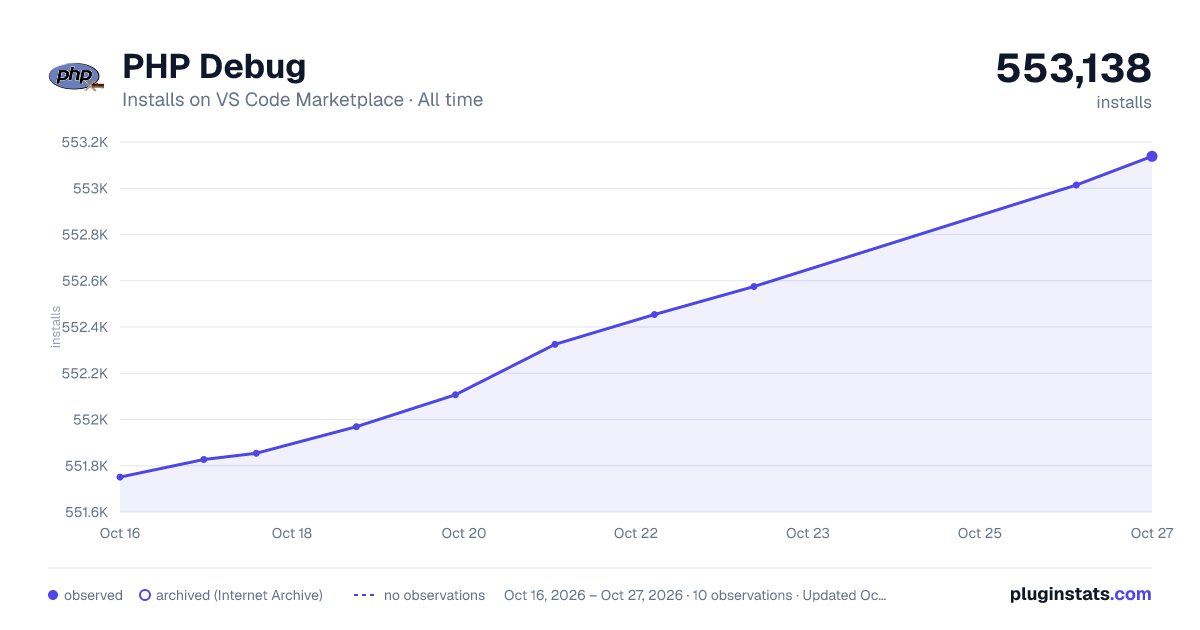
PHP Debug has 551,969 recorded installs on VS Code Marketplace.
It ranks #801 of 2,501 tracked VS Code Marketplace listings by installs.
It is rated 5.0 out of 5 from 2 ratings.
PluginStats has 4 daily observations since Oct 16, 2026; the latest is from Oct 19, 2026.
Rating: 5.00 / 5 from 2 ratings
About PHP Debug
Visual Studio Code的PHP调试适配器
English Document
此插件能让你在VS Code内,使用Xdebug调试PHP代码。
安装
按F1,输入ext install robberphex.php-debug即可安装此插件。
1. Install Xdebug
2. 配置PHP和Xdebug。添加zend_extension=path/to/xdebug到php.ini文件中。其中php.ini的路径可以在phpinfo()的输出中"Loaded Configuration File"节找到。
3. 在php.ini的配置中开启远程调试:
当然,除了remote_autostart,也有其他的方式来开启远程调试。一些Xdebug的配置,也可以自己修改。具体请参考Xdebug关于远程调试的文档。
4. 如果是web开发,请不要忘记重启你的web服务器(比如php-fpm或者apache httpd)。
5. 检查phpinfo()输出中的Xdebug节,确认配置无误。
VS Code配置
在PHP项目中,切换到调试选项,点击齿轮按钮,选择*PHP*。这时就出现两个新的配置:
• Listen for Xdebug 该设置将开始监听Xdebug的指定端口(默认为9000)。如果您像上面建议的那样配置Xdebug,那么每次您使用浏览器向您的web服务器发出请求或启动CLI脚本时,Xdebug都会连接到VS Code,您可以让程序在断点、异常等处暂停。 • Launch currently open script 这个设置是CLI调试的一个例子。它将以CLI的形式启动当前打开的脚本,在调试控制台中显示所有stdout/stderr输出,并在脚本退出后结束调试会话。
launch.json支持的设置选项:
• request:只能是 "launch" • hostname:监听Xdebug连接时绑定的地址。(默认是所有的网络地址) • port:监听Xdebug连接时绑定的端口。(默认:0,表示随机选择一个端口) • stopOnEntry: 是否在脚本的第一行暂停。(默认值: false) • pathMappings: 服务器路径映射到机器上的本地源路径的列表,请参阅下面的“远程主机调试” • log: 是否将VS代码与适配器之间的所有通信记录到调试控制台。请参阅下面的_Troubleshooting_。 • ignore: 一个可选的glob模式数组,在这些文件中的错误应该被忽略(比如/vendor//*.php) • xdebugSettings: 允许您覆盖Xdebug的远程调试设置,以根据需要微调Xdebug。例如,您可以使用' max_children '和' max_depth '来更改检索到的数组和对象子对象的最大数量以及数组和对象等结构中的最大深度。这可以在运行缓慢的机器上加速调试器。 有关可设置的功能名称的完整列表,请参阅Xdebug 文档。 • max_children: 最初要检索的数组或对象的子对象的最大数量。 • max_data: 初始查看的最大变量数。 • max_depth: 调试器引擎在向IDE发送数组、散列或对象结构时可能返回的最大深度。 • show_hidden: 如果IDE希望获得关于属性的更详细的内部信息(例如,类的私有成员,等等)。0表示隐藏成员不会显示到IDE中。
用于CLI调试的特殊选项:
• program: 要启动的脚本 • args: 脚本的参数 • cwd: 脚本启动时的当前目录 • runtimeExecutable: 用于启动脚本的PHP解释器路径。默认情况下是PATH中找到的那个。 • runtimeArgs: 给解释器的其他参数 • externalConsole: 在外部控制台窗口而不是调试控制台中启动脚本(默认为“false”) • env: 给脚本的环境变量
特性
继承自felixfbecker/vscode-php-debug:
• 行断点 • 条件断点 • 函数断点 • 单步步过,单步步入,单步步出 • 进入断点 • 发生异常、警告时暂停 • 同时调试多个请求。 • 调试堆栈、每个堆栈的变量、全局变量的查看 • 数组和对象查看 (包括类名、私有和静态属性) • 调试终端 • 观察点 • CLI模式运行/调试
新功能:
• 设置变量的值 • 调试器可主动暂停程序(pr of Xdebug) • port为0的时候,随机选择端口监听(CLI模式下比较方便)
Remote Host Debugging
To debug a running application on a remote host, you need to tell Xdebug to connect to a different IP than localhost. This can either be done by setting xdebug.remote_host to your IP or by setting xdebug.remote_connect_back = 1 to make Xdebug always connect back to the machine who did the web request. The latter is the only setting that supports multiple users debugging the same server and "just works" for web projects. Again, please see the Xdebug documentation on the subject for more information.
To make VS Code map the files on the server to the right files on your local machine, you have to set the pathMappings settings in your launch.json. Example:
Please also note that setting any of the CLI debugging options will not work with remote host debugging, because the script is always launched locally. If you want to debug a CLI script on a remote host, you need to launch it manually from the command line.
Troubleshooting
• If you think you found a bug, open an issue • Make sure you have the latest version of this extension and Xdebug installed • Try out a simple PHP file to recreate the issue, for example from the testproject • In your php.ini, set xdebug.remote_log = /path/to/logfile (make sure your webserver has write permissions to the file) • Set "log": true in your launch.json
Contributing
To hack on this adapter, clone the repository and open it in VS Code. You need NodeJS and typings installed (npm install -g typings). Install dependencies by running npm install and typings install.
You can debug the extension (run it in "server mode") by selecting the "Debug adapter" launch configuration and hitting F5. Then, open a terminal inside the project, and open the included testproject with VS Code while specifying the current directory as extensionDevelopmentPath:
VS Code will open an "Extension Development Host" with the debug adapter running. Open .vscode/launch.json and uncomment the debugServer configuration line. Hit F5 to start a debugging session. Now you can debug the testproject like specified above and set breakpoints inside your first VS Code instance to step through the adapter code.
The extension is written in TypeScript and compiled using a Gulpfile that first transpiles to ES6 and then uses Babel to specifically target VS Code's Node version. You can run the compile task through npm run compile, gulp compile or from VS Code with Ctrl+Shift+B. npm run watch / gulp watch enables incremental compilation.
Tests are written with Mocha and can be run with npm test. The tests are run in CI on Linux and Windows against PHP 7.0 ~ 7.3 and Xdebug 3.0.0.
Description from the VS Code Marketplace listing.
- debug
- debuggers
- php
- xdebug
Charts
Images: 30d · 1y · all time · 1600×900 dark

Adoption over time


7/30/90-day growth


Ratings over time


Listing placement


Filled points are observed values; hollow points come from Internet Archive snapshots of the listing page. Dashed segments span periods with no observations — values between points are not interpolated.
Each band is one page of 20. Installs on a log scale. Placement is projected from installs, so it can differ from the marketplace's own sort order. Hover a dot to see the listing.
Recent observations
Full history (4)Similar VS Code Marketplace Debuggers plugins
All 20 PHP Debug alternativesData source
Install counts, average rating, and rating counts come from the public Visual Studio Marketplace gallery API. Installs are cumulative and exclude updates.
Listing: https://marketplace.visualstudio.com/items?itemName=robberphex.php-debug. First seen Oct 16, 2026; last successful collection Oct 19, 2026. See the methodology.