 PluginStats
vscode-angular-html installs statistics
By Guilherme Haschel · VS Code Marketplace · Programming Languages
Syntax highlighting for angular HTML Template files
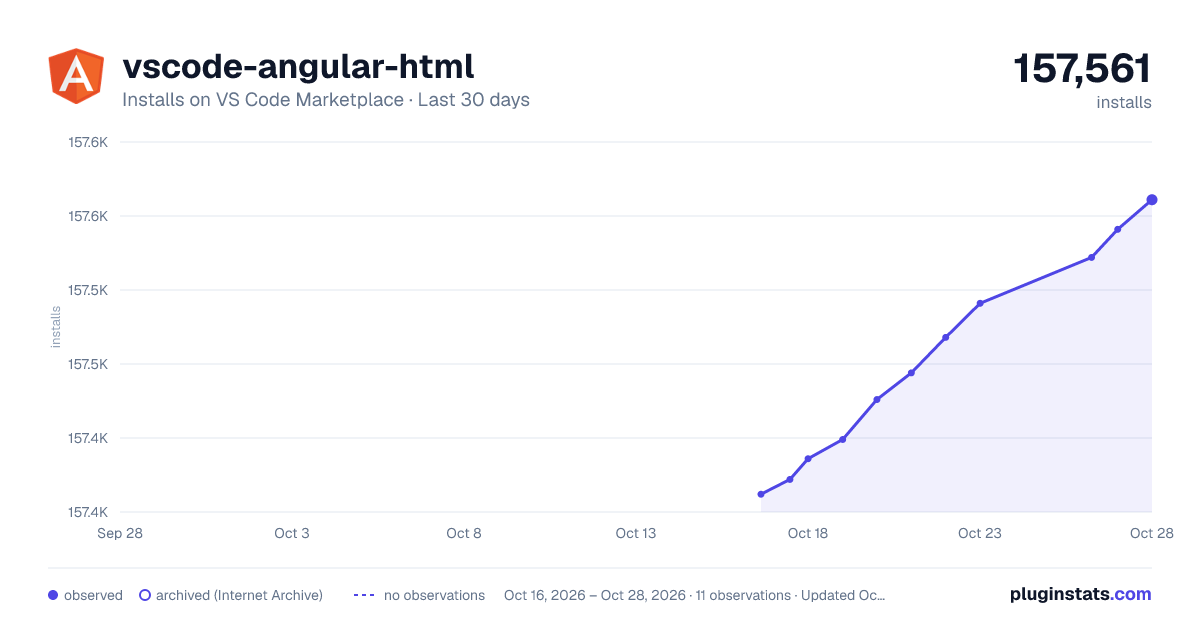
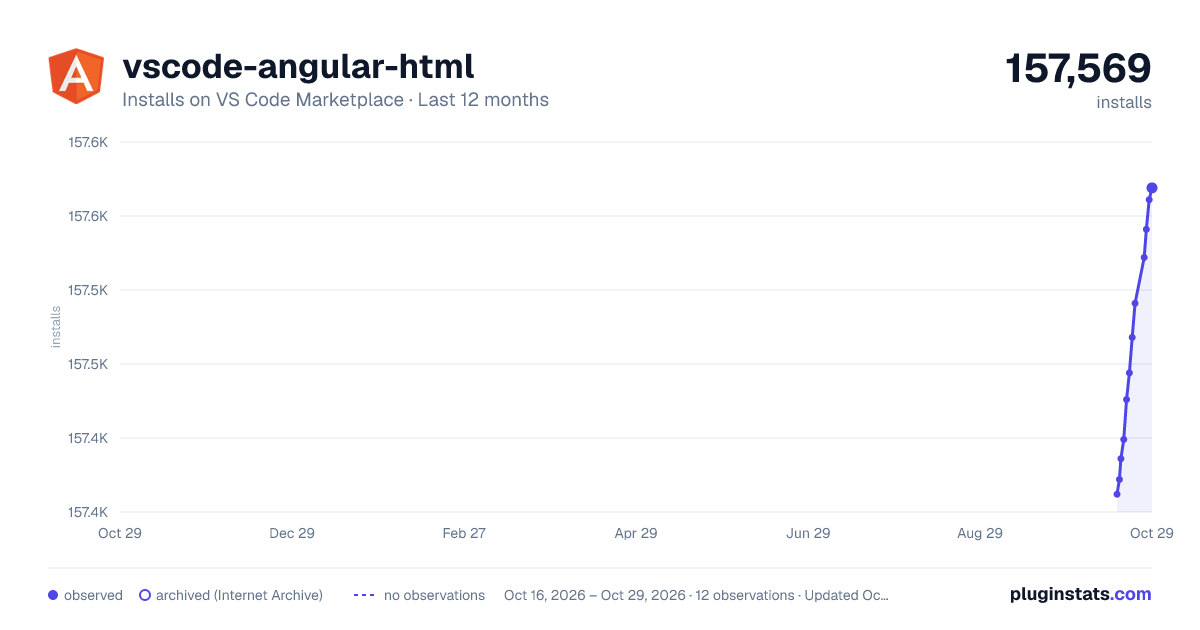
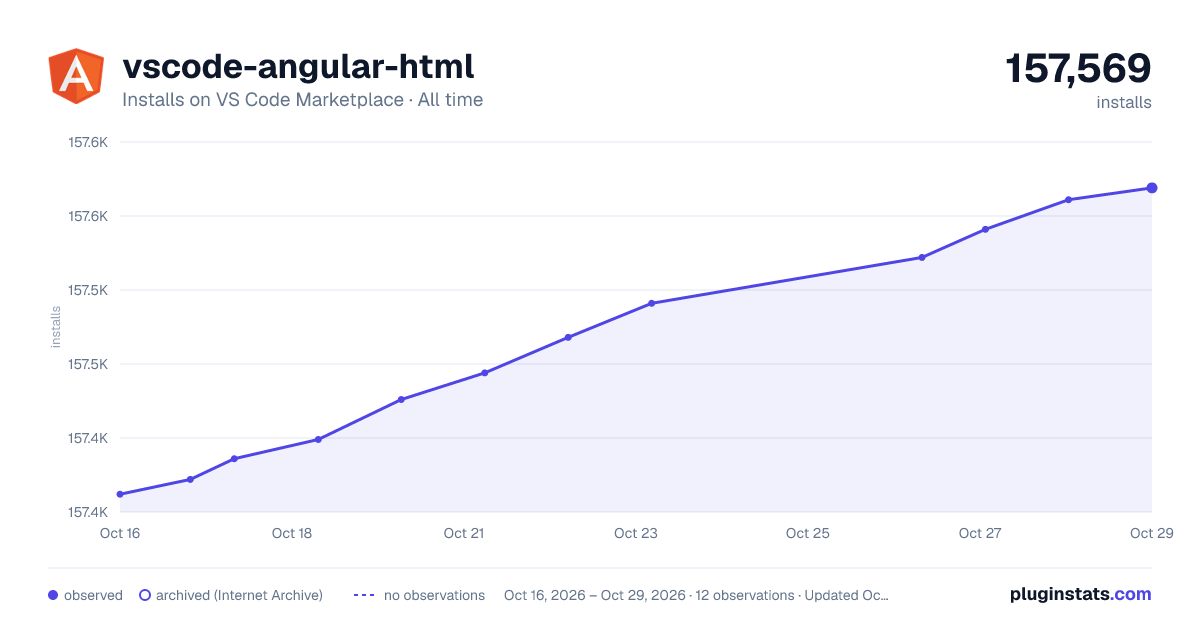
vscode-angular-html has 157,386 recorded installs on VS Code Marketplace.
It ranks #1803 of 2,500 tracked VS Code Marketplace listings by installs.
It is rated 5.0 out of 5 from 17 ratings.
PluginStats has 3 daily observations since Oct 16, 2026; the latest is from Oct 18, 2026.
Rating: 5.00 / 5 from 17 ratings
About vscode-angular-html
vscode-angular-html
Note: No theme will have the highlighting displayed in these images. For that effect, run the vscode-angular-html: Set custom color customizations command from the command pallete and you're good to go.
Angular HTML Template Syntax Highlighting
This plugin adds syntax highlighting for angular HTML template files in VS Code. It supports the angular syntax itself, HTML DOM events, SVG, XML (with DTD and namespaces support), emphasizes deprecated and obsolete tags and attributes usage according to the current status of HTML. Also supports custom colors for extra-matched scopes. See settings
Summary
• vscode-angular-html • Angular HTML Template Syntax Highlighting • Summary • General • Element differentiation (HTML/SVG/Custom/Angular) • Customizations • Angular • Directives • Interpolations • Control Flow • Structural tags • HTML • Doctype • Comments • Entities • PrimeNG • NG Bootstrap • Kendo UI • Custom components • DOM events • Generic attributes • Style inline • Regex • Deprecated attributes • Deprecated tags • ARIA-prefixed attributes • Data attributes • SVG • Non-string attributes • Deprecated tags • Deprecated attributes • XML • DTD, elements and attributes namespace • Stylesheet • Style tags (CSS/SASS/PostCSS/SCSS/Stylus) • CSS • SCSS • LESS • SASS • Stylus • PostCSS • CSS Fallback • Script tag (Javascript/Typescript/Coffeescript/Dart) • Javascript • Typescript • Coffeescript • Dart • Javascript fallback • Link tags • Theming • Translate • Changelog
General
Element differentiation (HTML/SVG/Custom/Angular)
The highlighting displayed in this specific section is not part of the custom color customization, and can be achieved by changing this extension' settings.
See Angular-specific list
See HTML-specific list
See SVG-specific list
See PrimeNG-specific list
Customizations
There are a ton of customizations available, and everything can be changed in this extension' settings.
Angular
Directives
Interpolations
Control Flow
Structural tags
See the complete list
HTML
Doctype
Comments
Entities
See the complete list
PrimeNG
See the complete list
NG Bootstrap
See the complete list
Kendo UI
See the complete list
Custom components
See color-customization
DOM events
See the complete list
Generic attributes
Style inline
And with colorize support:
See colorize settings
Regex
Deprecated attributes
See the complete list
Deprecated tags
See the complete list
ARIA-prefixed attributes
See the complete list
Data attributes
SVG
Non-string attributes
See SVG's non string attributes
Elements like stroke can benefit from the colorize settings as the style inline section.
Deprecated tags
See the complete list
Deprecated attributes
See the complete list
XML
DTD, elements and attributes namespace
Stylesheet
Style tags (CSS/SASS/PostCSS/SCSS/Stylus)
See scripts and style MIME-types
See linting tips
Every MIME-type shown in this section also will be highlighted in elements
Every style tag in this section can also benefit from the colorize settings as the style inline section
CSS
SCSS
The displayed highlighting is achieved via vscode-angular-scss and it fallbacks to the default one if not installed.
LESS
SASS
Stylus
PostCSS
The displayed highlighting is achieved via language-postcss and it may be replaced with another extension as soon as this merge is released in a new version of the plugin
CSS Fallback
Script tag (Javascript/Typescript/Coffeescript/Dart)
See scripts and style mime-types
Javascript
Typescript
Coffeescript
Dart
Javascript fallback
Link tags
Theming
If you want to create a theme and support this extension, please checkout the theming docs
Translate
If you want to help translating this extension, please checkout the localization docs
Changelog
See the changelog
Description from the VS Code Marketplace listing.
- html
- javascript
Where vscode-angular-html sits in the listing
Each band is one page of 20. Installs on a log scale. Placement is projected from installs, so it can differ from the marketplace's own sort order. Hover a dot to see the listing.


Charts
Images: 30d · 1y · all time · 1600×900 dark

Adoption over time


7/30/90-day growth


Ranking history


Filled points are observed values; hollow points come from Internet Archive snapshots of the listing page. Dashed segments span periods with no observations — values between points are not interpolated.
Recent observations
Full history (3)Similar VS Code Marketplace Programming Languages plugins
Data source
Install counts, average rating, and rating counts come from the public Visual Studio Marketplace gallery API. Installs are cumulative and exclude updates.
Listing: https://marketplace.visualstudio.com/items?itemName=ghaschel.vscode-angular-html. First seen Oct 16, 2026; last successful collection Oct 18, 2026. See the methodology.