 PluginStats
Txt Syntax installs statistics
By xshrim · VS Code Marketplace · Programming Languages
highlight text files(.txt, .out .tmp, .log, .ini, .cnf ...) and provide general utility tools for text documents
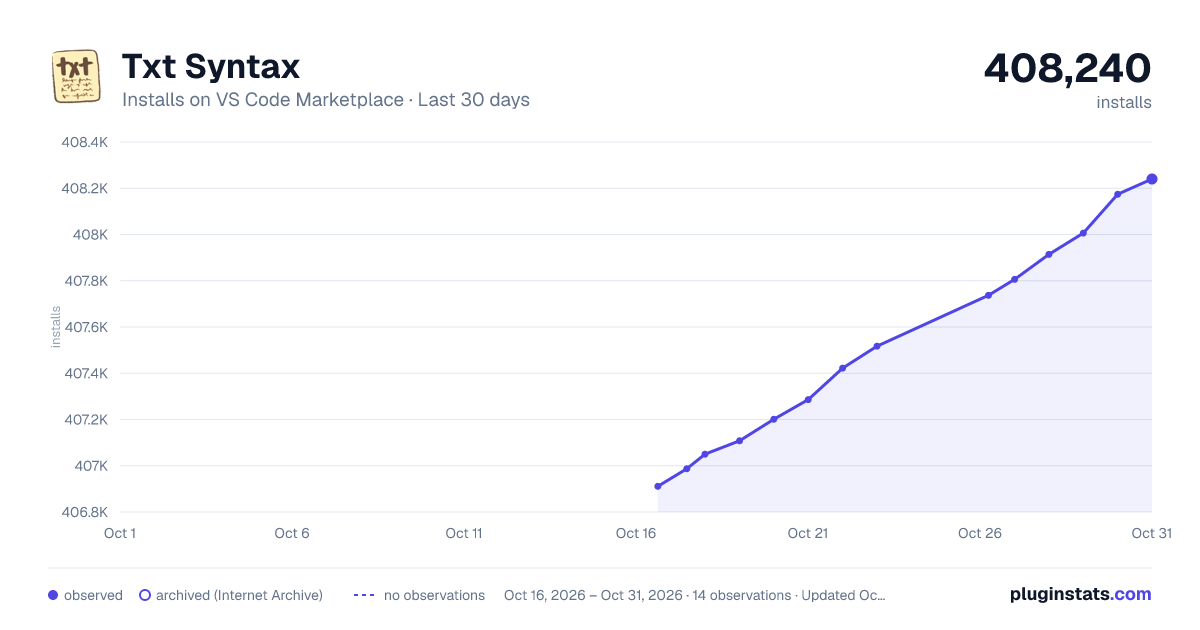
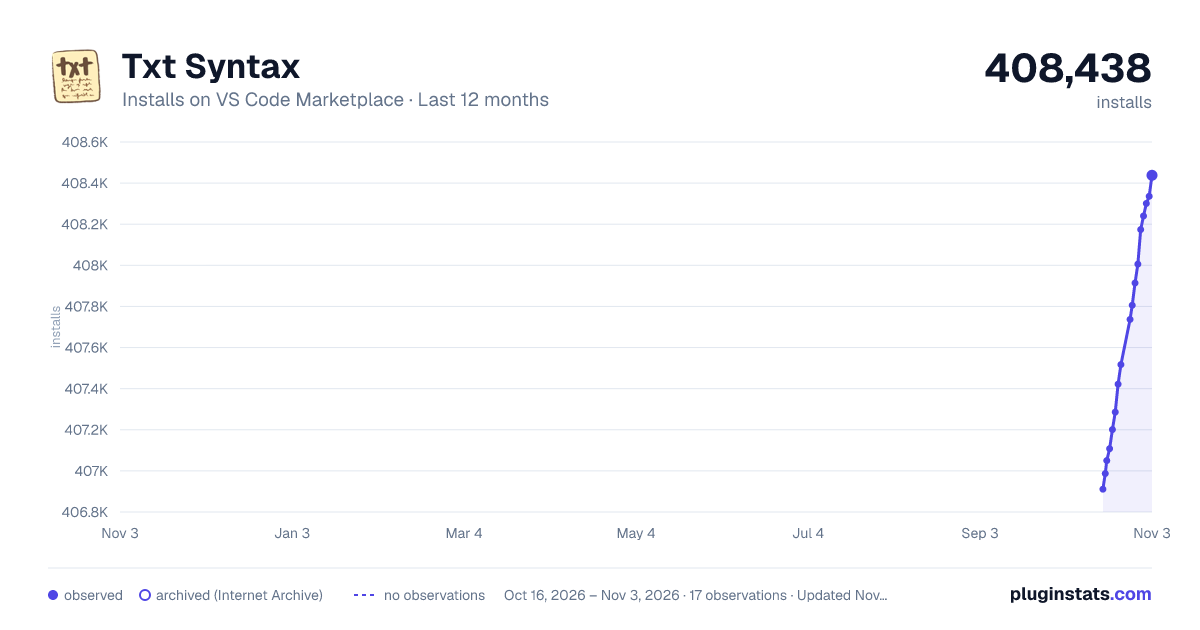
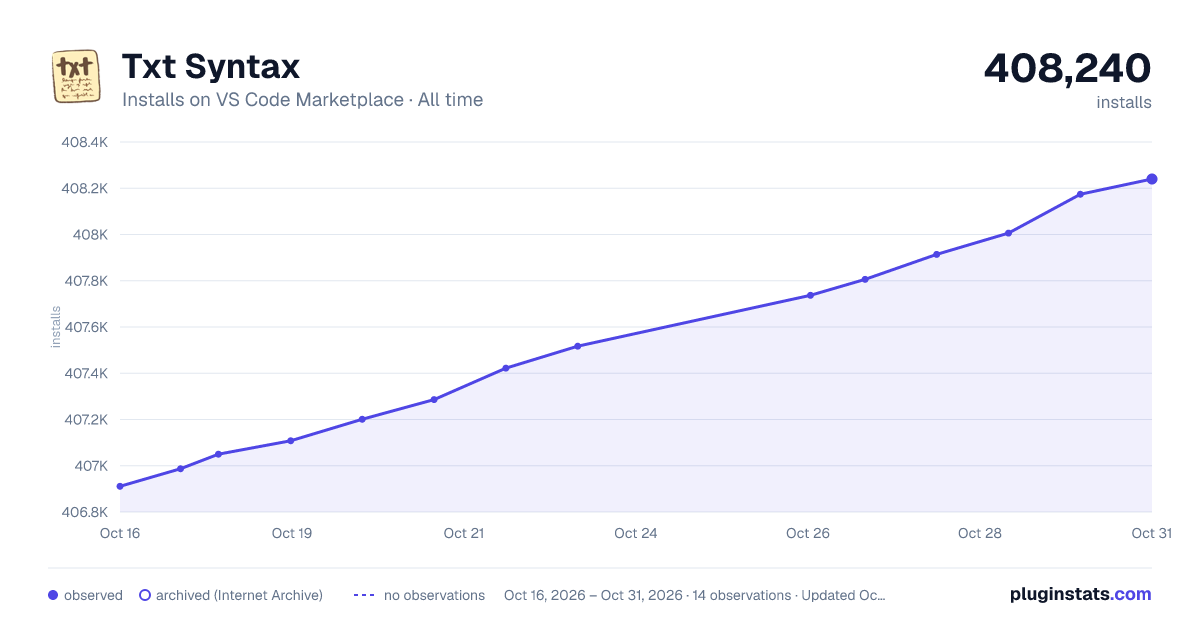
Txt Syntax has 407,201 recorded installs on VS Code Marketplace, ranking #954 of 2,501 tracked listings.
Rating: 4.40 / 5 from 15 ratings
About Txt Syntax
TXT Syntax
Features
- Highlight syntax for several text files with dynamic enable/disable languages.
- Open the file under the current cursor through the right-click menu "Open File".
- Search selected word using custom search engine in the embeded simple browser.
- Simple folding and outline function.
- Add codelens for Makefile to make running makefile target easily.
- Highlight current line.
- Highlight multiple selected words in all active editors.
- Filter and focus on lines based on custom regular expressions
folding function need you set "editor.foldingStrategy": "auto".
highlight line feature is forked from cliffordfajardo/highlight-line-vscode
highlight words feature is forked from rsbondi/highlight-words
filter lines feature is forked from XinyaYang0506/log-analysis
Supported file types
default
The following type types are supported by default:
.txt
.text
.cf
.cnf
.conf
.cfg
.unx
.eds
.log
.ini
.out
.err
.inf
.info
.tmp
.temp
.file
.repo
.plain
.desktop
.properties
custom
you can enable/disable every file type(except txt/text type) by any of the following method:
// with txtsyntax configuration
"txtsyntax.associations": [
  ".tmp",
  ".cnf",
  ".log",
  ".eds",
  ".aaa"
],
// or with vscode configuration
"files.associations": {
  "*.tmp": "txt",
  "*.cnf": "txt",
  "*.log": "txt",
  "*.eds": "txt",
  "*.aaa": "txt"
},
Folding function
Text between sections, braces or hypertext markups could be folded.
Section headers like these:
-*-
* xxx
[xxx]
Part I.
Section A
Page 1
A.
1.
一 xx
甲. xxx
第一章 xxx
第2回 xxx
第 3 节 xxx
...
You could set "files.defaultLanguage": "txt" or "files.associations": {"Untitled-*": "txt"} in settings.json to let vscode treat all Untitled files as txt files and then txt syntax will be enabled for these files automatically.
In additon, you could also install Modelines extension to set a file to a special format.
note: It will override the default highlight schemes supported by visual studio code if you active this extension.
Description from the VS Code Marketplace listing.
- codelens
- filter lines
- highlight
- highlight line
- highlight words
- makefile
- syntax
- text
- txt
- txt folding
README badge
Show your rank in a README or on your website. The badge updates automatically.
Charts
Images: 30d · 1y · all time · 1600×900 dark
Adoption over time
7/30/90-day growth
Ranking history
Ratings over time
Listing placement
Listing placement
Filled points are observed values; hollow points come from Internet Archive snapshots of the listing page. Dashed segments span periods with no observations — values between points are not interpolated.
Each band is one page of 20. Installs on a linear scale. Placement is projected from installs, so it can differ from the marketplace's own sort order. Hover a dot to see the listing.
Recent observations
Full history (5)Similar VS Code Marketplace Programming Languages plugins
All 20 Txt Syntax alternatives

Data source
Install counts, average rating, and rating counts come from the public Visual Studio Marketplace gallery API. Installs are cumulative and exclude updates.
Listing: https://marketplace.visualstudio.com/items?itemName=xshrim.txt-syntax. First seen Oct 16, 2026; last successful collection Oct 20, 2026. See the methodology.