 PluginStats
NativeScript installs statistics
By NativeScript · VS Code Marketplace · Debuggers
NativeScript support for Visual Studio Code
NativeScript has 226,190 recorded installs on VS Code Marketplace.
It ranks #1389 of 2,501 tracked VS Code Marketplace listings by installs.
It is rated 4.0 out of 5 from 14 ratings.
PluginStats has 4 daily observations since Oct 16, 2026; the latest is from Oct 19, 2026.
Rating: 4.00 / 5 from 14 ratings
About NativeScript
NativeScript Extension for Visual Studio Code ========
Introduction
The NativeScript extension for Visual Studio Code aids your NativeScript project development within Visual Studio Code.
Install NativeScript
To install NativeScript and all its dependencies, follow the instructions in our getting started guide.
Note: The VS Code extension requires nativescript node module to be globally installed. If you are using nvm to manage your node versions, make sure that nativescript is installed in your default nodeJS version. To check which is your default node version execute 'nvm ls' on the command prompt and you should see something like 'default -> 5.5.0 (-> v5.5.0)' in the output.
Setup the extension
Create NativeScript application by running tns create MyApp and open MyApp folder in Visual Studio Code. Open the Debug Panel, click the gear icon
and choose NativeScript debug environment.
Debug your NativeScript application
To start the application with attached debugger, choose one of the launch configurations from the drop-down list and then click the start button.
Your application will be launched and the VSCode debugger will attach. If you want to attach to already running NativeScript application, use one of the attach configurations. More information on what you can do with the Visual Studio Code Debugger you can find here.
NativeScript commands
Type NativeScript in the Command Palette and you will see all available commands.
There's only a couple of them but the list will grow in the future.
The Run command triggers tns run on emulator or device. You can run your app both on iOS and Android.
If your version of NativeScript is incompatible with the extension you will see a warning the first time you run a command.
Get the latest bits
1. Clone the extension repository
2. To build the extension run the following commands in the root repository folder:
3. To install the extension drag and drop the nativescript-*.*.*.vsix package in the VS Code.
Contribute
To test the extension run the following commands in the root repository folder:
You must choose a project to debug, launch the phases that involve testing the extension in the application, modify any code of the extension, stop the debug and launch it again (F5)
How to disable the analytics
The anonymous usage data collected by Progress from the NativeScript extension for Visual Studio Code is used strictly to improve the product and its services, and enhance the overall user experience.
If you have previously enabled the analytics option, you can disable it by following the steps outlined below:
1. Open the Visual Studio Code Settings • on Windows, select File > Preferences > Settings • on macOS, select Code > Preferences > Settings 2. Add the following option (or update the existing one) to disable the analytics:
Note: This option will disable only the analytics for the Visual Studio Code extension. To disable the analytics for the NativeScript CLI, open a command prompt or terminal and run the following commands:
Description from the VS Code Marketplace listing.
- debuggers
- keybindings
Where NativeScript sits in the listing
Each band is one page of 20. Installs on a log scale. Placement is projected from installs, so it can differ from the marketplace's own sort order. Hover a dot to see the listing.


Charts
Images: 30d · 1y · all time · 1600×900 dark
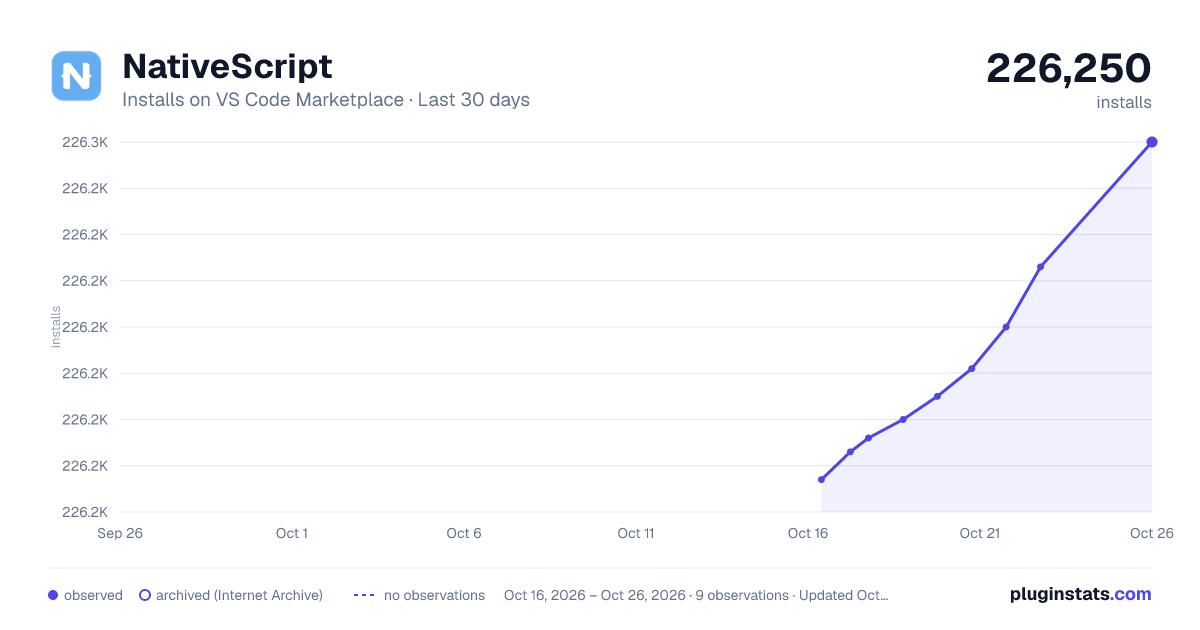
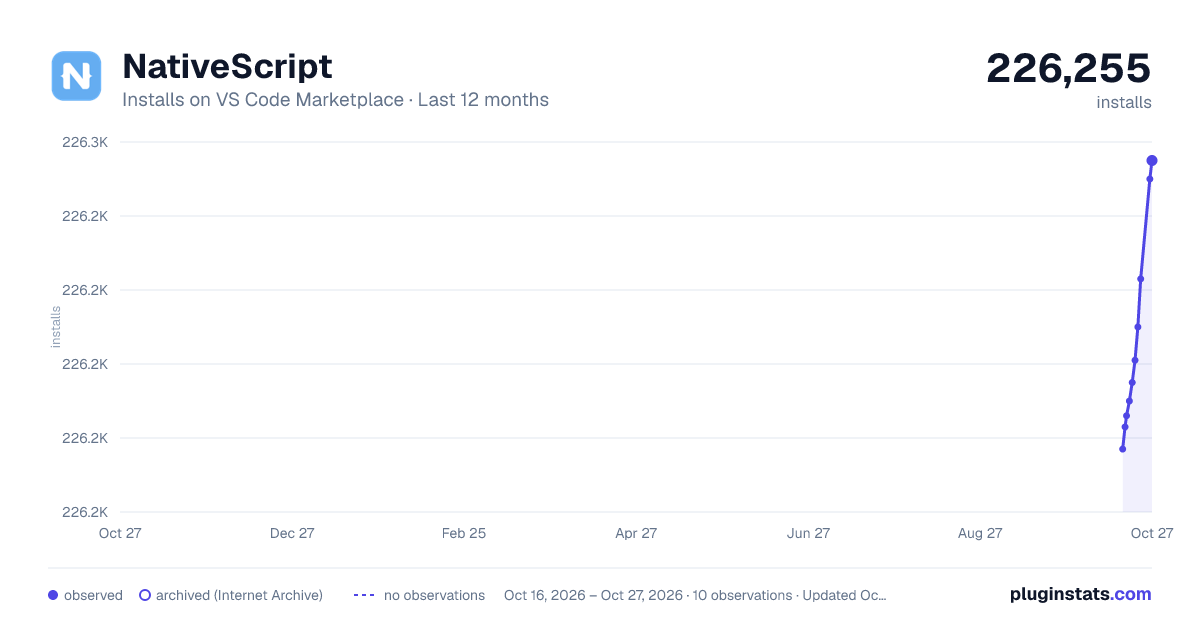
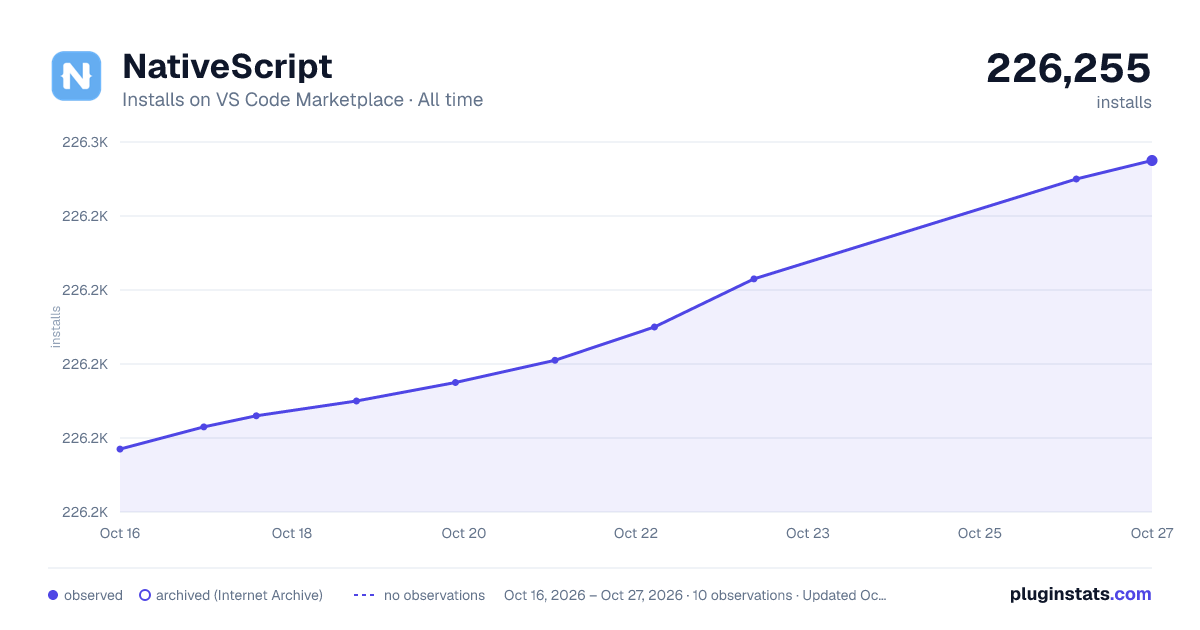

Adoption over time


7/30/90-day growth


Ranking history


Filled points are observed values; hollow points come from Internet Archive snapshots of the listing page. Dashed segments span periods with no observations — values between points are not interpolated.
Recent observations
Full history (4)Similar VS Code Marketplace Debuggers plugins
Data source
Install counts, average rating, and rating counts come from the public Visual Studio Marketplace gallery API. Installs are cumulative and exclude updates.
Listing: https://marketplace.visualstudio.com/items?itemName=NativeScript.nativescript. First seen Oct 16, 2026; last successful collection Oct 19, 2026. See the methodology.