 PluginStats
psioniq File Header installs statistics
By psioniq · VS Code Marketplace · Other
Configurable file header and changes tracking.
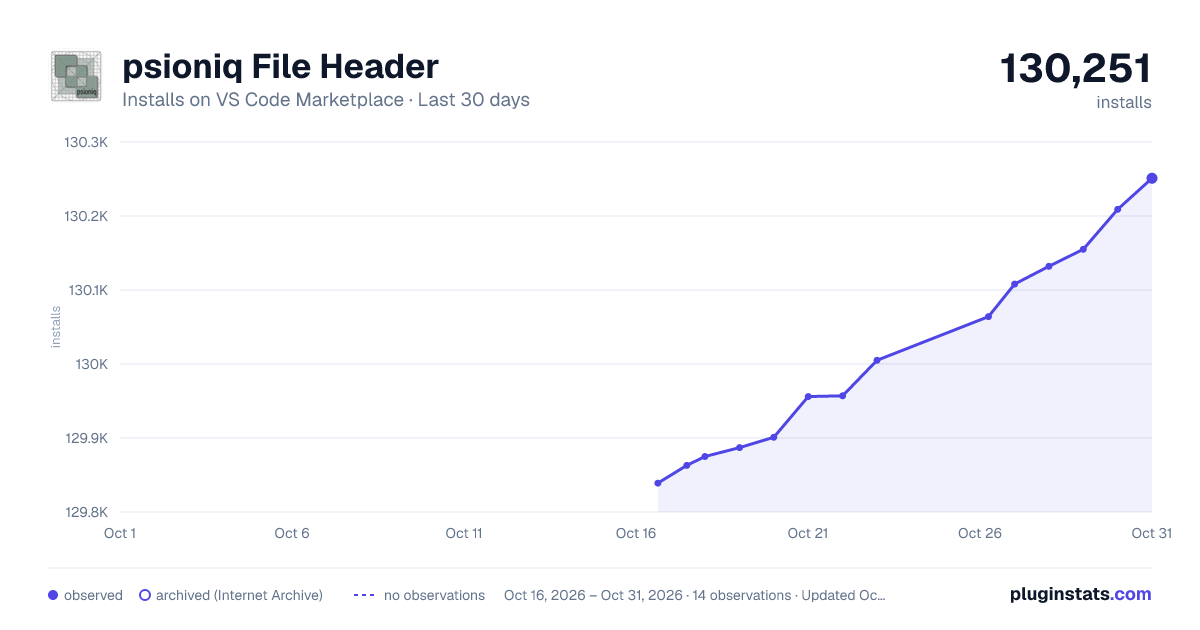
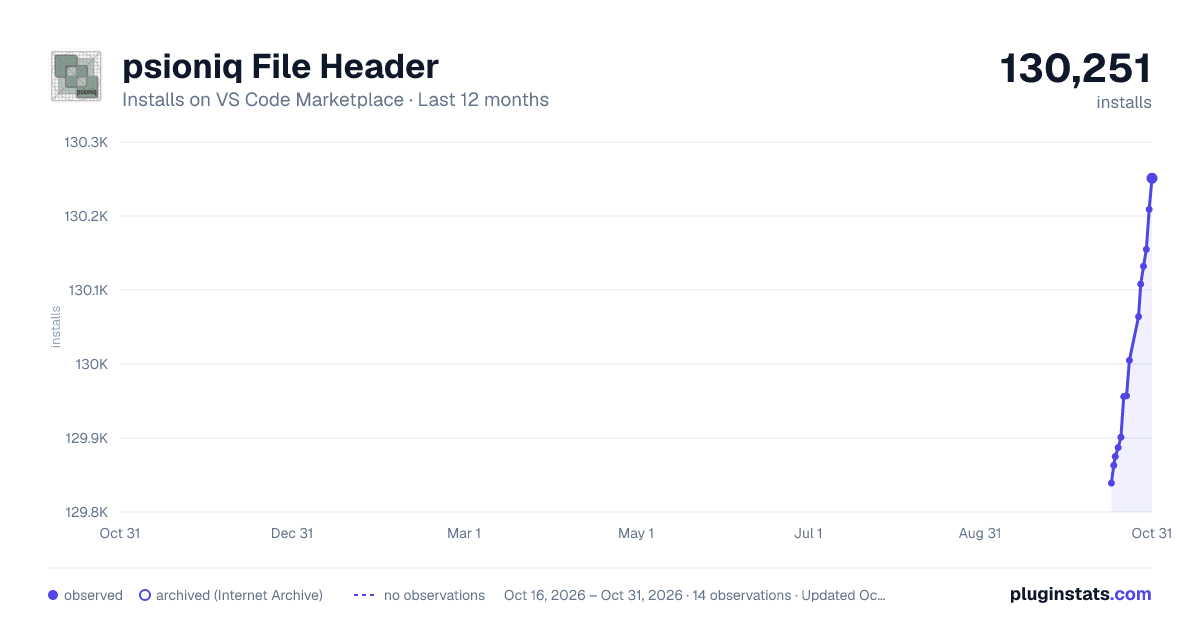
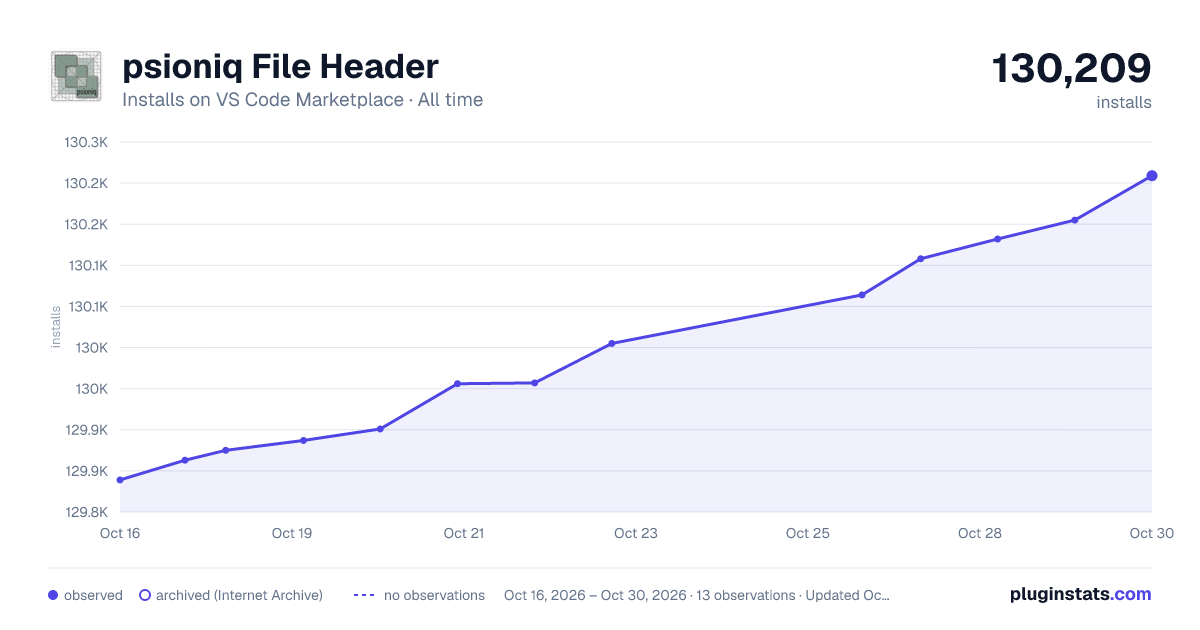
psioniq File Header has 129,887 recorded installs on VS Code Marketplace.
It ranks #2027 of 2,501 tracked VS Code Marketplace listings by installs.
It is rated 4.5 out of 5 from 32 ratings.
PluginStats has 4 daily observations since Oct 16, 2026; the latest is from Oct 19, 2026.
Rating: 4.53 / 5 from 32 ratings
About psioniq File Header
:: Table of Contents ::
• Overview • Summary of Features • Commands • System Variables • System Functions • Date Formats in System Functions • yeartoyear • padline • Configuration • Global Options • Changes Tracking Configuration • Static Variable Values • Language Configuration • Default Language Configurations • Templates • Default Template Configurations • License Text • License Reference • Compact Mode • Block-Style Comment Headers • A Note about Project Paths • License Information • "Custom" • "CustomUri" • SPDX • Refreshing the License Text System Variable • Changes Tracking • Option 1 Simple Replacement • Option 2 Template Substitution • Auto Header • Enforce Header • Change Log • Configuring Change Logging • Questions about Change Logs • Can this be configured to not have a caption line? • Can it be configured to automatically add a log entry? • Can I have comments on a separate line? • Why do I have to manually add the comment? • What if I need longer comments? • An Example Custom Configuration • Creating a Custom Template • Known Issues • Cleaning up SPDX License Text • Determining File Creation Time on Linux • Credits
Overview
The psioniq File Header VSCode Extension will insert a header into the current document - either at the start of the document or at the current cursor position. The header can be configured globally and/or per language. However, the configuration separates the comment syntax from the template body so it is likely that a single template will be able to cover most languages.
It can optionally log modifications to the file via the change tracking feature which will update the header whenever the file is saved.
It is also possible to add templated comment blocks to the header to record for example a historic summary of changes to the file.
There are a veritable plethora of configuration options to cover your innermost headular cravings.
To report bugs, issues, suggestions use the github repository.
Here is a sample output:
To add a new header manually: • thump F1 and type Header Insert; or • type the keyboard shortcut ctrl-alt-H then ctrl-alt-H.
To insert an entry into the change log: • hit F1 and type Header Change Log Insert; or • type the keyboard shortcut ctrl-alt-C ctrl-alt-C.
Once inserted, the cursor will be placed at the end of the new log entry.
Now grab a coffee and read on...
Summary of Features
Refer to Configuration for the various extension settings details.
• Adds a generic or language-specific header at the current cursor location or at the top of the file. • Optionally track changes in the header each time the file is saved. • Configurable whitelists and blacklists to determine which files can be change tracked. • Can automatically add a header to new files. • Compatible with VSCode Multi Root Workspaces. • Separates language specific elements (e.g. comment block begin and end) from the template body to minimise the number of templates you might need to manage. • Configuration option to force the header to the top of the document - overridable per language. • Configuration option to add additional blank lines after the header - overridable per language. • Configurable options to add text before or after the header (e.g. pre-processor commands). • Provides a default template body for all languages out of the box. • Provides language-specific syntax settings (e.g. comment block syntax) out of the box. • Configure your own custom language syntax globally and/or per language. • Create your own custom templates - global and/or per language. • Map custom template and syntax settings across languages so you can easily reuse them. • Provides case-insensitive System Variables for placeholder value substitution. • Provides _case-sensitive_ System Functions for configurable placeholder value substitution. • Allows the overriding of system variable values with static global values within the configuration. • Create an unlimited number of custom static variables for use throughout your custom templates. • Header insertion can be run manually via the key shortcut ctrl+alt+H then ctrl+alt+H. • Can automatically insert license text based on SPDX license IDs or from a local text file. • Allows changes logging for recording a history of changes to the file.
Commands
This extension adds the following commands to VSCode:
| Command name | Keyboard Shortcut | Description |
| Header Insert | ctrl-alt-H ctrl-alt-H | Inserts a new file header | | Header Change Log Insert | ctrl-alt-C ctrl-alt-C | Inserts a new change log entry into an existing header |
System Variables
The following system variables are available for placeholder substitution in your templates. The variable names are case-insensitive.
|Variable Name | Description |…
Description from the VS Code Marketplace listing.
- file header
- file info
- header
- keybindings
- license
Charts
Images: 30d · 1y · all time · 1600×900 dark

Adoption over time


7/30/90-day growth


Ranking history


Ratings over time


Listing placement


Filled points are observed values; hollow points come from Internet Archive snapshots of the listing page. Dashed segments span periods with no observations — values between points are not interpolated.
Each band is one page of 20. Installs on a log scale. Placement is projected from installs, so it can differ from the marketplace's own sort order. Hover a dot to see the listing.
Recent observations
Full history (4)Similar VS Code Marketplace Other plugins
All 20 psioniq File Header alternativesData source
Install counts, average rating, and rating counts come from the public Visual Studio Marketplace gallery API. Installs are cumulative and exclude updates.
Listing: https://marketplace.visualstudio.com/items?itemName=psioniq.psi-header. First seen Oct 16, 2026; last successful collection Oct 19, 2026. See the methodology.