 PluginStats
Open Policy Agent installs statistics
By Torin Sandall · VS Code Marketplace · Programming Languages
Develop, test, debug, and analyze policies for the Open Policy Agent project.
Open Policy Agent has 122,157 recorded installs on VS Code Marketplace.
It ranks #2121 of 2,501 tracked VS Code Marketplace listings by installs.
It is rated 5.0 out of 5 from 3 ratings.
PluginStats has 4 daily observations since Oct 16, 2026; the latest is from Oct 19, 2026.
Rating: 5.00 / 5 from 3 ratings
About Open Policy Agent
vscode-opa
This plugin provides a number of features to help you work with Open Policy Agent (OPA) policies in Visual Studio Code.
Features
• Evaluate Packages • Evaluate Selections • Partially Evaluate Selections • Trace Selections • Profile Selections • Run Tests in Workspace • Toggle Coverage in Workspace • Toggle Coverage of Selections
Additionally, users may choose to install Regal, which adds the following features via the Language Server Protocol (LSP):
• Diagnostics (linting) • Hover / tooltips (for inline docs on built-in functions) • Go to definition (ctrl/cmd + click on a reference to go to definition) • Folding ranges (expand/collapse blocks, imports, comments) • Document and workspace symbols (navigate to rules, functions, packages) • Inlay hints (show names of built-in function arguments next to their values) • Formatting (opa fmt, opa fmt --rego-v1 or regal fix, see Configuration below) • Code actions (quick fixes for linting issues) • Code completions • Code lenses (click to evaluate any package or rule in the editor, and have the result displayed directly on the same line)
To learn more about each language server feature, see the Regal language server documentation.
Regal also adds the ability to debug Rego modules via the Debug Adapter Protocol (DAP):
• Launching eval debug sessions • Setting and halting on breakpoints • Stepping over, into, and out of rules, functions, every-statements, and comprehensions • Inspecting the data and input documents • Inspecting local variable values • Inspecting values in the Virtual Cache (global results of rule and function evaluations)
Requirements
• This plugin requires the Open Policy Agent executable (opa) to be installed in your $PATH. Alternatively, you can configure the opa.dependency_paths.opa setting to point to the executable. If you do not have OPA installed, the plugin will prompt you to install the executable the first time you evaluate a policy, run tests, etc.
Installation
To install the extension, visit the Visual Studio Code Marketplace or search for "Open Policy Agent" in the 'Extensions' panel.
[!TIP] This extension has built-in support for linting and hover tooltips through a native integration with Regal. See the 'Getting Started' guide for more information about installing Regal.
Configuration
| Field | Default | Description |
| opa.dependency_paths.opa | null | Set path of OPA executable. If the path contains the string ${workspaceFolder} it will be replaced with the current workspace root. E.g., if the path is set to ${workspaceFolder}/bin/opa and the current workspace root is /home/alice/project, the OPA executable path will resolve to /home/alice/project/bin/opa. | | opa.checkOnSave | false | Enable automatic checking of .rego files on save. | | opa.strictMode | false | Enable strict-mode for the OPA: Check File Syntax command. | | opa.roots | [${workspaceFolder}] | List of paths to load as bundles for policy and data. Defaults to a single entry which is the current workspace root. The variable ${workspaceFolder} will be resolved as the current workspace root. The variable ${fileDirname} will be resolved as the directory of the file currently opened in the active window. | | opa.bundleMode | true | Enable treating the workspace as a bundle to avoid loading erroneous data JSON/YAML files. It is _NOT_ recommended to disable this. | | opa.bundleIgnorePaths | [".git"] | Ignore patterns passed to OPA when bundle mode is enabled. Defaults to ignoring .git. Override with your own list (e.g. [".git", ".github", "node_modules"]), or set to [] to disable ignoring. | | opa.schema | null | Path to the schema file or directory. If set to null, schema evaluation is disabled. As for opa.roots, ${workspaceFolder} and ${fileDirname} variables can be used in the path. | | opa.languageServers | null | An array of enabled language servers (currently ["regal"] is supported) | | opa.env | {} | Object of environment variables passed to the process running OPA (e.g. {"key": "value"}) | | opa.formatter | opa-fmt | Name of the OPA formatter to use. Requires Regal. One of opa-fmt, opa-fmt-rego-v1 and regal-fix. This value is sent as an initialization option to the language server, so the change won't take effect before the project (or VS Code) is reloaded. See the documentation for the regal fix command for more information |
Note that the ${workspaceFolder} variable will expand to a full URI of the workspace, as expected by most VS Code commands. The ${workspacePath} variable may additionally be used where only the path component (i.e. without the file:// schema component) of the workspace URI is required.
For bundle documentation refer to https://www.openpolicyagent.org/docs/latest/management/#bundle-file-format. Note that data files _MUST_ be named either data.json or data.yaml.
Using opa.env to set OPA command line flags
From OPA v0.62.0 and onwards, it's possible to set any command line flag via environment variables as an alternative to arguments to the various opa commands. This allows using the opa.env object for setting any flag to the commmands executed by the extension. The format of the environment variables follows the pattern OPA__ where COMMAND is the command name in uppercase (like EVAL) and FLAG is the flag name in uppercase (like IGNORE). For example, to set the --capabilities flag for the opa check and opa eval command, use the following configuration in your .vscode/settings.json file:
Tips
Set the input document by creating input.json
The extension will look for a file called input.json in the current directory of the policy file being evaluated, or at the root of the workspace, and will use it as the input document when evaluating policies. If you modify this file and re-run evaluation you will see the affect of the changes.…
Description from the VS Code Marketplace listing.
- debuggers
- opa
- open policy agent
- policy
- regal
- rego
Where Open Policy Agent sits in the listing
Each band is one page of 20. Installs on a log scale. Placement is projected from installs, so it can differ from the marketplace's own sort order. Hover a dot to see the listing.


Charts
Images: 30d · 1y · all time · 1600×900 dark
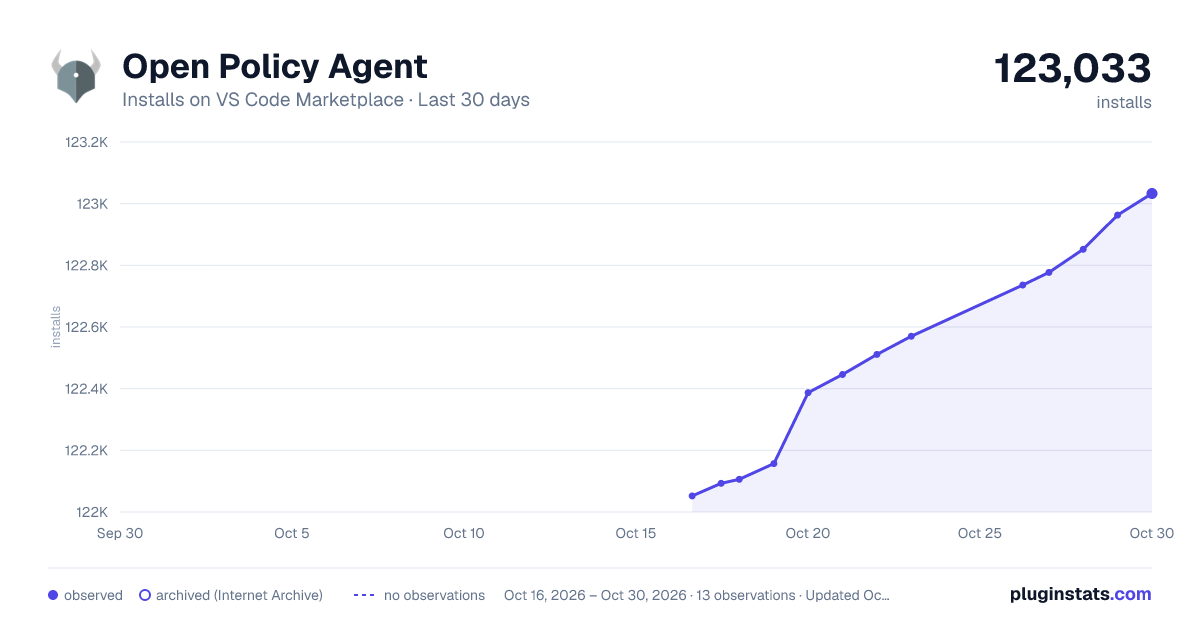
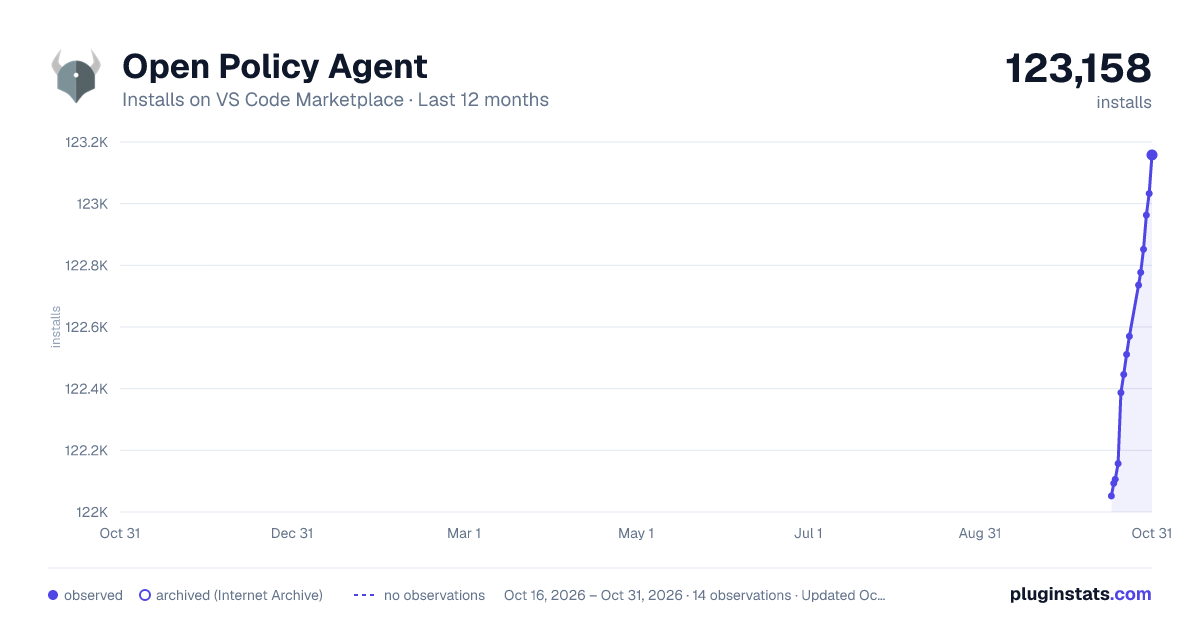
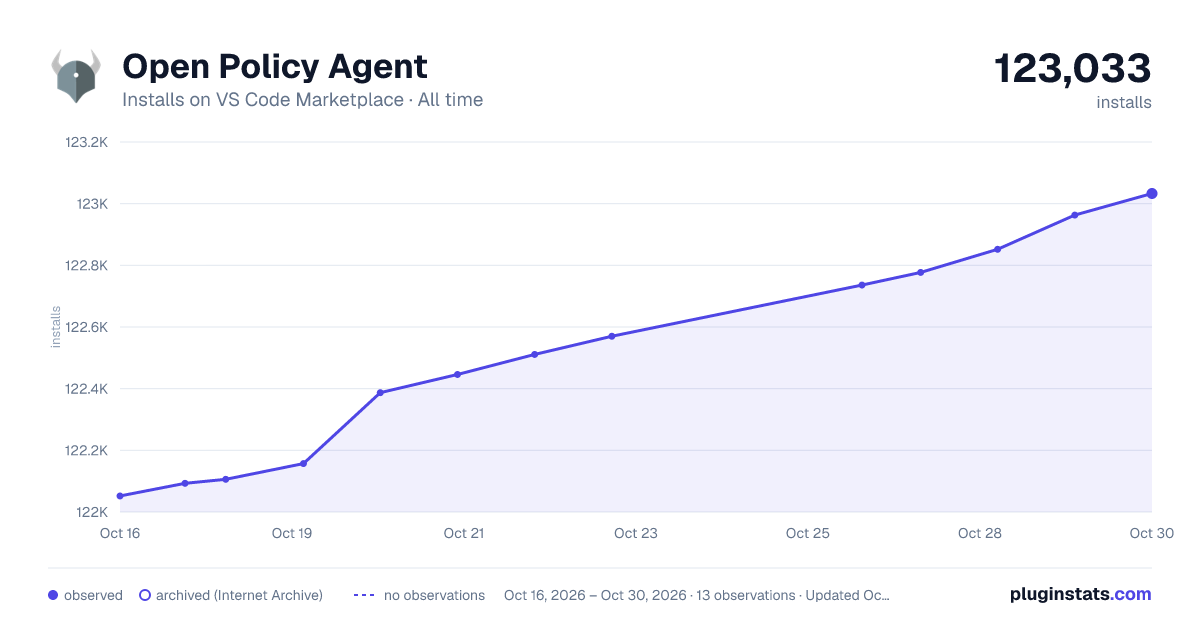

Adoption over time


7/30/90-day growth


Ranking history


Filled points are observed values; hollow points come from Internet Archive snapshots of the listing page. Dashed segments span periods with no observations — values between points are not interpolated.
Recent observations
Full history (4)Similar VS Code Marketplace Programming Languages plugins
Data source
Install counts, average rating, and rating counts come from the public Visual Studio Marketplace gallery API. Installs are cumulative and exclude updates.
Listing: https://marketplace.visualstudio.com/items?itemName=tsandall.opa. First seen Oct 16, 2026; last successful collection Oct 19, 2026. See the methodology.