 PluginStats
Python Template Snippets installs statistics
By Ricky White · VS Code Marketplace · Snippets
A snippet extension for Jinja and Django templating engines.
Python Template Snippets has 128,043 recorded installs on VS Code Marketplace.
It ranks #2047 of 2,500 tracked VS Code Marketplace listings by installs.
It is rated 5.0 out of 5 from 2 ratings.
PluginStats has 3 daily observations since Oct 16, 2026; the latest is from Oct 18, 2026.
Rating: 5.00 / 5 from 2 ratings
About Python Template Snippets
Python Template Snippets
✨ Supercharge your template development workflow ✨
A comprehensive VS Code snippet collection for Jinja2 and Django template engines.
🚀 Why Use This Extension?
Writing template code can be tedious with all those brackets, tags, and syntax. This extension eliminates the repetitive typing by providing smart, tab-completion snippets for common Jinja2 and Django template patterns.
Stop typing this:
Start typing this:
✨ Features
• 🎯 20+ carefully crafted snippets for Jinja2 and Django • ⚡ Lightning-fast - Type pt prefix and let IntelliSense do the rest • 🎨 Smart cursor positioning - Jump to exactly where you need to type • 🔄 Multi-cursor support - Tab between placeholders seamlessly • 🛠️ Framework-agnostic - Works with Flask, Django, FastAPI, and any Python web framework • 📦 Zero configuration - Works out of the box
📦 Installation
From VS Code Marketplace (Recommended)
1. Open VS Code 2. Press Ctrl+P / Cmd+P 3. Type ext install RickyWhite.python-template-snippets 4. Press Enter and reload VS Code
Manual Installation
1. Download the latest .vsix from Releases 2. Open VS Code 3. Go to Extensions (Ctrl+Shift+X / Cmd+Shift+X) 4. Click the ... menu → Install from VSIX 5. Select the downloaded file
🎯 Quick Start
1. Open an HTML, Django, or Jinja template file in VS Code 2. Type pt to see available snippets 3. Select a snippet from the IntelliSense menu (or type the full prefix) 4. Press Tab to trigger the snippet 5. Fill in the placeholders and press Tab to jump between them
Supported Language Modes
Snippets are available according to the file's VS Code language identifier:
| Language ID | General snippets | Jinja snippets | Django snippets |
| html | Yes | Yes | Yes | | django-html | Yes | No | Yes | | jinja | Yes | Yes | No | | jinja-html | Yes | Yes | No |
For automatic template language recognition, you may need a language extension such as Django, Jinja, or Better Jinja. You can also select a supported language mode from VS Code's status bar once its language extension is installed. Filename extensions such as .j2 depend on that extension's file associations; this snippet extension does not change them.
💡 Pro Tip
Enable tab completion in your VS Code settings for the best experience:
📚 Snippet Reference
All snippets use the pt prefix (short for "Python Template"). Here's the complete reference:
🌐 General Snippets
*Works with both Jinja2 and Django*
| Prefix | Description | Output |
| ptnew | New HTML template file | Complete template with extends and blocks | | ptvar | Template variable | {{ variable }} | | ptfilt | Variable with filter | {{ variable \| filter }} | | ptcode | Code block tag | {% code %} | | ptcom | Comment | {# comment #} | | ptblock | Block tag | {% block name %}...{% endblock %} | | ptext | Extends tag | {% extends 'base.html' %} | | ptsup | Super function | {{ super() }} | | ptfor | For loop | {% for item in items %}...{% endfor %} | | ptif | If statement | {% if condition %}...{% endif %} | | ptifel | If/else statement | {% if %}...{% else %}...{% endif %} | | ptelif | If/elif/else statement | {% if %}...{% elif %}...{% else %}...{% endif %} | | ptwith | With statement | {% with variable %}...{% endwith %} |
🔧 Jinja2-Specific Snippets
*For Flask, FastAPI, and other Jinja2 projects*
| Prefix | Description | Output |
| ptj-url | Static file URL | {{ url_for('static', filename='file.css') }} | | ptj-mac | Macro definition | {% macro name %}...{% endmacro %} | | ptj-set | Set variable | {% set var = value %} | | ptj-imp | Import macro | {% import 'file.html' as name %} | | ptj-from | From import macro | {% from 'file.html' import macro %} | | ptj-raw | Raw block | {% raw %}...{% endraw %} | | ptj-fil | Filter block | {% filter name %}...{% endfilter %} |
🎨 Django-Specific Snippets
*For Django projects*
| Prefix | Description | Output |
| ptd-url | URL tag | {% url 'view-name' args %} | | ptd-load | Load tag library | {% load static %} | | ptd-stat | Static file | {% static 'path/to/file' %} | | ptd-inc | Include template | {% include 'template.html' %} | | ptd-firstof | First of variables | {% firstof var1 var2 %} | | ptd-csrf | CSRF token | {% csrf_token %} | | ptd-sup | Block super | {{ block.super }} | | ptd-com | Comment block | {% comment 'note' %}...{% endcomment %} | | ptd-ver | Verbatim block | {% verbatim %}...{% endverbatim %} | | ptd-trans | Translate string | {% translate '...' %} |
💻 Usage Examples
Creating a New Template
Type ptnew and press Tab:
Adding a For Loop
Type ptfor and press Tab:
Then tab through: item → items → loop body
Django Static File
Type ptd-stat and press Tab:
🤝 Contributing
Found a bug? Want a new snippet? Contributions are welcome!
1. Report Issues: Open an issue 2. Request Features: Have an idea? Share it! 3. Submit PRs: Fork, code, and submit a pull request
Continuous Integration
Every pull request runs a small validation suite on Node.js 20:
1. npm ci 2. npm test (JSON + snippet metadata and language registration validation) 3. npx vsce package
If you want to mirror CI locally before opening a PR, run the same commands from the repository root.
Suggesting New Snippets
When requesting a new snippet, please include: • The template syntax you want added • Which framework it's for (Jinja2/Django/both) • A brief description of what it does
📝 Release Notes
See GitHub Releases for the detailed version history and changelog.
💖 Support This Project
This extension is free and open source. If you find it helpful, consider:
• ⭐ Starring the repo • 💰 Sponsoring on GitHub • 🐦 Sharing on social media • 📝 Writing a review
📜 License
MIT © Ricky White
🙏 Acknowledgments
Created and maintained by Ricky White
Special thanks to all contributors who have helped improve this extension!
Happy Coding! 🎉
Made with ❤️ for the Python community
Description from the VS Code Marketplace listing.
- Django
- Flask
- Jinja2
- Python
- snippet
- Snippets
- Web Development
Where Python Template Snippets sits in the listing
Each band is one page of 20. Installs on a log scale. Placement is projected from installs, so it can differ from the marketplace's own sort order. Hover a dot to see the listing.


Charts
Images: 30d · 1y · all time · 1600×900 dark
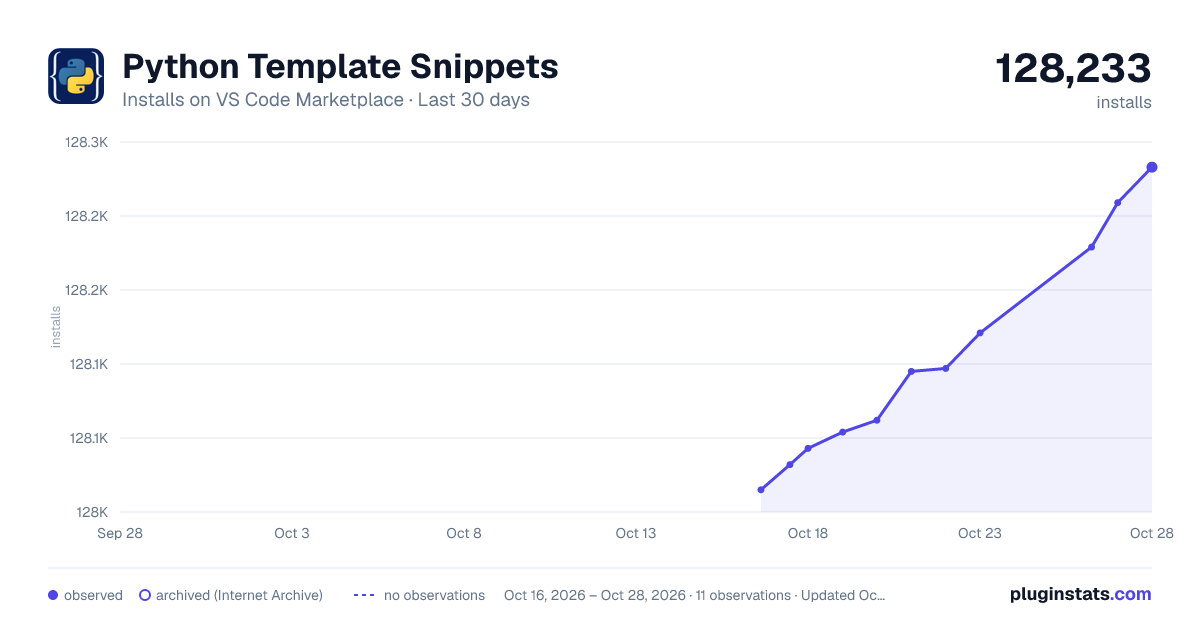
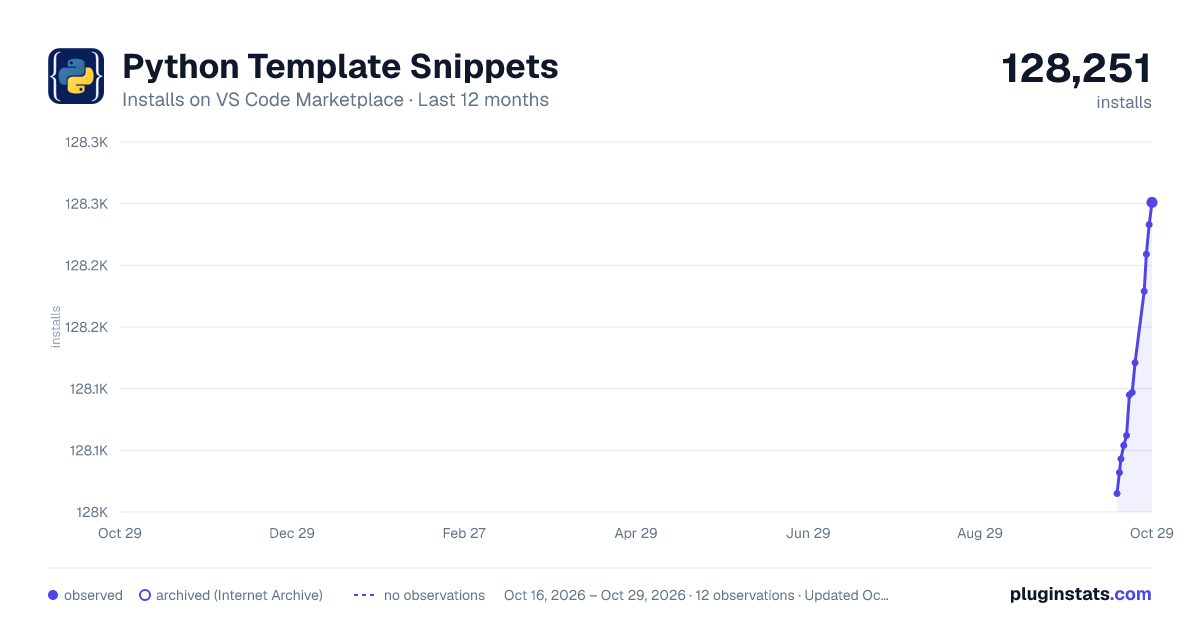
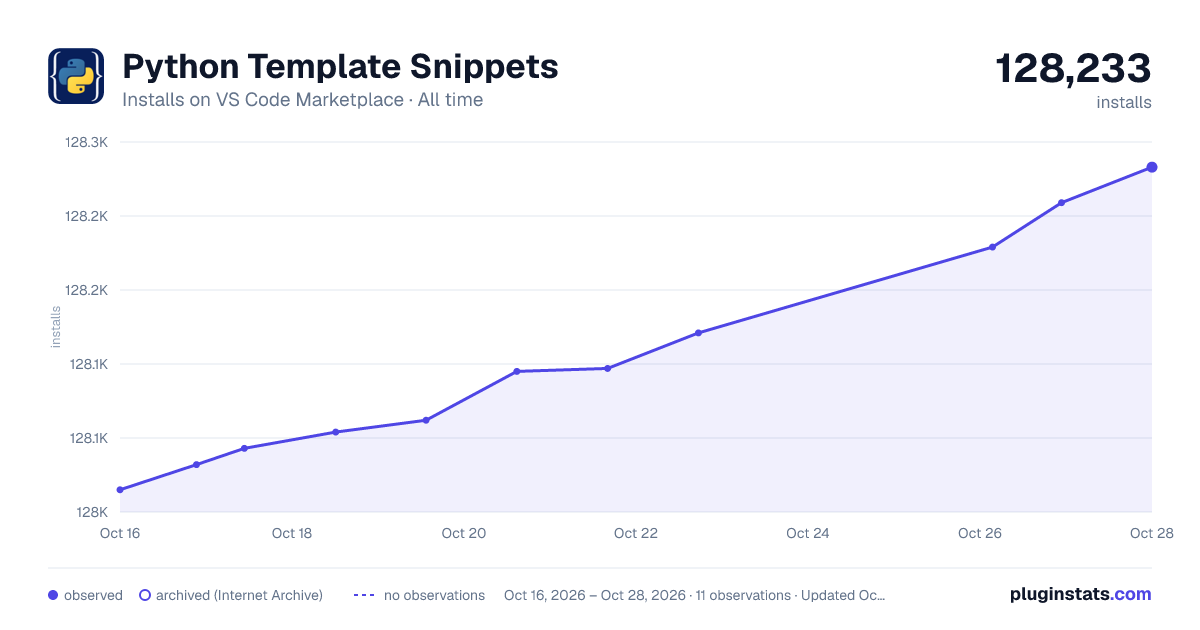

Adoption over time


7/30/90-day growth


Ranking history


Filled points are observed values; hollow points come from Internet Archive snapshots of the listing page. Dashed segments span periods with no observations — values between points are not interpolated.
Recent observations
Full history (3)Similar VS Code Marketplace Snippets plugins
Data source
Install counts, average rating, and rating counts come from the public Visual Studio Marketplace gallery API. Installs are cumulative and exclude updates.
Listing: https://marketplace.visualstudio.com/items?itemName=RickyWhite.python-template-snippets. First seen Oct 16, 2026; last successful collection Oct 18, 2026. See the methodology.