 PluginStats
GitHub Copilot modernization installs statistics
By Microsoft (223 listings) · VS Code Marketplace · AI
Upgrade and migrate your applications to Azure
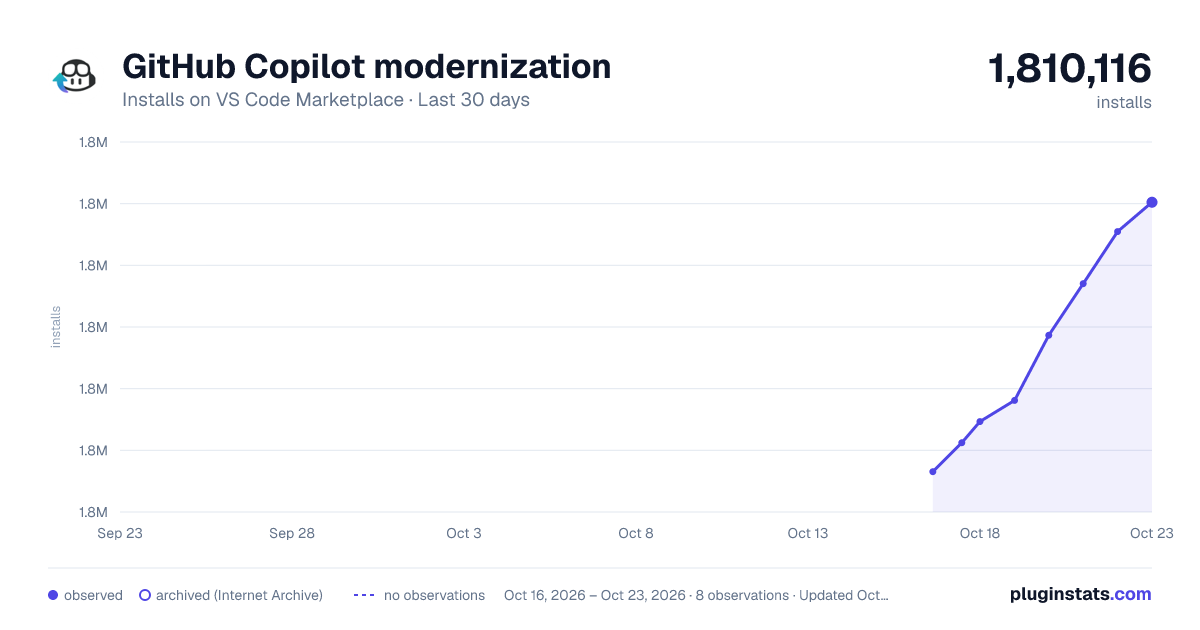
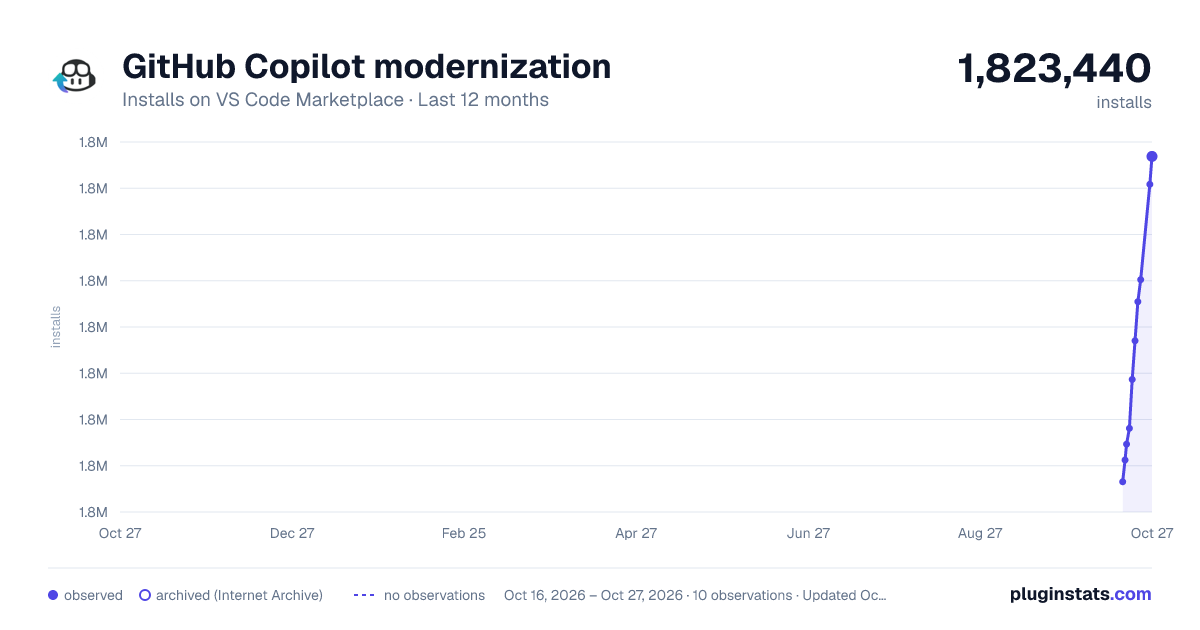
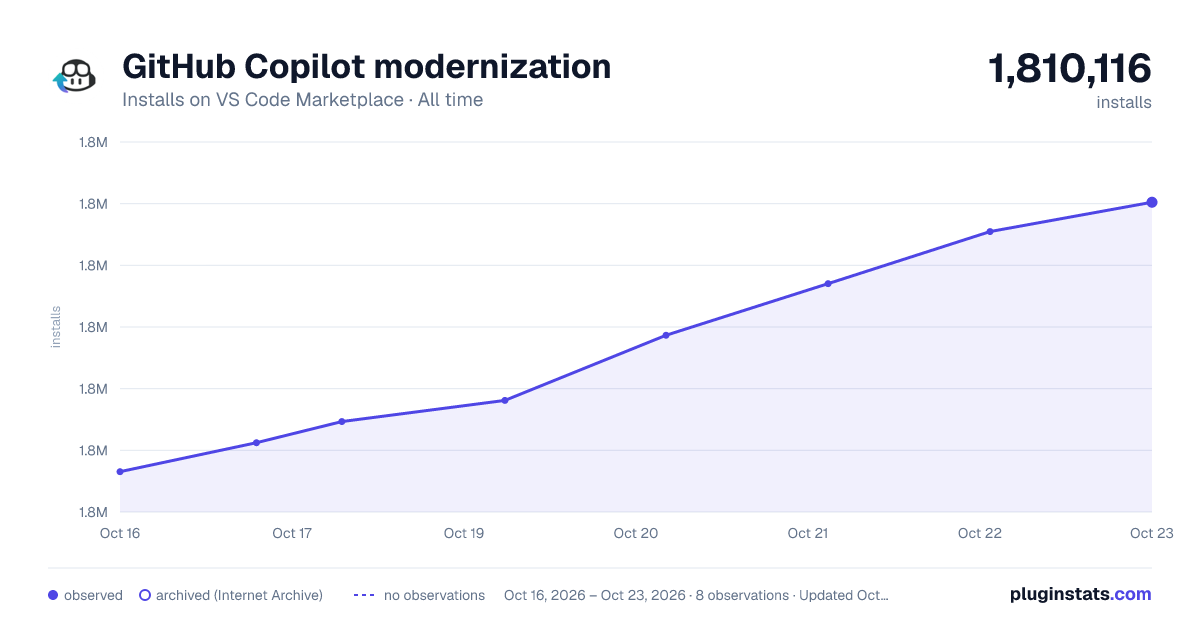
GitHub Copilot modernization has 1,792,332 recorded installs on VS Code Marketplace.
It ranks #373 of 2,500 tracked VS Code Marketplace listings by installs.
It is rated 1.9 out of 5 from 32 ratings.
PluginStats has 3 daily observations since Oct 16, 2026; the latest is from Oct 18, 2026.
Rating: 1.91 / 5 from 32 ratings
About GitHub Copilot modernization
What is GitHub Copilot modernization?
GitHub Copilot modernization is an AI-powered agent that helps modernize applications end to end. It upgrades runtimes and frameworks, migrates applications to Azure, improves security, and guides you through every stage of the process including assessment, planning, code transformations, validation, and deployment. It supports Java, Python, and .NET with integrated Azure migration workflows.
Note: GitHub Copilot Modernization can be used with just a GitHub account—an Azure account is only required when you actually deploy or test Azure-specific modernization patterns.
What's New: All features from the Java Upgrade Assistant extension have been merged into this extension. Java version upgrades, Java framework upgrades, and Azure modernization are now available in one place. If you have the Java Upgrade Assistant installed, it is no longer needed and has been deprecated — you can safely uninstall it.
Key capabilities
Assessment
Copilot evaluates your project's readiness for modernization. It analyzes code, configuration, and dependencies, identifies outdated libraries and frameworks, and highlights areas that may require additional remediation before you proceed.
Planning
Copilot creates a targeted plan to address specific upgrade or migration needs identified during assessment. It provides recommended steps, updates, and sequencing to guide resolution and support broader workflows.
Transformations
Copilot applies automated, intelligent code changes based on your project’s dependencies and modernization goals. It modernizes frameworks and versions with minimal manual effort.
Copilot also accelerates modernization using predefined tasks for common modernization tasks such as secret management, message queues, and identity services. You can also save and reuse custom tasks for consistency across projects.
Security
Copilot ensures modernization is reliable and secure by validating builds and tests throughout the process. It automatically resolves build issues during transformation and runs unit tests to confirm error-free changes, maintaining production pipeline integrity. Security vulnerability management is integrated end-to-end: Copilot scans for CVEs after upgrades, applies security fixes in Agent Mode, and provides a review of all security-related changes to strengthen your security posture and maintain compliance.
Containerization and deployment
Copilot completes the modernization workflow by generating Infrastructure as Code assets for Azure deployment, addressing deployment errors automatically, and setting up CI/CD pipelines for continuous integration—taking your application from analysis to production with confidence.
How to run the Upgrade or Migrate to Azure
You can start modernization in two ways:
• From the Quickstart panel, select one of the options: • Start Assessment • Upgrade Runtime & Frameworks or Upgrade to a newer version of .NET • Migrate to Azure • Open the Copilot Chat window and type a prompt like: • Upgrade my solution to a new version of .NET or Upgrade my project to a new version of Java • Migrate to Azure
Copilot will analyze your code, prepare the plan, and guide you through the required changes.
Share feedback
Your feedback is essential as we improve. Share your thoughts to help shape the product.
More information
Learn more and get started today: • Overview • Java quickstart guide • Python quickstart guide • .NET quickstart guide • Find answers to frequently asked questions
License
This extension is licensed under GitHub Copilot Product Specific Terms.
Trademarks
Authorized use of Microsoft trademarks or logos must follow Microsoft's Trademark & Brand Guidelines.
Privacy statement
GitHub Copilot modernization uses GitHub Copilot to make code changes, which does not retain code snippets beyond the immediate session. We do not collect, transmit, or store your custom tasks. Review the Microsoft Privacy Statement.
Telemetry metrics are collected and analyzed to track feature usage and effectiveness. Learn more about telemetry settings in VS Code.
Transparency note
GitHub Copilot modernization uses AI to make code changes, and AI sometimes makes mistakes. Please review and test all changes before using them in production.
Disclaimer
Unless otherwise permitted under applicable license(s), users may not decompile, modify, repackage, or redistribute any assets, prompts, or internal tools provided as part of this product without prior written consent from Microsoft.
Description from the VS Code Marketplace listing.
- csharp
- java
- language-model-tools
- python
- tools
- typescript
Where GitHub Copilot modernization sits in the listing
Each band is one page of 20. Installs on a log scale. Placement is projected from installs, so it can differ from the marketplace's own sort order. Hover a dot to see the listing.
Charts
Images: 30d · 1y · all time · 1600×900 dark
Adoption over time
7/30/90-day growth
Ranking history
Filled points are observed values; hollow points come from Internet Archive snapshots of the listing page. Dashed segments span periods with no observations — values between points are not interpolated.
Recent observations
Full history (3)Similar VS Code Marketplace AI plugins




Data source
Install counts, average rating, and rating counts come from the public Visual Studio Marketplace gallery API. Installs are cumulative and exclude updates.
Listing: https://marketplace.visualstudio.com/items?itemName=vscjava.migrate-java-to-azure. First seen Oct 16, 2026; last successful collection Oct 18, 2026. See the methodology.