 PluginStats
Puppet installs statistics
By puppet · VS Code Marketplace · Programming Languages
Official Puppet VSCode extension. Provides full Puppet DSL intellisense, syntax highlighting, Puppet command support, Puppet node graphs, and much more
Puppet has 188,667 recorded installs on VS Code Marketplace.
It ranks #1590 of 2,501 tracked VS Code Marketplace listings by installs.
It is rated 4.4 out of 5 from 5 ratings.
PluginStats has 4 daily observations since Oct 16, 2026; the latest is from Oct 19, 2026.
Rating: 4.40 / 5 from 5 ratings
About Puppet
Puppet Visual Studio Code Extension
The Puppet VSCode website https://puppet-vscode.github.io/ contains all of the documentation previously held in this README, simplified and organized. There is also new content that shows off all the current features in greater detail, as well as new ways to use the Puppet VSCode Extension with other technologies like the Microsoft Remote Development Extension Pack. This README retains some quick information on how to get started and where to get help if things go wrong.
Quick start
For a more detailed walkthrough see the official documentation
• Step 1: Install a supported version of the Puppet Development Kit on your system (see Requirements for more information). • Step 2: Install the Puppet extension for Visual Studio Code. • Step 3: Open or create a Puppet manifest file (a file with a .pp or .epp extension or named Puppetfile) and start automating!
Table of Contents
• Quick Start • Features • Requirements • Platform Support • Usage • Syntax highlighting • Auto completion • Hover Support • Outline View • Breadcrumbs • Go to Symbol • Open Symbol by Name • Code Snippets • Linting • Live Workspace Intellisense • Puppet Commands • Puppet Resource • Puppet Node Graph • Puppet Development Kit Support • PDK Supported Versions • PDK New Module • PDK New Class • PDK Validate • PDK Test Unit • Puppet Bolt Support • Debugging Puppet manifests • Installing the Extension • Configuration • Experience a Problem? • Puppet Agent Install • Reloading the Puppet VSCode extension • Reporting Problems • Maintainers • Telemetry • License
Features
A Visual Studio Code extension that provides rich support for the Puppet language, including features such as syntax highlighting, linting, debugging, IntelliSense and more.
This extension provides full Puppet Language support for Visual Studio Code.
• Syntax highlighting • IntelliSense for resources, parameters and more • Outline View • Breadcrumbs • Go to Symbol • Open Symbol by Name • Linting • Live Workspace Intellisense • Code snippets • Go to Definition of functions, types and classes • Validation of metadata.json files • Import from puppet resource directly into manifests • Node graph preview • Puppet Development Kit integration • (Experimental) Local debugging of Puppet manifests • DEPRECATED Docker Language Server support
Supported Puppet Versions
The Puppet Extension for VSCode works with Puppet 7 or higher. See open source Puppet and Puppet Enterprise lifecycle pages for version support details.
Requirements
You will need to have the Puppet Development Kit (PDK) or Puppet Agent installed in order to fully use this extension.
Note: When using PDK, only versions 3.0.0 or higher are supported.
Note: When using Puppet Agent, only versions 7.0 or higher are supported.
You can find instructions and installation links here:
PDK
• Download page
Puppet-Agent
• Windows • MacOSX • Linux
Platform support
• Microsoft Windows • MacOSX • Linux
Installing the Extension
You can install the official release of the Puppet extension by following the steps in the Visual Studio Code documentation. In the Extensions pane, search for "puppet-vscode" extension and install it there. You will get notified automatically about any future extension updates!
You can also install the extension without access to the internet by following these instructions
Experience a Problem?
Puppet Agent Install
A commonly encountered problem is not having the PDK or Puppet Agent installed on the computer you are running VSCode on. As noted in the Requirements section, you will need to have the PDK or Puppet Agent installed in order to fully use this extension, as the extension uses the Puppet binaries and the Ruby language bundled into the PDK or agent install in order to function.
If you are receiving an error right after opening a Puppet file saying that a Puppet Agent install could not be found, ensure that Puppet is installed on the system. The VSCode extension attempts to find a valid Puppet install if a path is not configured in puppet.installDirectory in User Settings, so if Puppet is installed but not in a default path please check that your setting points to the correct path.
Reloading the Puppet VSCode extension
If you haven't see the Problems Pane update in awhile, or hover and intellisense doesn't seem to showing up, and you might not know what to do. Sometimes the Puppet extension can experience problems which cause the language server to crash or not respond. The extension has a way of logging the crash, but there is something you can do to get right back to working: reload the Puppet Language Server.
You can reload the Puppet Language Server by opening the command palette and starting to type Reload. A list of commands will appear, select Reload Window. This will reload the Visual Studio Code window without closing down the entire editor, and without losing any work currently open in the editor.
Reporting Problems
If you're having trouble with the Puppet extension, please follow these instructions to file an issue on our GitHub repository:
1. File an issue on our Issues Page
Make sure to fill in the information that is requested in the issue template as it will help us investigate the problem more quickly.
2. Capture verbose logs and send them to us
If you're having an issue with crashing or other erratic behavior, add the following line to your User Settings in Visual Studio Code:
Restart Visual Studio Code and try to reproduce the problem, then examine the log. If the issue persists please open an issue and add both the content of the Output pane as well as the content in the log file. Please inspect the log and be sure to redact any information you would not want posted publicly.
Maintainers
• @puppetlabs/devx
Telemetry…
Description from the VS Code Marketplace listing.
- debuggers
- javascript
- json
- language
- linters
- node
- puppet
- puppetfile
- puppet-lint
- snippet
Charts
Images: 30d · 1y · all time · 1600×900 dark
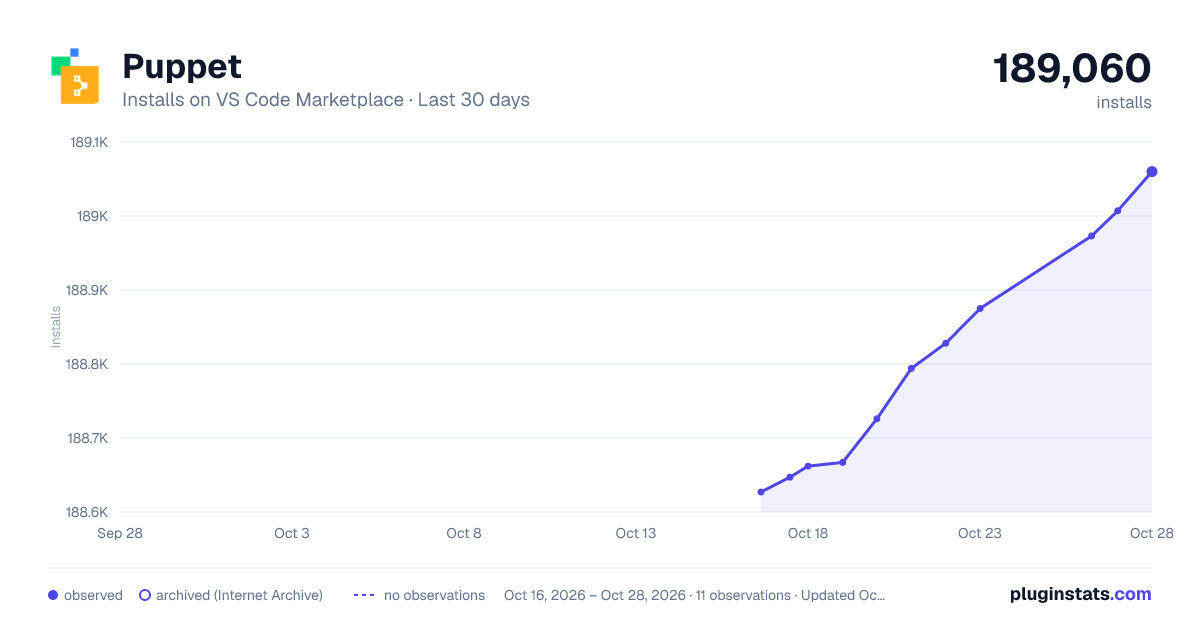
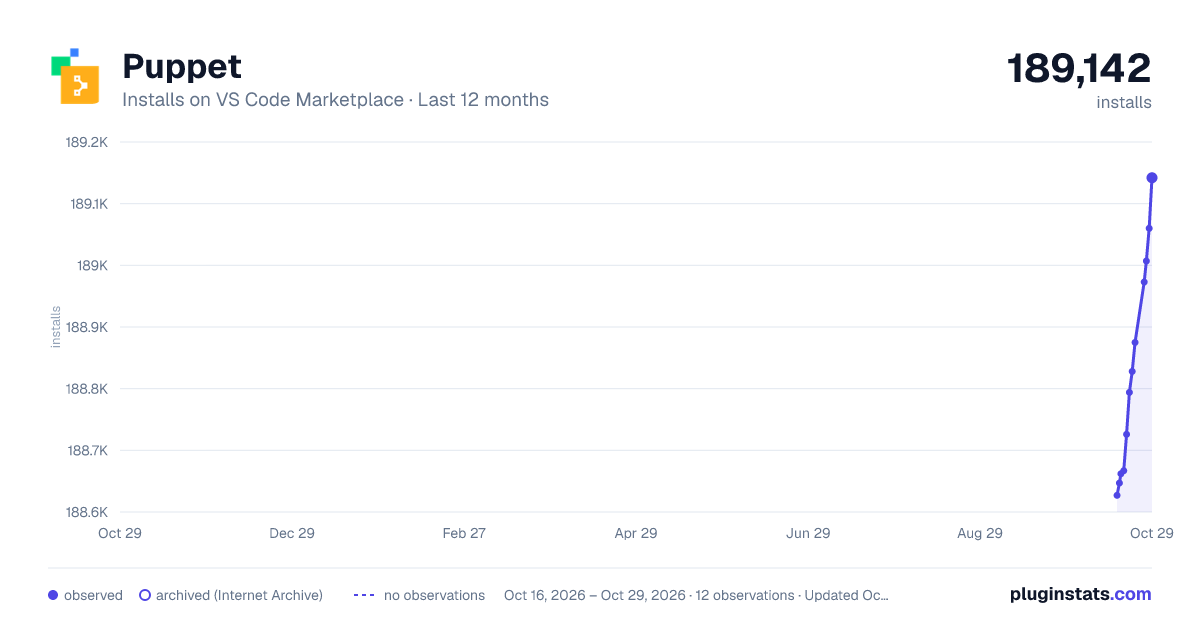
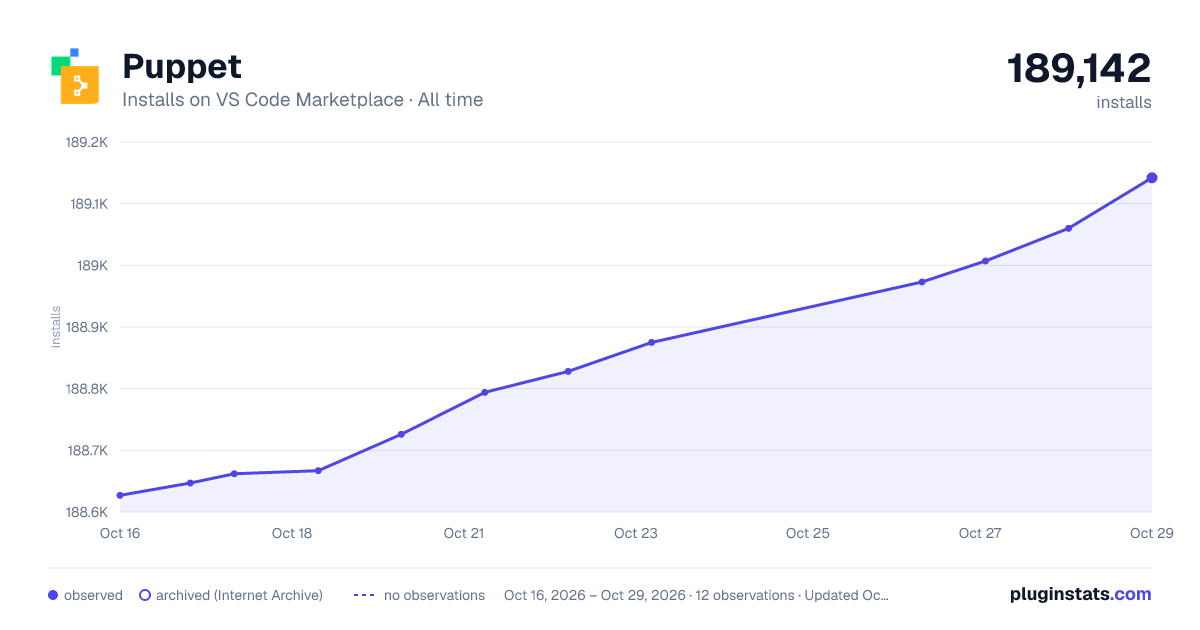

Adoption over time


7/30/90-day growth


Ratings over time


Listing placement


Listing placement


Listing placement


Filled points are observed values; hollow points come from Internet Archive snapshots of the listing page. Dashed segments span periods with no observations — values between points are not interpolated.
Each band is one page of 20. Installs on a log scale. Placement is projected from installs, so it can differ from the marketplace's own sort order. Hover a dot to see the listing.
Recent observations
Full history (4)Similar VS Code Marketplace Programming Languages plugins
All 20 Puppet alternativesData source
Install counts, average rating, and rating counts come from the public Visual Studio Marketplace gallery API. Installs are cumulative and exclude updates.
Listing: https://marketplace.visualstudio.com/items?itemName=puppet.puppet-vscode. First seen Oct 16, 2026; last successful collection Oct 19, 2026. See the methodology.