 PluginStats
Makefile Tools installs statistics
By Microsoft (224 listings) · VS Code Marketplace · Programming Languages
Provide makefile support in VS Code: C/C++ IntelliSense, build, debug/run.
Makefile Tools has 10,807,571 recorded installs on VS Code Marketplace, ranking #94 of 2,501 tracked listings.
Rating: 2.48 / 5 from 44 ratings
About Makefile Tools
Introduction
Makefile Tools provides the native developer a full-featured, convenient, and powerful workflow for Makefile-based projects in Visual Studio Code. It enhances the development experience with pre and post-configuration script automation, allows for easy switching between multiple configurations, and supports rich IntelliSense features for Makefile. The customizable Project Outline view and environment variable management also simplifies the development experience. Additionally, it can generate a compilation database for integration with Clang tools and other editors/IDEs.
<details open> <summary> Features </summary><br/> <p align=center> <img width="49%" src="https://github.com/Microsoft/vscode-makefile-tools/raw/HEAD/res/graphics/built-in-makefile-language-services-feature.png" alt="Built-In Makefile Language Services"/> <img width="49%" src="https://github.com/Microsoft/vscode-makefile-tools/raw/HEAD/res/graphics/project-outline-feature.png" alt="Project Outline"/> </p> <p align=center> <img width="49%" src="https://github.com/Microsoft/vscode-makefile-tools/raw/HEAD/res/graphics/pre-and-post-configure-scripts-feature.png" alt="Pre & Post-Configure Scripts"/> <img width="49%" src="https://github.com/Microsoft/vscode-makefile-tools/raw/HEAD/res/graphics/multiple-configurations-feature.png" alt="Multiple Configurations"/> </p> <p align=center> <img width="49%" src="https://github.com/Microsoft/vscode-makefile-tools/raw/HEAD/res/graphics/environment-variable-configuration-feature.png" alt="Environment Variable Configuration"/> <img width="49%" src="https://github.com/Microsoft/vscode-makefile-tools/raw/HEAD/res/graphics/compile-commands-generation-feature.png" alt="Compile Commands Generation"/> </p> </details>Getting Started
Activating the extension
The extension will activate when it finds a Makefile in your ${workspaceFolder}. If your Makefile does not
reside in the root of your folder, use the makefile.makefilePath (which generates the make switch -f)
or makefile.makeDirectory (which generates the make switch -C) settings to instruct the extension where to find it.
Pre-configuring your project
If you need any environment variables to be set or any terminal operations to be run before configure/build
(like the usual ./autogen.sh, ./configure or vcvarsall.bat), you need to launch VSCode from a terminal
that is already set up according to your project requirements OR you can point the makefile.preConfigureScript
setting to a batch script file and invoke it at any time via the command makefile.preconfigure in the palette.
By setting makefile.alwaysPreConfigure to true, you don't need to run the pre-configure command separately.
The extension is going to invoke the script before every configure operation.
Configuring your project
By default, the extension will attempt to use a make program that resides within your $PATH to configure
the project. If you use a different flavor of the make tool or if it is not in your $PATH, use the
makefile.makePath setting to instruct the extension where to find it. Provide a file/command that is in the
system path, prefixed with ${workspaceRoot}, or an absolute path as relative paths will not be resolved
properly.
The extension can also avoid running the make program when it configures your project, if you point the
makefile.buildLog setting to the output of a build.
Now, you are ready to configure your project. If you normally just run make in the terminal to
configure/build your project, you shouldn't need to do anything else at this point besides accept the prompt
from cpptools to allow this extension to configure IntelliSense:

If you don't see that message, or you accidentally dismissed it, you can grant Makefile Tools permission to
configure IntelliSense by running the C/C++: Change Configuration Provider... command and selecting Makefile
Tools from the list.…
Description from the VS Code Marketplace listing.
- C
- C++
- IntelliSense
- Makefile
- Microsoft
README badge
Show your rank in a README or on your website. The badge updates automatically.
Charts
Images: 30d · 1y · all time · 1600×900 dark
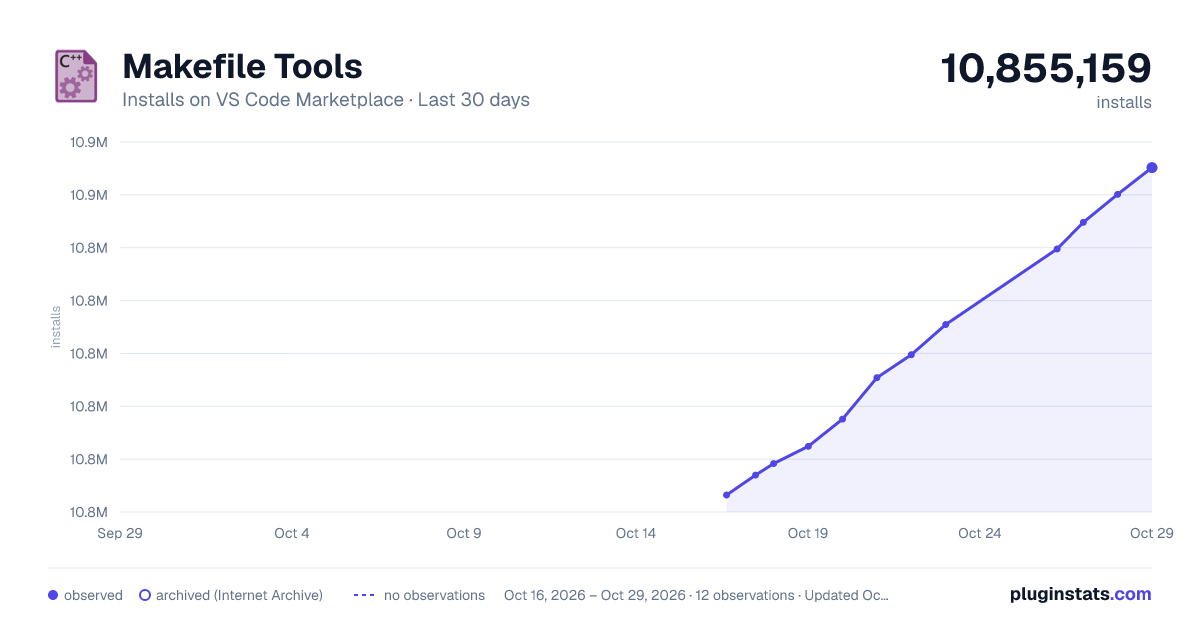
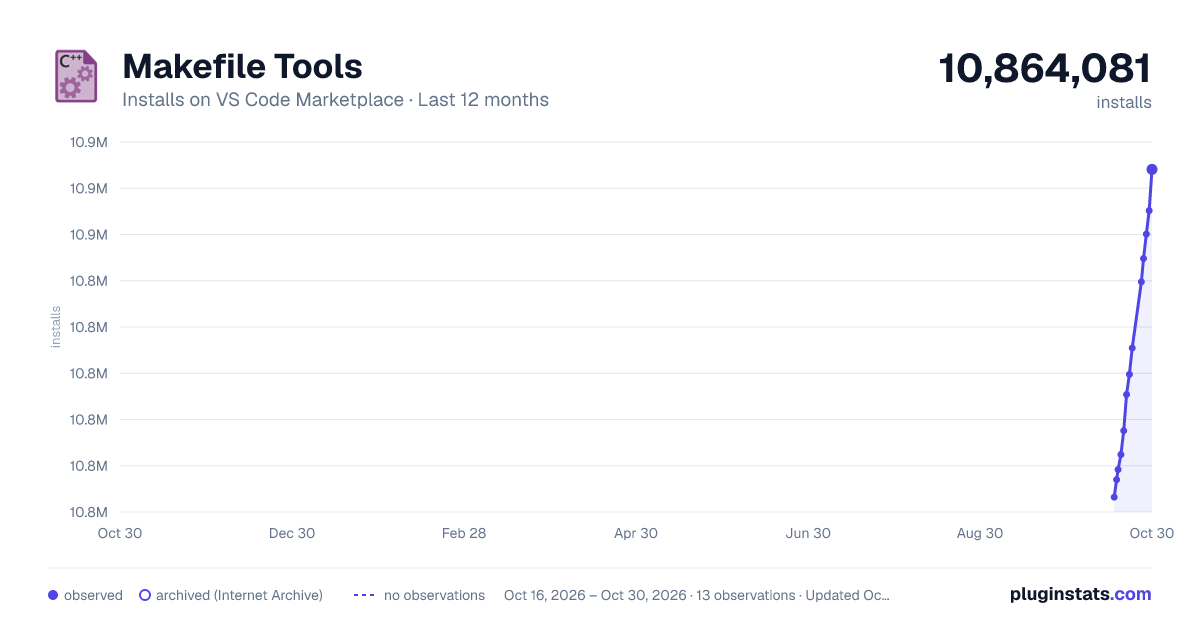
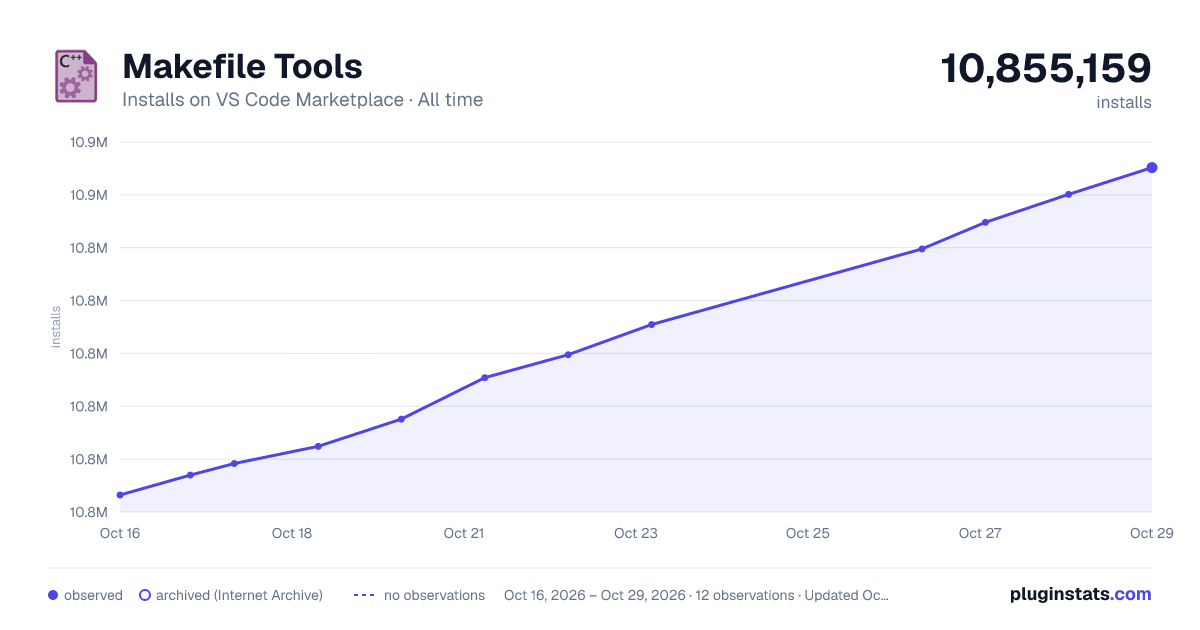

Adoption over time
7/30/90-day growth
Ranking history
Ratings over time
Listing placement
Listing placement
Listing placement
Filled points are observed values; hollow points come from Internet Archive snapshots of the listing page. Dashed segments span periods with no observations — values between points are not interpolated.
Each band is one page of 20. Installs on a linear scale. Placement is projected from installs, so it can differ from the marketplace's own sort order. Hover a dot to see the listing.
Recent observations
Full history (5)Similar VS Code Marketplace Programming Languages plugins
All 20 Makefile Tools alternativesData source
Install counts, average rating, and rating counts come from the public Visual Studio Marketplace gallery API. Installs are cumulative and exclude updates.
Listing: https://marketplace.visualstudio.com/items?itemName=ms-vscode.makefile-tools. First seen Oct 16, 2026; last successful collection Oct 20, 2026. See the methodology.