 PluginStats
TensorFlow Snippets installs statistics
By Vahid Kazemi · VS Code Marketplace · Snippets
TensorFlow Snippets for VS Code
TensorFlow Snippets has 264,741 recorded installs on VS Code Marketplace.
It ranks #1253 of 2,500 tracked VS Code Marketplace listings by installs.
It is rated 5.0 out of 5 from 1 ratings.
PluginStats has 3 daily observations since Oct 16, 2026; the latest is from Oct 18, 2026.
Rating: 5.00 / 5 from 1 ratings
About TensorFlow Snippets
Visual Studio Code TensorFlow Snippets
This extension includes a set of useful code snippets for developing TensorFlow models in Visual Studio Code.
See Getting started for a quick tutorial on how to use this extension.
Features
The extension includes three sets of snippets.
The first are used to generate entire python files: • tf:trainer: Generates an entire training framework based on learn API. • tf:cnn-classifier: Generates a convolutional neural network classifier. • tf:mnist: Generates data loader for mnist dataset. • tf:cifar10: Generates data loader for CIFAR10 dataset. • tf:cifar100: Generates data loader for CIFAR100 dataset.
The second set generate medium size snippets: • tf:resnet-block: Generates a ResNet block.
The third set generate common TensorFlow operations: • tf:import: Imports TensorFlow package. • tf:conv2d: Defines a 2D convolution layer. • tf:transposed-conv2d: Defines a transposed 2D convolution layer. • tf:separable-conv2d: Defines a separable 2D convolution layer. • tf:dense: Defines a dense (fully connected) layer. • tf:max-pool2d: Defines a max pooling layer. • tf:dropout: Defines a dropout layer. • tf:batch-norm: Defines a batch normalization layer. • tf:cross-entropy: Defines a softmax cross entropy loss.
Installation
Install Visual Studio Code from here.
Install this extension by selecting Install Extension in the command pallette (cmd-shift-p) and searching for "TensorFlow Snippets".
The generated code also relies on the following python dependencies:
Getting started
Make sure the requirements are installed.
Create a new directory for your project. Create trainer.py, open the file and type: tf:trainer enter. Create cnn.py, open the file and type: tf:cnn-classifier enter. Create mnist.py, open the file and type: tf:mnist enter.
Edit trainer.py, and insert two lines at the top:
In the MODELS dictionary, add a new element "cnn": cnn, also in the DATASETS dictionary add a new element "mnist": mnist. Now run the trainer:
Open another terminal window in the same directory, and type:
Point your browser at http://localhost:6006.
Description from the VS Code Marketplace listing.
- snippet
Where TensorFlow Snippets sits in the listing
Each band is one page of 20. Installs on a log scale. Placement is projected from installs, so it can differ from the marketplace's own sort order. Hover a dot to see the listing.


Charts
Images: 30d · 1y · all time · 1600×900 dark
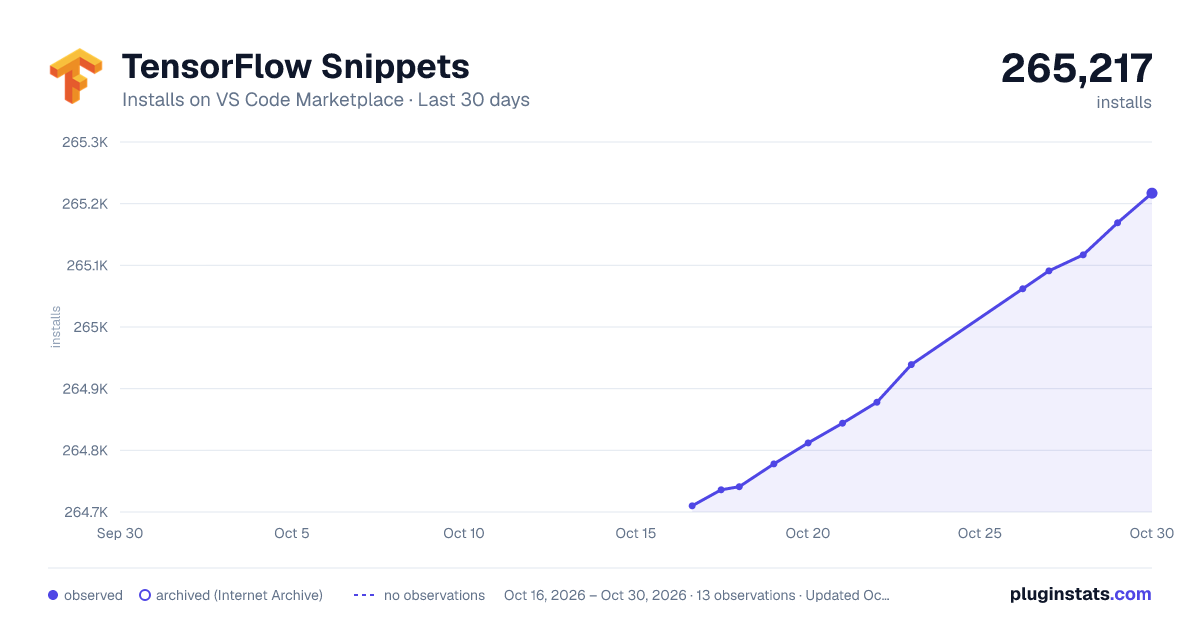
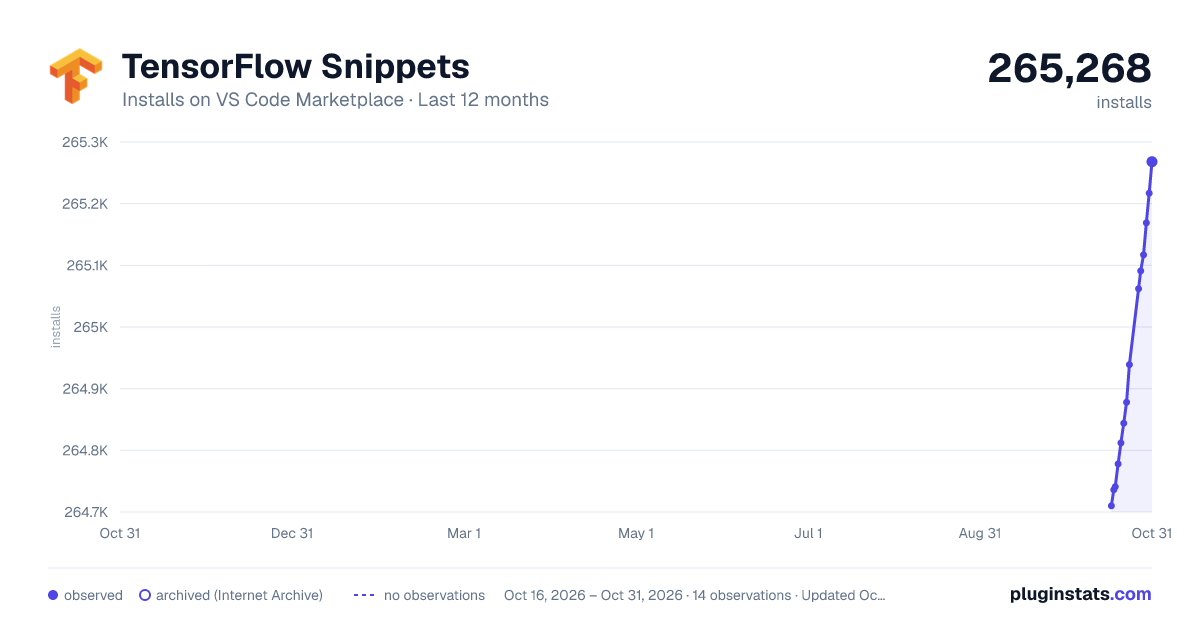
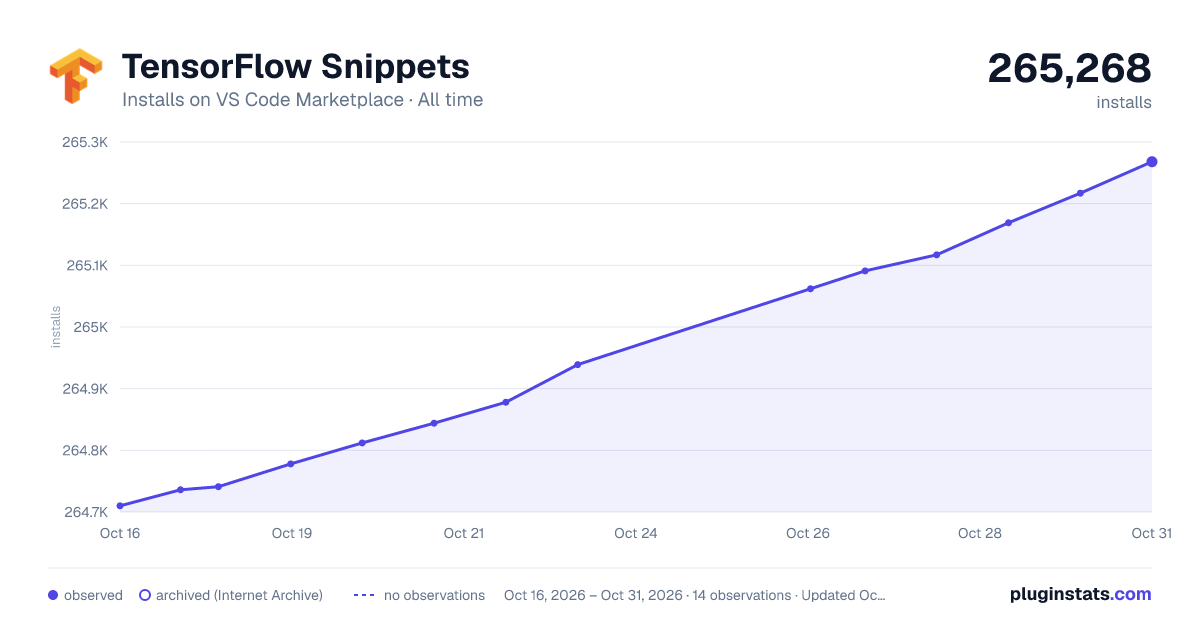

Adoption over time


7/30/90-day growth


Ranking history


Filled points are observed values; hollow points come from Internet Archive snapshots of the listing page. Dashed segments span periods with no observations — values between points are not interpolated.
Recent observations
Full history (3)Similar VS Code Marketplace Snippets plugins
Data source
Install counts, average rating, and rating counts come from the public Visual Studio Marketplace gallery API. Installs are cumulative and exclude updates.
Listing: https://marketplace.visualstudio.com/items?itemName=vahidk.tensorflow-snippets. First seen Oct 16, 2026; last successful collection Oct 18, 2026. See the methodology.