 PluginStats
YAML installs statistics
By Red Hat (18 listings) · VS Code Marketplace · Programming Languages
YAML Language Support by Red Hat, with built-in Kubernetes syntax support
YAML has 29,614,381 recorded installs on VS Code Marketplace.
It ranks #42 of 2,501 tracked VS Code Marketplace listings by installs.
It is rated 3.5 out of 5 from 75 ratings.
PluginStats has 4 daily observations since Oct 16, 2026; the latest is from Oct 19, 2026.
Rating: 3.49 / 5 from 75 ratings
About YAML
YAML Language Support by Red Hat
Provides comprehensive YAML language support for Visual Studio Code through yaml-language-server, with built-in Kubernetes schema support.
Starting from version 1.0.0, the language server uses eemeli/yaml as its YAML parser, which strictly enforces the specified YAML spec version. The default YAML spec version is 1.2. Set yaml.yamlVersion to 1.1 for compatibility with older YAML files.
Schema validation supports JSON Schema draft-04, draft-07, 2019-09, and 2020-12.
Features
1. YAML validation: • Detects whether the entire file is valid YAML • Reports diagnostics such as: • Node is not found • Node has an invalid key node type • Node has an invalid type • Node is not a valid child node • Node is an additional property of its parent 2. Document outlining (Ctrl + Shift + O): • Shows YAML nodes hierarchically in the Outline view and makes them available through Go to Symbol 3. Auto completion (Ctrl + Space): • Auto completes YAML keys, values, and structure based on the associated schema • Auto completes scalar nodes with schema defaults when defaults are available 4. Hover: • Shows schema descriptions for YAML nodes when descriptions are available • Shows anchor information when yaml.hoverAnchor is enabled • Shows schema source information when yaml.hoverSchemaSource is enabled 5. Formatting: • Formats YAML documents • Supports on-type formatting on newline, including automatic indentation for mappings and array items
*Auto completion and hover content are schema-driven. See Associating schemas for configuration details.*
Extension settings
The following settings are supported:
• yaml.yamlVersion: Set the default YAML spec version (1.2 or 1.1). Defaults to 1.2. • yaml.maxItemsComputed: The maximum number of document symbols and folding regions computed (limited for performance reasons). Defaults to 5000. • yaml.format.enable: Enable/disable the default YAML formatter. Defaults to true. • yaml.format.singleQuote: Use single quotes instead of double quotes. Defaults to false. • yaml.format.bracketSpacing: Print spaces between brackets in objects. Defaults to true. • yaml.format.proseWrap: Control prose wrapping behavior. always: wrap prose if it exceeds the print width, never: never wrap the prose, preserve: wrap prose as-is. Defaults to preserve. • yaml.format.printWidth: Specify the line length that the printer will wrap on. Defaults to 80. • yaml.format.trailingComma: Specify if trailing commas should be used in JSON-like segments of the YAML. Defaults to true. • yaml.validate: Enable/disable validation feature. Defaults to true. • yaml.hover: Enable/disable hover. Defaults to true. • yaml.hoverAnchor: Enable/disable hover feature for anchors. Defaults to true. • yaml.hoverSchemaSource: Enable/disable showing the schema source in hover tooltips. Defaults to true. • yaml.completion: Enable/disable autocompletion. Defaults to true. • yaml.disableDefaultProperties: Disable adding not required properties with default values into completion text. Defaults to false. • yaml.suggest.parentSkeletonSelectedFirst: If true, the user must select some parent skeleton first before autocompletion starts to suggest the rest of the properties. When the YAML object is not empty, autocompletion ignores this setting and returns all properties and skeletons. Defaults to false. • yaml.schemas: Associate schemas with files using glob patterns. See Associating schemas for details. • yaml.disableSchemaDetection: Disable schema detection for YAML files matching the configured glob pattern or list of glob patterns. Modelines still apply. • yaml.schemaStore.enable: Use the SchemaStore catalog to automatically associate schemas with common YAML file patterns. Defaults to true. • yaml.schemaStore.url: URL of a schema store catalog to use when downloading schemas. Defaults to https://www.schemastore.org/api/json/catalog.json. • yaml.customTags: Array of custom tags that the parser will validate against. It has three ways to be used. A tag without a type, such as "!Ref", is treated as a scalar tag. A tag with a node type, such as "!Ref sequence", specifies the YAML node type that the tag is written on. A tag with a node type and return type, such as "!FindInMap sequence:string", also specifies the schema type that the tagged value evaluates to. Supported node types are scalar, sequence, and mapping. Supported return types are string, number, integer, boolean, null, array, and object. The return type aliases scalar, sequence, and mapping are accepted as string, array, and object. See Adding custom tags for usage details. • yaml.disableAdditionalProperties: Globally set additionalProperties to false for all objects. When enabled, no extra properties are allowed in YAML objects beyond those defined in the schema. Defaults to false. • yaml.kubernetesCRDStore.enable: Enable/disable validation of Kubernetes custom resources using schemas from well-known Custom Resource Definitions (CRDs). Defaults to true. • yaml.kubernetesCRDStore.url: The base URL for fetching well-known Custom Resource Definition (CRD) schemas. Defaults to https://raw.githubusercontent.com/datreeio/CRDs-catalog/main. • yaml.kubernetesVersion: Kubernetes version used to build the schema URL when yaml.schemas maps files to the kubernetes keyword. If omitted, the extension falls back to a predefined default Kubernetes version. • yaml.style.flowMapping: Control flow style mappings. Forbids flow style mappings if set to forbid. Defaults to allow. • yaml.style.flowSequence: Control flow style sequences. Forbids flow style sequences if set to forbid. Defaults to allow. • yaml.keyOrdering: Enforces alphabetical ordering of keys in mappings when set to true. Defaults to false. • http.proxy: The URL of the proxy server that will be used when attempting to download a schema. If it is not set or it is undefined, no proxy server will be used. • http.proxyStrictSSL: If true, the proxy server certificate should be verified against…
Description from the VS Code Marketplace listing.
- ansible
- autocompletion
- azure-pipelines
- dockercompose
- github-actions-workflow
- home-assistant
- kubernetes
- manifest-yaml
- spring-boot-properties-yaml
- validation
- yaml
- yaml-textmate
- yaml-tmlanguage
Where YAML sits in the listing
Each band is one page of 20. Installs on a log scale. Placement is projected from installs, so it can differ from the marketplace's own sort order. Hover a dot to see the listing.


Charts
Images: 30d · 1y · all time · 1600×900 dark
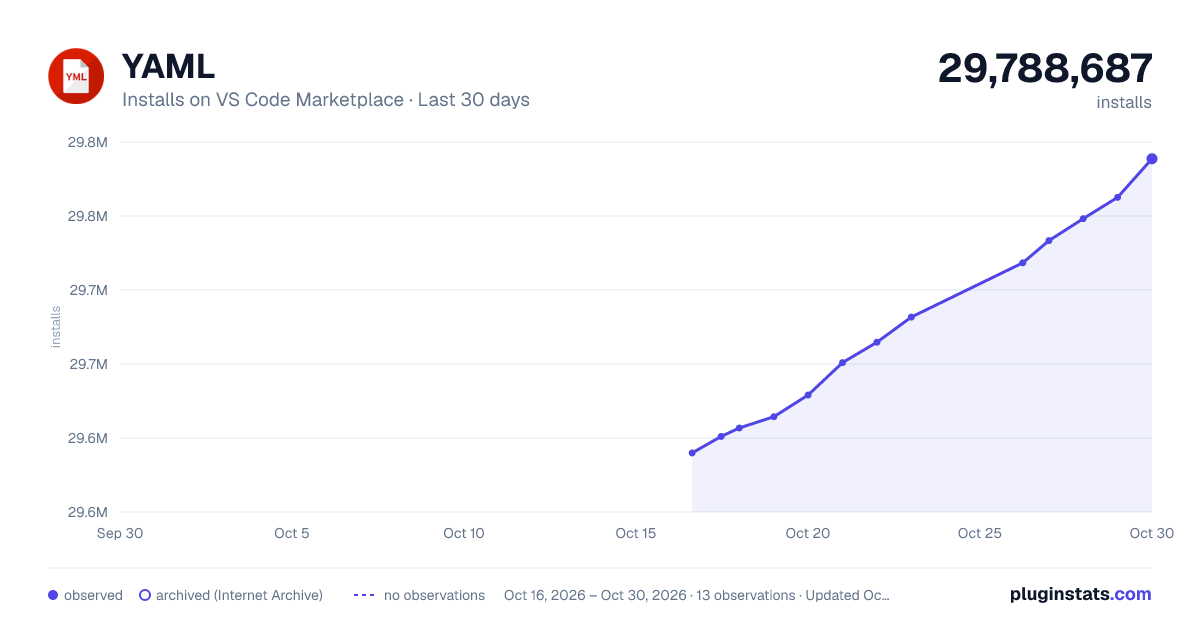
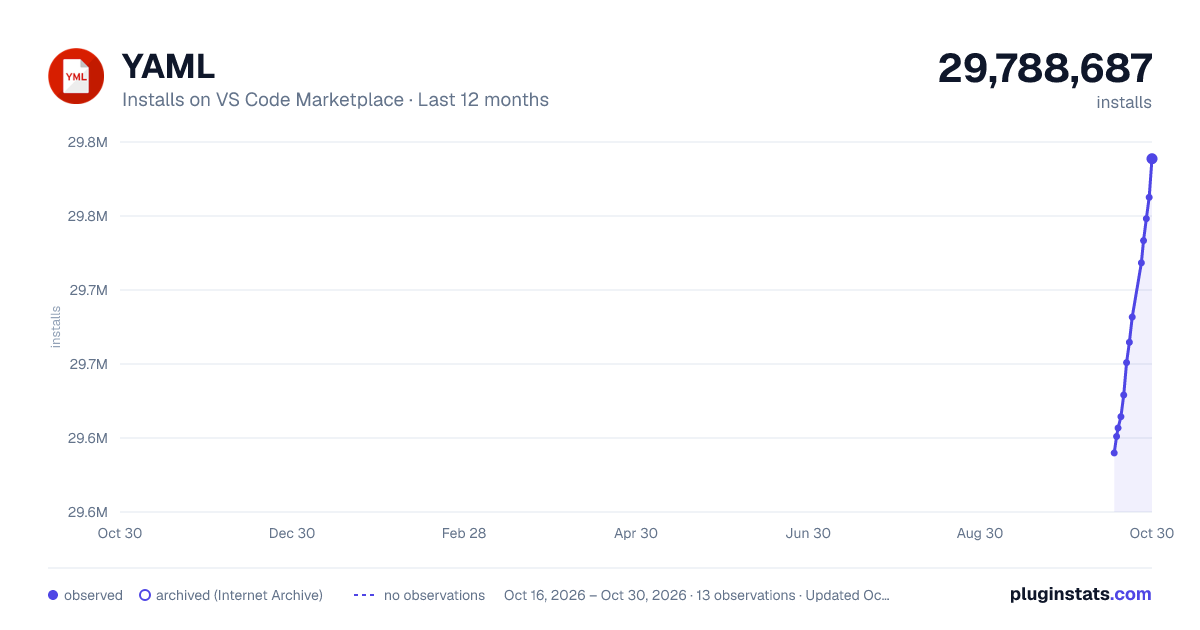
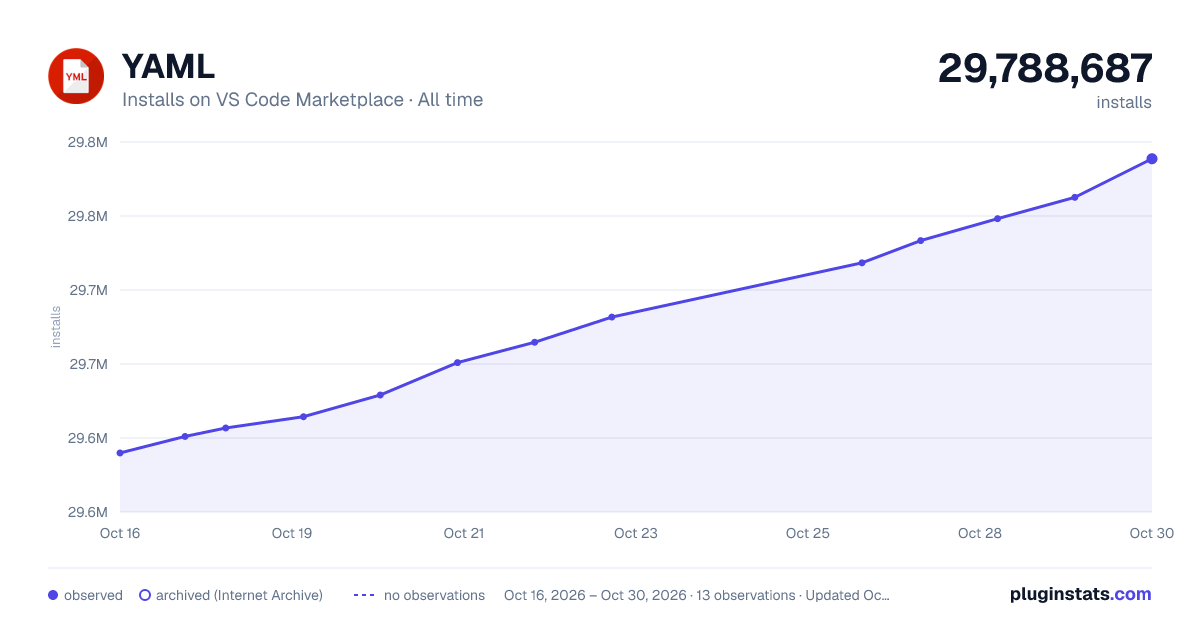

Adoption over time


7/30/90-day growth


Filled points are observed values; hollow points come from Internet Archive snapshots of the listing page. Dashed segments span periods with no observations — values between points are not interpolated.
Recent observations
Full history (4)Similar VS Code Marketplace Programming Languages plugins
Data source
Install counts, average rating, and rating counts come from the public Visual Studio Marketplace gallery API. Installs are cumulative and exclude updates.
Listing: https://marketplace.visualstudio.com/items?itemName=redhat.vscode-yaml. First seen Oct 16, 2026; last successful collection Oct 19, 2026. See the methodology.