 PluginStats
Conventional Commits installs statistics
By vivaxy · VS Code Marketplace · Snippets
💬Conventional Commits for VSCode.
Conventional Commits has 740,029 recorded installs on VS Code Marketplace.
It ranks #662 of 2,500 tracked VS Code Marketplace listings by installs.
It is rated 4.9 out of 5 from 39 ratings.
PluginStats has 3 daily observations since Oct 16, 2026; the latest is from Oct 18, 2026.
Rating: 4.90 / 5 from 39 ratings
About Conventional Commits
VSCode Conventional Commits
Conventional Commits for VSCode.
Features
This extension helps you to fill in commit message according to Conventional Commits.
• Support commitlint configs. See Supported Commitlint Rules for details. • Now supports commitlint prompt metadata to display custom descriptions and titles in the VS Code picker. • Support auto commit and push after typing messages. See Commit Workflow for details. • Support project level scope management. • Support gitmojis. • Support VSCode workspaces. • Support tags for adding metadata (e.g., [release]) to commit headers.
Usage
You can access VSCode Conventional Commits in two ways:
1. Command + Shift + P or Ctrl + Shift + P, enter Conventional Commits, and press Enter. 2. Click the icon on the Source Control menu. See the image below.
Extension Configuration
| name | description | default |
| conventionalCommits.autoCommit | Control whether the extension should commit files after: forming the message or closing the editor tab. When #git.enableSmartCommit# enabled and #git.smartCommitChanges# was set to all, It allows to commit all changes when there are no staged changes. And set #git.postCommitCommand# to sync to run git.sync after commit. | true | | conventionalCommits.emojiFormat | Specify which format will be shown in the gitmoji. | code | | conventionalCommits.gitmoji | Control whether the extension should prompt for a gitmoji. | true | | conventionalCommits.lineBreak | Specify which word will be treated as line breaks in the body. Blank means no line breaks. | "" | | conventionalCommits.promptBody | Control whether the extension should prompt for the body section. | true | | conventionalCommits.promptFooter | Control whether the extension should prompt for the footer section. | true | | conventionalCommits.promptCI | Control whether the extension should prompt for skipping CI run. | false | | conventionalCommits.promptScopes | Control whether the extension should prompt for the scope section. | true | | conventionalCommits.scopes | Specify available selections in the scope section. | [] | | conventionalCommits.promptTag | Control whether the extension should prompt for the tag section. | false | | conventionalCommits.tags | Specify available selections in the tag section. | [] | | conventionalCommits.showEditor | Control whether the extension should show the commit message as a text document in a separate tab. | false | | conventionalCommits.showNewVersionNotes | Control whether the extension should show the new version notes. | true | | conventionalCommits.silentAutoCommit | Control that auto commit should be silent, without focusing source control panel. | false | | conventionalCommits.editor.keepAfterSave | Control whether the extension should keep the editor tab open after saving the commit message. | false | | conventionalCommits.storeScopesGlobally | Control whether the extension should store the defined scopes within your user settings. Uncheck to store in workspace settings. | false | | conventionalCommits.storeTagsGlobally | Control whether the extension should store the defined tags within your user settings. Uncheck to store in workspace settings. | false |
Commit Workflow
The recommended workflow automatically add, commit and push files by default.
If you want the extension to only fill in the message, disable autoCommit configuration.
The Recommended Workflow
1. Active the extension. 2. Type messages.
The extension will automatically add the changed files, perform the commit and push the commit to remote.
How To Configure autoCommit
1. Enable Settings > conventionalCommits.autoCommit configuration of the extension. _The extension enables Settings > conventionalCommits.autoCommit by default._ 2. Enable Settings > git.enableSmartCommit and set Settings > git.smartCommitChanges to all to commit all changes when there are no staged changes. 3. Set Settings > git.postCommitCommand to sync to run git.sync after commit.
Supported Commitlint Rules
• [x] body-full-stop • [ ] body-leading-blank • [x] body-max-length • [ ] body-max-line-length • [x] body-min-length • [ ] footer-leading-blank • [x] footer-max-length • [ ] footer-max-line-length • [x] footer-min-length • [x] header-case • [x] header-full-stop • [x] header-max-length • [x] header-min-length • [ ] references-empty • [x] scope-enum • [x] scope-case • [x] scope-empty • [x] scope-max-length • [x] scope-min-length • [x] subject-case • [x] subject-empty • [x] subject-full-stop • [x] subject-max-length • [x] subject-min-length • [x] type-enum • [x] type-case • [x] type-empty • [x] type-max-length • [x] type-min-length • [ ] signed-off-by
FAQ
Q: How do I add a line break in messages?
A: Set lineBreak configuration to \n. When you're typing, enter \n as a line break.
Or \\n in JSON format.
Q: How do I resolve repo not found error?
A: See issue discussion #15.
Q: How do I use commitlint in showEditor mode?
A: The extension - [vscode-commitlint] will helpful!
Troubleshooting
1. Switch to the VSCode OUTPUT tab, select Conventional Commits. 2. Copy all the output. Before sharing it, make sure you have removed all private information.
Contribution
1. The vscode task needs to install the extension - [vscode-tsl-problem-matcher]. 2. The effect of code changes needs to reactivate the extension. Just restart the task.
Tests
• yarn test runs the unit test suite (vitest). • yarn test:e2e runs the end-to-end suite: it builds the extension bundle, launches a real VS Code instance against a temporary git repo, drives the conventional-commits flow non-interactively, and asserts a real commit lands on HEAD. Sources live under e2e-test/. The first run downloads a VS Code build into .vscode-test/ (network access required).
[vscode-tsl-problem-matcher]: https://github.com/eamodio/vscode-tsl-problem-matcher
Team Members
• vivaxy • yi_Xu
Financial Contributors
Become a financial contributor and help us sustain our community. [Contribute]…
Description from the VS Code Marketplace listing.
- commit
- commitizen
- conventional-changelog
- conventional-commits
- cz
- gacp
- git
Where Conventional Commits sits in the listing
Each band is one page of 20. Installs on a log scale. Placement is projected from installs, so it can differ from the marketplace's own sort order. Hover a dot to see the listing.


Charts
Images: 30d · 1y · all time · 1600×900 dark
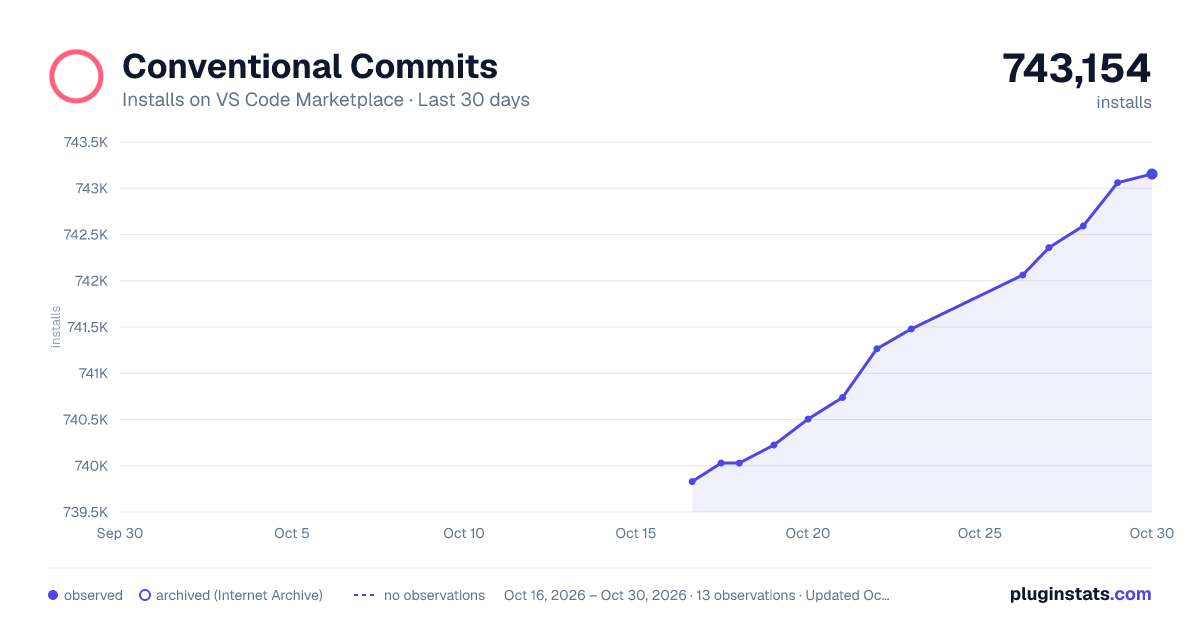
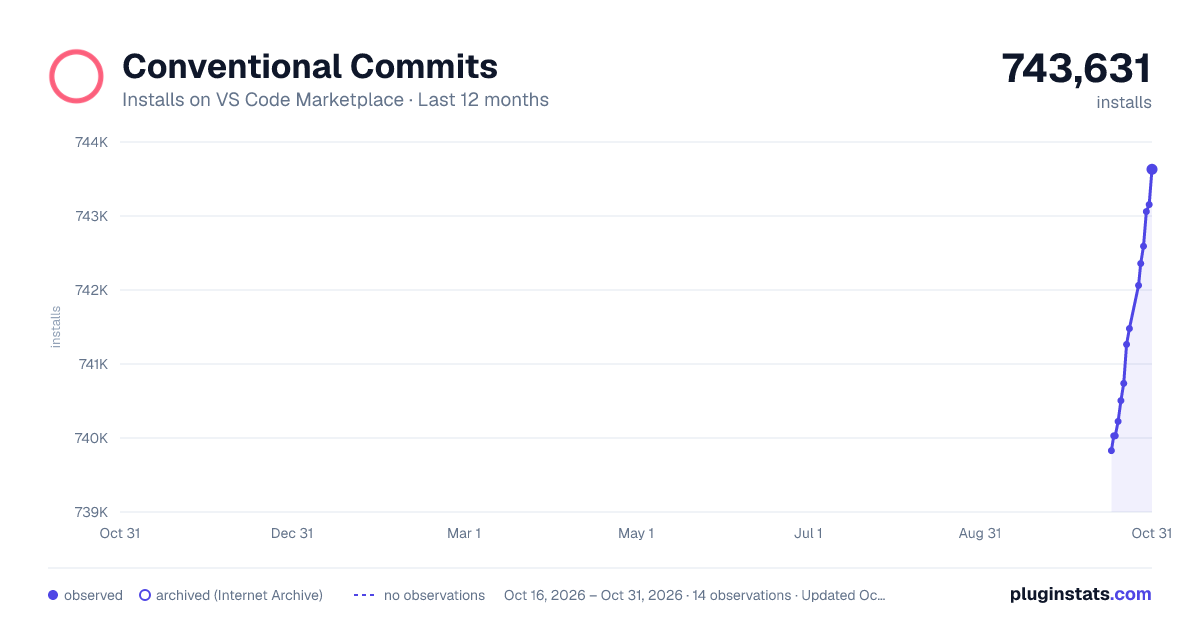
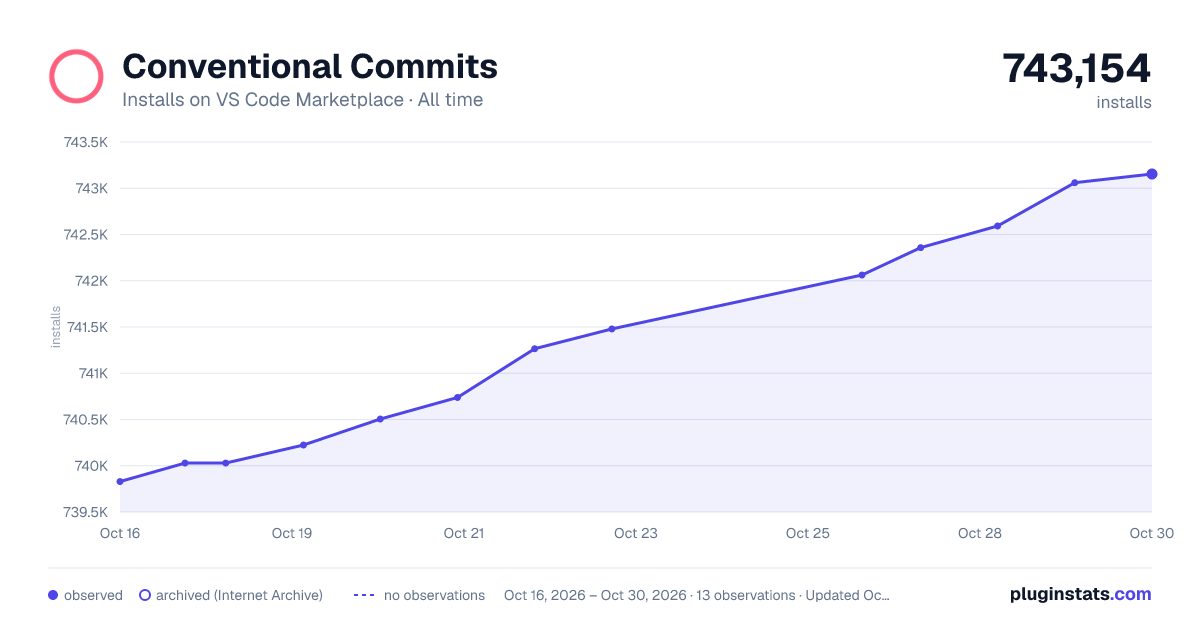

Adoption over time


7/30/90-day growth


Ranking history


Filled points are observed values; hollow points come from Internet Archive snapshots of the listing page. Dashed segments span periods with no observations — values between points are not interpolated.
Recent observations
Full history (3)Similar VS Code Marketplace Snippets plugins
Data source
Install counts, average rating, and rating counts come from the public Visual Studio Marketplace gallery API. Installs are cumulative and exclude updates.
Listing: https://marketplace.visualstudio.com/items?itemName=vivaxy.vscode-conventional-commits. First seen Oct 16, 2026; last successful collection Oct 18, 2026. See the methodology.