 PluginStats
PlantUML installs statistics
By jebbs (2 listings) · VS Code Marketplace · Programming Languages
Rich PlantUML support for Visual Studio Code.
PlantUML has 3,741,876 recorded installs on VS Code Marketplace.
It ranks #214 of 2,500 tracked VS Code Marketplace listings by installs.
It is rated 4.7 out of 5 from 106 ratings.
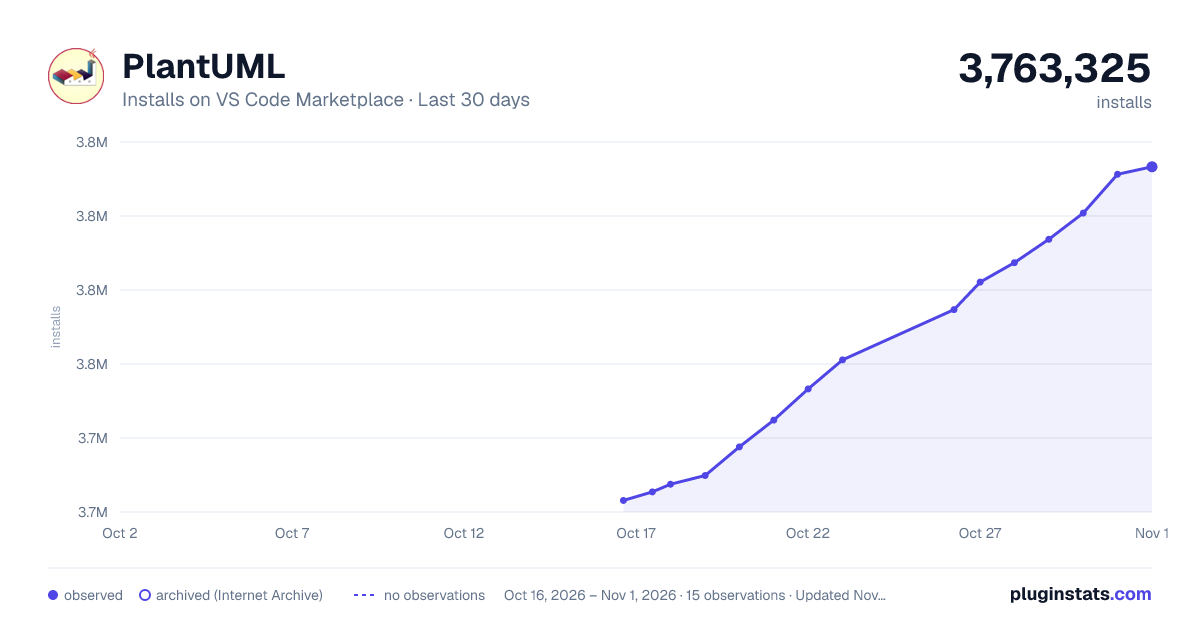
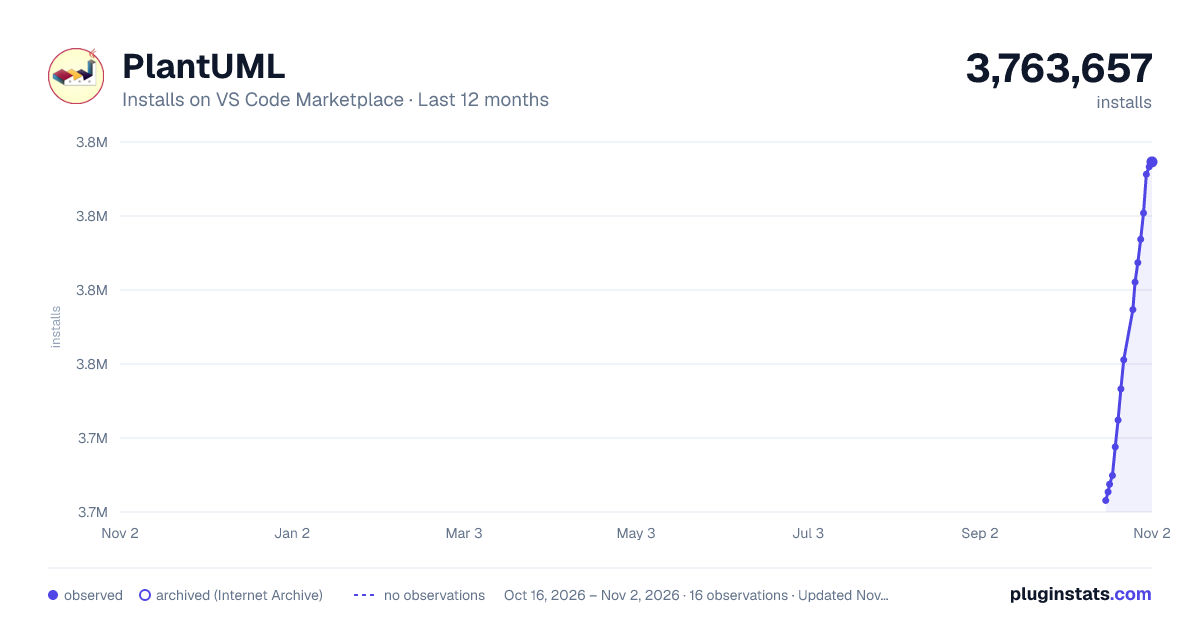
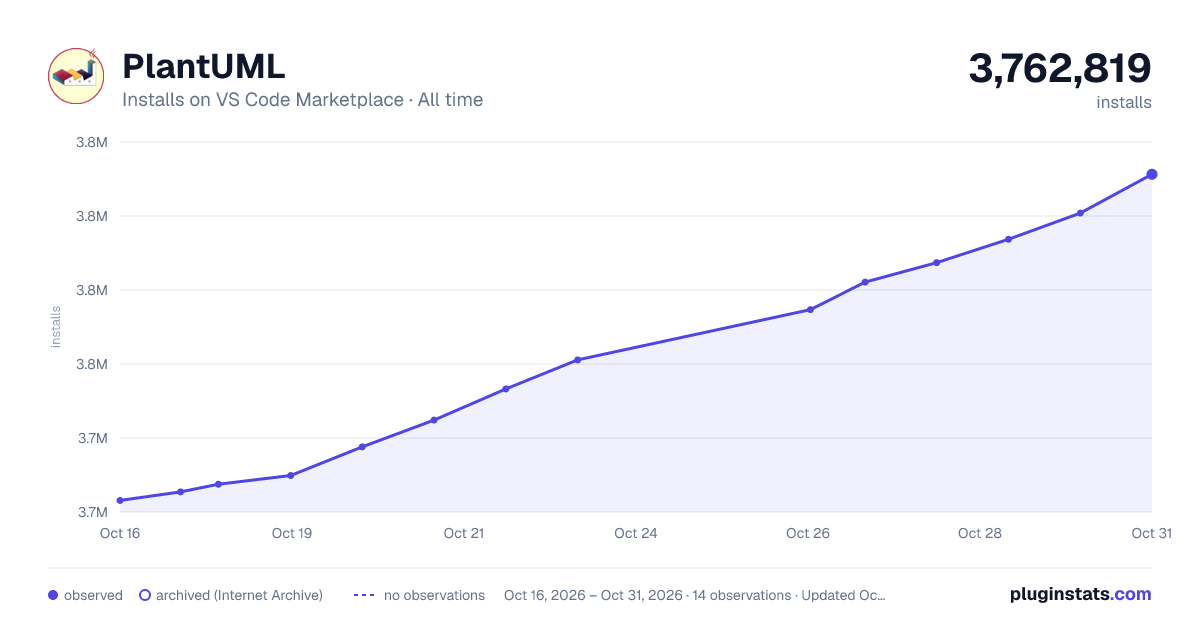
PluginStats has 3 daily observations since Oct 16, 2026; the latest is from Oct 18, 2026.
Rating: 4.73 / 5 from 106 ratings
About PlantUML
PlantUML README
Rich PlantUML support for Visual Studio Code.
Notice
The server render is now very recommended by this extension, since it's much faster and much easier to setup, while the major weakness has been improved:
• Enables POST method, you can now render very-large diagrams • The extension comes with a new include processor, you won't encounter include problems again.
To make sure you can benifit from this update, make sure your plantuml server enables POST support.
If not, like the official , the extension falls back to use GET, and you may still encounter 414 URI Too Long errors. Setup your own server is recommended.
See also: About Render
Features
• Preview Diagram, Press Alt + D to start PlantUML preview (option + D on MacOS). • Auto update. • Zoom & scroll support. • Multi-Page Diagram support. • Instant preview, if diagram's been exported. • From local or server. • Snap to Border • Export Diagrams • At cursor, in current file, in whole workspace, in workspace selected. • Concurrent export. • Generate URLs. • Multi-Page Diagram support. • From local or server. • Image map (cmapx) support. • Editing Supports • Format PlantUML code. (Deprecated) • All type syntax highlight. • All type snippets. • Basic auto completion & macro signature support • Symbol List support. • Others • Multi-root Workspace Support. • MarkDown integrating support. View Demo • Extracting source from images support.
Notice: If you use customize plantuml.jar, please update to the latest version to enable Multi-Page Diagram support. (Later than V1.2017.15)
Format PlantUML code is Deprecated. Don't depend on it, use it only when it works right. I had force disable it in auto-format cases (format on save).
Supported Formats
*.wsd, *.pu, *.puml, *.plantuml, *.iuml
How to install
Launch VS Code Quick Open (Ctrl+P), paste the following command, and press enter.
ext install plantuml
Requirements
Depend on which render you choose, plugin has diffrerent requirements.
Requirements for PlantUMLServer render
A plantuml server. See Use PlantUML Server as render.
Requirements for Local render
It's necessary to have following installed:
• [Java][Java] : Platform for PlantUML running. • [Graphviz][Graphviz] : PlantUML requires it to calculate positions in diagram.
Quick Install for Mac
Quick Install for Windows
The plugin has an integrated copy of plantuml.jar and GraphViz, so you are normally good to go. But if you want to use your own jar or a different version of GraphViz (maybe a newer version, or with many dependent jars):
• download the latest plantuml.jar or install it using chocolatey (see below). • specify the jar location with the extension setting plantuml.jar. • specify the GraphViz installation by defining the Windows environment variable GRAPHVIZ_DOT, e.g., c:\program files\graphviz\bin\dot.exe if you installed plantuml with chocolatey, which automatically installs the latest GraphViz as a dependency.
Choco install
For windows users, majkinetor introduced a way to install plantuml and its dependencies easily. Run cmd.exe as Administrator, and run two commands as follows (the first command is not needed and will fail if you already have chocolatey installed).
If you've installed java, but still prompts "java not installed", please add java bin path to PATH environment variable.
Typical Files Organization
• Default extension settings works for independent Plantuml projects. • If Plantuml files are only part of your project (as documetation), use plantuml.diagramsRoot and plantuml.exportOutDir to setting up the organization, for example:
You'll get export results like:
Include Files Search Logic
Latest version has changed the include files search logic once again. It is possible to configure includepaths now in settings.json.
The new search order is as follows: 1. The folder of the rendered file 2. The includepaths as configured in settings.json
3. The diagramsRoot
The setting includeSearch is not needed anymore, since the folder of the plantuml file and the diagramsRoot are always both in the include path.
To new projects, it's recommended not to rely on diagramsRoot and configure all required includepaths explicitly.
Thanks anotherandi for the brilliant idea and implementation!
Preview Demos
Preview page provides various zoom/pan actions and snap feature:
• Zoom operations (since version 2.7.0): • Zoom to select area • Pinch to zoom (TouchPad) • Click to zoom in, alt + click to zoom out • Ctrl + mouse scroll to zoom in/out • Middle mouse button click to toggle zoom • Zoom in / zoom out / toggle buttons of the controls bar. • Pan operations (since version 2.7.0): • Right mouse button drag • Two-finger move to pan (TouchPad) • Mouse scroll • Snap to border (since v2.8.0): • Scroll to most bottom/right/top/left, preview will snap to that border. e.g. Snap to Bottom is useful while writing long activity diagrams, which helps you keep focus in the latest part in the bottom.
Auto update:
zoom & scroll:
Multi-Page View:
Export Demos
Export diagram:
Generate URLs
Extract Diagram Source
About Format
PlantUML formatter is disabled (since v2.8.3) if editor.formatOnSave is on. Because the formatter is not reliable enough according to user feedbacks.
About Snippets
This plugin integrates all type diagram snippets. They are splitted into 9 sections:
• diagram: snippets for general diagrams elements. • activity: snippets for activity diagrams. • class: snippets for class diagrams. • component: snippets for component diagrams. • state: snippets for state diagrams. • usecase: snippets for usecase diagrams. • sequence: snippets for sequence diagrams. • ui: snippets for salt diagrams. • egg: snippets for some funny diagrams, like sudoku, earth.
For exsample, type acife (short version) to trigge following snippet (activity➤if・else):
About Symbol List (List diagrams of file)…
Description from the VS Code Marketplace listing.
- keybindings
- PlantUML
- snippet
Where PlantUML sits in the listing
Each band is one page of 20. Installs on a log scale. Placement is projected from installs, so it can differ from the marketplace's own sort order. Hover a dot to see the listing.


Charts
Images: 30d · 1y · all time · 1600×900 dark

Adoption over time


7/30/90-day growth


Filled points are observed values; hollow points come from Internet Archive snapshots of the listing page. Dashed segments span periods with no observations — values between points are not interpolated.
Recent observations
Full history (3)Similar VS Code Marketplace Programming Languages plugins
Data source
Install counts, average rating, and rating counts come from the public Visual Studio Marketplace gallery API. Installs are cumulative and exclude updates.
Listing: https://marketplace.visualstudio.com/items?itemName=jebbs.plantuml. First seen Oct 16, 2026; last successful collection Oct 18, 2026. See the methodology.