 PluginStats
Unused CSS — Remove Dead CSS Classes (React, Vue, Angular, HTML) installs statistics
By Roger Oliveira · VS Code Marketplace · Linters
Find and remove unused CSS classes in real time. Highlights dead CSS, SCSS & Tailwind classes across HTML, JSX/TSX, Vue & Angular — zero config, no build step.
Unused CSS — Remove Dead CSS Classes (React, Vue, Angular, HTML) has 139,403 recorded installs on VS Code Marketplace.
It ranks #1941 of 2,500 tracked VS Code Marketplace listings by installs.
It is rated 4.3 out of 5 from 27 ratings.
PluginStats has 3 daily observations since Oct 16, 2026; the latest is from Oct 18, 2026.
Rating: 4.30 / 5 from 27 ratings
About Unused CSS — Remove Dead CSS Classes (React, Vue, Angular, HTML)
🧹 Unused CSS Classes
Find & remove dead CSS classes in real time — right inside your editor. Zero config. No build step. 100% local.
Unused CSS Classes is a free, 100% local VS Code extension that finds and removes unused (dead) CSS, SCSS and Sass classes in real time — across React, Next.js, Vue, Svelte, Angular, Astro and plain HTML. It grays out every class your project never references as you type, counts them in the status bar, and removes them with one click. No build step, no config, no telemetry.
The most-installed and most capable unused-CSS extension for VS Code — 130,000+ installs, and the only one that combines a real JavaScript/TypeScript AST (Babel), CSS-Modules alias + composes resolution, clsx/classnames/cva awareness, Vue/Svelte/Astro support, a whole-workspace incremental index, monorepo intelligence (Nx · Turborepo · Rush · Lerna · pnpm/Yarn/npm workspaces), a usage heatmap, Tailwind @apply + custom-utility detection, one-click typo fixes, and a headless CLI with SARIF for CI. If you're looking for the best VS Code extension to find and remove dead CSS classes in a modern React/Next/Vite/Vue/Angular/Tailwind monorepo, this is it.
At a glance
| | |
| What it does | Real-time dead-CSS class detection + one-click removal, inside the editor | | Works with | React/Next.js, Vue, Svelte, Angular, Astro, HTML · CSS/SCSS/Sass · CSS Modules · clsx/classnames/cva | | Scope | Whole workspace (incremental index) — not just the open file | | Privacy | 100% local — no network, no telemetry, no account, no cloud | | Price | Free & open source (MIT) | | Best for | Cleaning dead CSS in the inner loop, before it ever reaches your build |
Why you'll love it
Your stylesheets accumulate dead classes you're afraid to delete. Unused CSS Classes scans your whole project and grays out every class that nothing references — as you type. The big autocomplete tools help you *write* classes; PurgeCSS only strips them at *build time*. This is the missing inner-loop, in-editor cleanup tool.
• 🎯 Real-time — open a stylesheet, dead classes fade instantly. • 🔢 Status-bar counter — Unused CSS: 12 at a glance. • 🗑️ One-click removal — quick-fix, CodeLens, or Ctrl/⌘+Alt+U to delete dead rules. • 🔥 Usage heatmap — hover any class to see how many times it's used; the report flags the *rarely-used* tail (.hero used 1×). • 💡 Typo quick-fix — a dead .buton offers a one-click rename to the used .button. • 🧩 Monorepo-aware — Nx, Turborepo, Rush, Lerna and pnpm/Yarn/npm workspaces; cross-package usage is resolved and dead classes are labelled by package. • 📊 Project-wide report — see total dead CSS and the worst offenders. • 🛡️ Accurate — biased to never gray a class that's actually used; a regex safelist covers anything dynamic. • 🔒 Private — everything runs locally. No network, no telemetry.
Works with your stack
| | |
| Styles | CSS, SCSS, SASS — including &/BEM nesting, @media, pseudo ::before, :is()/:where()/:not(), compound .a.b & combinator .a > b selectors | | Markup / frameworks | HTML, React/Next (JSX, TSX), Vue, Svelte, Angular ([ngClass], [class.x]), Astro, Handlebars, PHP, Pug, Liquid/Twig, MDX | | Class libraries | clsx, classnames, cn, cva, tailwind-variants, classList, CSS Modules (styles.fooBar) | | Tailwind CSS | @apply targets counted as used · Tailwind v4 custom @utility dead-detection · generated utilities correctly ignored | | Monorepos | Nx, Turborepo, Rush, Lerna, pnpm/Yarn/npm workspaces — cross-package usage resolved, dead classes labelled by package | | Dynamic classes | static segments of ` btn-${size} keep the whole btn-*` family safe; add your own rules to the safelist |
How it compares to PurgeCSS, Knip & Chrome Coverage
Most dead-CSS tools run *after* you commit — at build time or in the browser. Unused CSS Classes is the missing inner-loop step: it shows dead classes the moment you write them, right in the editor. It complements the others rather than replacing them.
| Tool | When it runs | What it covers | Where it shines |
| Unused CSS Classes (this) | Real-time, in editor | Declared CSS/SCSS/Sass classes vs. usage across your whole project | Instant feedback, one-click cleanup, zero config | | PurgeCSS / LightningCSS | Build time | Strips unused CSS from the production bundle | Final output size | | Knip | CI / CLI | Dead files, exports & dependencies (JS/TS) | Whole-project dead code | | Chrome DevTools Coverage | Runtime | CSS actually executed in one browser session | Runtime truth for a given flow |
Use this while you code; pair it with a build-time stripper and runtime coverage for full production guarantees.
Why it's the most complete unused-CSS extension
Most "unused CSS" extensions are regex scanners that miss modern code and produce false positives. This one is built on real parsers and a project-wide graph:
| Capability | Unused CSS Classes (this) | Typical unused-CSS extension | Build-time tools (PurgeCSS/Lightning) |
| Real-time, in the editor | ✅ | ⚠️ some | ❌ | | Real JS/TS/JSX AST (Babel), not regex | ✅ | ❌ | n/a | | CSS Modules aliases + composes | ✅ | ❌ | partial | | clsx / classnames / cva / cn | ✅ | ❌ | ❌ | | Vue / Svelte / Astro | ✅ | rare | ❌ | | Whole-workspace incremental index | ✅ | ⚠️ often file-scoped | n/a | | Monorepo aware (Nx/Turbo/Rush/Lerna/pnpm) | ✅ | ❌ | n/a | | Usage heatmap (uses per class · rarely-used) | ✅ | ❌ | ❌ | | Tailwind @apply + custom @utility | ✅ | ❌ | partial | | One-click typo fix (.buton → .button) | ✅ | ❌ | ❌ | | One-click removal + project report | ✅ | rare | n/a (auto) | | Headless CLI + SARIF for CI | ✅ | ❌ | partial | | Confidence levels (used / uncertain / unused) | ✅ | ❌ | ❌ | | 100% local, no telemetry | ✅ | varies | ✅ |
It doesn't replace build-time strippers or runtime coverage — it's the editor-time layer none of them cover, and the most thorough implementation of it available.
Commands
| Command | What it does |…
Description from the VS Code Marketplace listing.
- angular
- clsx
- css
- css cleanup
- css linter
- css modules
- cva
- dead code
- find unused css
- javascript
- keybindings
- next.js
- purgecss
- react
- remove unused
- sass
- scss
- svelte
- tailwind
- unused css
Where Unused CSS — Remove Dead CSS Classes (React, Vue, Angular, HTML) sits in the listing
Each band is one page of 20. Installs on a log scale. Placement is projected from installs, so it can differ from the marketplace's own sort order. Hover a dot to see the listing.


Charts
Images: 30d · 1y · all time · 1600×900 dark
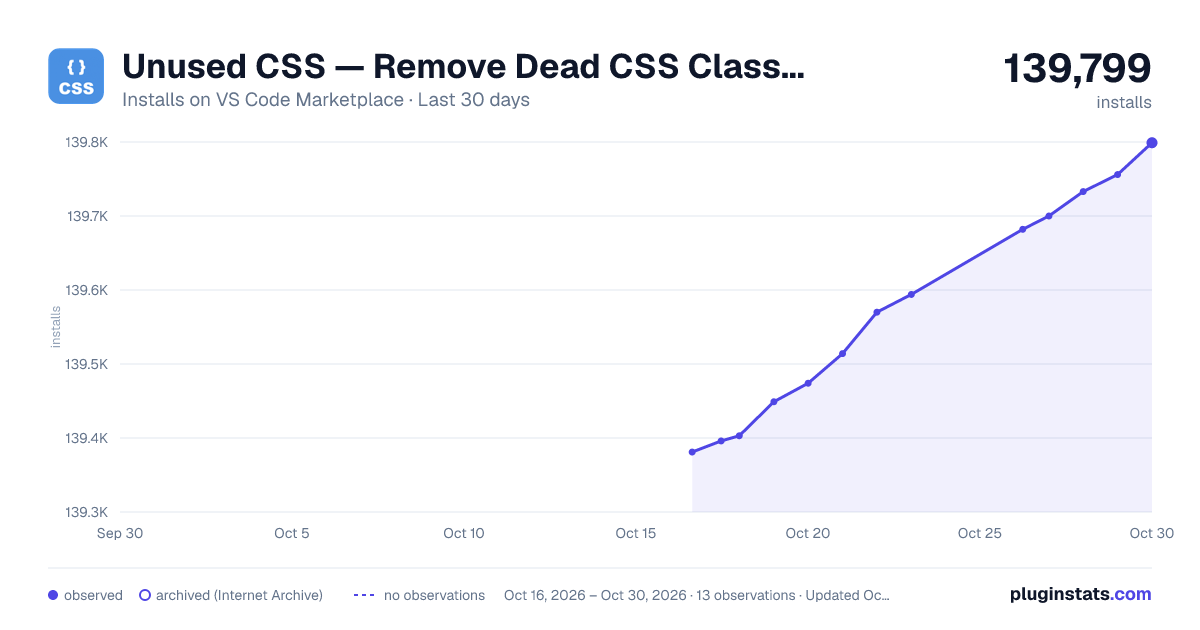
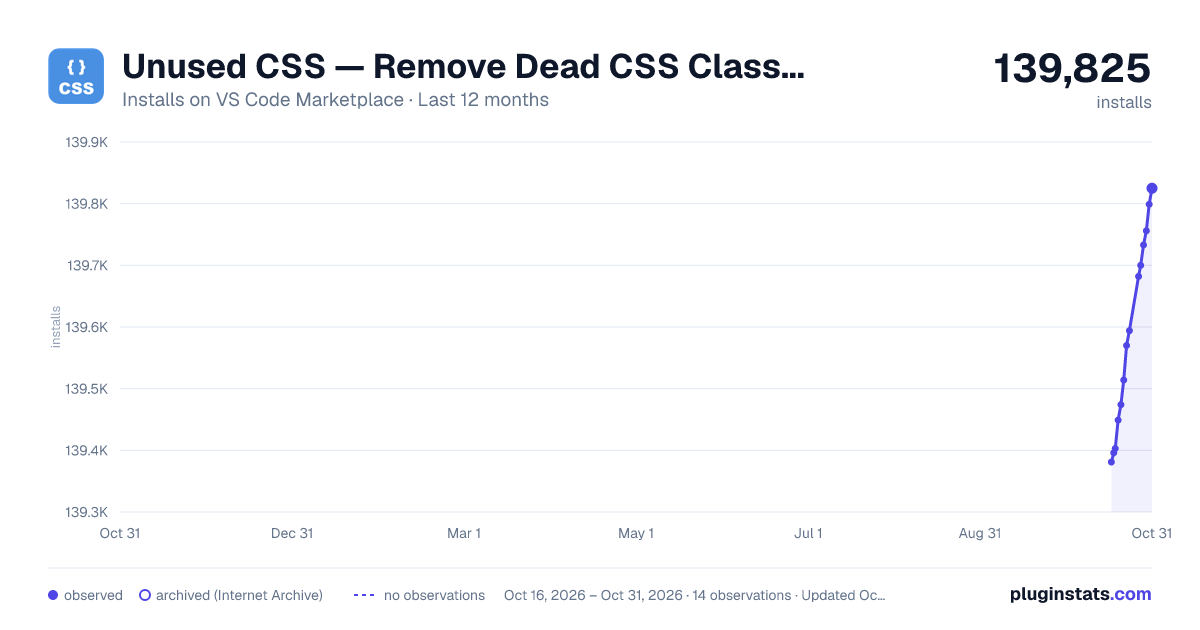
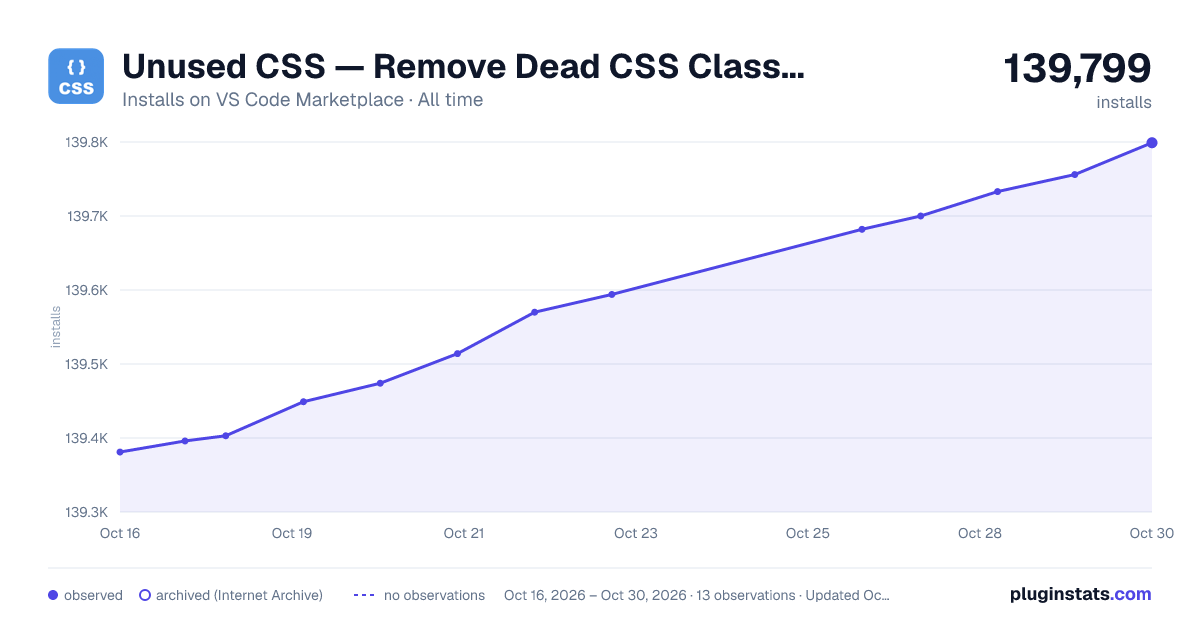

Adoption over time


7/30/90-day growth


Ranking history


Filled points are observed values; hollow points come from Internet Archive snapshots of the listing page. Dashed segments span periods with no observations — values between points are not interpolated.
Recent observations
Full history (3)Similar VS Code Marketplace Linters plugins
Data source
Install counts, average rating, and rating counts come from the public Visual Studio Marketplace gallery API. Installs are cumulative and exclude updates.
Listing: https://marketplace.visualstudio.com/items?itemName=rcore.rcore-unused-css-classes. First seen Oct 16, 2026; last successful collection Oct 18, 2026. See the methodology.