 PluginStats
MIDL Language Support installs statistics
By Alexander Sklar · VS Code Marketplace · Programming Languages
Full-featured IDE for WinRT Interface Definition Language — real-time diagnostics, smart autocomplete, go-to-definition, code actions, WinMD output, and more.
MIDL Language Support has 224,709 recorded installs on VS Code Marketplace.
It ranks #1397 of 2,500 tracked VS Code Marketplace listings by installs.
It is rated 4.8 out of 5 from 5 ratings.
PluginStats has 3 daily observations since Oct 16, 2026; the latest is from Oct 18, 2026.
Rating: 4.80 / 5 from 5 ratings
About MIDL Language Support
MIDL Language Support for VS Code
A complete MIDL3 development environment — catch errors as you type, get context-aware completions, and ship correct WinRT APIs faster.
⚡ Real-Time Diagnostics
Errors and warnings surface instantly as you type — no build step required. Syntax errors, undefined types, MIDL2/MIDL3 migration issues, and duplicate definitions are caught with precise source locations and actionable messages.
🧠 Context-Aware IntelliSense
Completions adapt to where your cursor is. Inside an attribute bracket on a runtimeclass? You'll see activatable, composable, contract. Inside a struct body? Only value types that are valid there. Inside attribute arguments like [threading(|? You'll get sta, mta, both.
Includes WinRT primitives, collection/async types, external .winmd types, and trigger characters on . and space.
🎯 Code Quality
16 built-in code quality rules with one-click quick fixers — enforce WinRT naming conventions, simplify verbose patterns, and catch common mistakes.
Async Naming Convention
Methods returning IAsyncOperation or IAsyncAction should follow the Async suffix convention. WinMIDL detects violations and offers one-click renames.
🔗 Navigation
Go to Definition — F12 into Decompiled WinMD
F12 on any Windows SDK type jumps to a decompiled IDL view straight from the .winmd — no source code needed.
F2 Rename Symbol
Rename a symbol and all its references in one shot. Works across interface declarations, requires clauses, and return types.
🌐 Windows SDK Integration
Namespace Drill-In
Type a dot after any Windows namespace and IntelliSense walks you through the hierarchy — Windows. → UI. → Composition, Core, Xaml…
Microsoft Learn Integration
Hover any Windows SDK type to see its documentation inline, with a direct link to Microsoft Learn. The side panel shows full API docs without leaving VS Code.
Features
🎨 Syntax Highlighting
Full TextMate grammar covering both MIDL3 and classic MIDL syntax:
• Keywords — namespace, runtimeclass, interface, delegate, struct, enum, event, import, apicontract, and classic keywords like coclass, library, typedef, union • Types — WinRT primitives (Boolean, Int32, String, Guid, Object, …) and classic types (HRESULT, BSTR, IUnknown, IDispatch, …) • Qualified type names — Dotted names like Windows.Foundation.Uri highlighted as types • Attributes — Keywords inside [...] brackets (e.g., uuid, contract, activatable, composable, threading, deprecated, and many more) • GUIDs — Inline GUID literals colorized as constants • Strings, numbers, comments — Double-quoted strings with escape sequences, hex (0xFF) and decimal literals, line (//) and block (/* */) comments • Storage modifiers — static, partial, unsealed, protected, overridable, get, set, out, ref, const
📝 Code Snippets
19 snippets for common MIDL3 patterns — type a prefix and press Tab:
| Prefix | Description |
| namespace | Namespace declaration | | runtimeclass | Runtime class with default constructor | | unsealedruntimeclass | Unsealed (composable) runtime class with base class | | staticruntimeclass | Static-only runtime class | | interface | Interface declaration | | interfacerequires | Interface with requires clause | | delegate | Delegate type | | struct | Struct with fields | | enum | Enumeration | | flagsenum | Flags enumeration with [flags] attribute | | propget | Read-only property ({ get; }) | | proprw | Read-write property (shorthand) | | event | Typed event (TypedEventHandler) | | asyncmethod | Async method returning IAsyncOperation | | asyncaction | Async method returning IAsyncAction | | contract | Contract version attribute | | apicontract | API contract definition with [contractversion] | | versionedblock | Versioned member block with contract attribute | | import | Import directive |
🖱️ Hover Information
Hover over any token for contextual documentation — keywords, built-in types, user-defined types, and external .winmd symbols.
🔗 Go to Definition
Ctrl+Click or F12 on any type or member name to jump to its declaration. Also works on attribute names — F12 on [threading] or [contract] navigates to the SDK attribute type definition (decompiled from .winmd).
🔎 Find All References
Shift+F12 to find every usage of a symbol in the document.
✍️ Signature Help
Parameter hints triggered by ( and , — shows full method/constructor/delegate signatures with active parameter highlighting. Also works inside attribute arguments: [contract(| shows (ContractName, version), [composable(| shows (FactoryType, access, version), etc.
📂 Code Folding
Collapse namespaces, runtime classes, interfaces, structs, enums, and versioned blocks using the editor fold controls.
🎯 Semantic Highlighting
14 semantic token types with declaration/static modifiers — identifiers resolved against the compilation for precise highlighting.
📐 Document Formatting
Shift+Alt+F — consistent 4-space indentation, normalized spacing, blank lines between declarations, trailing whitespace cleanup.
📋 Document Outline
Hierarchical symbol tree in Outline view and Breadcrumbs — namespaces, types, and members.
🔢 Namespace Type Count Code Lens
Each namespace block shows a summary of its contained types — e.g., 2 enums, 3 classes, 1 interface.
📝 Doc Comments (///, //!, /** */)
Both XML doc comments and Doxygen-style comments are supported:
XML (XDC) style:
Doxygen style:
Supported Doxygen tags: @brief/\brief, @param/\param (including @param[in]), @return/\returns, @see, @note, @deprecated.
• Hover shows summary text for documented types and members • Syntax highlighting for Doxygen @tags inside doc comments • Autocomplete generates and skeletons • /doc CLI switch emits .xdc XML doc comment files
🖥️ Inactive Region Graying
Code inside #ifdef / #ifndef blocks that are inactive (based on defined macros) is rendered with reduced opacity. Configure active defines via midl.defines in settings.
📊 Interactive Class Diagram
Command: MIDL: Show Class Diagram…
Description from the VS Code Marketplace listing.
- IDL
- Language Server
- MIDL
- midl3
- snippet
- Windows Runtime
- WinMD
- WinRT
Where MIDL Language Support sits in the listing
Each band is one page of 20. Installs on a log scale. Placement is projected from installs, so it can differ from the marketplace's own sort order. Hover a dot to see the listing.


Charts
Images: 30d · 1y · all time · 1600×900 dark

Adoption over time


7/30/90-day growth


Ranking history


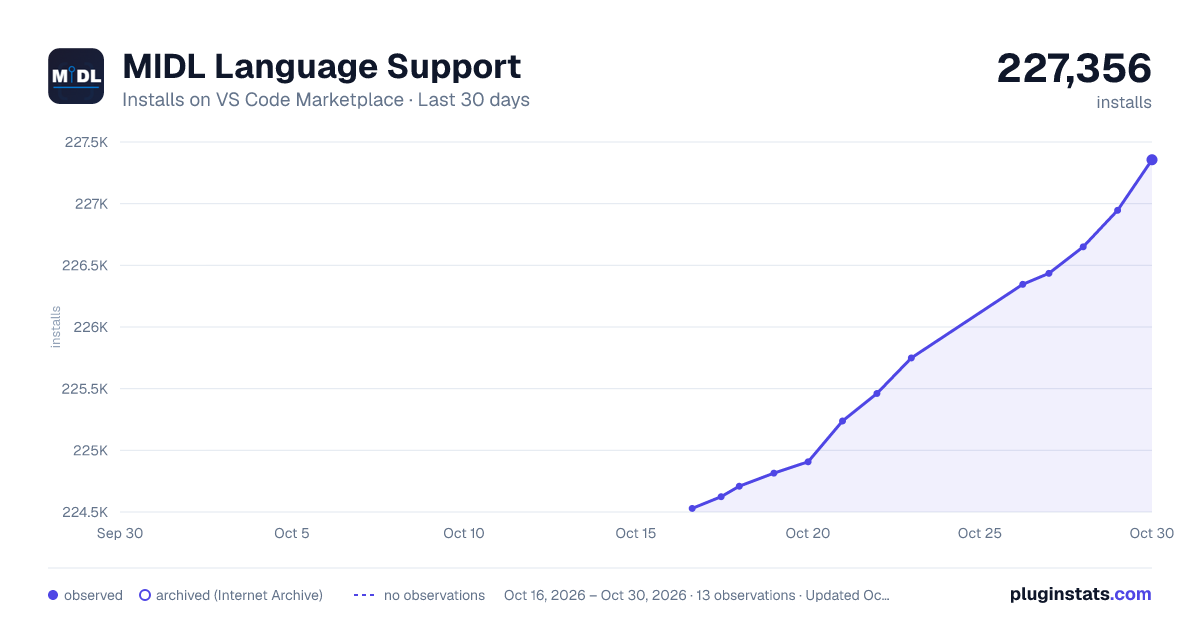
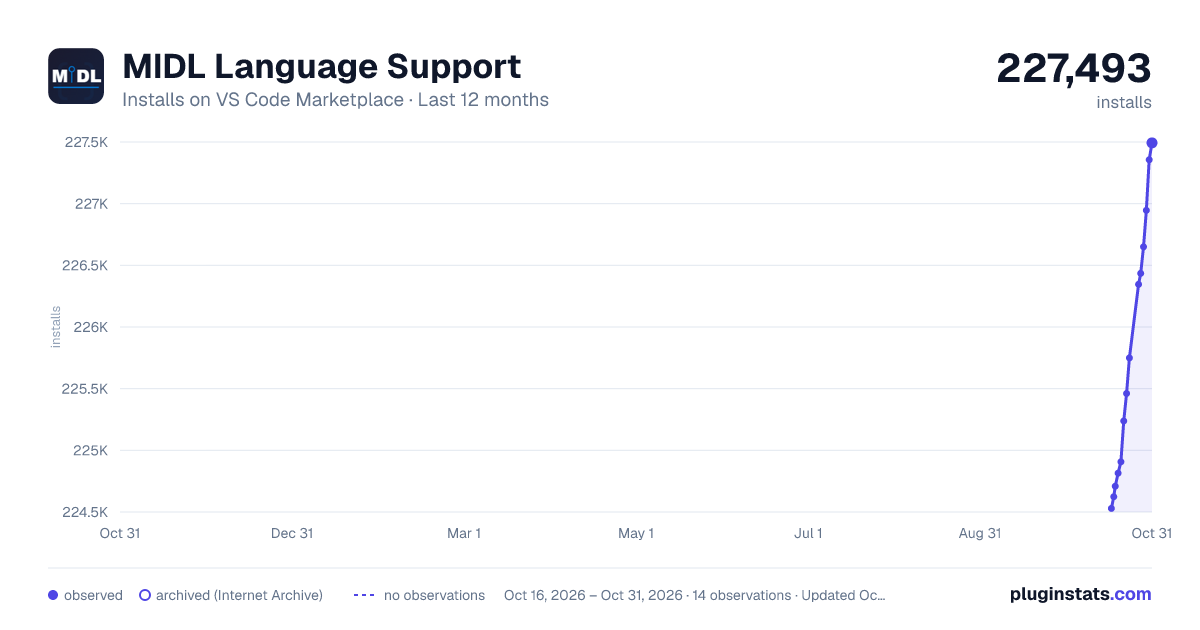
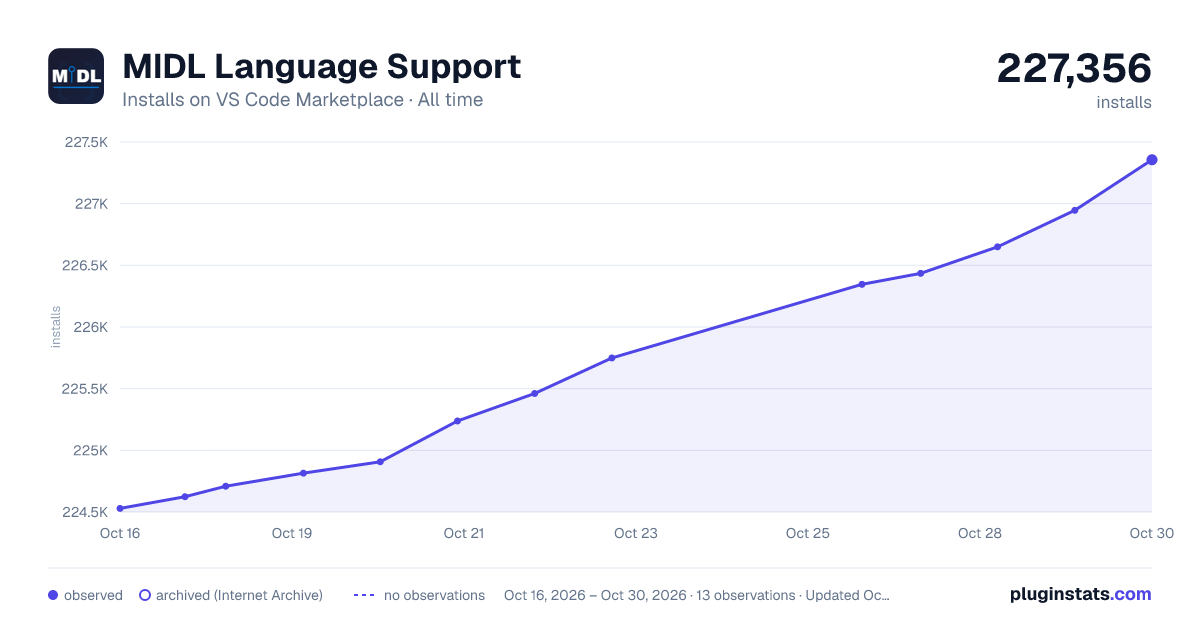
Filled points are observed values; hollow points come from Internet Archive snapshots of the listing page. Dashed segments span periods with no observations — values between points are not interpolated.
Recent observations
Full history (3)Similar VS Code Marketplace Programming Languages plugins
Data source
Install counts, average rating, and rating counts come from the public Visual Studio Marketplace gallery API. Installs are cumulative and exclude updates.
Listing: https://marketplace.visualstudio.com/items?itemName=AlexanderSklarMSFT.midl3-language-server. First seen Oct 16, 2026; last successful collection Oct 18, 2026. See the methodology.