 PluginStats
YAML ❤️ JSON installs statistics
By Daniel Hillmann · VS Code Marketplace · Formatters
Convert YAML to or from JSON in one click. Batch convert folders, preview without saving, preserve comments, and auto-convert on save or rename.
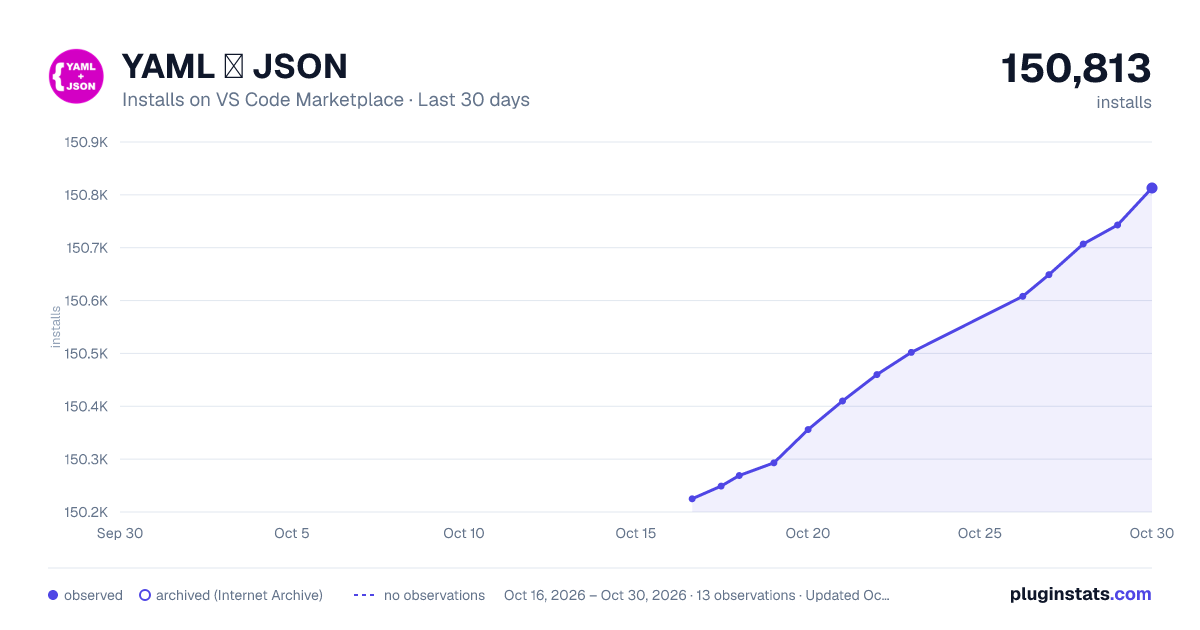
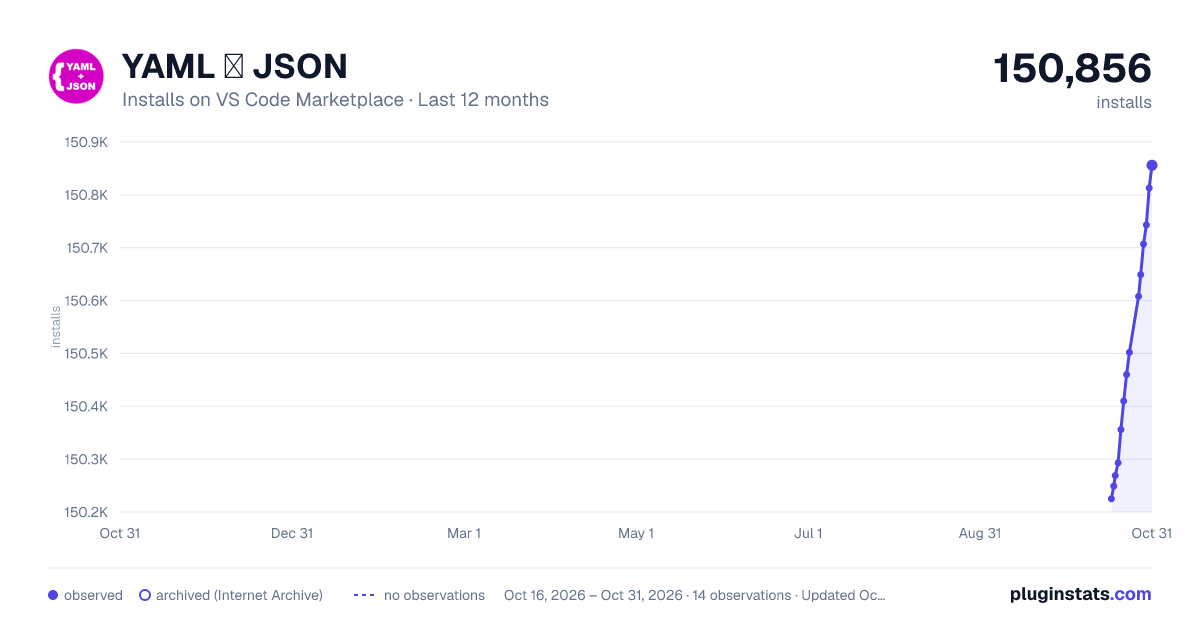
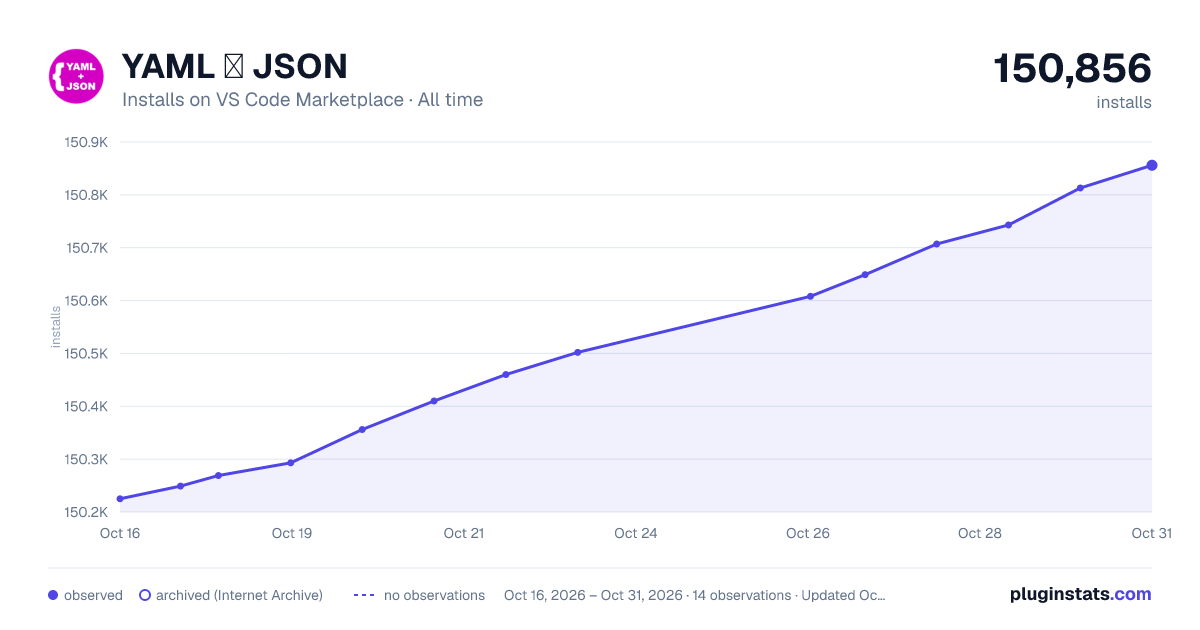
YAML ❤️ JSON has 150,293 recorded installs on VS Code Marketplace.
It ranks #1852 of 2,501 tracked VS Code Marketplace listings by installs.
It is rated 4.6 out of 5 from 10 ratings.
PluginStats has 4 daily observations since Oct 16, 2026; the latest is from Oct 19, 2026.
Rating: 4.60 / 5 from 10 ratings
About YAML ❤️ JSON
YAML :heart: JSON
Convert YAML to or from JSON directly in VS Code — single files, entire folders, text selections, or via live preview. Preserves comments when converting to JSONC.
Any good ideas or feature requests? Please, do not hesitate to open a new issue!
Features and usage
See more usage examples in the docs directory.
• Convert a single file: • Convert a YAML file to JSON or JSONC by right clicking it and selecting Convert to JSON. • Convert a YAML file to JSON or JSONC by changing file extension to .json or .jsonc. • Convert a JSON or JSONC file to YAML by right clicking it and selecting Convert to YAML. • Convert a JSON or JSONC file to YAML by changing file extension to .yaml or .yml. • Convert selection as preview: • Convert YAML selection as preview by using command YAML+JSON: Preview as JSON (from YAML. Opens in new file) • Convert JSON selection as preview by using command YAML+JSON: Preview as YAML (from JSON. Opens in new file) • Convert text selection: • Convert YAML selection by using command Convert selection to JSON - _does not_ change file extension. • Convert JSON selection by using command Convert selection to YAML - _does not_ change file extension. • Converting multiple files: • Convert a selection of JSON files to YAML by right clicking one of the selected files and selecting Convert selected files to YAML. • Convert a selection of YAML files to JSON by right clicking one of the selected files and selecting Convert selected files to JSON. • Convert YAML files in a directory to JSON by right clicking the directory and selecting Convert YAML files to JSON. • Convert JSON files in a directory to YAML by right clicking the directory and selecting Convert JSON files to YAML. • Comment preservation (YAML to or from JSONC): • When converting between YAML and JSONC, comments are preserved by default (preserveComments: true). • YAML # comments map to JSONC // comments and vice versa. • To use this feature, set fileExtensions.json to ".jsonc". • Plain .json files cannot hold comments, so comment preservation only applies to .jsonc. • Note: Multi-document YAML files fall back to plain JSON array output (no comment preservation). • Convert on save: When convertOnSave is enabled, saving a YAML or JSON file will automatically create (or update) its counterpart file. The original file is always kept. The overwriteExistentFiles setting controls what happens when the counterpart already exists. • Reverting converted files: When a file has been reverted, a _"revert"_ prompt will be shown to revert it. Using this will return the entirety of the original file, including YAML comments. • Overwriting existent files: When trying to convert a file into a destination that already exist, you can use the overwriteExistentFiles configuration to overwrite such. Notice if you use the revert feature after overwriting a file, the extension cannot (currently) revert the overwritten file. Also, due to limitation in vscode of active user prompts, if you set it to "ask" you will only be prompted to overwrite N number of files, while others will be skipped.
Config
All configurations should be defined in the yaml-plus-json object of your vscode settings (e.g. in a workspace file .vscode/settings.json). Example:
| | description | type | default | example |
| convertOnRename | Convert YAML/JSON files on rename | boolean | true | false | | convertOnSave | Automatically convert YAML/JSON files to their counterpart on save. The original file is always kept. | boolean | false | true | | yamlIndent | The number of spaces to use when indenting code (yaml) | number | 2 | 4 | | yamlSchema | See yaml module documentation for details | string | "core" | "json" | | yamlMerge | Enable support for << merge keys. Default value depends on YAML version. | boolean | true | false | | yamlLineWidth | Set to 0 to disable line wrapping. See line width options for details | number | | 100 | | fileExtensions | define what filename extension(s) to use when converting file(s) | object | | | | fileExtensions.yaml | yaml filename extension | string | ".yaml" | ".yml" | | fileExtensions.json | json filename extension. Use ".jsonc" to enable comment preservation. | string | ".json" | ".jsonc" | | keepOriginalFiles | Keep original files when converting. Use "ask" to be asked every time or "always" to always keep original files | string | | "always" | | overwriteExistentFiles | Overwrite existent files when converting. Use "ask" to be asked every time or "always" to always overwrite | string | | "always" | | yamlOptions | For more advanced configs using the YAML parser. See the module docs for details. Note that specific extension configs set takes precedence. | object | | | | preserveComments | Preserve comments when converting between YAML and JSONC. Requires fileExtensions.json set to ".jsonc". | boolean | true | false | | directoryConversion | Enable the right-click commands that convert all JSON/YAML files in a directory (applies to folders only). Set to false to hide these commands from the explorer context menu. | boolean | true | false |
Description from the VS Code Marketplace listing.
- json
- json to yaml
- jsonc
- yaml
- yaml to json
- yaml2json
Where YAML ❤️ JSON sits in the listing
Each band is one page of 20. Installs on a log scale. Placement is projected from installs, so it can differ from the marketplace's own sort order. Hover a dot to see the listing.


Charts
Images: 30d · 1y · all time · 1600×900 dark

Adoption over time


7/30/90-day growth


Ranking history


Filled points are observed values; hollow points come from Internet Archive snapshots of the listing page. Dashed segments span periods with no observations — values between points are not interpolated.
Recent observations
Full history (4)Similar VS Code Marketplace Formatters plugins
Data source
Install counts, average rating, and rating counts come from the public Visual Studio Marketplace gallery API. Installs are cumulative and exclude updates.
Listing: https://marketplace.visualstudio.com/items?itemName=hilleer.yaml-plus-json. First seen Oct 16, 2026; last successful collection Oct 19, 2026. See the methodology.