 PluginStats
stylelint-plus installs statistics
By Hex (4 listings) · VS Code Marketplace · Linters
Lint CSS, SCSS, Less and more with Stylelint — auto-fix on save, supports v14-v17, Vue, Svelte, and styled-components.
stylelint-plus has 315,298 recorded installs on VS Code Marketplace, ranking #1112 of 2,501 tracked listings.
Rating: 4.43 / 5 from 7 ratings
About stylelint-plus
vscode-stylelint-plus



English | 简体中文
A Visual Studio Code extension to lint CSS/SCSS/Less with Stylelint.
Ships with Stylelint v15 built-in — install the extension and start linting immediately, no extra setup required.
Quick Start
- Install the extension from the VS Code Marketplace.
- Open any CSS, SCSS, or Less file — linting works out of the box using the bundled Stylelint v15.
- (Optional) Add a Stylelint configuration file to your project to customize rules.
- (Optional) To use your project's own Stylelint version (v14–v17), set
"stylelint.useLocal": true.
Tip: To avoid duplicate diagnostics from VS Code's built-in CSS/SCSS/Less validators, disable them:
"css.validate": false,
"less.validate": false,
"scss.validate": false
Features
Zero-Config Linting
The extension bundles Stylelint v15.11.0, so it works immediately after installation — no need to install Stylelint separately or create a config file. Without a config file, the extension still performs CSS syntax validation to catch basic syntax errors.
Auto-Fix on Save
Enable stylelint.autoFixOnSave to automatically fix all auto-fixable problems whenever you save a file. This uses the native onWillSaveWaitUntil mechanism, so fixes are applied before the file is written to disk — no need to configure editor.codeActionsOnSave.
{
  "stylelint.autoFixOnSave": true
}
Quick Fix (Code Actions)
Hover over any Stylelint diagnostic and click the light bulb icon, or press Ctrl+. (Cmd+. on Mac):
- Fix: <issue> — Fix the specific auto-fixable problem at the cursor (available only for rules that support auto-fix)
- Disable <rule> for this line — Insert a
/* stylelint-disable-next-line */or/* stylelint-disable-line */comment to suppress the diagnostic
You can also fix all auto-fixable problems at once using the Stylelint: Fix all auto-fixable problems command from the Command Palette.
Validation Trigger Modes
Control when linting runs via the stylelint.run setting:
| Mode | Behavior |
|---|---|
"onType" (default) | Validates as you type, with a 150ms debounce |
"onSave" | Validates only when the file is saved |
"manual" | Validates only when you run Stylelint: Validate current file |
Workspace Linting
Lint all style files across the entire workspace at once:
- Open the Command Palette (
Ctrl+Shift+P/Cmd+Shift+P) - Run
Stylelint: Lint entire workspace
Scans files with these extensions: .css, .scss, .less, .sass, .sss, .vue, .svelte, .html, .xml, .xsl, .md, .markdown.
Automatically skips node_modules, .git, dist, build, coverage, .next, .nuxt directories. Files larger than 5MB are skipped.
Stylelint Version Support
The extension supports Stylelint v14, v15, v16, and v17 with automatic version detection.
Bundled version (default):
- Stylelint v15.11.0 (CommonJS), works with Node.js >= 18.0.0
- Used when
stylelint.useLocalisfalse(default)
Local version (user-installed):
- Set
"stylelint.useLocal": trueto use your project's Stylelint - v14–v16 are loaded via CommonJS; v17+ is loaded via ESM (dynamic
import()) - If local Stylelint is not found, the extension falls back to the bundled version and shows a warning
Migrating to Stylelint v17
Stylelint v17 requires Node.js >= 20.19.0 and uses ESM exclusively.
-
Upgrade Node.js:
nvm install 20 nvm use 20 -
Install Stylelint v17 locally:
npm install stylelint@^17 --save-dev -
Enable local version:
{ "stylelint.useLocal": true } -
Reload VS Code
Supported Languages
The extension activates for the following 21 language identifiers:
- CSS (
css) - HTML (
html) - JavaScript (
javascript) - JavaScript React (
javascriptreact) - Less (
less) - Markdown (
markdown) - Markdown+MathML (
source.markdown.math) - PostCSS (
postcss) - Sass (
sass) - SCSS (
scss) - styled-components
- Official (
source.css.styled) - Userland (
styled-css)
- Official (
- Sugarss (
sugarss) - Svelte (
svelte) - TypeScript (
typescript) - TypeScript React (
typescriptreact) - Vue (
vue,vue-html,vue-postcss) - XML (
xml) - XSL (
xsl)
Commands
All commands are available from the Command Palette (Ctrl+Shift+P / Cmd+Shift+P):
| Command | Description |
|---|---|
Stylelint: Fix all auto-fixable problems | Fix all auto-fixable issues in the current file |
Stylelint: Validate current file | Manually trigger validation (useful in manual mode) |
Stylelint: Lint entire workspace | Lint all style files in the workspace |
Stylelint: Retry local search | Re-scan for local Stylelint installation (clears cache) |
Stylelint: Show output channel | Open the Stylelint+ output panel for debugging |
Settings…
Description from the VS Code Marketplace listing.
- autofix
- css
- html
- ignore
- javascript
- javascriptreact
- json
- less
- linters
- markdown
- postcss
- sass
- scss
- source.css.styled
- source.markdown.math
- styled-css
- stylelint
- sugarss
- svelte
- typescript
README badge
Show your rank in a README or on your website. The badge updates automatically.
Charts
Images: 30d · 1y · all time · 1600×900 dark
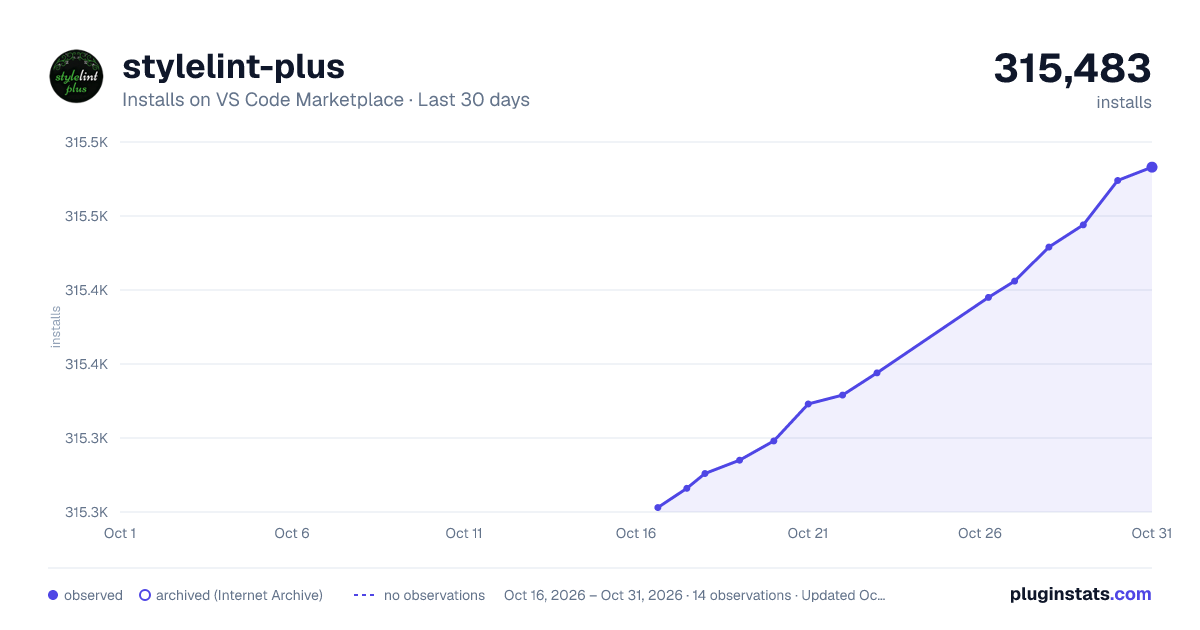
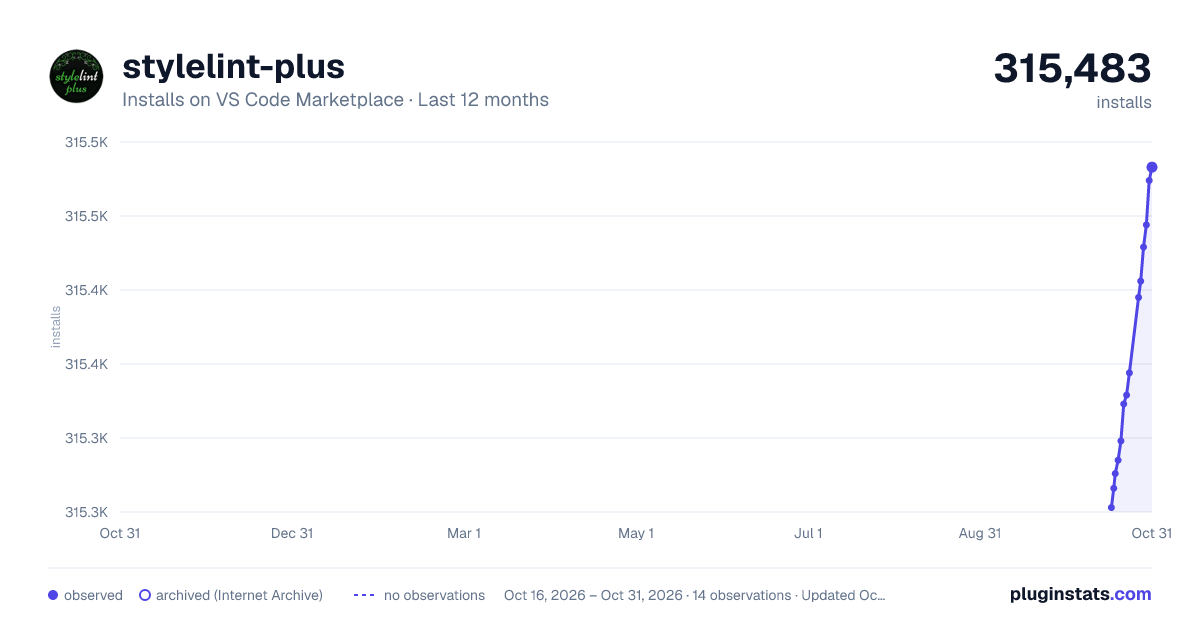
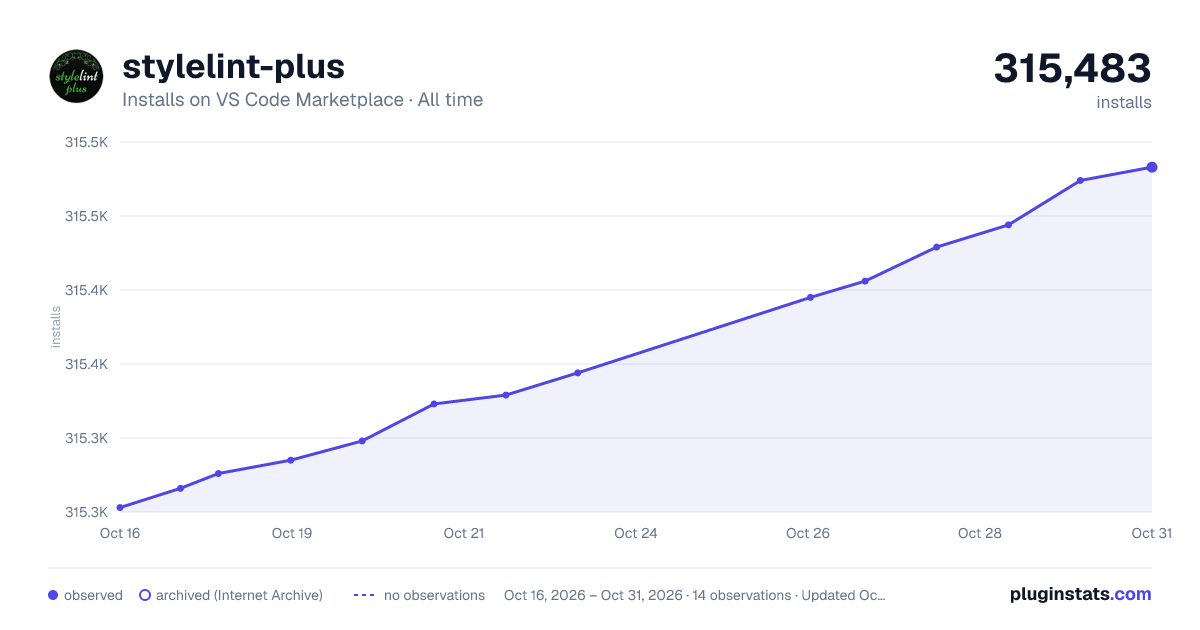

Adoption over time
7/30/90-day growth
Ranking history
Ratings over time
Listing placement
Listing placement
Listing placement
Filled points are observed values; hollow points come from Internet Archive snapshots of the listing page. Dashed segments span periods with no observations — values between points are not interpolated.
Each band is one page of 20. Installs on a linear scale. Placement is projected from installs, so it can differ from the marketplace's own sort order. Hover a dot to see the listing.
Recent observations
Full history (5)Similar VS Code Marketplace Linters plugins
All 20 stylelint-plus alternativesData source
Install counts, average rating, and rating counts come from the public Visual Studio Marketplace gallery API. Installs are cumulative and exclude updates.
Listing: https://marketplace.visualstudio.com/items?itemName=hex-ci.stylelint-plus. First seen Oct 16, 2026; last successful collection Oct 20, 2026. See the methodology.