 PluginStats
Haskell installs statistics
By Haskell · VS Code Marketplace · Programming Languages
Haskell language support powered by the Haskell Language Server
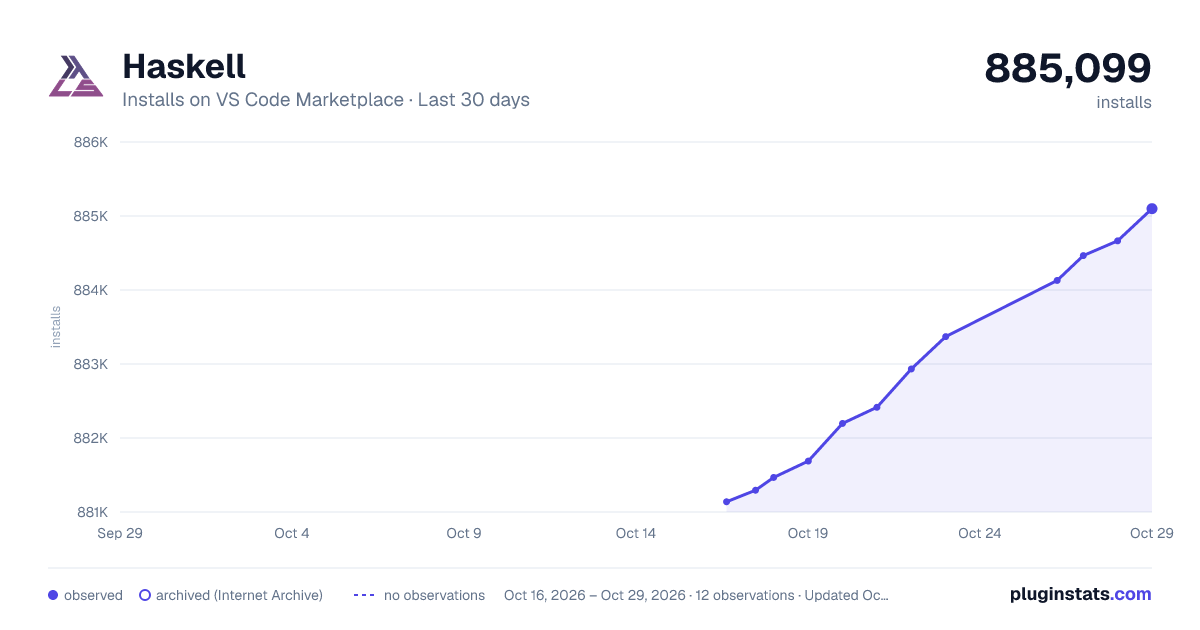
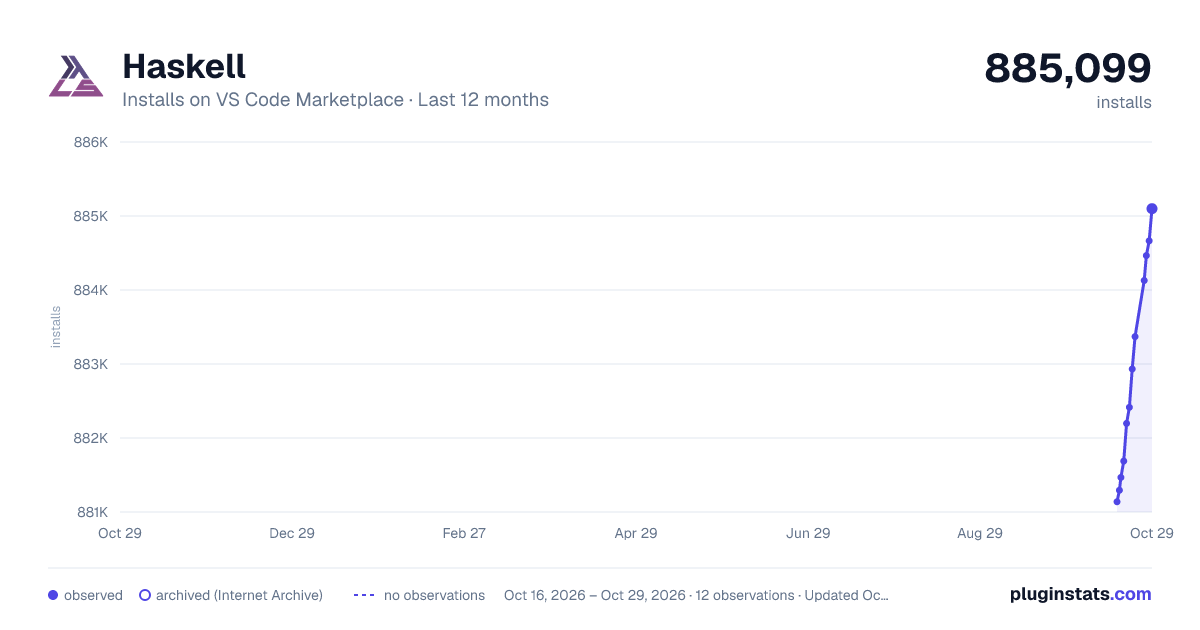
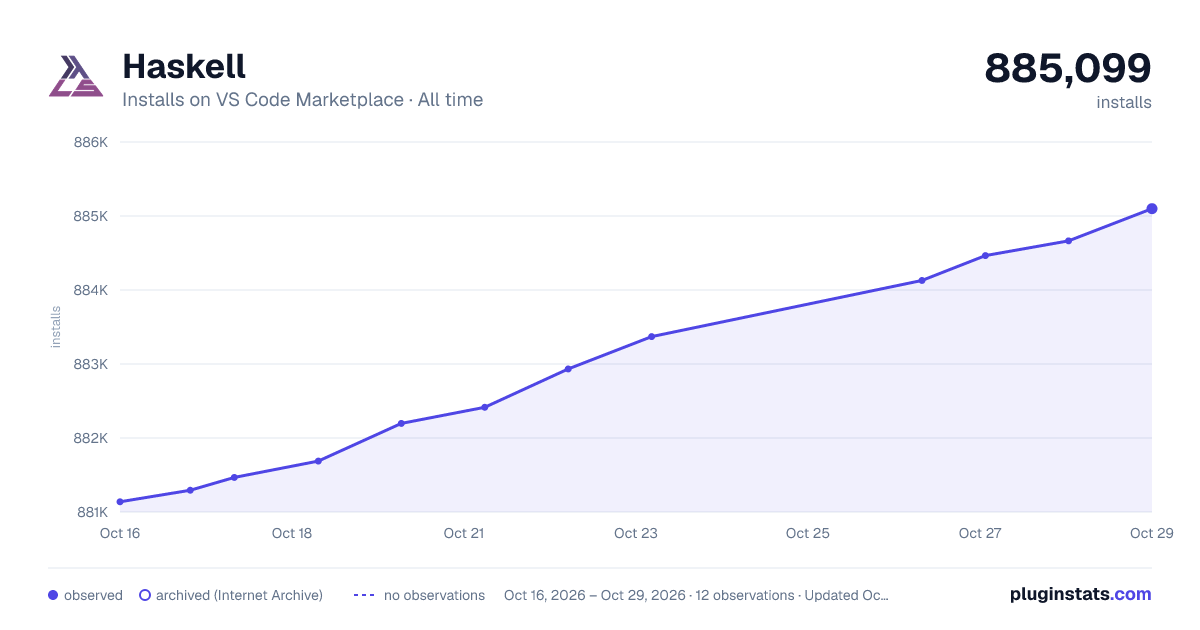
Haskell has 881,467 recorded installs on VS Code Marketplace.
It ranks #586 of 2,500 tracked VS Code Marketplace listings by installs.
It is rated 4.9 out of 5 from 26 ratings.
PluginStats has 3 daily observations since Oct 16, 2026; the latest is from Oct 18, 2026.
Rating: 4.88 / 5 from 26 ratings
About Haskell
Haskell for Visual Studio Code
This extension adds language support for Haskell, powered by the Haskell Language Server. As almost all features are provided by the server you might find interesting read its documentation.
Table of Contents
• Haskell for Visual Studio Code • Table of Contents • Setup • Features • Requirements • Configuration options • Path to server executable • Security warning • Set additional environment variables for the server • Downloaded binaries • Setting a specific toolchain • Supported GHC versions • Using multi-root workspaces • Investigating and reporting problems • FAQ • Troubleshooting • Check issues and tips in the haskell-language-server project • Restarting the language server • Failed to get project GHC version on darwin M1 with stack • GHC ABIs don't match • Using an old configuration • Stack/Cabal/GHC can not be found • Contributing • Release Notes
Setup
This Extension comes with "batteries"-included and can manage your Haskell Language Server installations for you, powered by GHCup. Installation of GHCup can not happen automatically, so if you want your HLS installations to be managed by the Extension, you will have to follow the installation instructions for GHCup.
Note: Make sure you have a working ghcup installation, before launching the Extension.
Features
You can watch demos for some of these features here.
• Warning and error diagnostics from GHC • Type information and documentation on hover • Jump to definition: for now only for local code definitions • Document symbols • Highlight references in document • Code completion • Show documentation and sources in hackage • Formatting via Brittany, Floskell, Fourmolu, Ormolu or Stylish Haskell • Multi-root workspace support • Code evaluation, see its Tutorial • Integration with retrie, a powerful, easy-to-use codemodding tool • Code lenses for explicit import lists • Generate functions from type signatures, and intelligently complete holes using Wingman (tactics) • Integration with hlint, the most used haskell linter, to show diagnostics and apply hints via apply-refact • Module name suggestions for insertion or correction • Call hierarchy support
Requirements
• For standalone .hs/.lhs files, ghc must be installed and on the PATH. The easiest way to install it is with ghcup. • For Cabal based projects, both ghc and cabal-install must be installed and on the PATH. It can also be installed with ghcup or Chocolatey on Windows. • For Stack based projects, stack must be installed and on the PATH and must be configured to use GHC binaries installed by GHCup. • If you are installing from an offline VSIX file, you need to install language-haskell too after installation (either from the marketplace or offline). • Alternatively, you can let the extension manage your entire toolchain automatically (you'll be asked on first startup) via ghcup, which should be pre-installed
Configuration options
For a general picture about the server configuration, including the project setup, you can consult the server documentation about the topic.
For information on how to set configuration in VSCode, see here.
Path to server executable
If your server is manually installed and not on your path, you can also manually set the path to the executable.
There are a few placeholders which will be expanded:
• ~, ${HOME} and ${home} will be expanded into your users' home folder. • ${workspaceFolder} and ${workspaceRoot} will expand into your current project root.
Security warning
The option has machine-overridable scope so it can be changed per workspace. This supposes it could be used to execute arbitrary programs adding a .vscode/settings.json in the workspace folder including this option with the appropriate path. See #387 for more details.
Set additional environment variables for the server
You can add additional environment variables for the lsp server using the configuration option haskell.serverEnvironment. For example, to change the cache directory used by the server you could set:
as the server uses the XDG specification for cache directories.
The environment _only will be visible for the lsp server_, not for other extension tasks like find the server executable.
Downloaded binaries
This extension will download haskell-language-server binaries and the rest of the toolchain if you selected to use GHCup during first start. Check the haskell.manageHLS setting.
It will then download the newest version of haskell-language-server which has support for the required ghc. That means it could use an older version than the latest one, without the last features and bug fixes. For example, if a project needs ghc-8.10.4 the extension will download and use haskell-language-server-1.4.0, the latest version which supported ghc-8.10.4. Even if the latest global haskell language-server version is 1.5.1.
If you have disk space issues, check ghcup gc --help.
You can also instruct the extension to use a different installation directory for the toolchain, e.g. to not interfere with system GHCup installation. Depending on your platform, add the full resolved path like so:
The internal storage paths for the extension depend on the platform:
| Platform | Path |
| macOS | ~/Library/Application\ Support/Code/User/globalStorage/haskell.haskell/.ghcup | | Windows | %APPDATA%\Code\User\globalStorage\haskell.haskell\ghcup | | Linux | $HOME/.config/Code/User/globalStorage/haskell.haskell/.ghcup |
If you want to manage HLS yourself, set haskell.manageHLS to PATH and make sure HLS is in your PATH or set haskell.serverExecutablePath (overrides all other settings) to a valid executable.
If you need to set mirrors for ghcup download info, check the settings haskell.metadataURL and haskell.releasesURL.
Setting a specific toolchain
When manageHLS is set to GHCup, you can define a specific toolchain (hls, ghc, cabal and stack), either globally or per project. E.g.:
This means:…
Description from the VS Code Marketplace listing.
- cabal
- haskell
- language
- literate haskell
- lsp
- multi-root ready
- stack
Where Haskell sits in the listing
Each band is one page of 20. Installs on a log scale. Placement is projected from installs, so it can differ from the marketplace's own sort order. Hover a dot to see the listing.


Charts
Images: 30d · 1y · all time · 1600×900 dark

Adoption over time


7/30/90-day growth


Filled points are observed values; hollow points come from Internet Archive snapshots of the listing page. Dashed segments span periods with no observations — values between points are not interpolated.
Recent observations
Full history (3)Similar VS Code Marketplace Programming Languages plugins
Data source
Install counts, average rating, and rating counts come from the public Visual Studio Marketplace gallery API. Installs are cumulative and exclude updates.
Listing: https://marketplace.visualstudio.com/items?itemName=haskell.haskell. First seen Oct 16, 2026; last successful collection Oct 18, 2026. See the methodology.