 PluginStats
jshint installs statistics
By Microsoft (223 listings) · VS Code Marketplace · Linters
Integrates JSHint into VS Code. JSHint is a linter for JavaScript
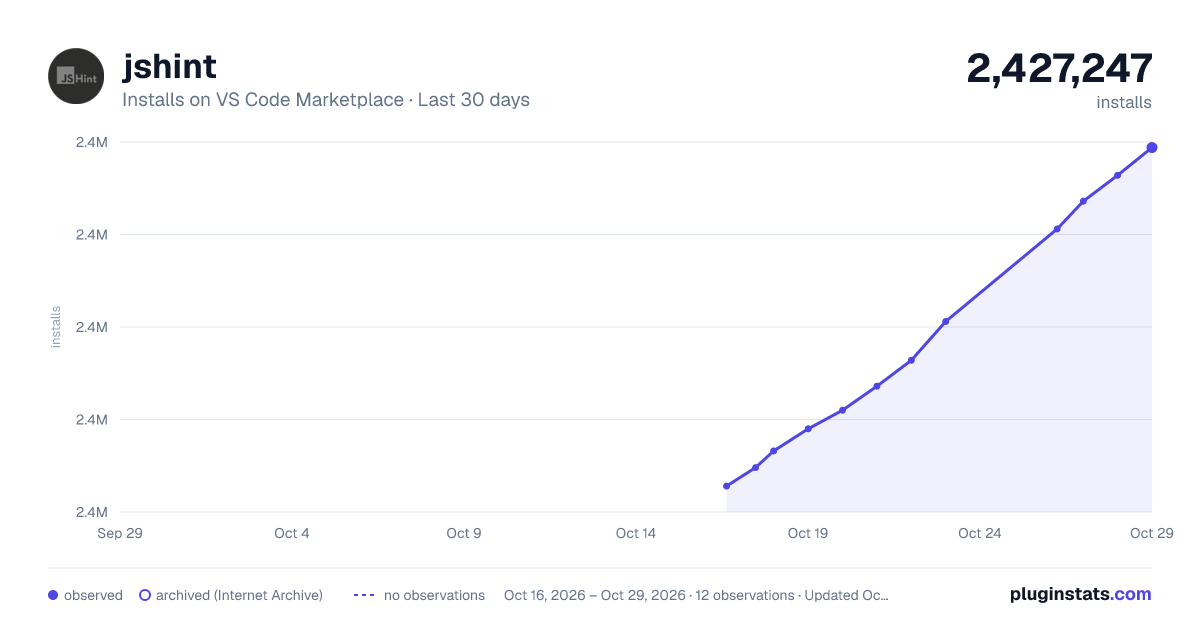
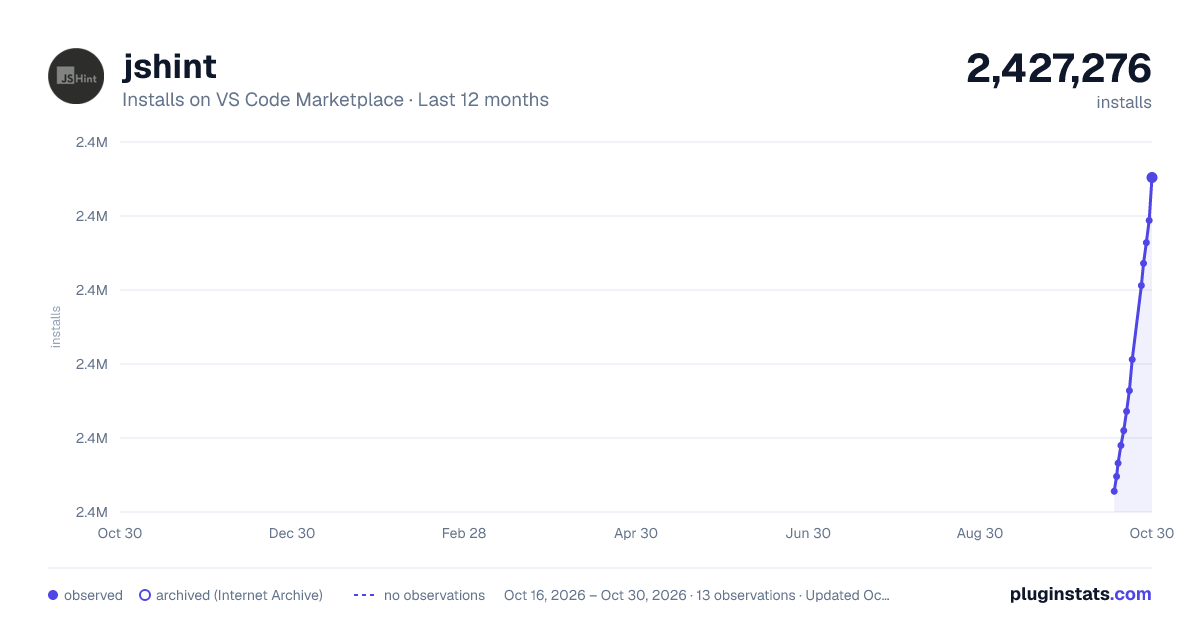
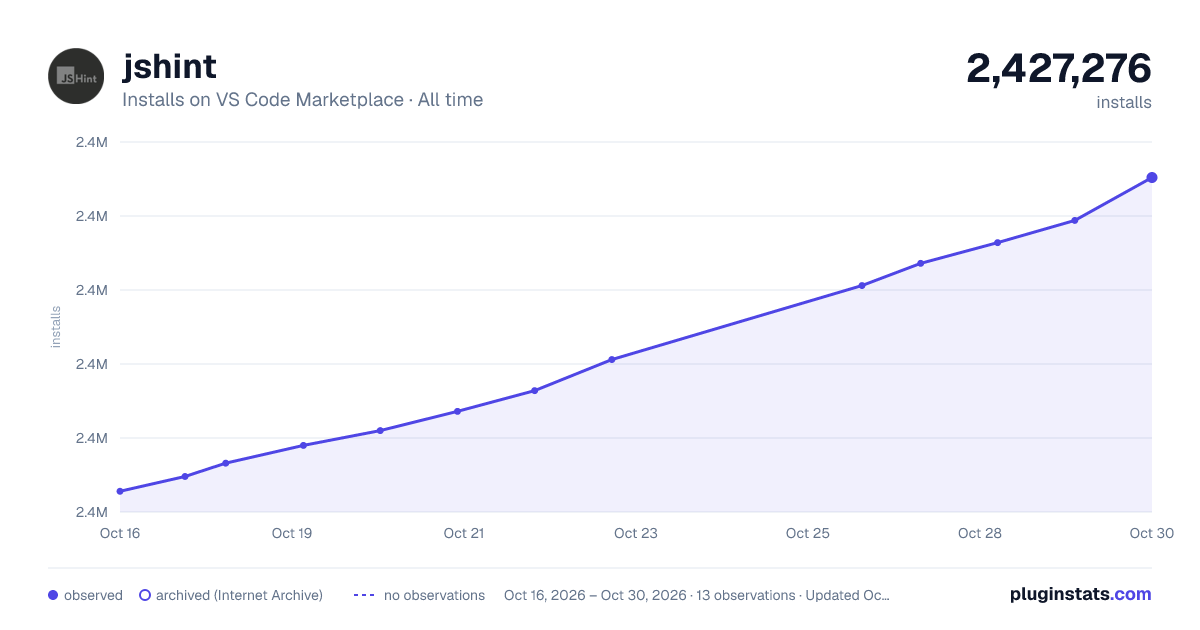
jshint has 2,427,083 recorded installs on VS Code Marketplace.
It ranks #300 of 2,500 tracked VS Code Marketplace listings by installs.
It is rated 3.7 out of 5 from 41 ratings.
PluginStats has 3 daily observations since Oct 16, 2026; the latest is from Oct 18, 2026.
Rating: 3.66 / 5 from 41 ratings
About jshint
VS Code JSHint extension
Integrates JSHint into VS Code.
Setup
The extension looks for a jshint module in the current directory and in the global package location. You can install jshint locally with npm install jshint or globally with npm install -g jshint. If your jshint module is in a different location, use the jshint.nodePath setting to specify the correct path. The jshint.packageManager setting can be used to specify which package manager you are using, npm or yarn.
To check where jshint is loaded from, use the JSHint: Show output command after the extension has started to view the extension logs in the output panel.
Configuration Options
The jshint extension uses the standard jshint configuration options described on the jshint web site.
The options can be specified in a number of locations mostly mimicing jshint's default behavior. The extension looks for its configuration options the following way and stops at the first positive match:
1. An options file specified in the user or workspace settings like this: "jshint.config" : "". The file path is interpreted relative to the workspace's root folder. 1. The value of the jshintConfig attribute in a package.json file located in the current directory or any parent of the current directory. 1. A .jshintrc file located in the current directory or any parent of the current directory. 1. A .jshintrc file located in the user's home directory. 1. The values specified within jshint.options in the user or workspace settings. By default jshint.options is empty.
.jshintrc files can be chained using the extends attribute as described here.
Exclude Options
In order to ignore specific files or folders from being linted exclude options can be specified in a number of locations mostly mimicing jshint's default behavior. The extenion looks for its exclude options the following way and stops at the first positive match:
1. A file specified in the user or workspace settings like this: "jshint.excludePath" : "". The file path is interpreted relative to the workspace's root folder. The file contains glob patterns specifying files that should be excluded. The glob patterns are interpreted relative to the workspace's root folder. 1. A .jshintignore file located in the current directory or any parent of the current directory. The glob patterns in this file are interpreted relative to the location of the .jshintignore file. 1. The value of the jshint.exclude attribute in the user or workspace settings. The attribute has the following form: "jshint.exclude" : { "" : true, "" : true }. The glob patterns are interpreted relative to the workspace's root folder.
The glob patterns are interpreted using the npm minimatch module. Be aware that there are slight differences between minimatch and how .gitignore patterns are interpreted. Most noteably, /name and name are not the same in minimatch whereas they are consider equal in .gitignore. Always use /name if you want to match a name within a subtree.
No files are excluded by default.
Disable JSHint
In order to disable jshint for a workspace specify "jshint.enable" : false in the workspace settings. jshint is enabled by default.
Contributing
Contributions to the extension are welcome! Please see contributing for information on how to develop the extension.
Description from the VS Code Marketplace listing.
- html
- javascript
- javascriptreact
- json
Where jshint sits in the listing
Each band is one page of 20. Installs on a log scale. Placement is projected from installs, so it can differ from the marketplace's own sort order. Hover a dot to see the listing.
Charts
Images: 30d · 1y · all time · 1600×900 dark
Adoption over time
7/30/90-day growth
Filled points are observed values; hollow points come from Internet Archive snapshots of the listing page. Dashed segments span periods with no observations — values between points are not interpolated.
Recent observations
Full history (3)Similar VS Code Marketplace Linters plugins




Data source
Install counts, average rating, and rating counts come from the public Visual Studio Marketplace gallery API. Installs are cumulative and exclude updates.
Listing: https://marketplace.visualstudio.com/items?itemName=dbaeumer.jshint. First seen Oct 16, 2026; last successful collection Oct 18, 2026. See the methodology.