 PluginStats
axe Accessibility Linter installs statistics
By Deque Systems (2 listings) · VS Code Marketplace · Programming Languages
Accessibility linting for HTML, Angular, React, Markdown, Vue, React Native, and Liquid templates
axe Accessibility Linter has 651,317 recorded installs on VS Code Marketplace.
It ranks #726 of 2,501 tracked VS Code Marketplace listings by installs.
It is rated 4.0 out of 5 from 22 ratings.
PluginStats has 4 daily observations since Oct 16, 2026; the latest is from Oct 19, 2026.
Rating: 4.05 / 5 from 22 ratings
About axe Accessibility Linter
• Check code files for common accessibility defects. Checks React (JSX), React Native, Angular, Vue, HTML, and Markdown. • Easy configuration with axe-linter.yml. Exclude specific rules or files, check custom components, and more. • Axe DevTools Linter is also available as an API and can be integrated into platforms such as GitHub Actions, SonarQube, Jenkins, or as a Git pre-commit hook. Get your free trial today\!
Quickstart
After you click to install the plugin, there will be a slight pause to download additional requirements before Axe DevTools Linter starts. Configuring the plugin isn't necessary, but if you want to change its behavior, see the next section, Configuration.
Configuration
You can add a file called Axe-linter.yml at your project's root level to configure linting:
• You can specify which accessibility rules Axe DevTools Linter should use. See Axe DevTools Linter Accessibility Rules and Configuration for more information. Each rule can be set to true (enabled, reported as an error — the default), false (disabled), or warn (enabled, reported as a warning in the editor). • You can set up custom component linting. See Linting Custom Components for more details. • You can exclude files using wildcards. See Configuration File for more information. • You can set enterpriseId to an optional string used solely for usage analytics (enterprise attribution). Ignored on on-prem deployments. • You can inherit shared settings from one or more parent config files with extends. See Extending a configuration.
axe-linter.yml Example
Extending a configuration
A configuration can inherit from one or more parent configs with the extends key, so shared rules, tags, and excludes live in one place instead of being copied into every project or package.
extends accepts a relative or absolute file path, or an array of them. Parents are resolved relative to the file that references them, merged left to right, and your own config is applied last (so it wins any conflict). Bare npm package names (e.g. @my-org/axe-linter-config) and remote URLs are not supported.
How each field merges (parent first, your config last):
• rules — merged by rule id; your value wins. Set a rule to false to disable one a parent enabled. • tags, exclude, global-libraries — combined with the parent's values and de-duplicated. • global-components — merged by name; your entry fully replaces a parent entry of the same name. • overrides — the parent's entries come first, then yours. • Scalars (linter, react-native, productName, enterpriseId) — yours wins; the parent fills in anything you omit. Inheriting enterpriseId also inherits its usage-analytics attribution.
Circular extends references, chains more than 10 levels deep, and more than 100 parent configs in total are rejected. In the editor, if a parent cannot be read or is invalid, Axe DevTools Linter reports the offending file and falls back to the default configuration so linting keeps working. extends is supported in extension v4.12.0 and later; earlier versions ignore the key and lint your config as written.
Available Rules
Axe DevTools Linter includes rules for WCAG 2.0 and WCAG 2.1 Level A and AA, as well as a few best practices. For a complete list of the rules, see Axe DevTools Linter Accessibility Rules.
Custom Components
You can configure Axe DevTools Linter to understand your custom components and ensure they are being used in a way that keeps your application accessible. We have standard mappings for Material UI (mui) and React Native that can be pulled in with a simple configuration change. For information on using the plugin with your custom components, see Linting Custom Components.
Component Libraries
You can tell Axe DevTools Linter which component library your project uses. Doing so enables the built-in custom component mapping for that library and some rules exclusive to this library. Axe DevTools Linter supports several popular component libraries, including Material UI and React Native. Read Global Components Libraries for details.
Axe Linter in other tools
In addition to running Axe DevTools Linter in Visual Studio Code, Axe DevTools Linter is also available as an API or as an on-prem installable server. The API requires a key, which you can get with a free trial.
The Axe DevTools Linter API can be integrated into any environment, including GitHub Actions, SonarQube, Jenkins, as a Git pre-commit, and others.
GitHub Actions
You can prevent code that has accessibility issues from being merged into your code base using the Github action. See Using the Axe DevTools Linter GitHub Action.
Git Pre-Commit Hook
To use the pre-commit hook to block Git commits which contain accessibility errors, see Using the Git Pre-Commit Hook.
SonarQube
Integrating Axe DevTools Linter with SonarQube allows you to track accessibility issues in SonarQube's dashboard and monitor your code's accessibility over time. For setup information, see SonarQube and Axe DevTools Linter.
Jenkins
If you use Jenkins, you can automatically check for accessibility problems with each Jenkins build. For more information, see Jenkins and Axe DevTools Linter.
Support
Check out our issue reporting page to report a problem or request a feature.
To contact the Axe DevTools Linter development team and other Axe DevTools Linter users, join our accessibility Slack channel.
Telemetry
Axe DevTools Linter gathers minimal telemetry to monitor the plugin's heartbeat. The collected data is limited to the date and time of scans, the Axe DevTools Linter engine version, and the application that reported the data (Axe DevTools Linter). We've also added telemetry to gather all error messages as needed to help provide a better end-user experience.
Deque Trademarks Policy
DEQUE, DEQUELABS, AXE®, and AXE-CORE® are trademarks of Deque Systems, Inc. Use of the Deque trademarks must be in accordance with Deque's trademark policy.
Third Party Licenses
See LICENSE-3RD-PARTY for details.
Description from the VS Code Marketplace listing.
- a11y
- accessibility
- AdobeHTL
- axe
- code quality
- htl
- html
- javascript
- javascriptreact
- jsx
- lint
- linter
- linters
- linting
- markdown
- programming languages
- react
- Sightly
- testing
- tsx
Where axe Accessibility Linter sits in the listing
Each band is one page of 20. Installs on a log scale. Placement is projected from installs, so it can differ from the marketplace's own sort order. Hover a dot to see the listing.


Charts
Images: 30d · 1y · all time · 1600×900 dark
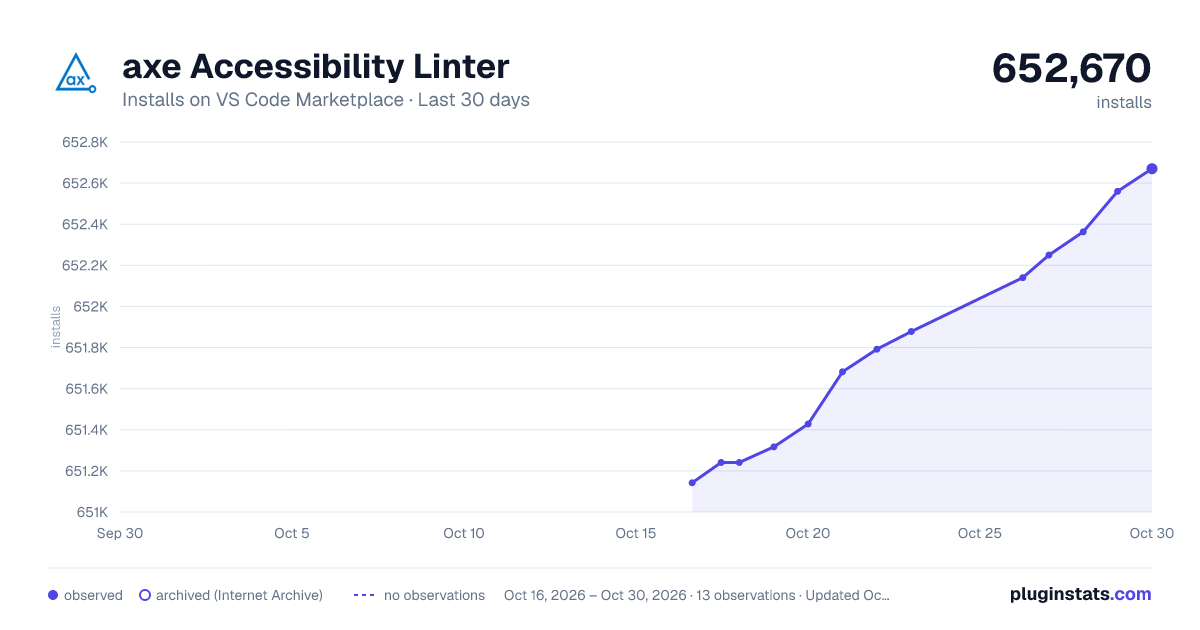
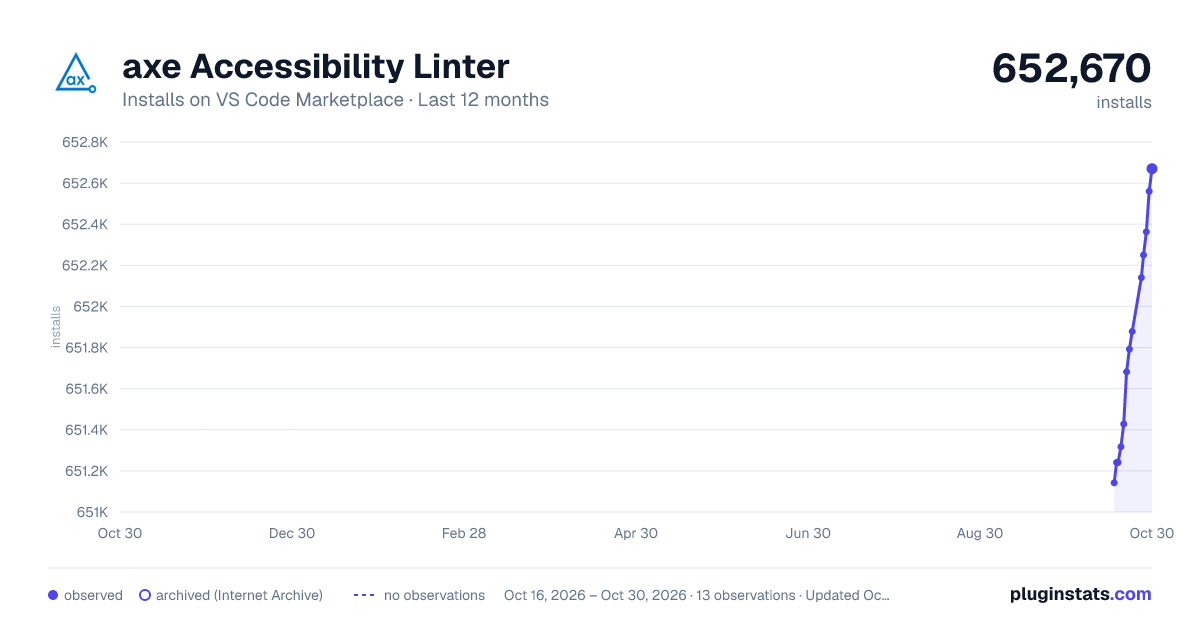
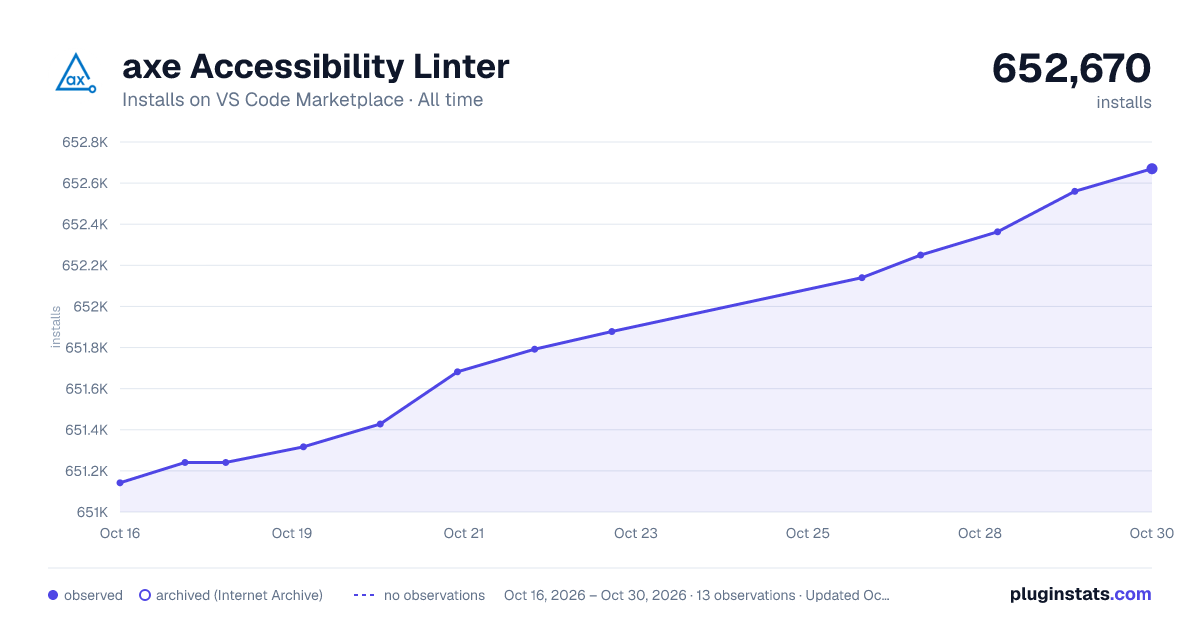

Adoption over time


7/30/90-day growth


Ranking history


Filled points are observed values; hollow points come from Internet Archive snapshots of the listing page. Dashed segments span periods with no observations — values between points are not interpolated.
Recent observations
Full history (4)Similar VS Code Marketplace Programming Languages plugins
Data source
Install counts, average rating, and rating counts come from the public Visual Studio Marketplace gallery API. Installs are cumulative and exclude updates.
Listing: https://marketplace.visualstudio.com/items?itemName=deque-systems.vscode-axe-linter. First seen Oct 16, 2026; last successful collection Oct 19, 2026. See the methodology.