 PluginStats
Concourse CI Pipeline Editor installs statistics
By VMware (4 listings) · VS Code Marketplace · Programming Languages
Provides validation and content assist for Concourse CI pipeline and task configuration yml files
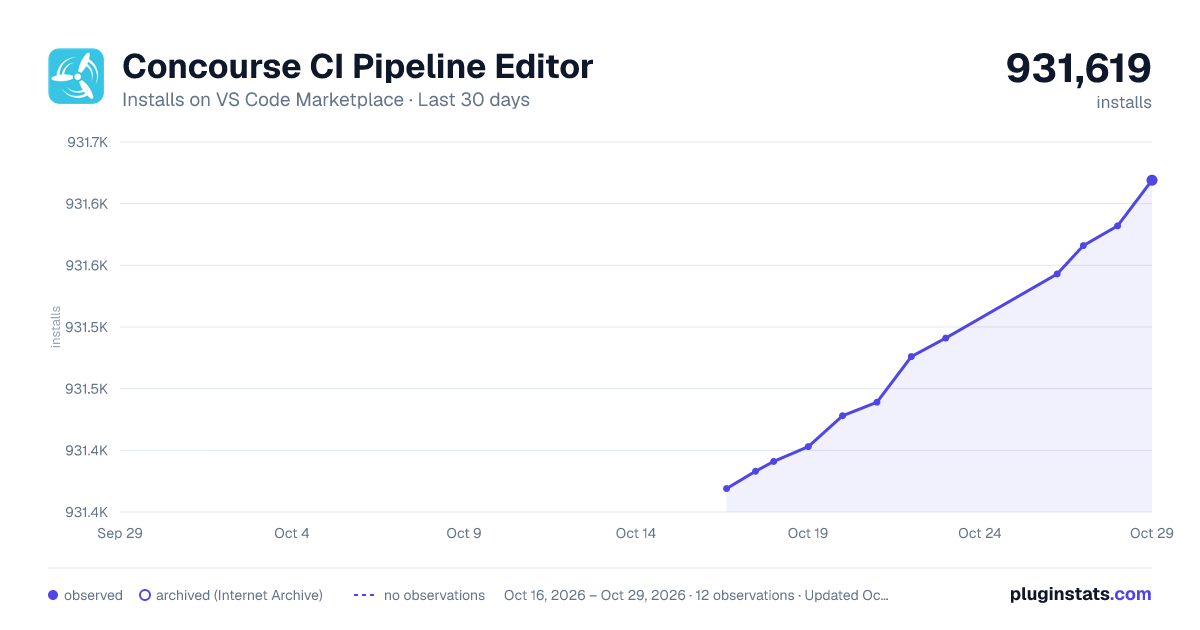
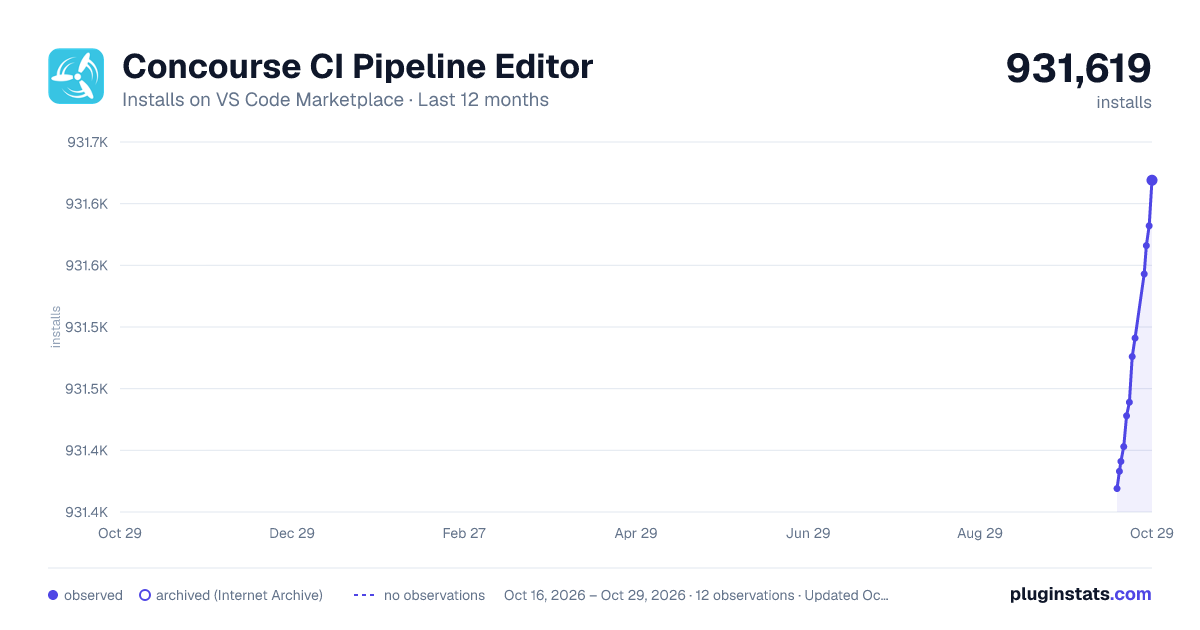
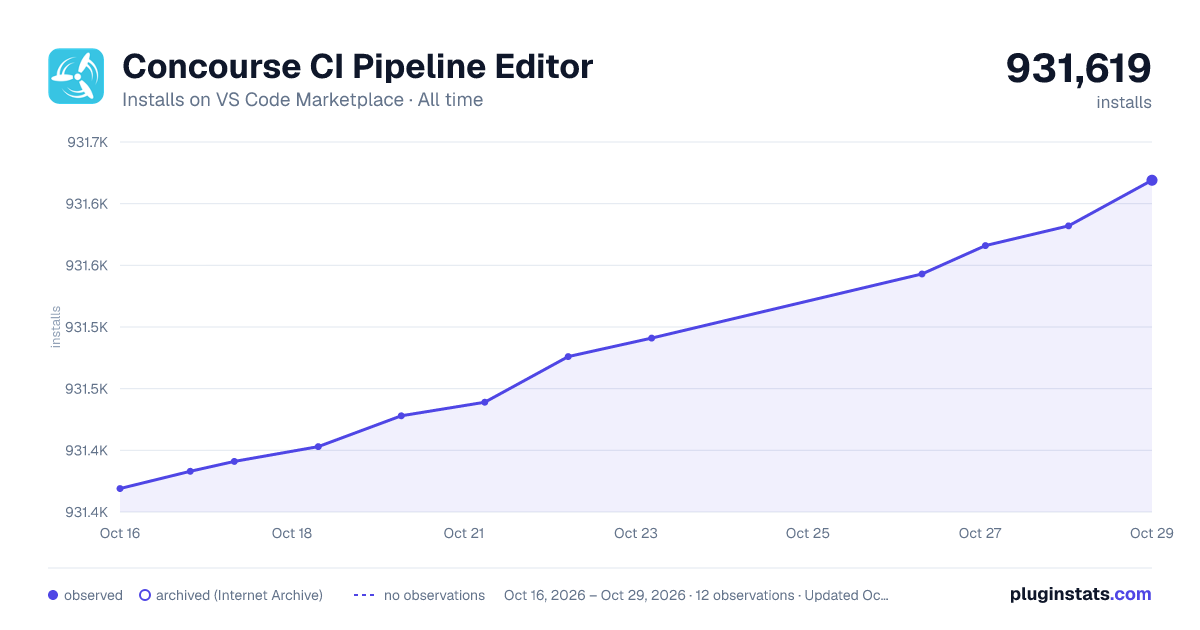
Concourse CI Pipeline Editor has 931,391 recorded installs on VS Code Marketplace.
It ranks #564 of 2,500 tracked VS Code Marketplace listings by installs.
It is rated 5.0 out of 5 from 5 ratings.
PluginStats has 3 daily observations since Oct 16, 2026; the latest is from Oct 18, 2026.
Rating: 5.00 / 5 from 5 ratings
About Concourse CI Pipeline Editor
Concourse Pipeline and Task Editor for Visual Studio Code
This extension provides validation, content assist and documentation hovers for editing Concourse Pipeline and Task configuration files.
Usage
The Concourse editor automatically activates when the name of the .yml file you are editing follows a certain pattern:
• /*pipeline*.yml | /pipeline/*.yml | /*pipeline*.yaml | /pipeline/*.yaml: activates support for editing pipelines • /ci//tasks/*.yml | /*task.yml | /ci//tasks/*.yaml | /*task.yaml : activates support for editing tasks. You can also define your own patterns and map them to the language-ids concourse-pipeline-yaml or concourse-task-yaml by defining files.associations in workspace settings. See vscode documentation for details.
Functionality
Validation
As you type the text is parsed and checked for basic syntactic and structural correctness. Hover over an error marker to see an explanation:
![Linting Screenshot][linting]
Content assist
Having trouble remembering all the names of the attributes, and their spelling? Or can't remember which resource properties to set in the get task params versus its source attributes? Or don't remember what 'special' values are acceptable for a certain property? Content assist to the rescue:
![Content Assist Screenshot][ca1]
![Content Assist Screenshot][ca2]
Documentation Hovers
Having trouble remembering exactly what the meaning of each attribute is? Hover over an attribute and read its detailed documentation:
![Hover Docs Screenshot][hovers]
Goto Symbol in File
Is your Pipeline yaml file getting larger and is it becoming harder to find a particular Job, Resource or Resource Type declaration? The "Goto Symbol in File" command helps you quickly jump to a specific definition.
Type CTRL-SHIFT-O to popup a list of all symbols in your current Pipeline file. Start typing a name (or portion thereof) to narrow down the list. Select a symbol to jump directly to its location in the file.
![Goto Symbol Screenshot][goto_symbol]
Goto/Peek Definition
Use "Goto Defition" or "Peek Definition" to quickly go (or peek) from a a Job- or Resource name to its corresponding definition.
![Peek Definition Screenshot][peek]
Limitations
This Vscode Extension is still a work in progress. At the moment only a select few of the built-in resource-types have been fully defined in the Editor's Schema.
The resource-types that are already defined in the schema are:
• git • docker-image • s3 • pool • semver • time
For other resource-types content assist and checking is still very limited. We intend to grow this list and provide a similar level of support for all of the built-in resource types in the near future.
Issues and Feature Requests
Please report bugs, issues and feature requests on the Github STS4 issue tracker.
*Version: 2.0.0-PRE-RELEASE*
Description from the VS Code Marketplace listing.
- concourse
- ConcoursePipeline
- concourse-pipeline-yaml
- ConcourseTask
- concourse-task-yaml
- pipeline.yml
- yaml
Where Concourse CI Pipeline Editor sits in the listing
Each band is one page of 20. Installs on a log scale. Placement is projected from installs, so it can differ from the marketplace's own sort order. Hover a dot to see the listing.


Charts
Images: 30d · 1y · all time · 1600×900 dark

Adoption over time


7/30/90-day growth


Ranking history


Filled points are observed values; hollow points come from Internet Archive snapshots of the listing page. Dashed segments span periods with no observations — values between points are not interpolated.
Recent observations
Full history (3)Similar VS Code Marketplace Programming Languages plugins
Data source
Install counts, average rating, and rating counts come from the public Visual Studio Marketplace gallery API. Installs are cumulative and exclude updates.
Listing: https://marketplace.visualstudio.com/items?itemName=vmware.vscode-concourse. First seen Oct 16, 2026; last successful collection Oct 18, 2026. See the methodology.