 PluginStats
AL XML Documentation installs statistics
By 365 business development · VS Code Marketplace · Other
Generate XML documentation comments for AL source code and create markdown documentation from it.
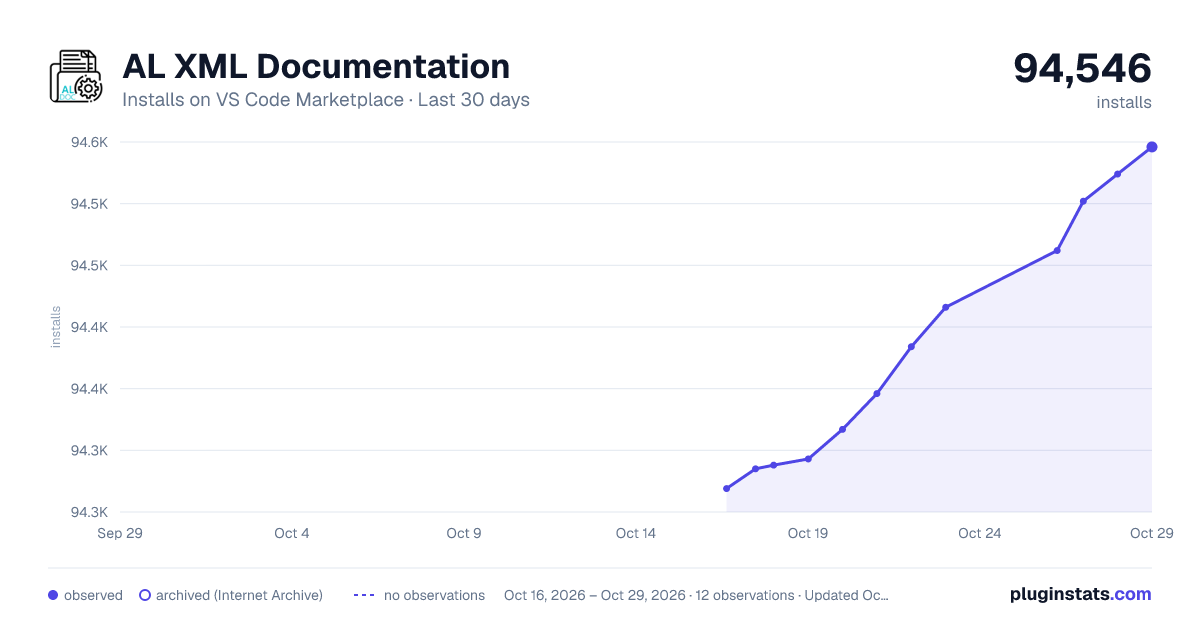
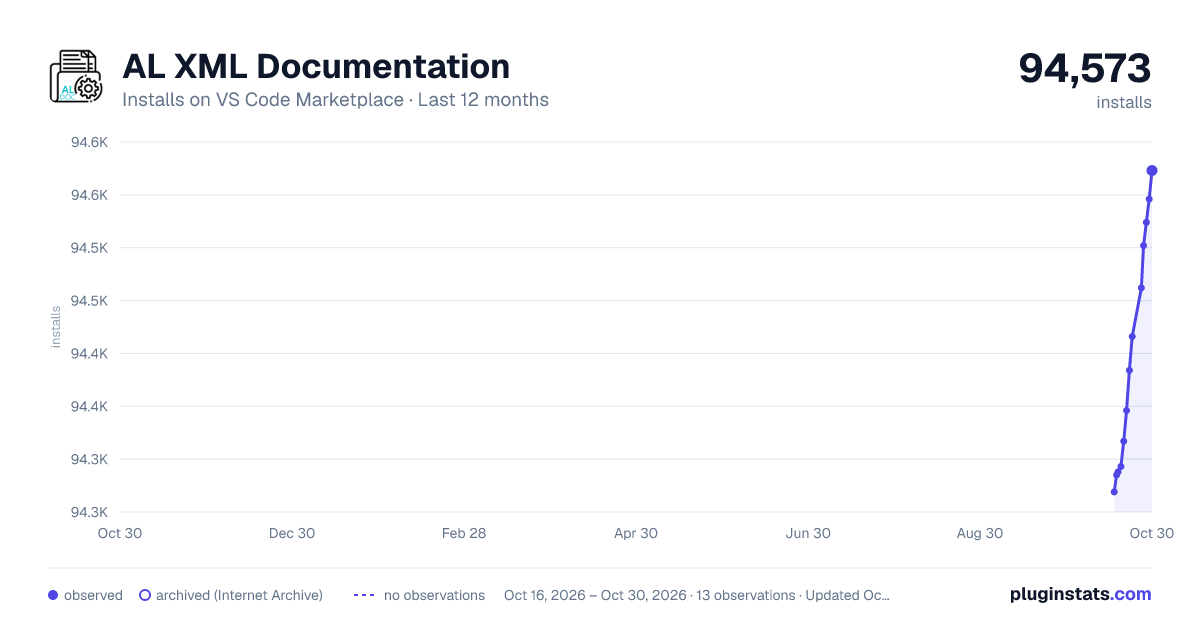
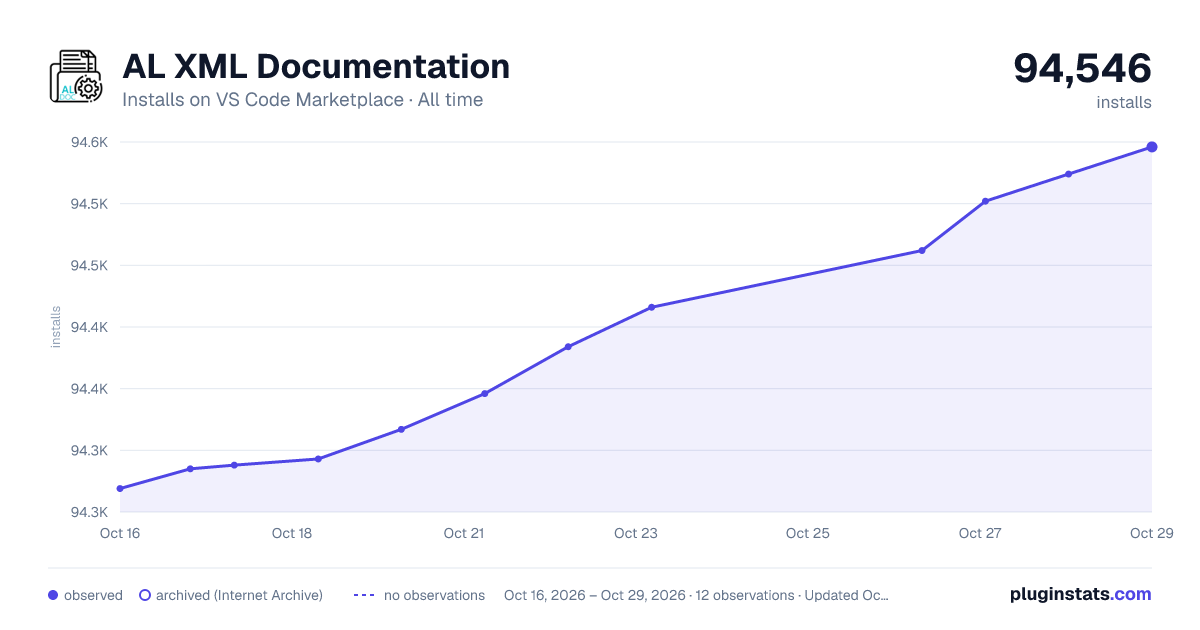
AL XML Documentation has 94,293 recorded installs on VS Code Marketplace.
It ranks #2456 of 2,501 tracked VS Code Marketplace listings by installs.
It is rated 4.0 out of 5 from 5 ratings.
PluginStats has 4 daily observations since Oct 16, 2026; the latest is from Oct 19, 2026.
Rating: 4.00 / 5 from 5 ratings
About AL XML Documentation
XML Documentation Comments Support for AL language in Visual Studio Code
Generate XML documentation comments for AL source code and create markdown documentation from it.
Usage
Generate context aware XML documentation comments
Note Due to the new Code documentation comments feature released with Microsoft Dynamics 365 Business Central 2020 Release Wave 2 (17) we changed our default behavior to generate XML documentation comments. For additional information please see Setup.
Type /// in AL source code IntelliSense will suggest XML documentation comments, matching the context of your current position in source code.
![Generate context aware XML documentation comments][GenerateXmlDoc]
Inherit XML documentation comments
In case you're implementing an AL interface object you are able to use inherit XML documentation comments. Based on the accessibility of the interface object source code (showMyCode-flag) there are two additional comments available: • Inherit AL XML Documentation Comment Creates a code reference (cref) linking to the original XML documentation comment in interface object. ![Link inherit XML documentation comment from interface object][InheritXmlDoc] • AL XML Documentation Interface Comment Copies the original XML documentation comment from the interface object. ![Apply XML documentation comment from interface object][InheritXmlDoc2]
Additional documentation features
In addition to the regular documentation activity you can: • Add new lines in existing XML Documentation comment section. (/// will automatically added.) • Use Snippets directly inside the XML Documentation comment section.
Code documentation
Sometimes it's useful to describe usage of parameters or procedures by simple example code. AL XML Documentation now supports tags in and documentations for procedures.
Important Currently only one -tag per or is supported.
![Use code-tag in Summary or Parameter description to explain usage][CodeDocumentation]
Additionally you can specify the language by using the lang-attribute in the tag:
Important If you omit the lang-attribute, the default value is al.
Generate markdown files from XML documentation comments
The following commands are available to generate documentation files from XML documentation in AL source code:
| Command | Description |
| AL DOC: Export documentation as PDF | Create a single PDF file containing all documentations for current project. | | AL DOC: Export documentation | Create markdown documentation files for all AL source code files in current project, including the project documentation file. | | AL DOC: Export documentation for file | Create markdown documentation file for the currently opened AL source code file. | | AL DOC: Delete documentation | Delete documentation files. |
Markdown Documentation Export
The two actions AL DOC: Export documentation and AL DOC: Export documentation for file are creating, based on the XML documentation in AL source code, markdown (md) documentation files. Using the DocumentationExportSchema setting you can specify how the documentation files are structured. You are able to decide between: • Project File + Object File • Project File + Object File + Procedure File
Schema: Project File + Object File
Using the Project File + Object File schema the export creates a single markdown file (index.md) in the root directory for documentation (see DocumentationExportPath setting) containing app manifest (app.json) information and a list of the containing objects, including the object documentation.
Additionally each AL object will result in a markdown file, named by the AL object name, containing the AL object documentation, object properties and all procedures / triggers including documentation.
Schema: Project File + Object File + Procedure File
Using the Project File + Object File + Procedure File schema the export creates a single markdown file (index.md) in the root directory for documentation (see DocumentationExportPath setting) containing app manifest (app.json) information and a list of the containing objects, including the object documentation.
Additionally each AL object will result in a directory, named by the AL object name, containing a index file (\index.md). The index file does contain the AL object documentation, object properties and a list of all procedures / triggers. Each procedure / trigger does result in a single markdown file, named by the procedure/trigger name, which contains the procedure documentation.
PDF Documentation Export
Introduced with version 1.1.0 there is the new action AL DOC: Export documentation as PDF available. The PDF export is based on the markdown export and creates a single PDF file from the created markdown. It uses Marked to convert markdown to html and Puppeteer (headless Chromium) to further convert the html to pdf. It also uses highlight.js for code highlighting.
The PDF documentation allows custom stylesheet (css) by referring to a CSS file in the PDFDocumentationExportCSS setting. Please see Puppeteer Docs for further information.
Show information from XML documentation comments as tooltip
After hovering over a procedure in your AL source code the XML documentation in the source file or symbols will be searched and presented as tooltip. The following information will be displayed in tooltip: • Summary *(only for AL-version older 6.0)* • Returns • Remarks • Example, including syntax highlighted code-section.
![Show XML documentation summary as Tooltip][SummaryHover]
Important Due to possible accessibility limitations of symbol files (showMyCode in AL project app.json, etc.) it's not possible to retrieve the XML documentation comments for dependencies in this case.
Diagnostic & Quick Fix actions…
Description from the VS Code Marketplace listing.
- AL
- Business Central
- Markdown
- snippet
- xml
- XML Documentation
Where AL XML Documentation sits in the listing
Each band is one page of 20. Installs on a log scale. Placement is projected from installs, so it can differ from the marketplace's own sort order. Hover a dot to see the listing.


Charts
Images: 30d · 1y · all time · 1600×900 dark

Adoption over time


7/30/90-day growth


Ranking history


Filled points are observed values; hollow points come from Internet Archive snapshots of the listing page. Dashed segments span periods with no observations — values between points are not interpolated.
Recent observations
Full history (4)Similar VS Code Marketplace Other plugins
Data source
Install counts, average rating, and rating counts come from the public Visual Studio Marketplace gallery API. Installs are cumulative and exclude updates.
Listing: https://marketplace.visualstudio.com/items?itemName=365businessdevelopment.bdev-al-xml-doc. First seen Oct 16, 2026; last successful collection Oct 19, 2026. See the methodology.