 PluginStats
CMake Test Explorer installs statistics
By Frédéric Bonnet · VS Code Marketplace · Other
Run your CMake tests in the Sidebar of Visual Studio Code
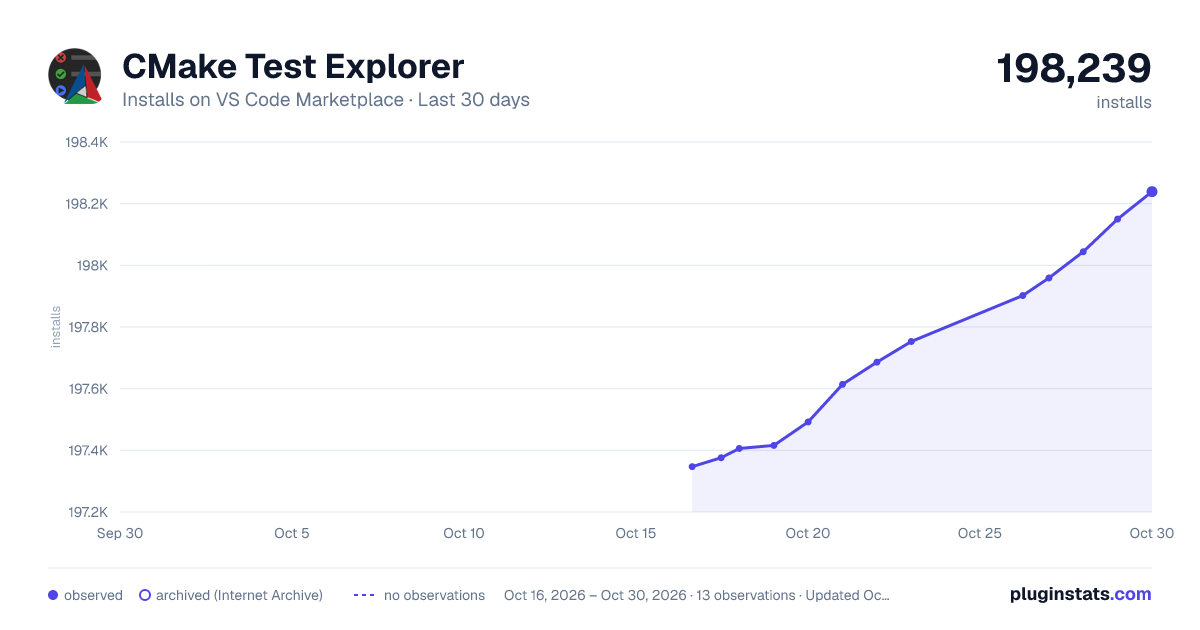
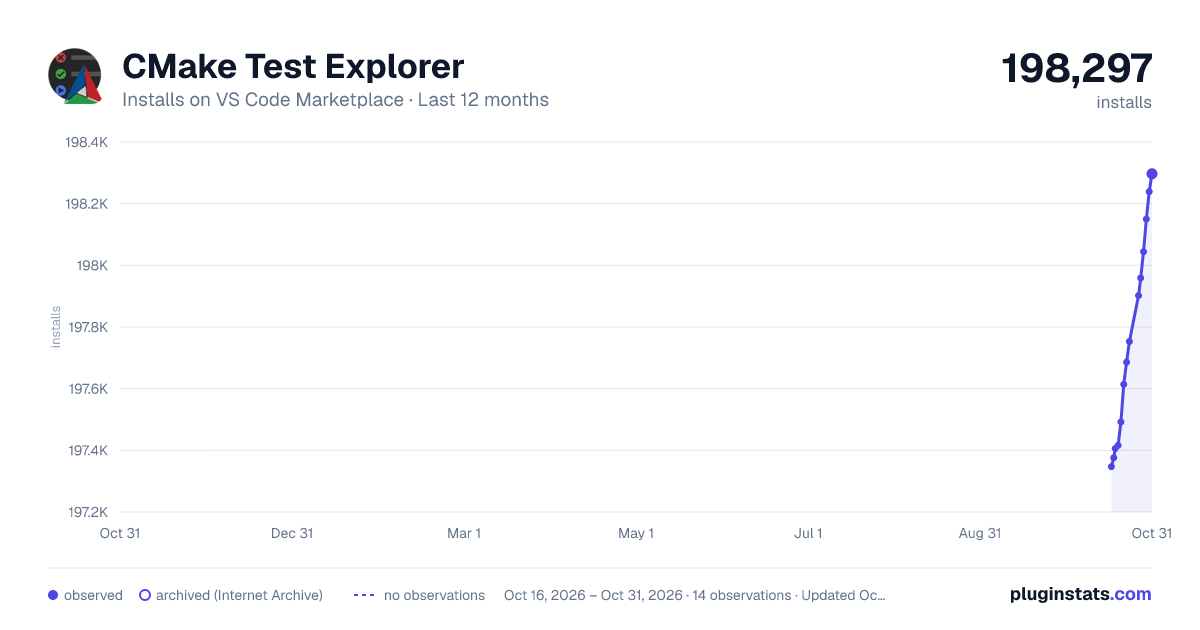
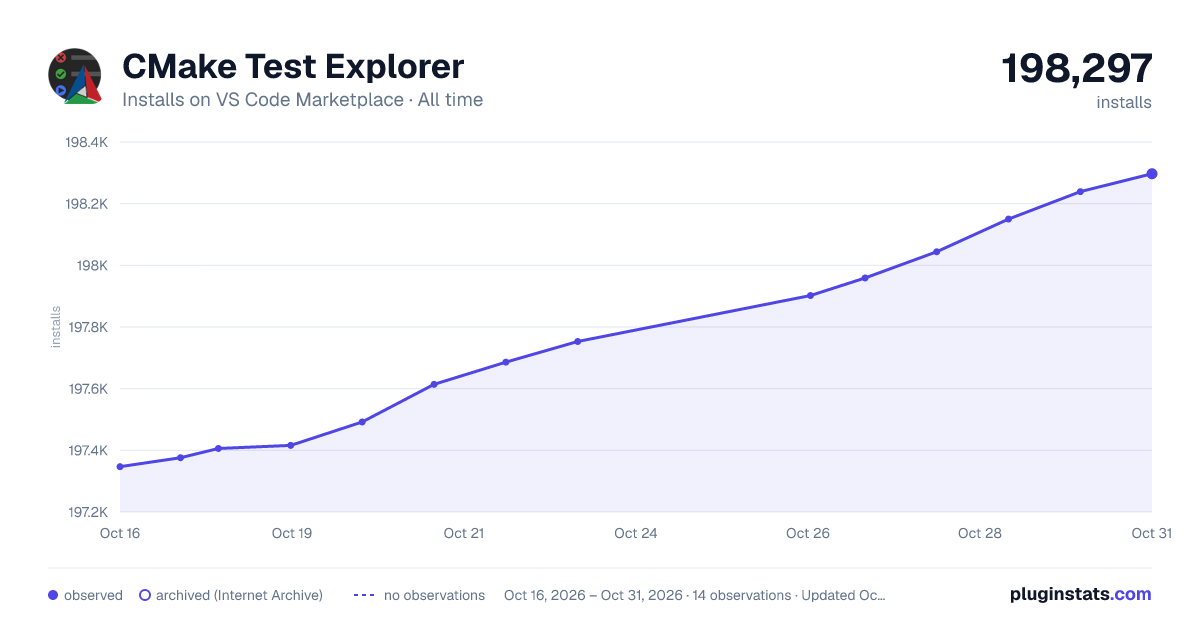
CMake Test Explorer has 197,406 recorded installs on VS Code Marketplace.
It ranks #1532 of 2,500 tracked VS Code Marketplace listings by installs.
It is rated 4.7 out of 5 from 3 ratings.
PluginStats has 3 daily observations since Oct 16, 2026; the latest is from Oct 18, 2026.
Rating: 4.67 / 5 from 3 ratings
About CMake Test Explorer
CMake Test Explorer for Visual Studio Code
Run your [CMake] tests using Visual Studio Code's [native Testing UI][vscode-testing].
What's new in version 1.1.2
Fixed
• Improve test output performances. This fixes issue #83.
Features
• Autodects CMake build directories in workspace • Reasonable defaults for zero-config • Integrates with CMake Tools • Runs tests in parallel • Supports custom test properties for advanced features like hierarchical suites and test locations
Configuration
| Property | Description | Default value |
| cmakeExplorer.autodetectBuildDirs | Autodetect build directories by searching for CTestTestfile.cmake files in workspace. | true | | cmakeExplorer.buildDir | Location of the CMake build directory. Can be absolute or relative to the workspace. Empty means the workspace directory. | ${buildDirectory} (see Variable substitution) | | cmakeExplorer.buildConfig | Name of the CMake build configuration. Can be set to any standard or custom configuration name (e.g. Debug, Release, RelWithDebInfo, MinSizeRel ). Case-insensitive. | ${buildType} (see Variable substitution) | | cmakeExplorer.cmakeIntegration | Integrate with the [CMake Tools][cmake-tools] extension for additional variables. See Variable substitution for more info. | true | | cmakeExplorer.debugConfig | Custom debug configuration to use. See Debugging for more info. | Empty | | cmakeExplorer.parallelJobs | Maximum number of parallel test jobs to run (zero=autodetect, 1 or negative=disable). See Parallel test jobs for more info. | 0 | | cmakeExplorer.extraCtestLoadArgs | Extra command-line arguments passed to CTest at load time. For example, -R foo will only load the tests containing the string foo. | Empty | | cmakeExplorer.extraCtestRunArgs | Extra command-line arguments passed to CTest at run time. For example, -V will enable verbose output from tests. | Empty | | cmakeExplorer.extraCtestEnvVars | Extra environment variables passed to CTest at run time. | Empty | | cmakeExplorer.suiteDelimiter | Delimiter used to split CMake test names into suite/test hierarchy. For example, if you name your tests suite1/subsuite1/test1, suite1/subsuite1/test2, suite2/subsuite3/test4, etc. you may set this to / in order to group your suites into a tree. If empty, the tests are not grouped. | Empty | | cmakeExplorer.testFileVar | CTest environment variable defined for a test, giving the path of the source file containing the test. See Source files for more info. | Empty | | cmakeExplorer.testLineVar | CTest environment variable defined for a test, giving the line number within the file where the test definition starts (if known). See Source files for more info. | Empty | | cmakeExplorer.errorPattern | Regular expression used to match error lines in test outputs. See Error pattern for more info. | GCC-style pattern |
Variable substitution
Some options support the replacement of special values in their string value by using a ${variable} syntax.
The following built-in variables are expanded:
| Variable | Expansion |
| ${workspaceFolder} | The full path to the workspace root directory. |
Environments variables are prefixed with env:. For example ${env:HOME} will be substituted with the home path on Unix systems.
| Variable | Expansion |
| ${env:} | The value of the environment variable VARNAME at session start. |
_(Note: On Windows, variable names are case insensitive but must be uppercase for env: substitition to work properly)_
Additionally, if the [CMake Tools][cmake-tools] extension is active in the current workspace and cmakeExplorer.cmakeIntegration is enabled, then the following variables can be used:
| Variable | Expansion | Default value |
| ${buildType} | The current CMake build type. For example: Debug, Release, MinSizeRel | Debug | | ${buildDirectory} | The full path to the current CMake build directory. | Empty |
If you want the extension to infer the right configuration automatically from CMake Tools, simply keep these default settings:
| Property | Value |
| cmakeExplorer.buildDir | ${buildDirectory} | | cmakeExplorer.buildConfig | ${buildType} |
If these variables are missing from the current settings (for example, if the CMake Tools extension is missing or disabled) then they are substituted with an empty string, falling back to default behavior.
Note that any change to the CMake Tools configuration, either from the settings or the status bar, requires a manual test reload from the Testing UI.
Source files
The Testing UI has a feature to link tests with their source files. CMake provides the [set_tests_properties()][cmake-set_tests_properties] command to associate tests with various metadata, however it only support a predefined [list of properties][cmake-test-properties], and none of them seems suitable for this purpose. To support this feature anyway, the extension expects that the file path and line number be passed as test environment variables using the [ENVIRONMENT][cmake-environment] property, like so:
Here we are using TEST_FILE and TEST_LINE environment variables but you are free to choose other variable names. You can then edit the cmakeExplorer.testFileVar and cmakeExplorer.testLineVar settings accordingly, and you should see an extra 'Go to Test' entry in the contextual menu.
Note that the cmakeExplorer.testFileVar setting must be set for these features to work, however if the cmakeExplorer.testLineVar setting is missing or the variable is not set for a given test then the 'Go to Test' will simply open the file.
Error pattern
The cmakeExplorer.errorPattern setting can be used to capture error messages on the test output. If the testExplorer.useNativeTesting setting is enabled, the captured messages will be displayed in the file editor next to the line where the error occurred.
This setting expects a regular expression string with the following named capturing groups:
• file • line • severity (optional) • message…
Description from the VS Code Marketplace listing.
- test
- testing
Where CMake Test Explorer sits in the listing
Each band is one page of 20. Installs on a log scale. Placement is projected from installs, so it can differ from the marketplace's own sort order. Hover a dot to see the listing.


Charts
Images: 30d · 1y · all time · 1600×900 dark

Adoption over time


7/30/90-day growth


Ranking history


Filled points are observed values; hollow points come from Internet Archive snapshots of the listing page. Dashed segments span periods with no observations — values between points are not interpolated.
Recent observations
Full history (3)Similar VS Code Marketplace Other plugins
Data source
Install counts, average rating, and rating counts come from the public Visual Studio Marketplace gallery API. Installs are cumulative and exclude updates.
Listing: https://marketplace.visualstudio.com/items?itemName=fredericbonnet.cmake-test-adapter. First seen Oct 16, 2026; last successful collection Oct 18, 2026. See the methodology.