 PluginStats
Marp for VS Code installs statistics
By Marp team · VS Code Marketplace · Other
Create slide deck written in Marp Markdown on VS Code
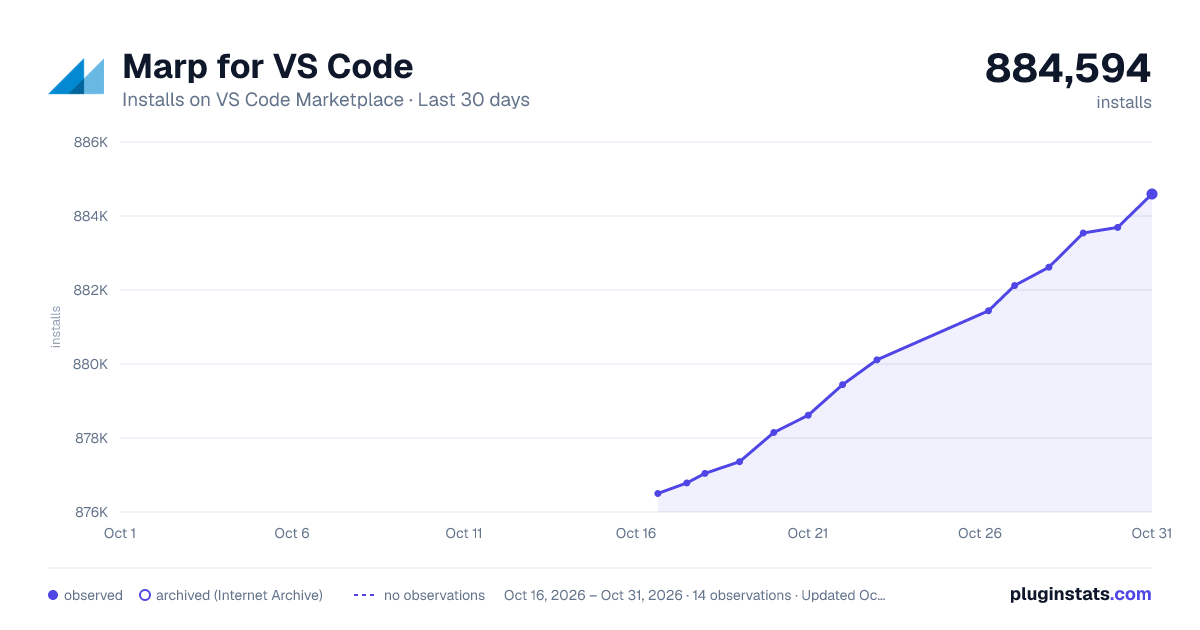
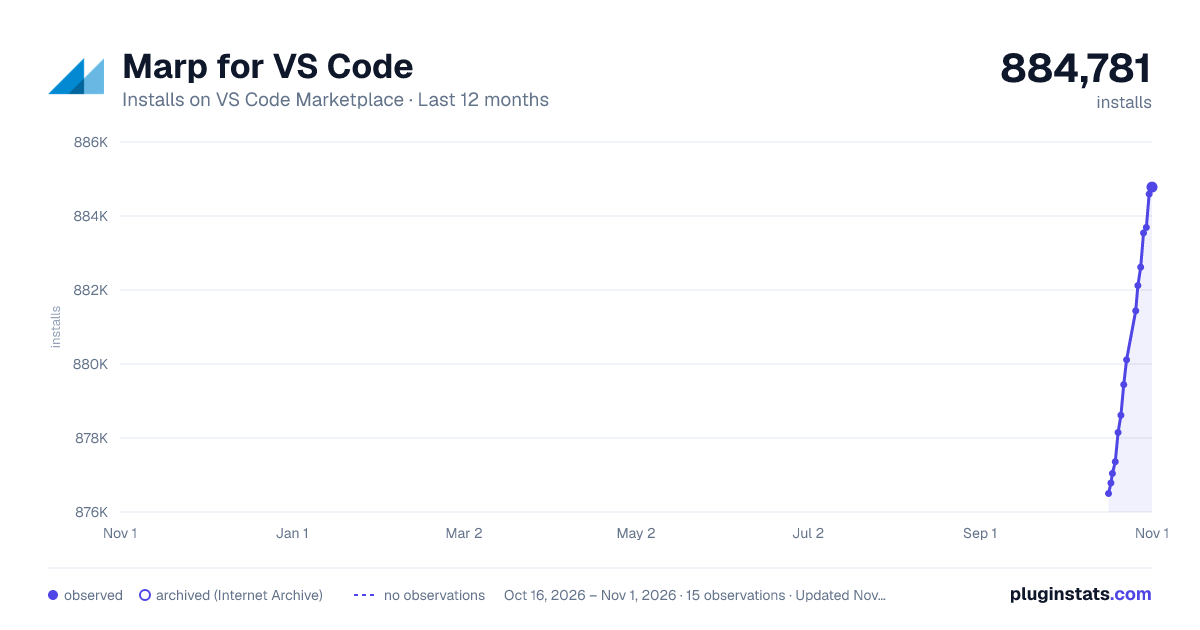
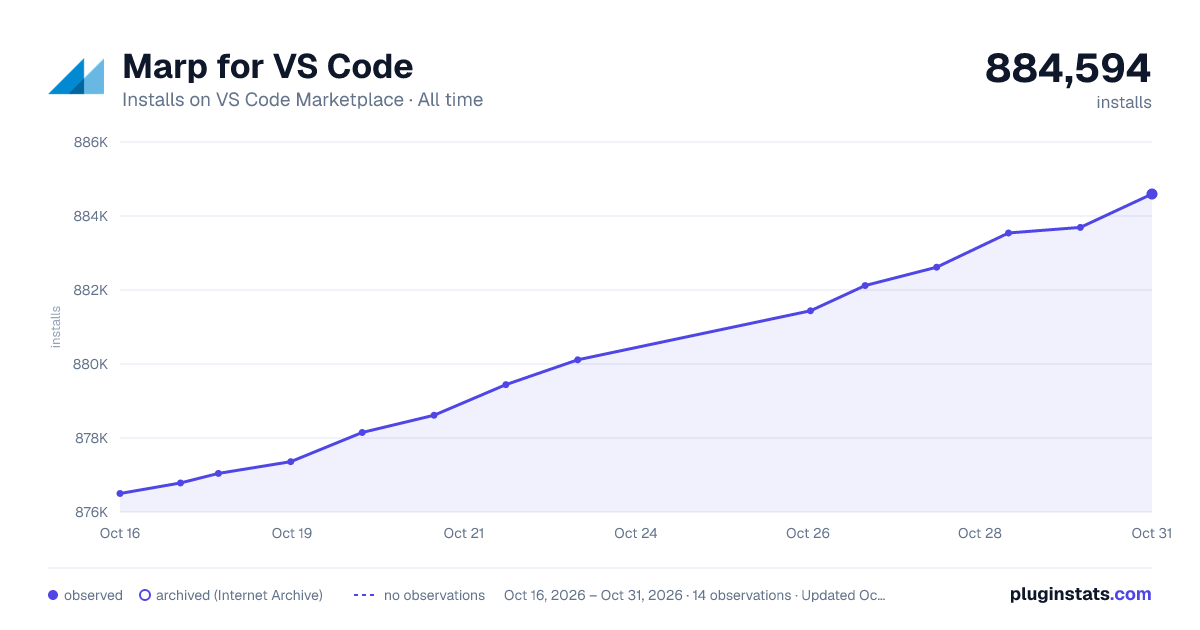
Marp for VS Code has 877,043 recorded installs on VS Code Marketplace.
It ranks #589 of 2,500 tracked VS Code Marketplace listings by installs.
It is rated 5.0 out of 5 from 29 ratings.
PluginStats has 3 daily observations since Oct 16, 2026; the latest is from Oct 18, 2026.
Rating: 4.97 / 5 from 29 ratings
About Marp for VS Code
Marp for VS Code
Create slide deck written in [Marp] Markdown on VS Code.
We will enhance your VS Code as the slide deck writer. Mark marp: true, and write your deck!
See the documentation of Marpit Markdown and the features of Marp Core about how to write.
Please refer [https://marp.app/][marp] for more details of Marp ecosystem. We have powerful tools for Marp Markdown: Marpit Framework, Marp Core, CLI tool and so on.
Usage
Marp features will be enabled when marp: true is written in a front-matter of Markdown document.
You can create a new Marp Markdown document from "New File..." menu (Alt + Ctrl + Win + N / Alt + Cmd + Ctrl + N) to start writing a slide deck quickly.
marp: true also can toggle by opening the quick picker from toolbar icon and selecting "Toggle Marp feature for current Markdown". (markdown.marp.toggleMarpFeature).
Features
Preview Marp Markdown
While enabled Marp features by marp: true, Marp for VS Code can preview your Marp Markdown with the same way as a built-in Markdown preview.
In the preview, an active slide is highlighted based on the current position of the editor, as like as the regular Markdown preview. To disable this highlight, you can set markdown.preview.markEditorSelection setting to false.
[!NOTE] If you are not familiar with editing Markdown on VS Code, we recommend to learn what you can do in VS Code documentation at first.
IntelliSense for Marp directives
Directives, the inherited feature from Marpit framework, is an important syntax to write the deck in Marp.
If enabled Marp feature by marp: true, Marp for VS Code extends IntelliSense to support auto completion, syntax highlight, hover help, and diagnostics for Marp directives.
Auto completion
Marp for VS Code can suggest global/local directives supported by Marp ecosystem. We remember all so you may forget them! 😛
Hit Ctrl + Space within the front-matter or HTML comment to show the list of directives. You can peek the help of selected directive by hitting Ctrl + Space again.
Some directives such as theme and paginate are also supported auto completion for the value.
Highlight and hover help
The key of recognized directives are highlighted in the different color from the around. This visualization may help to find out meaningless definitions.
And you can see the help of a defined directive by hovering cursor on the recognized directive.
Diagnostics
Marp for VS Code can detect some basic problems in Marp directives. Diagnostics will help following our recommended way for writing slides.
| Name | Description | [Quick Fix] |
| define-math-global-directive | Recommend to declare math typesetting library via [math global directive][math global directive] | ✅ | | deprecated-color-setting-shorthand | Check [obsoleted shorthands for setting slide colors][color setting shorthand] | ✅ | | deprecated-dollar-prefix | Check [obsoleted directives prefixed by $][dollar-prefix] | ✅ | | ignored-math-global-directive | Report ignored math global directive if disabled math by the extension setting | | | overloading-global-directive | Find out overloaded global directives | | | unknown-size | Notify if the specified [size preset] was not defined in a theme | | | unknown-theme | Notify a not recognized theme name | |
Experimental diagnostics
Some of diagnostics are experimental. You can enable or disable them in the extension settings. Refer to "Experimental settings".
| Name | Description | [Quick Fix] |
| 🧪 slide-content-overflow | Warn when the slide content in a preview overflows the safe area defined by the slide’s padding | |
Export slide deck to HTML, PDF, PPTX, and image 🛡️
We have integrated [Marp CLI][marp-cli] to export your deck into several formats.
To export the content of active Markdown editor, open the quick pick from Marp icon on toolbar and select "Export slide deck...". (markdown.marp.export)
You can also execute command from the Command Palette (F1 or Ctrl/Cmd+Shift+P).
Supported file types
• HTML • PDF • PPTX (PowerPoint document) • PNG (_First slide only)_ • JPEG (_First slide only)_ • TXT (_Notes only)_
Default file type can choose by the markdown.marp.exportType setting.
[!IMPORTANT] Exporting PDF, PPTX, and image formats requires to install any one of Google Chrome, Chromium, Microsoft Edge, or Firefox. You may control using browser and the custom path for the browser by markdown.marp.browser and markdown.marp.browserPath settings.
[!NOTE] A legacy setting markdown.marp.chromePath is deprecated since v2. Please use markdown.marp.browserPath instead.
Integration with AI agent
Marp for VS Code also provides the export tool to VS Code built-in AI agent.
By instructing in chat to export Markdown in the specified file format, AI agent can process the export using preferences in the current workspace.
Use custom theme CSS 🛡️
You can register and use custom theme CSS for Marpit / Marp Core by setting markdown.marp.themes, that includes remote URLs, or relative paths to local files in the current workspace.
It's very similar to a way for using custom styles in ordinary Markdown preview. The registered theme can use by specifying theme name in theme global directive.
Markdown preview will reload updated theme CSS automatically when you edited the registered local CSS file. It's very useful for creating your own theme.
Outline extension
When Marp Markdown is enabled, you can use the extended outline view like following. They are enabled by default but you may disable by the markdown.marp.outlineExtension setting.
Outline view for each slide
We extend the outline view to support slide pages in Marp Markdown.
[!TIP]
Please choose Sort By: Position from context menu of its panel if you see incorrect slide order.
Slide folding in editor
You can fold the content of slide in editor while editing Marp Markdown.
Security
[Workspace Trust]…
Description from the VS Code Marketplace listing.
- deck
- language-model-tools
- markdown
- marp
- presentation
- slide
- tools
Where Marp for VS Code sits in the listing
Each band is one page of 20. Installs on a log scale. Placement is projected from installs, so it can differ from the marketplace's own sort order. Hover a dot to see the listing.


Charts
Images: 30d · 1y · all time · 1600×900 dark

Adoption over time


7/30/90-day growth


Ranking history


Filled points are observed values; hollow points come from Internet Archive snapshots of the listing page. Dashed segments span periods with no observations — values between points are not interpolated.
Recent observations
Full history (3)Similar VS Code Marketplace Other plugins
Data source
Install counts, average rating, and rating counts come from the public Visual Studio Marketplace gallery API. Installs are cumulative and exclude updates.
Listing: https://marketplace.visualstudio.com/items?itemName=marp-team.marp-vscode. First seen Oct 16, 2026; last successful collection Oct 18, 2026. See the methodology.