 PluginStats
Save as Root in Remote - SSH installs statistics
By yy0931 (3 listings) · VS Code Marketplace · Other
Edit configuration files with root privileges while using the Remote - SSH extension
Save as Root in Remote - SSH has 328,120 recorded installs on VS Code Marketplace, ranking #1090 of 2,501 tracked listings.
Rating: 5.00 / 5 from 31 ratings
About Save as Root in Remote - SSH
Save as Root in Remote - SSH
This extension saves files with root privileges on Linux or macOS environments connected with Remote - SSH,
is an easy solution to [FileSystemProvider: no way of handling permissions issues #48659](https://github.com/microsoft/vscode/issues/48659).
Usage
Select Save as Root in the command palette (F1, Ctrl+Shift+P, or Cmd+Shift+P).
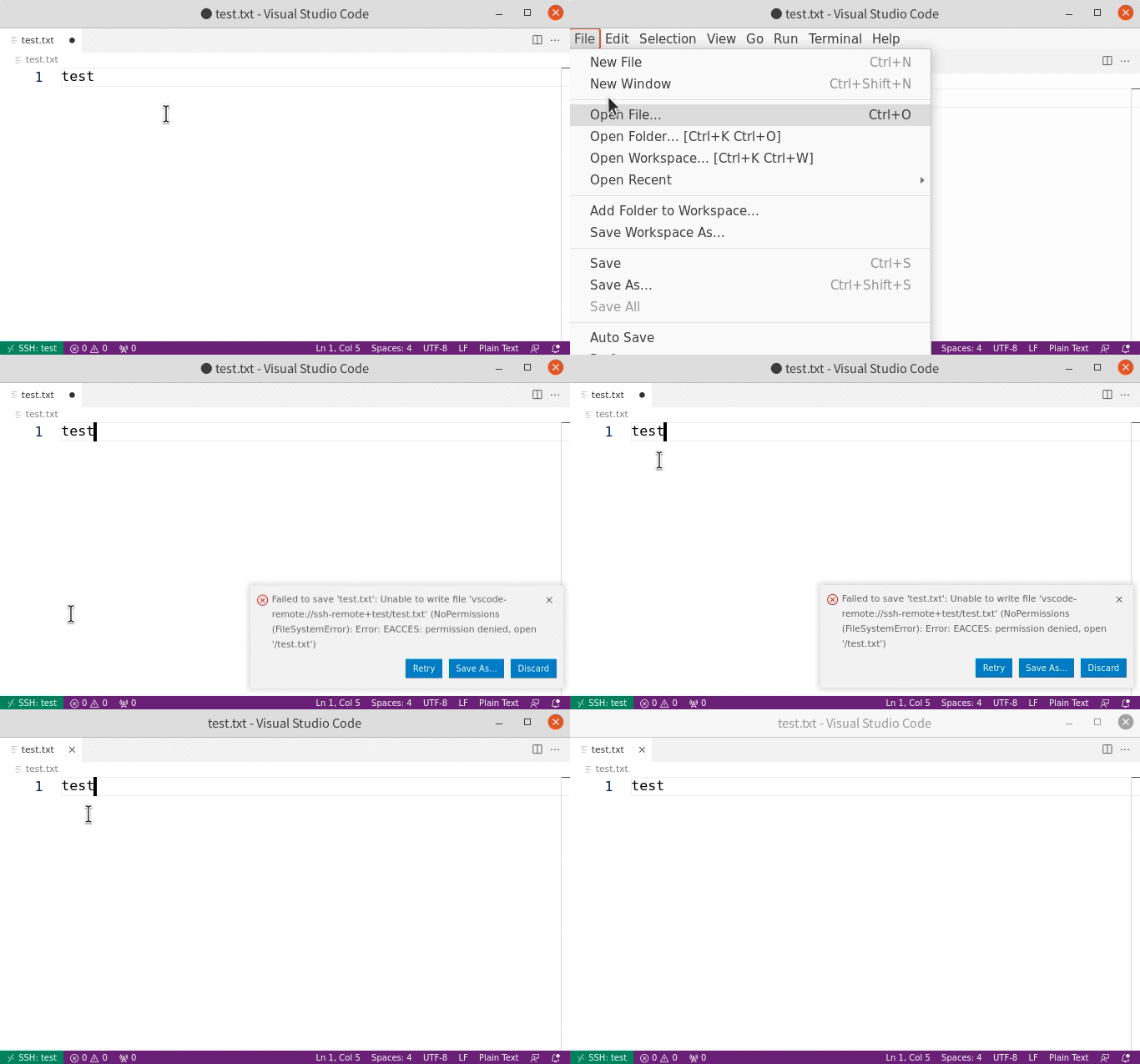
Alternatively, you can use Save as Specified User... command to save as a non-root user.
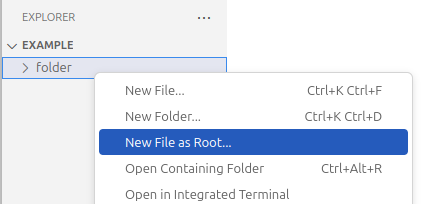
This extension also adds the New File as Root... option to the explorer's context menu when the window is connected to a remote folder.
Contributing
If you find a bug or have a suggestion, feel free to open an issue or submit a pull request to the GitHub repository.
(For VS Code Extension Authors) Listening to Save Events from This Extension
Saving a document using this extension does not trigger the standard VS Code save events (vscode.workspace.onDidSaveTextDocument and vscode.workspace.onWillSaveTextDocument).
To listen for save events from this extension:
-
Modify your extension's
activate()function to return an object with the following functions. (Returning an object fromactivateis the standard way to export an API from an extension. See https://code.visualstudio.com/api/references/vscode-api#extensions)function activate() { return { // This function is called just before saving the document. // document: the document that will be saved using this extension's command // reason: always `vscode.TextDocumentSaveReason.Manual` onWillSaveDocument(document: vscode.TextDocument, reason: vscode.TextDocumentSaveReason): Promise<void> { }, // This function is called after saving the document. // document: the document that was saved using this extension's command onDocumentSaved(document: vscode.TextDocument): Promise<void> { }, } } -
Add your extension's ID to
"save-as-root.extensionsToNotifyOnSave"in the VS Code settings as shown below. You can open a GitHub issue requesting the inclusion of your extension's ID in the default value of"save-as-root.extensionsToNotifyOnSave".{ ... "save-as-root.extensionsToNotifyOnSave": [..., "<your extension's ID>"] }
Description from the VS Code Marketplace listing.
- remote
- root
- ssh
- sudo
README badge
Show your rank in a README or on your website. The badge updates automatically.
Charts
Images: 30d · 1y · all time · 1600×900 dark
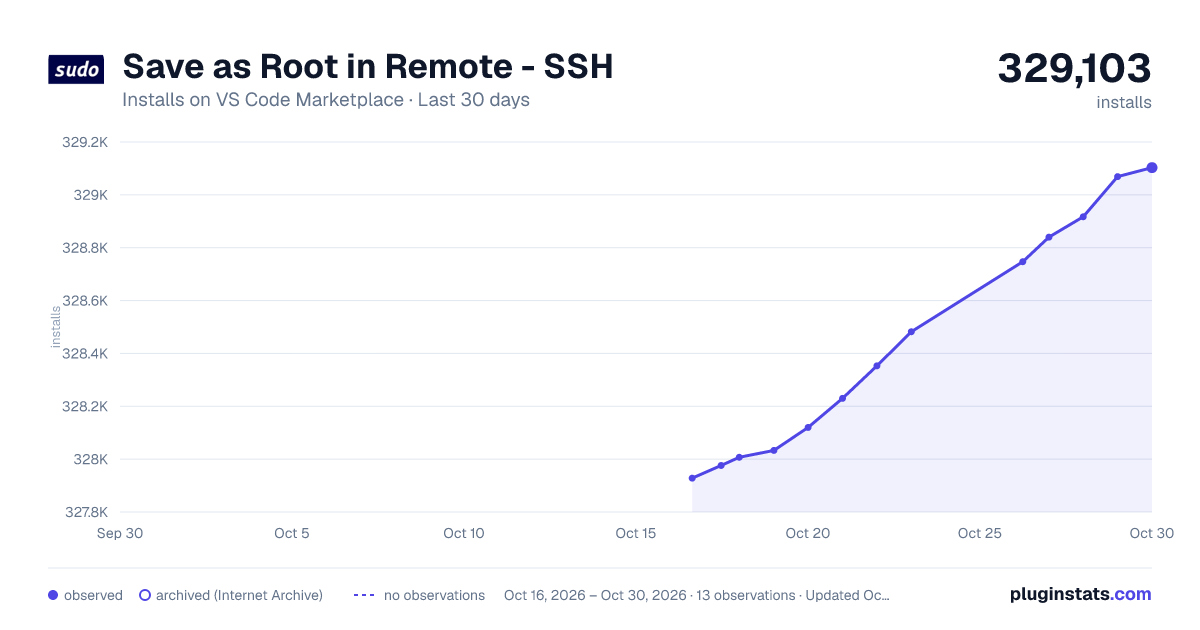
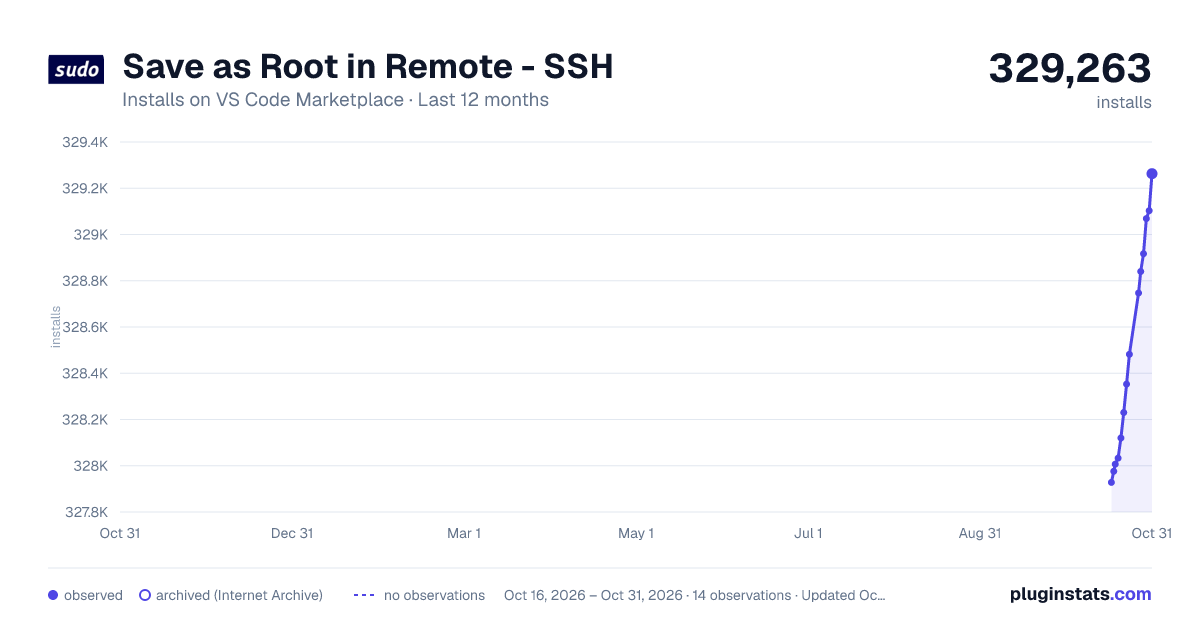
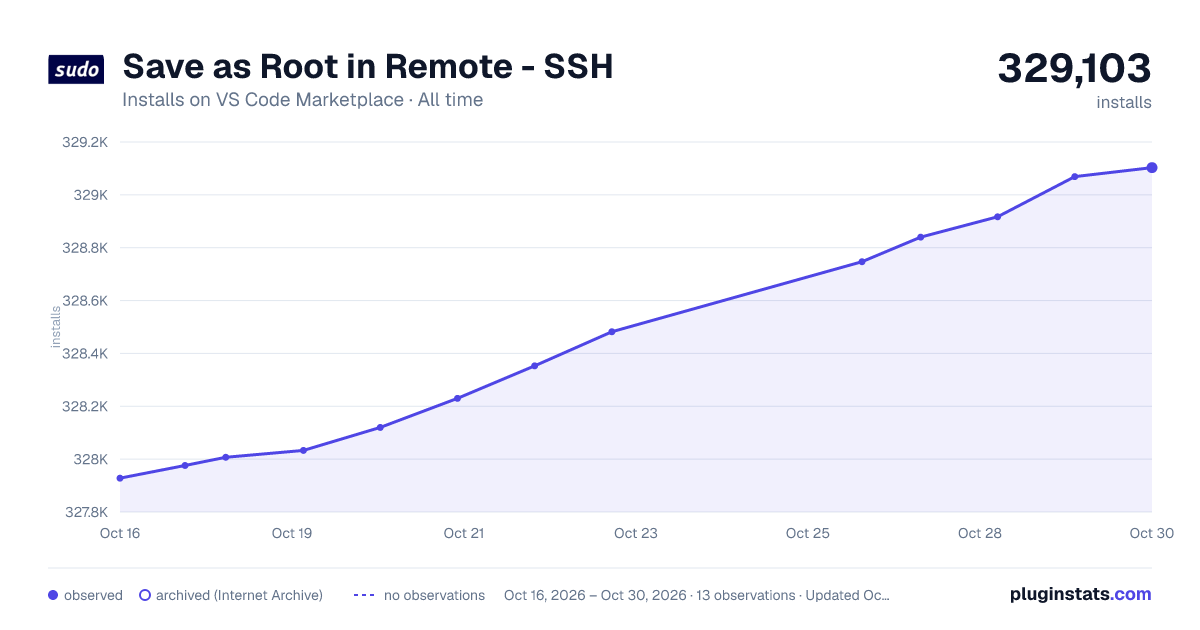

Adoption over time
7/30/90-day growth
Ranking history
Ratings over time
Listing placement
Listing placement
Filled points are observed values; hollow points come from Internet Archive snapshots of the listing page. Dashed segments span periods with no observations — values between points are not interpolated.
Each band is one page of 20. Installs on a linear scale. Placement is projected from installs, so it can differ from the marketplace's own sort order. Hover a dot to see the listing.
Recent observations
Full history (5)Similar VS Code Marketplace Other plugins
All 20 Save as Root in Remote - SSH alternativesData source
Install counts, average rating, and rating counts come from the public Visual Studio Marketplace gallery API. Installs are cumulative and exclude updates.
Listing: https://marketplace.visualstudio.com/items?itemName=yy0931.save-as-root. First seen Oct 16, 2026; last successful collection Oct 20, 2026. See the methodology.