 PluginStats
audio-preview installs statistics
By sukumo28 · VS Code Marketplace · Other
play & preview audio file in VS Code. (wav,mp3,ogg,aac,flac,...etc)
audio-preview has 213,836 recorded installs on VS Code Marketplace.
It ranks #1441 of 2,500 tracked VS Code Marketplace listings by installs.
It is rated 4.8 out of 5 from 24 ratings.
PluginStats has 3 daily observations since Oct 16, 2026; the latest is from Oct 18, 2026.
Rating: 4.83 / 5 from 24 ratings
About audio-preview
audio-preview
You can play your audio file and preview its info on VS Code. You can also check waveform and spectrogram.
Supported Audio Files: wav, mp3, aac, ogg, flac, opus, m4a, sph ... etc.
Available on Marketplace: https://marketplace.visualstudio.com/items?itemName=sukumo28.wav-preview Repository: https://github.com/sukumo28/vscode-audio-preview
Note Please consider using the built-in audio playback feature as well. When we developed this VS Code extension, VS Code did not bundle ffmpeg and had no audio playback capabilities. However, with updates, a built-in audio playback feature has been added. While this extension has finish its purpose, we will continue to maintain it slowly.
Features
How to preview audio.
• If you want to display only a specific range of graphs, dragging on the graph will re-run analyze on the selected range. • By pressing the Ctrl key when dragging, you can select only the time range. • By pressing the Shift key when dragging, you can select only the value range. • If you want to return to the original range, right-click on the graph. • Pressing the Ctrl key when right-clicking, reset only the time range. • Pressing the Shift key when right-clicking, reset only the value range. • If you want to specify the numerical values in detail, you can set the values in the analyze tab found in the settings tab.
If this extension does not open by default, edit settings.json like below.
Settings
You can configure these options in settings.json or VS Code's GUI. Configuration is completely optional. There is no need to configure anything if you are just using this extension.
You can analyze audio automatically when you open it.
You can set the default values for the settings displayed in the settings tab as shown below. To check all items, please refer to here.
Development
Contributions
Feel free to report Isuues and send Pull Requests on github.
If an error occurs and you create an issue, posting the log displayed in VSCode's DevTools to the issue may be useful for development and fix. VSCode's DevTools can be opened in the following ways.
• Press f12 • Press shift + ctrl + I • Select Help > Toggle Developer Tools from the menu at the top of the screen
Build
• Clone this repo • Install Dependencies: npm install • Build Container for decoder: docker build -t audio-decoder ./src/decoder/ • Compile decoder.cpp to wasm: docker run --rm -v ${pwd}/src/decoder:/build -it audio-decoder make • Run Extension: f5
Test
npm run test This command runs the tests in src directory.
Lint, Format
Linter npm run lint
Formatter npm run format This is automatically applied upon saving due to the settings in the .vscode/settings.json of this project, so there is generally no need to run it manually.
References
Custom Editor: https://code.visualstudio.com/api/extension-guides/custom-editors Custom Editor Example: https://github.com/microsoft/vscode-extension-samples/tree/main/custom-editor-sample
Description from the VS Code Marketplace listing.
- aac
- audio
- flac
- m4a
- mp3
- sound
- sph
- wav
Where audio-preview sits in the listing
Each band is one page of 20. Installs on a log scale. Placement is projected from installs, so it can differ from the marketplace's own sort order. Hover a dot to see the listing.


Charts
Images: 30d · 1y · all time · 1600×900 dark
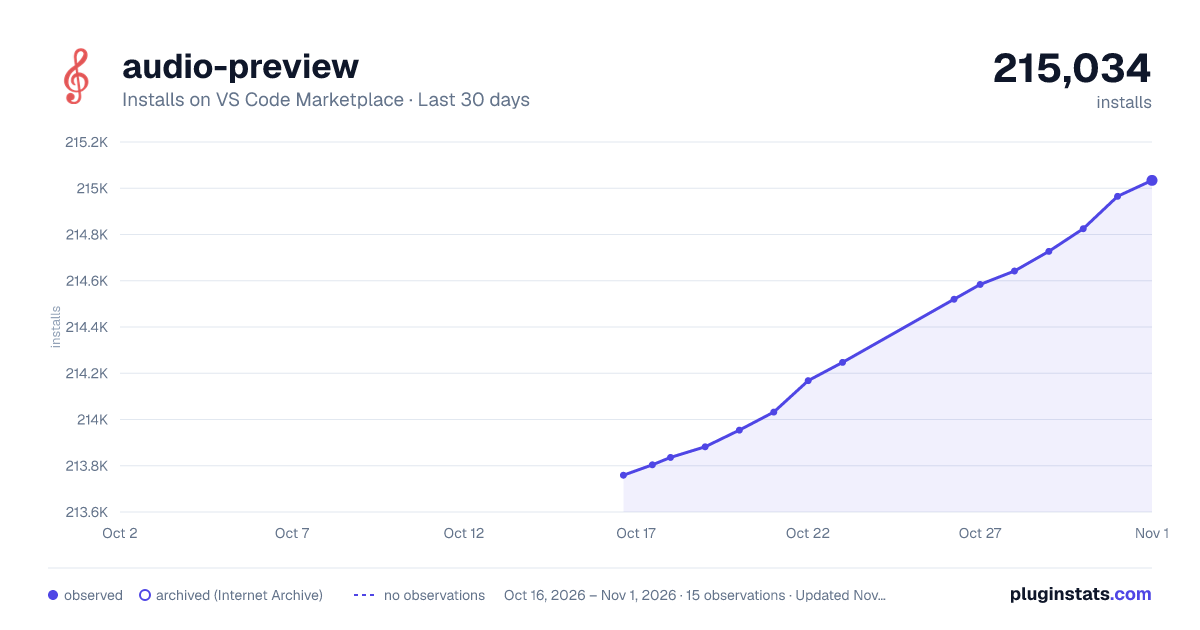
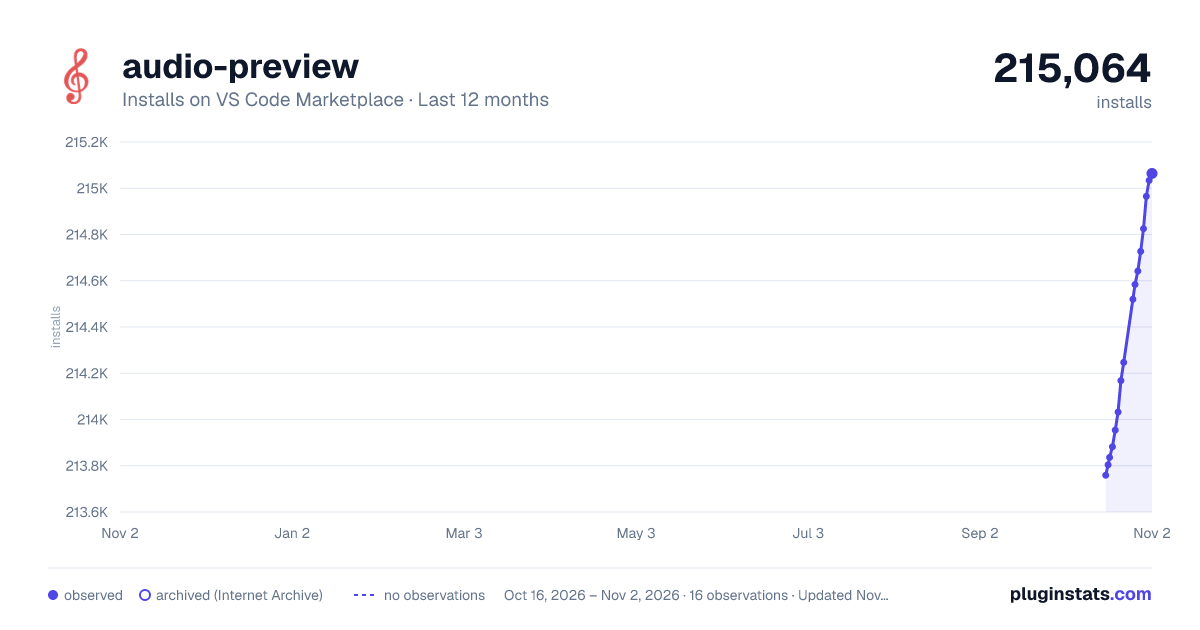
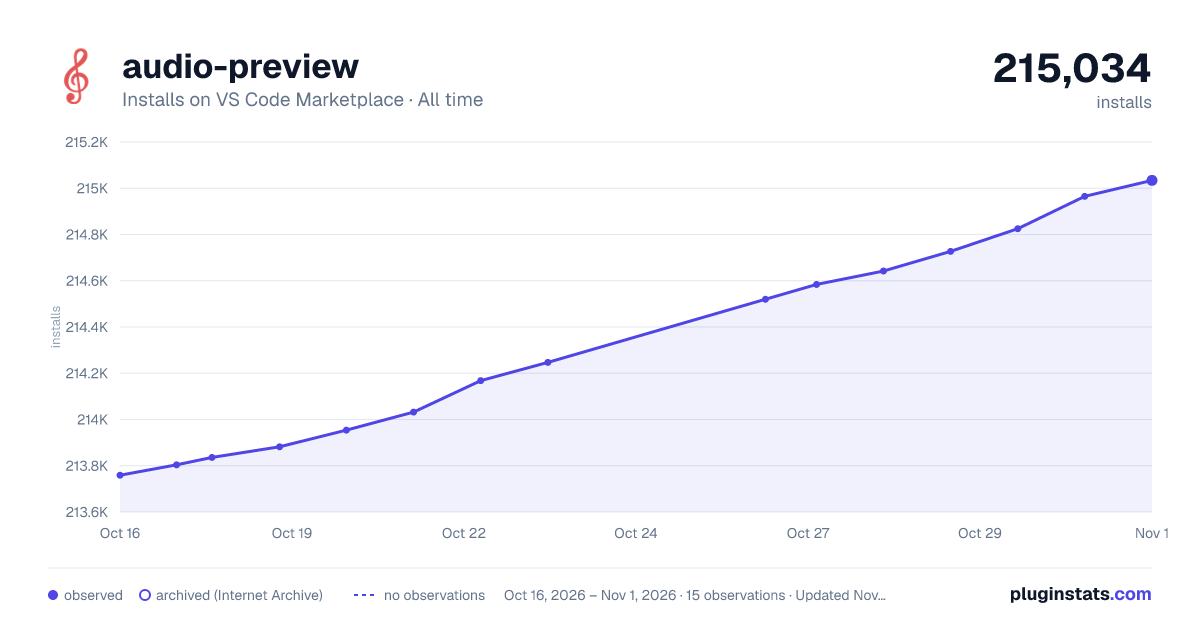

Adoption over time


7/30/90-day growth


Ranking history


Filled points are observed values; hollow points come from Internet Archive snapshots of the listing page. Dashed segments span periods with no observations — values between points are not interpolated.
Recent observations
Full history (3)Similar VS Code Marketplace Other plugins
Data source
Install counts, average rating, and rating counts come from the public Visual Studio Marketplace gallery API. Installs are cumulative and exclude updates.
Listing: https://marketplace.visualstudio.com/items?itemName=sukumo28.wav-preview. First seen Oct 16, 2026; last successful collection Oct 18, 2026. See the methodology.