 PluginStats
Paste Image installs statistics
By mushan · VS Code Marketplace · Other
paste image from clipboard directly
Paste Image has 750,588 recorded installs on VS Code Marketplace, ranking #654 of 2,502 tracked listings.
Rating: 4.80 / 5 from 51 ratings
About Paste Image
Paste Image
Paste image directly from clipboard to markdown/asciidoc(or other file)!
Support Mac/Windows/Linux! And support config destination folder.
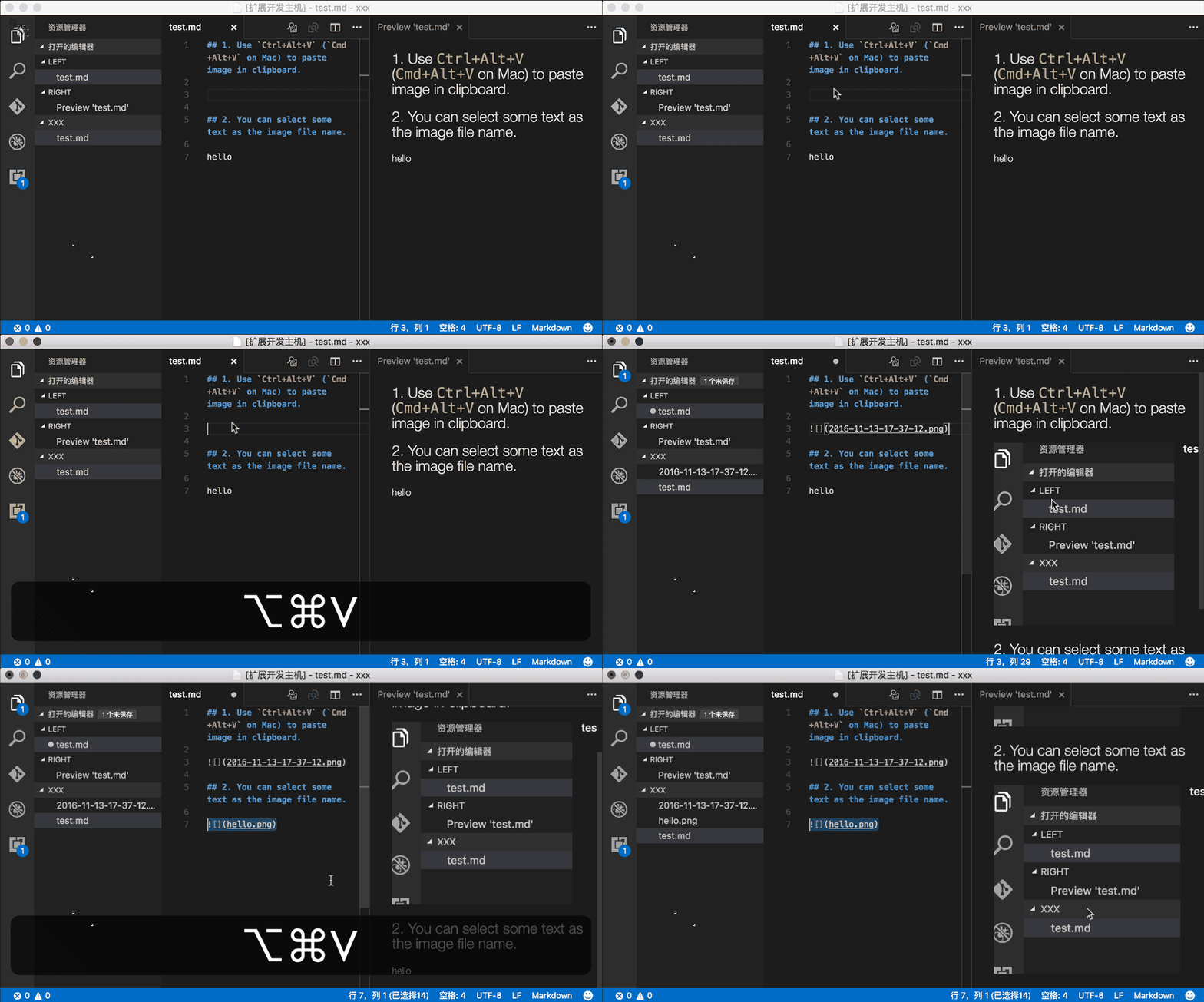
Now you can enable pasteImage.showFilePathConfirmInputBox to modify file path before save:

Usage
- capture screen to clipboard
- Open the command palette:
Ctrl+Shift+P(Cmd+Shift+Pon Mac) - Type: "Paste Image" or you can use default keyboard binding:
Ctrl+Alt+V(Cmd+Alt+Von Mac). - Image will be saved in the folder that contains current editing file
- The relative path will be paste to current editing file
Config
-
pasteImage.defaultNameThe default image file name.
The value of this config will be pass to the 'format' function of moment library(a js time manipulation library), you can read document https://momentjs.com/docs/#/displaying/format/ for advanced usage.
And you can use variable:
${currentFileName}: the current file name with ext.${currentFileNameWithoutExt}: the current file name without ext.
Default value is
Y-MM-DD-HH-mm-ss. -
pasteImage.pathThe destination to save image file.
You can use variable:
${currentFileDir}: the path of directory that contain current editing file.${projectRoot}: the path of the project opened in vscode.${currentFileName}: the current file name with ext.${currentFileNameWithoutExt}: the current file name without ext.
Default value is
${currentFileDir}. -
pasteImage.basePathThe base path of image url.
You can use variable:
${currentFileDir}: the path of directory that contain current editing file.${projectRoot}: the path of the project opened in vscode.${currentFileName}: the current file name with ext.${currentFileNameWithoutExt}: the current file name without ext.
Default value is
${currentFileDir}. -
pasteImage.forceUnixStyleSeparatorForce set the file separator styel to unix style. If set false, separator styel will follow the system style.
Default is
true. -
pasteImage.prefixThe string prepend to the resolved image path before paste.
Default is
"". -
pasteImage.suffixThe string append to the resolved image path before paste.
Default is
"". -
pasteImage.encodePathHow to encode image path before insert to editor. Support options:
none: do nothing, just insert image path to texturlEncode: url encode whole image pathurlEncodeSpace: url encode only space character(sapce to %20)
Defalut is
urlEncodeSpace. -
pasteImage.namePrefixThe string prepend to the image file name.
You can use variable:
${currentFileDir}: the path of directory that contain current editing file.${projectRoot}: the path of the project opened in vscode.${currentFileName}: the current file name with ext.${currentFileNameWithoutExt}: the current file name without ext.
Default is
"". -
pasteImage.nameSuffixThe string append to the image name.
You can use variable:
${currentFileDir}: the path of directory that contain current editing file.${projectRoot}: the path of the project opened in vscode.${currentFileName}: the current file name with ext.${currentFileNameWithoutExt}: the current file name without ext.
Default is
"". -
pasteImage.insertPatternThe pattern of string that would be pasted to text.
You can use variable:
${imageFilePath}: the image file path, withpasteImage.prefix,pasteImage.suffix, and url encoded.${imageOriginalFilePath}: the image file path.${imageFileName}: the image file name with ext.${imageFileNameWithoutExt}: the image file name without ext.${currentFileDir}: the path of directory that contain current editing file.${projectRoot}: the path of the project opened in vscode.${currentFileName}: the current file name with ext.${currentFileNameWithoutExt}: the current file name without ext.${imageSyntaxPrefix}: in markdown file it would be <code></code>, in asciidoc file it would be <code>[]</code>, in other file it would be empty string
Defalut is
${imageSyntaxPrefix}${imageFilePath}${imageSyntaxSuffix}. -
pasteImage.showFilePathConfirmInputBoxEnabling this
booleansetting will make Paste Image ask you to confirm the file path(or file name). This is useful if you want to change the file path of the image you are currently pasting. Default isfalse. -
pasteImage.filePathConfirmInputBoxModefullPath: show full path in inputBox, so you can change the path or name. Defautl value.onlyName: show only file name in inputBox, so it's easy to change name.
Config Example
I use vscode to edit my hexo blog. The folder struct like this:
blog/source/_posts  (articles)
blog/source/img     (images)
I want to save all image in blog/source/img, and insert image url to article. And hexo will generate blog/source/ as the website root, so the image url shoud be like /img/xxx.png. So I can config pasteImage in blog/.vscode/setting.json like this:
"pasteImage.path": "${projectRoot}/source/img",
"pasteImage.basePath": "${projectRoot}/source",
"pasteImage.forceUnixStyleSeparator": true,
"pasteImage.prefix": "/"
If you want to save image in separate directory:…
Description from the VS Code Marketplace listing.
- image
- keybindings
- markdown
- paste
- paste image
README badge
Show your rank in a README or on your website. The badge updates automatically.
Charts
Images: 30d · 1y · all time · 1600×900 dark
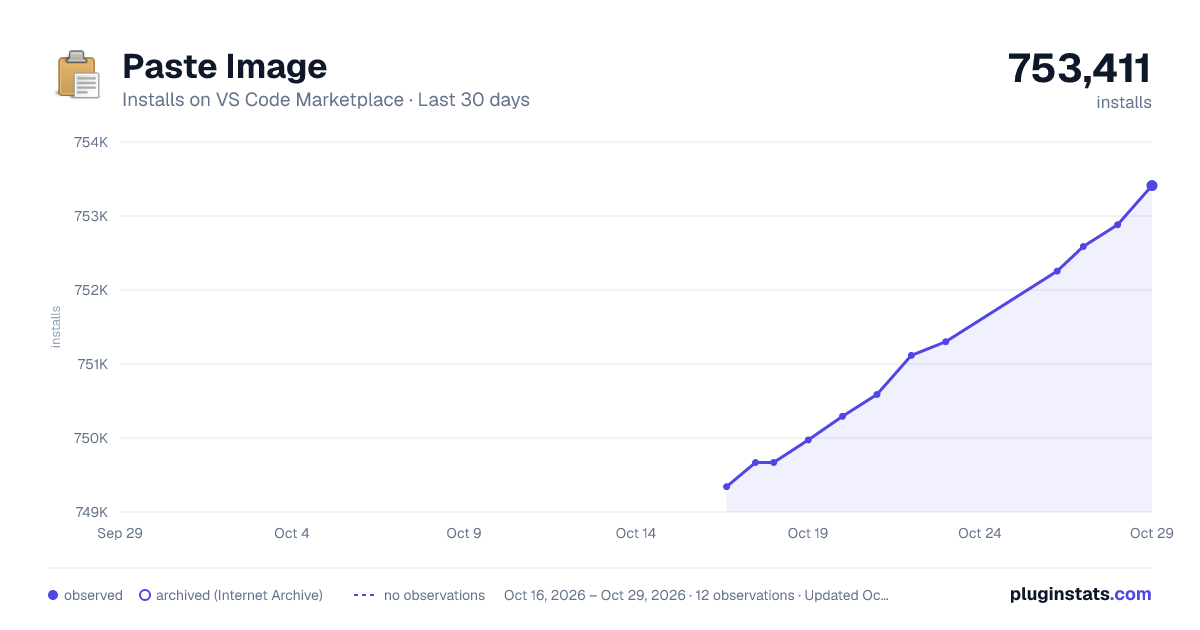
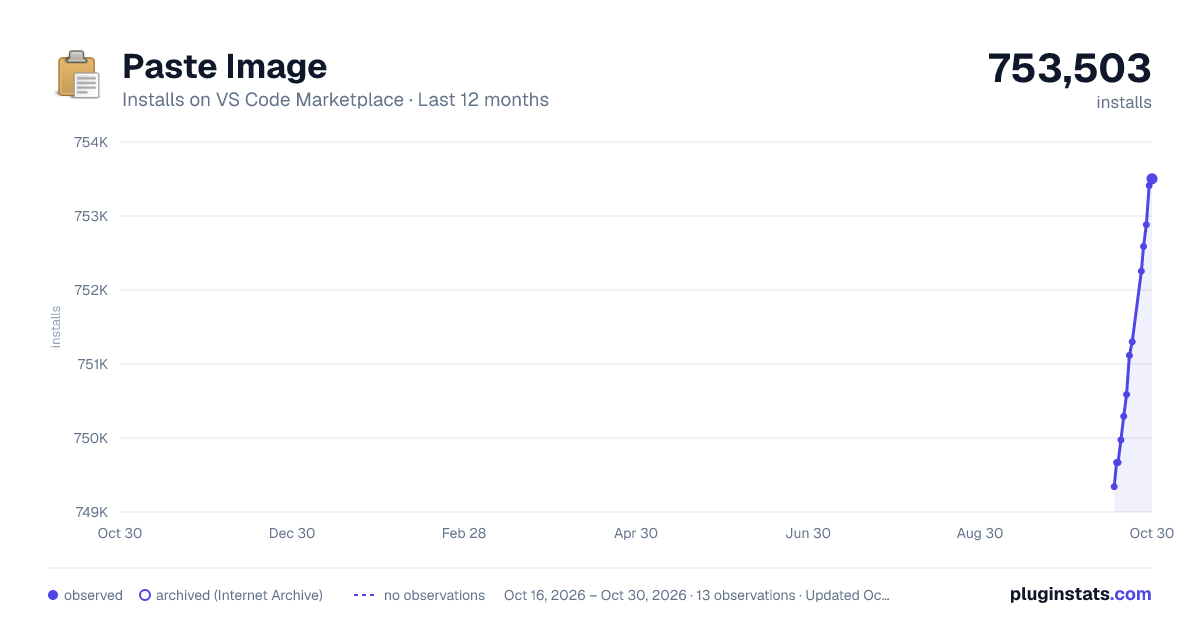
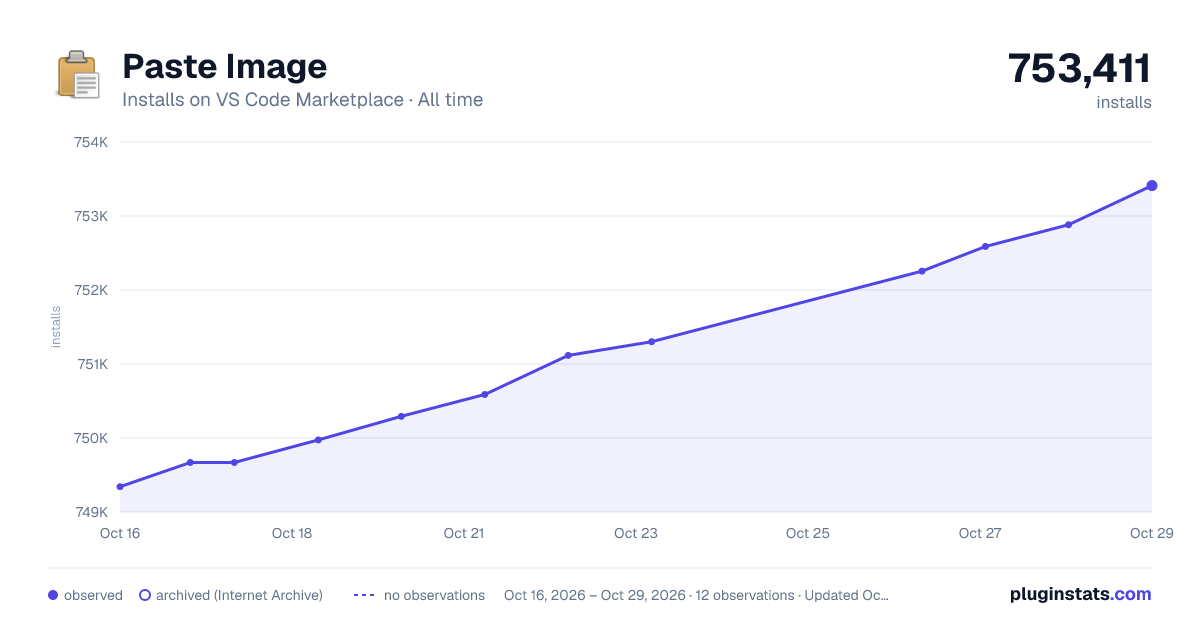

Adoption over time
7/30/90-day growth
Ranking history
Ratings over time
Listing placement
Listing placement
Filled points are observed values; hollow points come from Internet Archive snapshots of the listing page. Dashed segments span periods with no observations — values between points are not interpolated.
Each band is one page of 20. Installs on a linear scale. Placement is projected from installs, so it can differ from the marketplace's own sort order. Hover a dot to see the listing.
Recent observations
Full history (6)Similar VS Code Marketplace Other plugins
All 20 Paste Image alternativesData source
Install counts, average rating, and rating counts come from the public Visual Studio Marketplace gallery API. Installs are cumulative and exclude updates.
Listing: https://marketplace.visualstudio.com/items?itemName=mushan.vscode-paste-image. First seen Oct 16, 2026; last successful collection Oct 21, 2026. See the methodology.