 PluginStats
GitHub Repositories installs statistics
By GitHub (16 listings) · VS Code Marketplace · Other
Remotely browse and edit any GitHub repository
GitHub Repositories has 7,043,434 recorded installs on VS Code Marketplace.
It ranks #134 of 2,500 tracked VS Code Marketplace listings by installs.
It is rated 4.5 out of 5 from 30 ratings.
PluginStats has 3 daily observations since Oct 16, 2026; the latest is from Oct 18, 2026.
Rating: 4.47 / 5 from 30 ratings
About GitHub Repositories
This is the pre-release edition of GitHub Repositories for early feedback and testing. It works best with VS Code Insiders.
GitHub Repositories
The GitHub Repositories extension lets you quickly browse, search, edit, and commit to any remote GitHub repository directly from within Visual Studio Code.
Why do you need GitHub Repositories?
As developers, we often clone Git repos locally just to browse them or make small edits. We may want to look at the source code of a library we use, experiment with new tools, or just feel the desire to learn something new.
However, cloning repos takes time and maintenance, as your local copy can quickly become out of date if you don't pull changes regularly. Plus, if you don't know the codebase you're cloning, there may be security risks involved too!
The GitHub Repositories extension in VS Code gives you a fast, convenient, and safe way to open, browse, and edit repos quickly.
Here are some great situations in which you may choose to use GitHub Repositories to work on a codebase:
• To browse, learn, or search a codebase or parts of one, either as it exists today or at any point in history, directly in VS Code. • To create, edit, and review documentation, blog posts, notes, etc., using VS Code's powerful Markdown editor. • To make changes that don't require building or running tests, although validations can still run in GitHub Actions triggered on commit. • To quickly review pull requests (PRs), without having to check-out or in any way affect your local setup. • And many more!
While GitHub Repositories is a great solution for many scenarios today, it does have certain limitations as you'll see below, so it's not (_yet?_) a cure-all. As such, there are still many situations where you may still want to clone a repository and get the full power of VS Code and all its extensions.
Getting started
You can quickly and easily open a GitHub repository either by searching for _Remote Repositories: Open Remote Repository..._ from the Command Palette (press F1), or by choosing _Open Remote Repository..._ from the remote indicator (the green button in the lower left corner of the status bar).
If you haven’t logged into GitHub from VS Code before, you’ll be prompted to authenticate with your GitHub account.
You can then search for a repo or pull request. In the gif below, we search for and select the VS Code repo on GitHub, VS Code reloads, and the repo’s contents loads similarly as if we cloned it locally:
Features
This extension provides the following support for GitHub repositories:
• Open any GitHub repository directly from GitHub — no cloning or local repository required. • Quickly search for a repository or pull request to open — can also copy/paste links directly from GitHub. • Repositories always open to the latest version on GitHub, unless you have uncommitted changes • Similar to editing directly on GitHub, changes will go directly to GitHub on commit — no pushing or publishing branches required. • Working changes are independent to the branch — work on multiple branches simultaneously! • When you pause work on one branch and switch to another one, you don’t need to stash your changes — they’ll stay on the previous branch, and when you go back, your changes will be there to pick up right where you left off. • Automatically detects if there are new changes on GitHub — always stay up to date. • Indicates the number of unpulled commits on the status bar. • Flags potential merge conflicts if you've modified the same file as someone else. • Open Remote Repositories in the Remote Explorer to see all the GitHub repositories you've accessed. • You can quickly open a GitHub repository to continue working, or view and compare any uncommitted changes you may have. Additionally, you can apply uncommitted changes across branches from the same repository. • Search files in the repository.
Continue Working On...
When working with GitHub repositories, you have several options to continue working in a more powerful environment.
• When you choose _Continue Working On..._ from the Command Palette or from the remote indicator, you're presented the option to continue your work locally, in a container volume (if you have the Remote - Containers extension), or in GitHub Codespaces.
Limitations
When you work in a traditional git workflow (i.e. git clone), files are saved to your computer’s local file system. But when working with GitHub Repositories, the code doesn’t live on your local computer: it’s still just on GitHub. You work with the code through a virtual file system, which is an abstraction that simulates having local files while getting the content from somewhere else; GitHub in this case. When you open a workspace on a virtual file system, it’s known as a virtual workspace.
There are certain limitations while working with virtual workspaces:
• While your code doesn't live on your computer, your edits do. If you want to access your changes in GitHub or on another machine, make sure you commit. • Debugging, terminals, and tasks are not currently supported. Terminals open on your local file system and don’t have access to the virtual file system of the remote repository. • Limited language intelligence - Features like IntelliSense and go-to-definition may be impacted as many languages don't yet understand the virtualized environment of GitHub Repositories. • Search - Full-text search requires a pre-built index for exact text matching, otherwise it will fallback to GitHub's fuzzy default-branch only native search. • Extensions - Not all extensions can support running in a virtual workspace, but over time more extensions will support it. For example, extensions that depend on direct access to local files won't be able to support this.
You can learn more about virtual file systems, workspaces, and how to implement them for extensions in the virtual workspaces guide.…
Description from the VS Code Marketplace listing.
Where GitHub Repositories sits in the listing
Each band is one page of 20. Installs on a log scale. Placement is projected from installs, so it can differ from the marketplace's own sort order. Hover a dot to see the listing.


Charts
Images: 30d · 1y · all time · 1600×900 dark
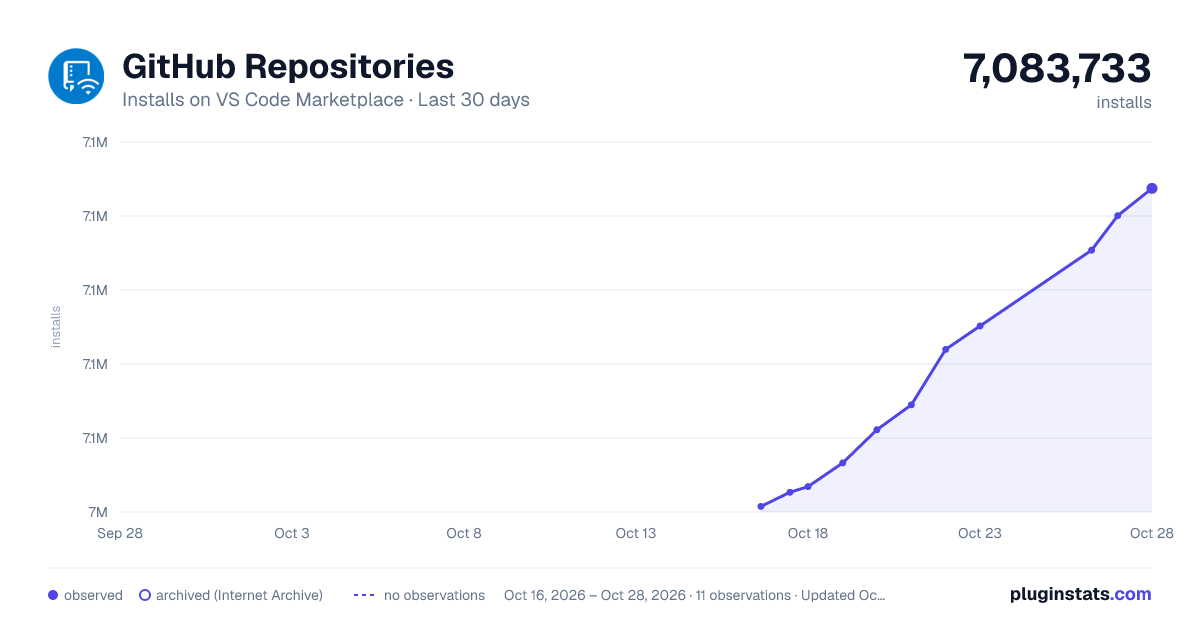
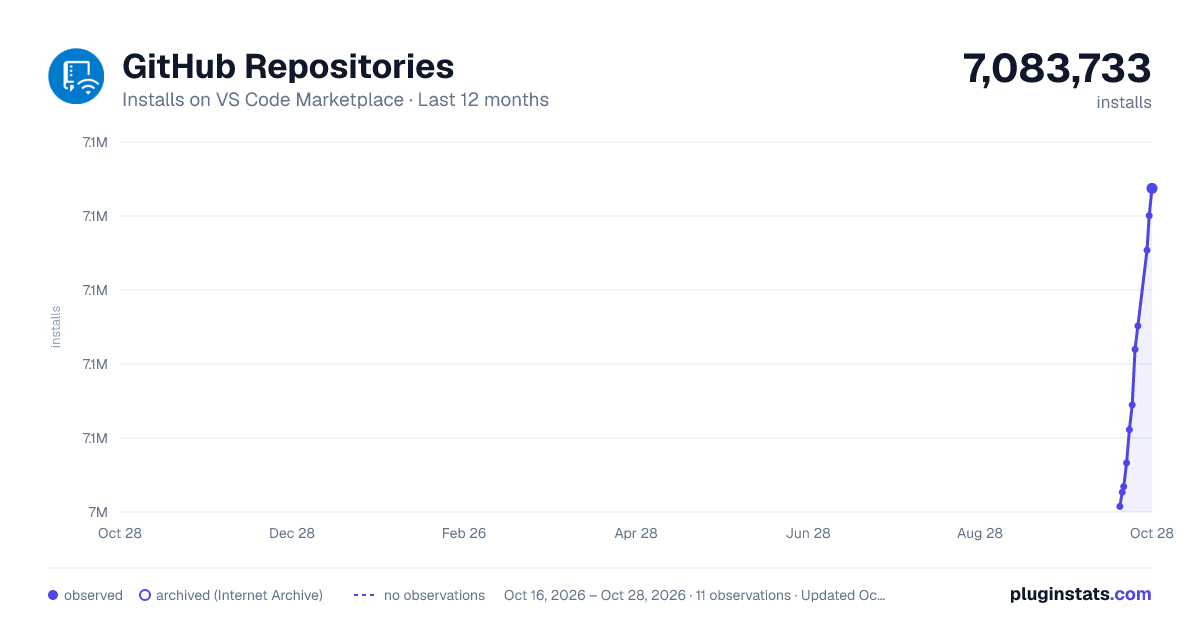
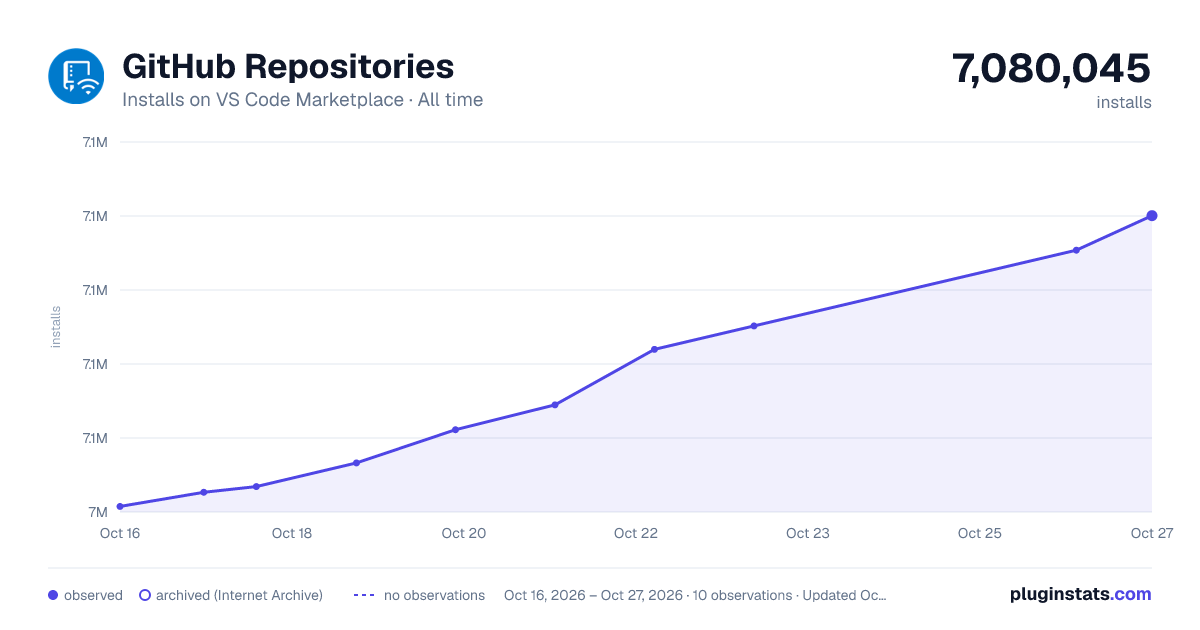

Adoption over time


7/30/90-day growth


Ranking history


Filled points are observed values; hollow points come from Internet Archive snapshots of the listing page. Dashed segments span periods with no observations — values between points are not interpolated.
Recent observations
Full history (3)Similar VS Code Marketplace Other plugins
Data source
Install counts, average rating, and rating counts come from the public Visual Studio Marketplace gallery API. Installs are cumulative and exclude updates.
Listing: https://marketplace.visualstudio.com/items?itemName=GitHub.remotehub. First seen Oct 16, 2026; last successful collection Oct 18, 2026. See the methodology.